
Recommended Free Tools
iTechGuides is reader-supported. When you buy through links on our site, we may earn an affiliate commission. As an Amazon Associate I earn from qualifying purchases. Learn more
To keep a YouTube radio livestream from playing the same songs too often, use a music library with consistent tags and a radio-automation queue that tracks play history. For stronger control, set a minimum interval between plays of the same track, artist, or album. Shuffle changes the order; it does not guarantee a gap.
Build a rotation that can avoid repeats
Organize and tag the library
Use consistent artist, title, album, and genre metadata. Put tracks into useful categories or crates so the automation can select from the right material. If tags are missing or inconsistent, software may not recognize that two files belong to the same artist or are duplicate versions of a track.
Use play history, not just a looping playlist
A fixed playlist that loops will eventually return to its earlier songs. A larger eligible pool and shuffled selection make the sequence less predictable, while a queue that remembers played tracks can keep recently played items out of the next selection. Shuffle alone does not establish a minimum repeat interval.
Set track and artist separation
Where the software supports it, set minimum intervals for the same track, artist, and, if useful for your format, album. Choose intervals that your library can realistically satisfy: there is no source-backed universal interval or minimum catalog size. A small eligible pool may leave the automation with too few valid choices.
#1 Best Overall

- Digital Audio Mixer: Adjust audio effortlessly with a mixer that’s completely hardware-controlled once configured, includes multiple input sources for digital connections
- 4-Channel Design with Mute Buttons: With 1 direct line out for the mic and 3 other channels assigned via Razer Synapse, get the perfect mix between mic, game, music/chat, and system volumes that can we tweaked or muted individually
- XLR Preamp: The mixer supports XLR mics and can boost their output thanks to an ultra-clean low-noise-gain preamp with adjustable gain from -12dB to 39.7dB at 0.75dB per step
- Built-in Voice Settings and Audio Processing: Tweak your voice using hardware-controlled EQ, compressor, and noise gate settings as the mixer handles all of your audio—freeing up resources on your rig for other tasks
- Plug and Play: Get the mixer up and running in minutes simply by plugging in your mic, hooking it up to your PC, and assigning your desired programs to each channel via Razer Synapse
Choose software for the rotation you need
| Software | Documented rotation behavior | Fit and limits |
|---|---|---|
| RadioDJ | Its feature list describes category, subcategory, and genre rotation, plus rules to avoid the same track, artist, or album within a user-set interval. | Consider it when explicit track and artist separation is central and a Windows radio-automation setup works for you. The feature page lists Windows 10/11. These are vendor statements; check the installed version and configuration. |
| Mixxx | Auto DJ provides a queue and shuffle. Played tracks are removed by default; enabling “Repeat the playlist” re-queues played tracks. | Useful for a curated collection and a DJ-style queue. The cited documentation lists Windows, macOS, and Linux, but does not describe timed artist-separation rules comparable to RadioDJ’s published feature. |
Compare options by whether they enforce track and artist gaps, retain play history, handle your library and metadata, support your operating system, and suit unattended operation. Also check whether the automation software handles your stream encoder and video source or whether those need a separate workflow. YouTube’s API documentation treats audio-video stream configuration and broadcast/event resources as distinct concepts; song rotation happens upstream of delivery.
Set up and verify the rotation
- Clean the library. Standardize artist, title, album, and genre tags, and remove or identify duplicate files.
- Choose an eligible pool. Group tracks by the format or mood you want, and make sure the pool is broad enough for the separation rules you plan to apply.
- Enable queue history or rotation. Use Auto DJ or the product’s rotation feature rather than replaying a fixed playlist from the beginning.
- Configure available separation rules. In RadioDJ, configure the documented track, artist, or album interval and category/subcategory/genre rotation. In Mixxx, use Auto DJ and shuffle; leave “Repeat the playlist” off if your goal is to avoid re-queueing played tracks.
- Review the queue before leaving the stream unattended. Confirm that it has eligible upcoming tracks and that the intended repeat controls are active. Small pools and inconsistent metadata can limit the choices available.
- Keep rights checks separate from rotation setup. A schedule that avoids repeats does not grant permission to stream the music.
Understand YouTube copyright checks and music rights
YouTube says, “All live streams are scanned for matches to third-party content, including copyrighted content in the form of another live broadcast.” A match may replace the stream with a placeholder; if the content remains, YouTube may interrupt or terminate the livestream. YouTube also says that a license alone may not be enough: the rights owner may need to add your channel to an allowlist, and territory restrictions can apply. See YouTube Help: Copyright issues with live streams.
Rank #2
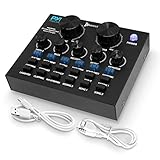
- NOISE REDUCTION TECHNOLOGY: This 2 channel voice changer for xbox one, PS4 is equipped with DSP noise reduction chip to eliminate unwanted noise for crystal clear audio. Supports major mainstream live broadcast software such as Facebook, TikTok, etc.
- BLUETOOTH CONNECTIVITY: Pyle voice changer mixer is equipped with bluetooth that instantly receives wireless music streaming audio and works with all of your favorite devices like iPhone, Android, smartphones, ipad, tablet, mp3 player, etc.
- MULTIPLE INPUTS: The compact size, external sound card sound changer broadcast mixer is equipped w/ live1 and live2 and accompany instrument USB port, 3.5mm earphone speaker and headset output, & 3.5mm condenser microphone and 6.35mm dynamic mic input
- 6 SOUND MODES: The vocal effects voice transformer features 6 sound modes (electro, pitch bend, popping, shouting, voice-over, dodging) and equipped w/ control knobs for mic volume, echo, treble, bass, record volume, music volume, and monitor volume
- 12 SOUND EFFECTS: This sound effects box sound card mixer features 12 sound effects including cheering, awkward, despise, debut, kissing 1, laughter, clapping, pay attention, kissing 2, song 1, song 2. Compatible with Smartphone, PC, and Laptop
YouTube’s live Content ID matching is not a playlist or song-rotation tool for ordinary channels. YouTube describes it as available only to certain partners using Content Manager, with requirements including global rights and exclusive ownership of the content in the stream.
What’s actually slowing this PC down?
Pick the symptom - the matching free tool is one click away.
Confirm permission for the specific music, livestream, archived video or VOD, and territories where it will be available. Rights can differ by territory and license. For example, PPL’s UK FAQ says recorded music in an online radio service may not be edited, remixed, or changed, and unauthorised tracks must not knowingly be transmitted; that is UK-specific guidance, not a universal licensing rule. Check the terms that apply to your own rights and locations.
Rank #3

- NOISE REDUCTION TECHNOLOGY: This 2 channel voice changer for one is equipped with DSP noise reduction chip to eliminate unwanted noise for crystal clear audio. Supports major mainstream live broadcast software.
- BLUETOOTH CONNECTIVITY: voice changer mixer is equipped with Bluetooth that instantly receives wireless music streaming audio and works with all of your favorite devices like tablet mp3 player etc.
- MULTIPLE INPUTS:The compact size, external sound card sound changer broadcast mixer is equipped w/ live1 and live2 and accompany instrument USB port, 3.5mm earphone speaker and headset output, & 3.5mm condenser microphone and 6.35mm dynamic mic input
- 6 SOUND MODES: The vocal effects voice transformer features 6 sound modes (electro, pitch bend, popping, shouting, voice-over, dodging) and equipped w/ control knobs for mic volume, echo, treble, bass, record volume, music volume, and monitor volume
- 12 SOUND EFFECTS: This sound effects box sound card mixer features 12 sound effects including cheering, awkward, despise, debut, kissing 1, laughter, clapping, pay attention, kissing 2, song 1, song 2. Compatible with PC, and Laptop
Troubleshoot repeats and interruptions
- The same track returns quickly: Check whether you are using a fixed looping playlist, whether play history is active, and whether the repeat-playlist option is enabled. Increase the eligible pool if the automation cannot meet the requested gap.
- Different songs by one artist play close together: Shuffle may be working as designed; it does not impose artist separation. Use a tool with an explicit artist interval if that control is essential.
- The rotation ignores categories or seems to have few choices: Inspect tags and category assignments, then confirm that enough tracks meet the current rules.
- YouTube interrupts or replaces the stream: Investigate a possible third-party content match and verify both the license and any required channel allowlisting or territory permissions with the rights holder.
Or let it run in the cloud
StreamNeo is an adjacent option if you want to keep a continuous YouTube stream of uploaded music running; it does not prevent repeats in a playlist, so arrange the rotation in your files or playlist first. The setup is: upload a recording or build a playlist, add your YouTube stream key once, and go live. StreamNeo loops uploaded videos from the cloud, so no computer or home connection has to stay on. Every slot supports the uploaded quality up to 4K 60fps at one flat price, with automatic recovery if YouTube drops the stream. The first day is free with no card. Monthly pricing is $9.99 per month.
Learn more at StreamNeo, or start the free first day.
Quick Recap
Best Value

- Passive Mixer Frequency Range: Passive Mixer supports 0.5 to 500 MHz (ADE-1), 0.05 to 250 MHz (ADE-6), and 5 to 2500 MHz (ADE-25) bands, enabling precise RF signal translation across VHF/UHF systems for broadcast and communications use
- Low Conversion Loss Performance: Passive Mixer delivers 5.0 dB loss (ADE-1), 4.6 dB (ADE-6), and 7.0 dB (ADE-25), minimizing signal degradation during frequency translation in sensitive receiver front-ends
- RF Power Handling Capacity: Passive Mixer accepts up to 50 mW RF input power and supports 40 mA IF current, ensuring stable operation under typical VHF/UHF signal chain loading conditions
- Compact Form Factor Design: Passive Mixer features a lightweight miniaturized housing with standardized footprint, facilitating integration into space-constrained RF modules and portable test equipment
- VHF UHF Application Focus: Passive Mixer is engineered specifically for VHF and UHF frequency conversion tasks, including signal monitoring, spectrum analysis, and transceiver subsystems in field-deployable hardware
Rank #4

- Multi-microphone compatibility: The Drum Mix is compatible with dynamic, condenser and electret microphones. The switchable 48V/1.5V power supply enables you to connect your favorite microphone or switch to another type depending on your preferences and needs.
- 6.3mm & 3.5mm inputs: The 6.3mm jack enables you to connect your favorite electronic instruments, including electronic drums and keyboards and percussion machines. Additionally, the 3.5mm jack allows you to plug in a metronome or a laptop MP3 player to work as an external audio input.
- Subwoofer output: never miss a beat with the subwoofer output. The output enables you to connect a subwoofer that will reproduce clear-cut bass sounds for the best mixing experience. Additionally, the bass boost button will further enhance the low-frequency sounds of your mix!
- Microphone inputs & embedded microphone: our built-in microphone power input enables the audio mixer to provide live commentary or sing on-stage in real time. We also provide an embedded microphone to enable the player to listen to external audiences without having to remove their headphones. This allows for direct interaction and a lively mixing experience!
- A portable device with loads of power: at just 270g, this audio mixer is perfect for on-the-go gigs. The Drum Mix brings all the benefits of a compact device without compromising any of its powerful features. Suitable for DJs, gamers, and mixing enthusiasts of all types and perfect for live broadcasting, webcasting, streaming and more!
Product prices and availability are accurate as of the date/time indicated and are subject to change. Any price and availability information displayed on Amazon at the time of purchase will apply.

