
Free tools Windows power users keep installed
One-click scans. No signup required.
Use the image API’s returned URL when you need a link immediately, but treat it as temporary. OpenAI documents URL responses for DALL·E 2 and DALL·E 3, with a 60-minute validity window. GPT Image models return base64-encoded image data instead. For a durable link, download the temporary file or decode the base64, save it in storage or on your own web server, and return that host’s URL to your application.
The important distinction is that image generation produces pixels; a permanent HTTP address comes from a hosting layer you control. The workflow below covers both response formats, public and protected links, failure handling, and code you can adapt to your stack.
Choose the response format before you write URL logic
Your first decision is determined by the model and the response format it supports. OpenAI’s image API reference says DALL·E 2 and DALL·E 3 can return a URL, while GPT Image models do not support that URL response format and return base64-encoded data.
| Route | What you receive | What you must do next | Main limitation |
|---|---|---|---|
| DALL·E URL response | An HTTPS image URL in the response | Download it promptly, then store it if you need a lasting link | The documented URL is valid for 60 minutes |
| GPT Image base64 response | A b64_json string containing image bytes |
Decode it to a file, then upload or serve that file | There is no provider-generated URL to share until you host the file |
A data URL such as data:image/png;base64,... can work in a private prototype, but it is usually a poor production URL: it is very long, duplicates the entire file in HTML or JSON, and is awkward to cache, revoke, or protect. Decode the data and give the resulting object a normal HTTPS address instead.
Windows Errors? Fix Them Before They Spread
Repair common Windows errors and clear accumulated junk for a smoother, more stable PC - no reinstall needed.Free scan · no reinstallCrashes, No Sound, or Screen Glitches?
Random freezes, missing sound and display glitches usually trace back to one bad driver. Find and replace yours safely.Free scan · under a minute#1 Best Overall
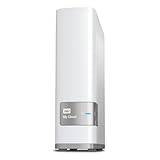
- Centralized, whole-home storage
- Mobile and remote web access, Backs up PC and Mac computers
- Photo and video backup for smartphones and tablets, Operating System - Windows/Mac
- Sync software to keep content up-to-date across all your computers and creates a common place for friends and family to share photos
- Compatible with Windows 10, Windows 8, Windows 7, Mac OS X El Capitan, Yosemite, Mavericks, or Mountain Lion operating systems and requires, DLNA/UPnP devices for streaming and a router with Internet connection
Get a temporary URL from DALL·E
Request the URL response explicitly for a DALL·E model. The following cURL request uses the documented image-generation endpoint and response format:
curl https://api.openai.com/v1/images/generations
  -H "Authorization: Bearer $OPENAI_API_KEY"
  -H "Content-Type: application/json"
  -d '{
    "model": "dall-e-3",
    "prompt": "A watercolor map of a fictional coastal town",
    "size": "1024x1024",
    "response_format": "url"
  }'
Read the URL at data[0].url. Download it immediately; OpenAI’s API reference states that image URLs are valid for only 60 minutes after generation.
curl -L "$IMAGE_URL" -o generated.pngDo not put the temporary URL in a database as if it were permanent. Save the downloaded bytes to your own storage and retain the URL your storage layer provides.
Python: request, download, and save
import os
from pathlib import Path
import requests

payload = {
    "model": "dall-e-3",
    "prompt": "A watercolor map of a fictional coastal town",
    "size": "1024x1024",
    "response_format": "url",
}
headers = {"Authorization": f"Bearer {os.environ['OPENAI_API_KEY']}"}
response = requests.post(
    "https://api.openai.com/v1/images/generations",
    headers=headers,
    json=payload,
    timeout=90,
)
response.raise_for_status()
image_url = response.json()["data"][0]["url"]

image = requests.get(image_url, timeout=90)
image.raise_for_status()
Path("generated.png").write_bytes(image.content)
print(f"Downloaded {len(image.content)} bytes")
The script keeps the download in memory only long enough to write the file. In a service, stream to a temporary file, verify the content type and size, then move the file into its final storage key after a successful download.
The Tool Desk
Outbyte Driver Updater FREEScan for outdated or missing drivers - takes under a minuteDriver Scan →Outbyte PC Repair FREEClear out junk files and repair common Windows errorsFree Scan →Node.js: request and download
const fs = require('node:fs/promises');

const generation = await fetch('https://api.openai.com/v1/images/generations', {
  method: 'POST',
  headers: {
    'Authorization': `Bearer ${process.env.OPENAI_API_KEY}`,
    'Content-Type': 'application/json'
  },
  body: JSON.stringify({
    model: 'dall-e-3',
    prompt: 'A watercolor map of a fictional coastal town',
    size: '1024x1024',
    response_format: 'url'
  })
});
if (!generation.ok) throw new Error(`${generation.status} ${await generation.text()}`);
const result = await generation.json();
const imageUrl = result.data[0].url;

const image = await fetch(imageUrl);
if (!image.ok) throw new Error(`Image download failed: ${image.status}`);
await fs.writeFile('generated.png', Buffer.from(await image.arrayBuffer()));
console.log(imageUrl);
Decode a GPT Image base64 response
GPT Image models return image data in data[0].b64_json. Base64 is an encoding of the bytes, not a hosted address. Decode it before you attempt to create a link.
Python decoder
import base64
import json
from pathlib import Path

# response.json is the JSON returned by the image API.
result = json.loads(Path("response.json").read_text())
encoded = result["data"][0]["b64_json"]
raw = base64.b64decode(encoded, validate=True)
Path("public/generated.png").parent.mkdir(parents=True, exist_ok=True)
Path("public/generated.png").write_bytes(raw)
print("Wrote public/generated.png")
OpenAI’s CLI documentation demonstrates the same decode-to-file operation by extracting data.0.b64_json and piping it through base64 decoding. The file extension should match the format you requested or the format your response specifies; do not assume every model returns PNG.
Rank #2

- High-capacity add-on storage.Specific uses: Business, personal
- Fast data transfers
- Plug-and-play ready for Windows PCs
- WD quality inside and out
Node.js decoder
const fs = require('node:fs/promises');
const result = require('./response.json');
const raw = Buffer.from(result.data[0].b64_json, 'base64');
await fs.mkdir('public', { recursive: true });
await fs.writeFile('public/generated.png', raw);
console.log('Wrote public/generated.png');
Command-line decoder
jq -r '.data[0].b64_json' response.json | base64 --decode > generated.pngOn systems whose base64 utility uses a different flag, use that platform’s decode option or the Python script above. A successful decode should produce a non-empty file that your image viewer can open.
Turn the file into an application URL
After decoding or downloading, place the file somewhere that can answer an HTTP request. That can be your application server or an object-storage service configured by your team. The image API does not create this durable hosting URL for you.
- Choose a stable key. Use a non-guessable identifier such as a UUID rather than a prompt or user name. Keep the original format in the key, for example
images/4f2.../generated.webp. - Set the correct content type. Serve PNG as
image/png, JPEG asimage/jpeg, and WebP asimage/webp. A wrong type can cause downloads instead of display or break image optimization. - Decide access before publishing. Public images can use a normal HTTPS URL. Private images should be served through an authenticated endpoint or a signed, expiring URL. Do not place API keys in the image URL.
- Return the host URL from your API. Store the object key and metadata in your database, then construct the public URL from a configured origin. Do not derive it from untrusted prompt text.
- Define retention and deletion. “Permanent” means your retention policy keeps the object available; it is not a promise made by the generation API. Record when an image expires, who owns it, and how a deletion request removes both the database row and the file.
For a quick local check, run python -m http.server 8000 --directory public and open http://localhost:8000/generated.png. That address is reachable only from a machine that can access your computer; it is not a public URL. A deployed server or storage endpoint is required for other users and services.
Build one handler that accepts either response shape
If your application may switch models, branch on the returned fields instead of assuming a URL. This Python example downloads a URL when present and otherwise decodes base64:
import base64
from pathlib import Path
import requests

def save_image(result, destination="public/generated.png"):
    item = result["data"][0]
    if item.get("url"):
        response = requests.get(item["url"], timeout=90)
        response.raise_for_status()
        content = response.content
    elif item.get("b64_json"):
        content = base64.b64decode(item["b64_json"], validate=True)
    else:
        raise ValueError("Image response contains neither url nor b64_json")

    path = Path(destination)
    path.parent.mkdir(parents=True, exist_ok=True)
    path.write_bytes(content)
    return path
Call this function as soon as the generation request completes. If you enqueue work for later, pass the response data or downloaded bytes to the worker rather than relying on a DALL·E URL that may expire during the wait.
Reliability, security, and cost details that affect the URL
Retry the right operation
Retry a failed generation request only when your application can tolerate another generation. If generation succeeded but the download failed, retry the download first while the temporary URL is still valid. Use bounded retries with increasing delays and an overall timeout; never retry indefinitely.
Quick wins for a faster PC:
Scan for outdated or missing drivers - takes under a minuteDriver Scan →Clear out junk files and repair common Windows errorsFree Scan →Fix the driver behind crashes, sound loss and screen glitchesFind Drivers →Rank #3

- Made For iPhone Certified. Compatible with iPhone 15 or newer (USB-C) and iPhone 14 or older models (Lightning)(2). When connected via USB-C, works with SANDISK Memory Zone app or Apple iOS Files app—automatic backup requires SANDISK app(3). Lightning connection requires the SANDISK app for copy and backup functions(3).
- SANDISK Memory Zone App Required. Download the app(3) from the App Store and update firmware if prompted to optimize your file management experience or jump to the iOS Files app from the home screen.
- Free Up Space. Seamlessly transfer files to your SanDisk Phone Drive, then easily delete them from your phone to reclaim valuable storage(3).
- Smarter Backups. Choose manual or automatic backup within the SANDISK Memory Zone app with real-time progress tracking, background multitasking, and partial backup support when storage is limited(3).
- Reliable Transfers. Move content between your USB-C or Lightning iPhone, iPad Pro, Mac, and other compatible devices(2).
Validate before you publish
- Check the HTTP status and content type from a temporary URL download.
- Reject an empty or unexpectedly small file.
- Enforce a maximum byte size before writing to permanent storage.
- Generate a random storage key and keep the original API response out of public logs.
- Serve images with an appropriate cache policy. Immutable, versioned keys can be cached for a long time; mutable URLs need revalidation.
Separate generation cost from delivery cost
The generation request and your later storage, bandwidth, image processing, and CDN traffic are separate concerns. The cited OpenAI documentation establishes the 60-minute lifetime of a DALL·E URL, but it does not provide a hosting provider, retention guarantee, storage price, or traffic estimate. Choose those settings based on your application’s audience and privacy requirements.
Troubleshooting
“The URL works in a browser, then stops working”
You are probably using the temporary DALL·E URL after its documented 60-minute window. Download it immediately after generation and use your own hosted URL for later requests.
“response_format: url” is rejected
You are likely using a GPT Image model. The API reference says that parameter is not supported for GPT Image models; remove it, read b64_json, decode the bytes, and host the resulting file.
“Invalid base64” or a zero-byte file
Confirm that you extracted exactly data[0].b64_json, did not include surrounding quotes or a data-URL prefix, and used a binary write operation. Also check that the API response was successful before decoding.
The image displays as text or downloads
Inspect the server’s Content-Type. Set it to the actual image MIME type and ensure the URL points to the file, not to a JSON record containing the base64 string.
The link works locally but not for users
localhost and private-network addresses are not public hosting. Deploy the file-serving endpoint, configure DNS and HTTPS, and verify access from a separate network. If the image is private, use authentication or a signed URL rather than making the entire directory public.
Rank #4

- Set up a personal cloud in minutes and get right into data managing works
- Store, access, and share files over the web, or from your desktop or mobile devices
- Share storage with family and friends so everyone has their own personalized storage space
- Edit files on BeeStation from your desktop while keeping your progress synced across computers
- Back up files from Google Drive, OneDrive, Dropbox, and external drives to one central place
A queued job receives an expired URL
Move the download into the generation request’s completion path, or persist the bytes before enqueueing downstream work. A queue delay can outlast the temporary URL’s lifetime.
Or skip the browser setup
If your generated image is already displayed on a web page and what you need is an immediate screenshot URL for a rendered preview, ScreenshotNeo can capture that page through one GET request. It is a screenshot API, not a replacement for storing the original generated bytes, so keep your normal decode-and-host flow when you need the source image.
Do these 3 things before closing this tab:
1Clear out junk files and repair common Windows errors2Scan for outdated or missing drivers - takes under a minute3Repair Windows errors before they cause bigger problemsScreenshotNeo removes cookie and consent banners, newsletter popups, and chat widgets before capture. Bot checks, blank pages, failed loads, timeouts, and cache hits are not billed, and response headers identify the page verdict and billing result. Its MCP server provides take_screenshot, get_page_info, and capture_pdf tools for Claude, Cursor, and other MCP clients.
Use the URL of the page that renders your image (the example below captures ScreenshotNeo’s own site; replace only the target page):
curl -G "https://api.screenshotneo.com/v1/shot" -d access_key=YOUR_API_KEY --data-urlencode url=https://screenshotneo.com -o shot.webpSee the ScreenshotNeo API documentation for all options.
import requests
r = requests.get("https://api.screenshotneo.com/v1/shot", params={"access_key": "YOUR_API_KEY", "url": "https://screenshotneo.com"}, timeout=90)
r.raise_for_status()
open("shot.webp", "wb").write(r.content)
const q = new URLSearchParams({ access_key: 'YOUR_API_KEY', url: 'https://screenshotneo.com' });
const res = await fetch(`https://api.screenshotneo.com/v1/shot?${q}`);
if (!res.ok) throw new Error(`${res.status} ${await res.text()}`);Every feature is included on every plan: 1,000 screenshots per month are free with no card; paid plans start at $5 for 3,000 shots. Create a free ScreenshotNeo account if a clean rendered preview is the URL you need.
FAQ
Can I make the OpenAI-generated URL last longer?
Not through the documented DALL·E URL itself. Treat its 60-minute lifetime as fixed and create your own URL by downloading and hosting the image.
Best Value

- 128GB 4 IN 1 PHOTO STICK - High quality aluminum frosted ZARMST usb c flash drive comes in a true 4 IN 1 Design, it has 4 built-in ports (USB-C, Phone Port, Micro USB and Standard USB A Connector) with no additional adapters to make it more stable.
- HIGH SPEED TRANSMISSION CHIP - ZARMST Memory Stick provides an easy and fast way to transfer all kinds of files. Up to 80M/S Read and 30M/S Write Speeds. ZARMST allows you to release the memory on your storage device offline without a data cable or cloud.(Performance may vary based on host device, interface, usage conditions, and other factors)
- ULTIMATE COMPATIBILITY - One end is USB Type C interface and a 3 in 1 interface on the other, which is not only for most Smart devices (such as Phone, Pad, Macbook) Android devices (Type C or Old Style Micro USB models), but also all kinds of traditional USB interface devices (laptops, tablets, TV’s, car audio systems, and more), lets you easily transfer files back and forth between different devices.
- APP FOR EASY FILE MANAGEMENT - Easily manage files on your Smart device with the easyflash pro app, it allows you view, access and back up all the files in your phone's memory in one place, available in the App Store. One-click back-up albums and address book, and encrypted files function are all included.
- ZARMST Phone USB Storage Flash Drive - All of 128gb ZARMST Pen Drives have been rigorously tested and formatted before leaving the factory. Questions will be responded to within 24 hours. Please note: Product color may vary due to changes in light conditions. Note: You may see a lower capacity than 128GB/256GB/512GB on your device, as storage brands calculate 1GB as 1000MB, but computers read 1GB as 1024MB.
Should I expose base64 directly to a browser?
Only for small, short-lived prototypes. For production, a normal HTTPS resource is easier to cache, revoke, authorize, and monitor.
Does hosting change the image’s pixels?
Storing the decoded bytes does not inherently alter them. Transformations such as resizing, format conversion, or optimization are separate processing steps and should be performed deliberately.
Frequently Asked Questions
Can I make the OpenAI-generated URL last longer?
Not through the documented DALL·E URL itself. Treat its 60-minute lifetime as fixed and create your own URL by downloading and hosting the image.
Recommended Free Tools
Should I expose base64 directly to a browser?
Only for small, short-lived prototypes. For production, a normal HTTPS resource is easier to cache, revoke, authorize, and monitor.
Does hosting change the image’s pixels?
Storing the decoded bytes does not inherently alter them. Transformations such as resizing, format conversion, or optimization are separate processing steps and should be performed deliberately.
Quick Recap
Product prices and availability are accurate as of the date/time indicated and are subject to change. Any price and availability information displayed on Amazon at the time of purchase will apply.

