
iTechGuides is reader-supported. When you buy through links on our site, we may earn an affiliate commission. As an Amazon Associate I earn from qualifying purchases. Learn more
Choose your stabilization workflow first. For a smooth, minimally corrected shot, a slower shutter can create natural motion blur, with an ND filter helping preserve that shutter in bright light. For fast FPV footage that needs electronic or gyro stabilization, favor sharp frames: use a faster shutter and leave the ND filter off unless the scene is too bright. There is no one filter strength or shutter setting that suits every camera, frame rate, flight style, and lighting condition.
Choose the look and stabilization workflow
An ND (neutral-density) filter reduces the light entering the lens. It does not stabilize footage; its practical purpose is to let you keep a slower shutter in bright conditions when you want more motion blur. DJI explains the filter’s light-control role and how selection depends on the light and desired effect in its ND filter guide.
For FPV, the key question is whether the footage will be stabilized. Stabilization can correct frame movement, but it cannot remove motion blur already recorded. Gyroflow’s filming guidance therefore cautions against slow-shutter blur when stabilizing substantially shaky action-camera footage.
| Shooting approach | When it fits | Shutter and ND approach | Trade-off |
|---|---|---|---|
| Cinematic blur with little or no digital stabilization | Smooth, planned flight or a deliberate motion-blur look | Use the 180-degree shutter relationship as a starting point; add ND in bright light to retain the slower shutter. | Fast direction changes or vibration can produce blur that looks poor and cannot be removed afterward. |
| Electronic or gyro stabilization | Fast movement, noticeable shake, or post-stabilization | Favor a faster shutter and sharper frames. Skip ND unless the scene is too bright at the chosen shutter. | Motion can look crisper and less conventionally cinematic. Stabilization may crop or reframe, depending on the system. |
| Hybrid or adaptive flight | A mix of smooth and rough sections or changing light | Favor a shutter that preserves stabilization flexibility. Use camera-specific automatic motion-blur controls only if your camera supports them, then inspect the footage. | Automation and supported modes differ by camera; do not assume that different brands behave alike. |
Gyroflow notes that the 180-degree convention can suit physically stabilized, predictable movement or smooth flight where stabilization only corrects minor motion. For footage needing substantial post-stabilization, it suggests considering 90- or 45-degree shutter angles. Treat those as workflow guidance, not universal settings for every camera.
#1 Best Overall

- This FPV ND UV Filter Set is compatible with O4 Pro Air Unit, ensuring its adaptability and suitable for aerial video shooting.
- Multi-scenario 4-piece set, the set includes UV filter, ND8, ND16 and ND32 filters. The UV filter protects the lens from scratches and preserves the image quality without any loss. It also protects the lens. The ND filters reduce the amount of incoming light, preventing overexposure and maintaining the natural dynamic blur during high-speed flight.
- Manufactured with high-quality optical glass, it ensures true color reproduction in high-contrast environments. It better retains the details captured during the shooting and maintains excellent image quality.
- Ultra-light aluminum alloy frame, weight about 0.8g. The lightweight design hardly increases the aircraft's weight and does not affect the center of gravity or power response of the drone.
Set shutter speed for your frame rate and flight
The 180-degree shutter convention means the exposure time is half the frame interval: shutter time is approximately 1 ÷ (2 × frames per second). For example, DJI states that recording at 24 fps with a 180-degree shutter gives an exposure time of 1/48 second in its Air 3S ND Filter Set documentation. This is a starting point for a conventional blur look, not a rule every FPV pilot should follow.
If your camera will stabilize rapid or rough movement, consider a faster shutter so the source frames contain less blur. If you are flying smoothly and want blur, a slower shutter may suit the result. Choose the delivery frame rate and stabilization method before selecting the shutter; a shutter value by itself does not define the look without those choices.
Rank #2
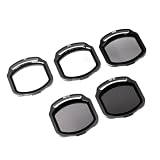
- 🎬 CINEMATIC VIDEO CONTROL 🎬 Take your FPV footage to the next level with 3 neutral density filters (ND8 / ND16 / ND32). By reducing light intake in bright conditions, these ND filters let you maintain the ideal shutter speed for smooth, natural motion blur — essential for professional-looking cinematic shots.
- 🔆 ELIMINATE GLARE & BOOST COLORS 🔆 The included CPL (Circular Polarizer) filter cuts through reflections and glare from water, glass, and wet surfaces, dramatically improving color saturation for cleaner skies and deeper contrast in every frame.
- 🛡️ UV PROTECTION & LENS SAFETY 🛡️ The UV filter reduces haze and provides a transparent layer of protection for your O4 Air Unit Pro camera lens. Shield your lens from scratches, dust, and debris during high-speed FPV flights — without affecting exposure or image quality.
- ✈️ ULTRA-LIGHTWEIGHT AEROSPACE ALUMINUM ✈️ Each filter weighs only 0.97g, featuring a CNC-machined aerospace-grade aluminum alloy frame paired with high-quality optical glass. The dual-sided multi-layer nano coating is scratch-resistant, waterproof, and oil-repellent — built to survive the rigors of freestyle flying.
- 🔧 PERFECT FIT FOR O4 AIR UNIT PRO 🔧 Engineered exclusively for the DJI O4 Air Unit Pro, with precise dimensions (23.2×20×2mm) ensuring zero vignetting in both 16:9 and 4:3 aspect ratios. Fully compatible with SpeedyBee BEE25 and Master3X frames. Tool-free clip-on installation means you can swap filters in seconds, in the field.
Use ND only when the light calls for it
Once you have chosen a shutter, expose for the scene. Add an ND filter only when bright light would otherwise prevent you from using that shutter. Reduce or remove it when light falls or the image is underexposed. Choose strength using the camera’s exposure display and the footage you want; filter labels such as ND4, ND8, or ND16 do not prescribe a universal FPV setting.
The Tool Desk
Outbyte Driver Updater FREEScan for outdated or missing drivers - takes under a minuteDriver Scan →Outbyte PC Repair FREEClear out junk files and repair common Windows errorsFree Scan →There is no established one-size-fits-all ND strength, shutter, or ISO for FPV cameras, flight styles, and lighting. DJI’s guide discusses filter selection by light and desired effect, but its examples do not provide a universal prescription. Avoid choosing a filter just because a particular strength is common in a gear list.
Rank #3
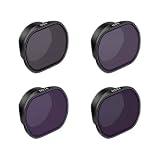
- The camera lens filter is compatible with DJI Drone FPV Aerial Video Photography.
- Optical Glass: This filter is made of high‑quality multi‑coated optical glass with excellent light transmittance. High transparency and great uniformity deliver sharper images.
- Easy Installation(Quick‑Release): This filter supports quick installation and removal. Align the filter with the gimbal camera and slip it on directly.
- Lightweight Design: This filter weighs only 2.8g. It adds no extra burden to the gimbal camera, avoids gimbal balance offset, and will not interfere with normal gimbal rotation. It eliminates jitter during flight and ensures stable shooting for FPV drones.
- Note: Size is manual measurement, there are exist errors.
Apply the settings in a practical sequence
- Identify your camera and recording mode. Check which frame rates, shutter controls, exposure options, and stabilization modes are available. DJI’s DJI FPV support material illustrates that settings and low-light effects can depend on mode; consult the manual for your exact camera.
- Decide where stabilization happens. Choose in-camera stabilization, post-stabilization, or no digital stabilization. This determines how much captured motion blur is likely to be acceptable.
- Choose the delivery frame rate and shutter. For a conventional blur look with smooth movement, use the 180-degree relationship as a starting point. For significant digital or gyro stabilization, begin with a faster shutter.
- Fit the exposure to the light. Use ND if the scene is too bright to hold your selected shutter. Remove or reduce the filter if the image becomes underexposed or the light drops.
- Review representative footage. Check exposure, blur during direction changes, and stabilization artifacts. Adjust the shutter or filter for the conditions and intended result rather than assuming one setup will work for every flight.
HERO13 Black filter note
GoPro lists a Smart Motion Blur ND Filter 4-Pack (ND4, ND8, ND16, and ND32) as compatible with HERO13 Black. The product page describes automatic filter detection and motion-blur settings, including Auto 180-degree and manual shutter or exposure controls. GoPro’s examples are ND4 for low light or late sunset, ND8 for golden or blue hour, ND16 for afternoon, and ND32 for bright sunny daytime. These are examples for that product and camera—not recommendations for other GoPro models, DJI FPV cameras, or other action cameras. Pilots prioritizing digital stabilization may prefer a faster shutter and no filter.
Quick Recap
Best Value

- 【6 pack filters】 (UV, CPL, ND8, ND16, ND32, ND64) for 03 Air Unit/AVATA drones. Choose appropriate filter for diverse lighting conditions & improve flight outcomes. Each set of ND filters comes with a magnetic sturdy filter case.
- 【Multiple installation options】The filter kit is unique as it allows both horizontal and vertical installation options. Vertical installation ensures filter stability during high-speed FPV drone flights, providing users with a flexible choice based on YOUR needs.
- 【Ideal for outdoor photography】 03 Lens ND Filter helps achieve optimal exposure and desired depth of field/blurred effect in bright conditions. Enhances portrait/landscape shots, producing more professional-looking images.
- 【Reduces glare and polarization】 The UV and CPL filters in the filter set reduce glare and polarization, resulting in clearer and more realistic photos and videos.
- 【Protect your lens】 Using these filters can protect your 03 lens from dust, scratches, fingerprints, and other debris, extending its lifespan and enhancing camera performance.
Rank #4

- 【4-Pack Avata 2 ND Filter】This latest 4-Pack ND Filter Kit From K&F CONCEPT is specially designed for DJI Avata 2, which includes ND8, ND16, ND32, and ND64. Features ultra-lightweight, it ensures your drone gimbal safe, and made of top optical glass to help reproduce uncompromised pictures, it's a valuable addition to your droneshot toolkit.
- 【Light Reduction & Balanced Exposure】 This K&F CONCEPT Avata 2 ND filter kit reduces exposure by 3 stops to 6 stops, ideal for daily photography light reduction needs. It blocks the corresponding value of light to the Avata 2 camera and elevates image quality in different weather conditions.
- 【28 Multi-Layer Coatings Optical Glass】Each filter made by imported AGC optical glass, with no effect on the image quality, ensures the restoration of the image's actual color. The dual side of the glass adopted multilayer coating, which helps repel water, dust, grease, and anti-scratch. Easy to clean and maintain, and protecting your Avata 2 lens from all-rounds.
- 【Gimbal Safe】Ultra lightweight design, each filter only 1.2g, ensures each filter frame goes through a rigorous lightweight test and will not affect the gimbal and calibrations.
- 【Secure Attachment】Elasticity frame, fixed the looseness issue, when you install it there is a noticeable click sound of it being mounted in place. Snap-fit design for quick installation and secure locking, it will firmly tight on the camera during flight.
Product prices and availability are accurate as of the date/time indicated and are subject to change. Any price and availability information displayed on Amazon at the time of purchase will apply.

