
iTechGuides is reader-supported. When you buy through links on our site, we may earn an affiliate commission. As an Amazon Associate I earn from qualifying purchases. Learn more
On the India-market iQOO Z9 5G, press Power + Volume Down to take a screenshot, then choose Long screenshot or the available scroll-capture control to capture more of a webpage. The phone’s listed display resolution is 2400 × 1080 pixels, but that does not establish the exported dimensions of a long screenshot.
Capture a scrolling webpage on your iQOO Z9
- Open the webpage in a browser and scroll to the point where the capture should begin.
- Press Power + Volume Down at the same time. This is the documented standard screenshot shortcut on Android and in vivo’s screenshot guide (vivo user guide; Google Android Help).
- Tap the screenshot preview and look for Long screenshot or a similarly named scroll-capture option. If offered, use the on-screen controls to extend the capture to the desired point and save it. The option’s name and availability can vary by software version.
- If the preview does not offer the control, open Control Center and try S-capture > Long screenshot, if that option appears. Follow the displayed scrolling instructions, then tap Save. The vivo guide documents this route, but notes that features may vary by model, carrier and region.
On Android 12 and later, Google also documents taking a screenshot and tapping Capture more on most screens that allow scrolling. It is not guaranteed to work on every webpage, embedded browser or app.
What “iQOO Z9 screen resolution” means here
The official iQOO India specification page lists the India-market iQOO Z9 5G with Funtouch OS 14 based on Android 14 and a 2400 × 1080 display (iQOO India specifications). That is the phone panel’s resolution, not a promise that a saved screenshot—especially a scrolling capture—will have those pixel dimensions. The reviewed device and platform guides do not specify the final dimensions of exported long screenshots.
Quick wins for a faster PC:
Clear out junk files and repair common Windows errorsFree Scan →Fix the driver behind crashes, sound loss and screen glitchesFind Drivers →Repair Windows errors before they cause bigger problemsFix Now →Check the model and region shown in your phone’s settings or packaging before applying those specifications. A similarly named China-market iQOO Z9 is listed with OriginOS 4 and a 2800 × 1260 display (vivo China specifications); it is a different regional configuration.
#1 Best Overall
![Aroepurt Case for Iqoo Z9 5g Phone Case Stand Cover [with Tempered Glass Screen Protector] Hybrid Case [Folding Support Magnetic] [Frosted Anti-Fingerprint] Black](https://m.media-amazon.com/images/I/41r9ybNaRBL._SL160_.jpg)
- 1*Phone Case,1*Tempered Glass Screen Protector
- Folding multi-angle support, you can adjust the support angle according to the use of the scene
- PC hard back panel + soft silicone frame + four corners Shock Airbags
- The frosted surface effectively prevents most fingerprints, and the carbon fiber texture design is stylish
- Case is higher than the camera as well as the screen, providing better flat protection
If long screenshot is missing or stops early
- No long-capture control appears: Try the screenshot preview first, then Control Center > S-capture. Menu wording and availability depend on the installed software and device configuration. Community guidance describes these controls, but does not guarantee them on every Z9 build (iQOO Community screenshot guidance; Funtouch OS 15 feature guidance).
- Capture more is unavailable: The Android option applies to most, not all, screens that permit scrolling. Try the phone’s S-capture route if present, or capture the content in separate screenshots.
- The page does not scroll as expected: Scroll-capture depends on the screen and software supporting it. Some embedded pages or app views may not expose a continuous scrollable screen.
- The image is longer or smaller than expected: The panel’s 2400 × 1080 specification does not determine a long screenshot’s output dimensions. Check the saved image’s properties for its actual pixel size.
Or skip the browser setup
For a webpage screenshot made through an API, ScreenshotNeo accepts a URL in one GET request and can return PNG, JPEG, WebP or PDF. Its clean-shot process can accept cookie or consent banners and remove more than 60 known consent platforms, newsletter popups and chat widgets before capture; each step can be disabled. Bot checks or CAPTCHAs, blank pages, timeouts, failed loads and cache hits are not billed, and response headers report the page verdict and billing status. ScreenshotNeo also provides an MCP server for AI agents, including Claude, Cursor and other MCP clients. The Free plan includes 1,000 shots a month with no card; paid plans start at $5 for 3,000 shots.
Example cURL request (replace the URL with the page to capture):
curl -G "https://api.screenshotneo.com/v1/shot" -d access_key=YOUR_API_KEY --data-urlencode url=https://stripe.com -o shot.webpSee the ScreenshotNeo API documentation for request options. Sign up for 1,000 free screenshots a month, with no card required.
Quick Recap
Best Value
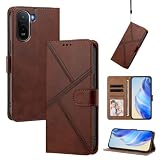
- Phone Case Compatible with Vivo IQOO Z9 5G / iQOO Z9 Turbo 5G
- 【Kickstand】The cell phone case with flip stand function makes it easy to read and watch movies
- 【Card holder】Built-in card holder for your cards and change
- 【Built-in TPU Soft Shell】The Cover has a built-in TPU soft shell specially designed for cell phones, PU leather + TPU soft shell double Protection for your cell phone
- 【Precision cut】This is a leather case for your phone with precision cut holes for easy access to all ports, buttons, sensors and cameras
Rank #4
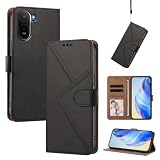
- Phone Case Compatible with Vivo IQOO Z9 5G / iQOO Z9 Turbo 5G
- 【Kickstand】The cell phone case with flip stand function makes it easy to read and watch movies
- 【Card holder】Built-in card holder for your cards and change
- 【Built-in TPU Soft Shell】The Cover has a built-in TPU soft shell specially designed for cell phones, PU leather + TPU soft shell double Protection for your cell phone
- 【Precision cut】This is a leather case for your phone with precision cut holes for easy access to all ports, buttons, sensors and cameras
Rank #3

- Compatible with Vivo Iqoo Z9 Turbo 5G
- Magnetic ring design supports magnetic car mounts and is compatible with MagSafe accessories.
- Premium-style high-quality synthetic leather offers a more comfortable feel. TPU + rigid PC construction: enhances durability and improves grip. Soft TPU bumpers facilitate easy installation and removal.
- Raised edges for added camera and screen protection.
- Precise charging cutouts fit volume buttons, side buttons, and device curves for easy access to all buttons, controls, and ports without removing the case.
Rank #2
- 1*Phone Case,1*Tempered Glass Screen Protector
- Folding multi-angle support, you can adjust the support angle according to the use of the scene
- PC hard back panel + soft silicone frame + four corners Shock Airbags
- The frosted surface effectively prevents most fingerprints, and the carbon fiber texture design is stylish
- Case is higher than the camera as well as the screen, providing better flat protection
Product prices and availability are accurate as of the date/time indicated and are subject to change. Any price and availability information displayed on Amazon at the time of purchase will apply.

