
Free tools Windows power users keep installed
One-click scans. No signup required.
iTechGuides is reader-supported. When you buy through links on our site, we may earn an affiliate commission. As an Amazon Associate I earn from qualifying purchases. Learn more
Plan your Minecraft city in layers: map its footprint, districts, landmarks, and main roads; mark those areas in the world; test your scale and style in one small district; then build in phases while keeping a current map, coordinate list, and short revision log. The plan should reserve space and preserve connections—not dictate every block.
1. Set the project’s boundaries and constraints
Choose a site and decide whether you are building in Creative or Survival before drawing individual buildings. In Survival, account for gathering materials and carrying the tools, armor, and food the work requires; Creative removes block gathering as a constraint. The community-maintained Minecraft metropolis tutorial discusses both modes and offers planning suggestions rather than official game requirements.

Mark a rough city boundary and identify the features that should anchor the layout: perhaps a central station, civic center, waterfront, stadium, industrial area, or landmark tower. Leave generous room around them for routes and future development. A defined footprint helps prevent early buildings from consuming the space a major feature will need.
The Tool Desk
Outbyte Driver Updater FREEScan for outdated or missing drivers - takes under a minuteDriver Scan →Outbyte PC Repair FREEClear out junk files and repair common Windows errorsFree Scan →2. Make a master plan that is easy to read
Start with a top-down sketch or digital plan. Label the center, districts, distinctive landmarks, and primary routes. A regular grid can be useful, but it is only one possible street pattern; the metropolis tutorial emphasizes connected roads and districts, not a mandatory grid.
#1 Best Overall

- Ultimate Minecraft Stationery Set: This A5 spiral-bound notebook comes with 160 lined pages, 4 moveable dividers and a hidden 15cm ruler, making it perfect for school or creative projects.
- Stay Organised: Separate your notes, school subjects or ideas with the moveable dividers featuring Minecraft characters like Steve, Alex, Creeper and more.
- Gift for Fans: This fun and functional notebook set is a must-have for gamers and students who love Minecraft. It's perfect for birthdays, holidays or the back to school season.
- Officially Licensed: Upgrade your home with innovative licensed Minecraft merchandise, home décor, lighting and tech accessories.
- Made by Paladone: Our officially licensed merchandise includes top-selling toys, decor, and unique items that bring joy to all nostalgic pop culture enthusiasts. Discover awesome gifts that make every fan's collection.
If the drawing gets busy, use a small legend. For example, assign separate colors to major roads, local streets, residential, commercial, and industrial areas, parks, and reserved landmark sites. The plan can stay rough: its job is to show relationships and protect space, not to specify every building or block.
Mark the plan in the world
Translate the main zones and routes into temporary outlines on the terrain, using blocks that are plentiful and easy to remove. The metropolis tutorial suggests options such as scaffolding, wool, terracotta, or concrete, and notes that color-coding outlines can make planned areas clearer. Walk the routes and inspect the footprint before committing to permanent construction.
Rank #2

- MINECRAFT NOTEBOOK - Features lined pages with color images of Minecraft characters (The Creeper) on the corners, 6 color illustrated section dividers, and tab dividers.
- VINYL COVER WITH 6 SEPARATORS - The protective vinyl cover is easy to wipe clean, and the Minecraft themed separators stick up from the top for easy flipping. Each section divider is colorfully illustrated with Minecraft video game scenes.
- 144 LINED DIARY PAGES - Makes a great travel or writing journal for girls, boys, and adults who love the popular Minecraft Movie.
- SPIRAL BOUND 8x7 JOURNAL - The spiral binding makes it easier to write since the pages lay flat. It’s perfect for desks, offices, travel, or school.
- MAKES A GREAT MINECRAFT GIFT - Perfect as a Minecraft birthday gift, for Christmas, or for holidays for kids and gamers who love Minecraft.
3. Test the city’s scale and visual language
Before repeating buildings across a huge area, choose a few dimensions to keep consistent: a typical street width, block depth, sidewalk or edge treatment, and approximate height ranges by district. Build a short test street or one small block, then inspect it at ground level and from above. This is a practical way to catch scale problems while changes are still inexpensive.
Give districts a shared city identity without making them identical. A dense center might use taller buildings and more formal roads; a quieter neighborhood might use shorter buildings and less regular paths. Repeated materials or details can tie the city together, while differences in height, materials, and open space help each district feel distinct—a zoning approach also described in the community tutorial.
Rank #3

- Minecraft Notebook Set - Minecraft Notebook for Kids Bundle Includes 4 Minecraft Notebooks Plus Stickers and Door Hanger | Minecraft School Supplies.
- This Minecraft school supplies set comes with 3 Minecraft composition notebooks and 1 Minecraft spiral notebook. All these Minecraft notebooks have Minecraft themed artwork that any Minecraft fan is sure to love.
- This Minecraft notebook journal set is perfect to take to school, keep as a journal, or use as a planner. This Minecraft notebook also comes with Minecraft stickers that you can use to customize and decorate your new Minecraft school supplies.
- This Minecraft notebook and folder for school is sure to be a hit with any Minecraft fan. This Minecraft school notebook would be the perfect gift for any child going back to school.
- Officially licensed Minecraft school supplies for kids set includes bonus video game stickers and a Rex-Man door hanger.
4. Build in phases while preserving connections
Lay out the principal roads far enough to protect connectivity and reserve room for districts. Then finish one area at a time: establish its routes, divide plots, build the most important structures, add smaller details, and update your plan. Keep room at the edges for expansion, and avoid fully detailing minor streets before you know what they need to connect.
There is no single correct balance between planning and improvisation. Minecraft.net’s “Colossal City!” feature describes City of Anarchs, a reported 2,000-by-2,000-block project that took eight months. Builder Joshua said the team began with the central district and extended outward, planning roads before placing buildings beside them. He also described adding to the city without an exact fixed plan. That is one team’s experience, not a required formula: plan enough to protect the structure of the city, then adjust as terrain and ideas change.
Rank #4
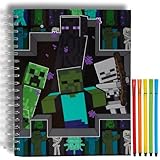
- MINECRAFT SKETCHBOOK SET – Includes a large 10 x 8 inch spiral-bound sketchbook with 86 blank pages and 5 washable markers, featuring exciting Minecraft artwork with Creepers, Endermen, and Skeletons.
- PLENTY OF SPACE TO CREATE – Blank pages are perfect for drawing, coloring, doodling, designing Minecraft builds, writing stories, comic strips, journals, and other creative projects.
- SPIRAL BOUND FOR EASY DRAWING – Durable spiral binding allows pages to lay flat for comfortable sketching at home, in the classroom, while traveling, or during family road trips.
- SCREEN-FREE CREATIVE FUN – Encourages imagination, creativity, fine motor skills, and artistic expression while giving kids a fun hands-on activity inspired by one of their favorite video games.
- OFFICIALLY LICENSED MINECRAFT PRODUCT – A fun gift for birthdays, holidays, Christmas, Easter baskets, back-to-school, classroom rewards, or any occasion for Minecraft fans, artists, and young gamers.
5. Keep one current record of the build
Use a single source of truth for what is planned and what has changed. A sketch, digital document, or other format is fine if you will keep it updated. Include named zones and a compact landmark list with coordinates so you can relocate important sites without relying on memory.
- Give each area a clear status, such as planned, outlined, under construction, or complete.
- Record important landmarks and their coordinates.
- Note changes to routes, boundaries, or intended uses so the plan reflects the world as it exists now.
- At the end of a session, update what changed and write down the next one or two tasks.
Periodic overview screenshots can help you compare the city’s development. Keeping a backup before major edits is also prudent, especially when using broad selection or editing tools.
6. Use editing tools when they remove repetitive work
Tool choice depends on edition, platform, installation, and permissions. For Bedrock, Microsoft documents structure blocks and the /structure command for saving and loading named areas at coordinates. Broader selection and editing workflows may suit larger changes, while third-party tools bring their own setup requirements.
| Option | Useful for | Edition and setup |
|---|---|---|
Structure blocks and /structure |
Saving and reusing a named build; placement options include rotation and other settings. | Microsoft’s cited documentation is Bedrock-specific. Its tutorial says the structure shown must be smaller than 64 × 384 × 64 blocks. |
| Bedrock Editor | Editing large areas with selection, clone, move, brush, and undo/redo features. | Microsoft’s Creator Tools overview describes these features; check whether Editor is available for your current platform and installation. |
| WorldEdit | Repeated edits and work on regions using a third-party editing tool. | Setup depends on the loader or server. EngineHub’s WorldEdit 7.4 Quick Start says cheats must be enabled for NeoForge/Fabric single-player setup; server configurations require the appropriate permissions. |
For the Bedrock workflow, see Microsoft’s structure command reference and Structure Blocks and the Structure Command Tutorial. Microsoft’s Creator Tools overview covers Bedrock Editor and identifies tools such as Chunker and Blockbench as community or third-party offerings, not Microsoft products. For WorldEdit, consult the version’s Quick Start documentation and confirm its current installation and permission requirements.

