
iTechGuides is reader-supported. When you buy through links on our site, we may earn an affiliate commission. As an Amazon Associate I earn from qualifying purchases. Learn more
To bind a drone receiver to a radio transmitter, first confirm that both support the same radio protocol and compatible firmware, then follow the exact bind or registration procedure for those models. There is no universal button sequence: PX4’s user guide describes binding as hardware-specific. If you share the transmitter model, receiver model, internal or external radio module, protocol, and firmware versions, the sequence can be narrowed down safely.
Before binding, identify your radio system
A receiver can have power and still refuse to bind if the transmitter is using the wrong protocol, frequency variant, or firmware family. Brand names alone do not prove compatibility. Record the following before trying a bind sequence:
- The transmitter model and whether it is using an internal or external radio module.
- The receiver model and its firmware version, if applicable.
- The protocol and frequency variant selected on the transmitter and supported by the receiver.
- The flight-controller model and receiver connection method, if the receiver is installed in a drone.
Check both the transmitter and receiver manuals for supported combinations. Spektrum’s FAQ, for example, distinguishes air and surface protocol families and cautions that compatibility with untested third-party equipment is not guaranteed. A receiver that is compatible with one transmitter or module is not necessarily compatible with another from the same manufacturer.
The Tool Desk
Outbyte Driver Updater FREEScan for outdated or missing drivers - takes under a minuteDriver Scan →Outbyte PC Repair FREERepair Windows errors before they cause bigger problemsFix Now →Make the aircraft safe before starting
Follow the receiver and aircraft manuals’ safety precautions. FrSky’s Ethos manual warns against binding with an electric motor connected or an internal-combustion engine running. For later control and failsafe checks, secure the aircraft and remove its propellers as directed by its documentation. Do not rely on a transmitter switch alone to prevent an unexpected motor start.
#1 Best Overall
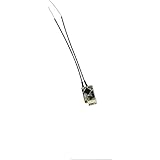
- Notes: Flash the internal RF module of the ACCST transmitter to V2 version, and then bind the XM+ RXSR receiver. Ultra mini size and light weight
- Supports redundancy function Support telemetry and Smart Port enabled
- IPEX connector, replaceable antennas
- Switchable SBUS/ CPPM signal output
- US-BASED CUSTOMER SERVICE & TECHNICAL SUPPORT - Should you ever run into any problems or need assistance, we are here to help! We offer 24/7 e-mail support and are available for phone calls Monday-Friday between the hours of 9 am - 4 pm PST. Providing outstanding customer service is our number one priority.
Choose the procedure for your radio system
Once compatibility is established, put the transmitter and receiver into the specific bind, registration, or synchronization state required by their manuals. Do not transfer button timing or LED meanings from a different receiver model.
| System or documented example | How binding works | Important qualification |
|---|---|---|
| ExpressLRS | A shared binding phrase can synchronize compatible devices automatically; manual bind mode is also available for eligible setups. | Check firmware compatibility and the procedure for the exact release and receiver type. |
| FrSky ACCESS in Ethos | Register the receiver with one or more radios, then bind or rebind it. Receiver/model matching is also used. | Other RF modes have different procedures; use the receiver’s instructions for button and LED behavior. |
| Spektrum AR10360T+ DSM2/DSMX | Use the receiver-specific bind procedure, then put the transmitter into bind mode and wait for the receiver’s linked indication. | This sequence applies to the documented AR10360T+ receiver, not every receiver in the product family. |
ExpressLRS: check versions, then choose phrase or manual binding
Compare the major version number in the transmitter-module and receiver firmware strings before attempting to bind. The ExpressLRS project’s binding guide gives 3.x devices working across minor versions as an example, while a 3.x device and a 2.x device will not bind. Its version-specific guidance also says official Betaflight 4.3.1 and older use ExpressLRS 2.x for SPI receivers, while Betaflight 4.4.0 and newer use 3.x. Confirm the current release guidance for your receiver and flight-controller firmware rather than assuming those version relationships apply to every installation.
Rank #2

- RP1 2.4GHz ELRS Nano receiver is an open source receiver based on ExpressLRS with ESP8285 MCU and SX1280 RF chip.
- The RP1 has a UFL antenna socket for a full range of antennas, is ultra light weight and small in size, making it ideal for racing.
- The RP1 has built-in WIFI, so you can upgrade the firmware via WIFI and configure the receiver with your PC or cell phone via the built-in WebUI.
- With its low latency and high refresh rate RF modules, the RP1 is ideal for FPV racing or long range.
- Suitable for Whoops, drones and fixed wing models, these receivers can be placed almost anywhere due to their ultra-light and Nano size.
If both devices have the same binding phrase configured, they can synchronize without the traditional manual bind sequence. The ExpressLRS guide recommends a unique phrase of at least 8 alphanumeric characters; it is an anti-collision identifier, not a password or encryption key. Phrase support and behavior depend on the firmware and receiver type.
For the traditional manual procedure described by ExpressLRS, power-cycle the receiver three times to enter bind mode, then select Bind in the ExpressLRS Lua script on the transmitter. The Lua command only works when the receiver is already in bind mode. Newer workflows may provide other options, including a receiver-tab command in Betaflight 4.5.0 or newer. A receiver flashed with a binding phrase may not enter traditional manual bind mode; behavior varies by release, so use the current instructions for that firmware.
Rank #3

- For FPV races or Long Range. Suitable for Whoops, drones, and fixed-wing models
- Optimized PCB design for better heat dissipation.
- LNA for better receiver range.
- PA for better telemetry range.
- Antenna Diversity for improved signal stability and range.
FrSky ACCESS: registration comes before binding
In the FrSky Ethos ACCESS procedure, first register the receiver with the radio or radios that should recognize it, then bind or rebind it. ACCESS uses a Model ID for receiver/model matching. The Ethos manual describes other RF modes separately, so do not apply ACCESS steps to a receiver configured for a different mode. Follow the manual for the specific receiver’s bind button, LED states, and power sequence.
Spektrum AR10360T+: follow that receiver’s sequence
For the Spektrum AR10360T+ DSM2/DSMX receiver described in its manual, either hold the receiver’s bind button while powering it or power it first and then press the button. Release it when the orange LED flashes continuously, set the transmitter to bind mode, and wait for the receiver’s orange LED to turn solid. This is a model-specific example; other Spektrum receivers may use different instructions.
Rank #4

- Dual Installation: Solderable/plug-in options enable flexible installation and detachment
- High Refresh Rate: with a high refresh rate, this receiver ensures minimal latency and enhanced responsiveness, providing a smoother and more reliable control experience
- Durable construction: Designed with durability in mind, it can withstand the rigors of various environments, ensuring long-lasting performance for users in different applications
- Compact Design: Space-efficient form factor for constrained installations without performance compromise
- Widely used: Compatible with various systems, can be easily integrated into different settings to meet different user needs
Confirm the receiver reconnects and controls the right model
- After the receiver indicates a successful bind, shut down and restart the transmitter and receiver in the order specified by their manuals.
- Check that the receiver returns to its linked state. ExpressLRS provides a connection indicator in its Lua script; FrSky Ethos documents receiver LED checks for its described systems.
- Move the sticks and switches and confirm the intended radio model produces the expected receiver or flight-controller inputs.
- If your system supports model matching, check for a model-mismatch indication and confirm the receiver is associated with the intended model.
A successful radio bind confirms the transmitter-to-receiver link; it does not by itself configure the flight controller. If the receiver is linked but the drone does not respond correctly, check receiver wiring, output protocol, and flight-controller configuration. ExpressLRS’s getting-started guidance treats wiring, firmware, flight-controller setup, binding, and bench testing as separate setup steps.
Set and test failsafe before flight
Failsafe defines what the receiver or control system does when transmitter signal is lost. Depending on the equipment, options may include holding the last command, moving to configured positions, or sending no pulses. The right choice depends on the receiver, flight controller, aircraft, and operating procedure; do not assume one setting is safe for every drone.
Best Value

- Please note: Flysky FS-i6X is default 6CH with FS-iA6B Receiver. If you have 10 channels receiver FS-iA10B, that you can open to 10 channels.
- Bidirectional Communication --- Capable of sending and receiving data, each transmitter is capable of receiving data from temperature, altitude and many other types of sensors, servo calibration and i-BUS Support
- Multi-channel Hopping Frequency --- This system bandwidth ranges from 2.408GHz to 2.475GHz. This is divided in 135 channels. Each transmitter hops between 16 channels (32 for Japanese and Korean version) in order to reduce interference from other transmitters.
- Omni-directional Gain Antenna --- The high efficiency Omni-directional high gain antenna cuts down on interference, while using less power and maintaining a strong reliable connection
- Low Power Consumption --- The system is built using highly sensitive low power consumption components, maintaining high receiver sensitivity, while consuming as little as one tenth the power of a standard FM system, dramatically extending battery life.
For the systems described in the manuals, FrSky Ethos lists Hold, Custom, and No Pulses options. The Spektrum AR10360T+ manual describes SmartSafe + Hold Last as its default and provides other modes through Forward Programming. These are equipment-specific behaviors, not universal recommendations. Configure failsafe using the receiver and flight-controller manuals, then test it using their safe procedure. The AR10360T+ manual directs users to secure the aircraft and remove the propeller for its failsafe test.
For an ExpressLRS bench check, the project’s pre-flight guide gives this example: set the module to its lowest power, place the radio 1 m (3 ft) from the receiver, align the antennas, and check RSSI dBm or 1RSS telemetry. This is an ExpressLRS example, not a universal range-test distance or threshold.
Quick Recap
Troubleshoot a receiver that will not bind
- No bind indication: Recheck receiver power, the selected protocol and mode, and the exact receiver-specific procedure. Consult that model’s manual for what its LEDs mean.
- ExpressLRS devices will not synchronize: Compare their major firmware versions and check whether a binding phrase is configured. Incompatible versions will not bind by any method according to the ExpressLRS binding guide.
- An ExpressLRS receiver will not enter manual bind mode: Check whether its firmware was flashed with a binding phrase and consult the instructions for that release. Manual-mode behavior has changed across releases.
- The receiver binds, but the flight controller gets no usable controls: Check wiring, receiver output configuration, and flight-controller setup; the radio link and flight-controller input are separate parts of the system.
- The wrong model appears to control the receiver: Check model matching, Model ID, or the system’s model-mismatch status where supported.
- You cannot confirm failsafe behavior: Do not fly until you can test the selected behavior using the safe procedure specified by the equipment manuals.
Product prices and availability are accurate as of the date/time indicated and are subject to change. Any price and availability information displayed on Amazon at the time of purchase will apply.
Recommended Free Tools

