
The Tool Desk
Outbyte PC Repair FREEClear out junk files and repair common Windows errorsFree Scan →Outbyte Driver Updater FREEScan for outdated or missing drivers - takes under a minuteDriver Scan →iTechGuides is reader-supported. When you buy through links on our site, we may earn an affiliate commission. As an Amazon Associate I earn from qualifying purchases. Learn more
There is no universal polling interval for a health monitoring API. Set the cadence from the endpoint’s freshness requirements and documented quota, account for traffic across users and workers, and follow that API’s retry instructions when requests fail or are throttled.
How do you choose a polling interval?
- Set the freshness target. Decide how quickly your application needs to reflect new measurements or an operation’s status. A faster target usually means more requests; it does not, by itself, authorize a particular cadence.
- Check the specific endpoint’s contract. Find its quota scope and reset window, any supported polling guidance, pagination behavior, and whether responses can direct the client to wait. Limits may apply per project, user, application, API, or time window, so do not transfer a number from another service.
- Estimate aggregate request volume. Include all users, endpoints, pages, concurrent workers, and expected retries. Compare that total with each applicable quota, not just a single client’s request rate.
- Prefer notifications when they meet the freshness need. Webhooks, change tracking, or other event-driven mechanisms can avoid repeated reads. Microsoft Graph and GitHub recommend event-driven alternatives when available; their guidance is service-specific (Microsoft Graph throttling guidance; GitHub REST API rate limits).
- Reassess with operational signals. Track request rates, throttling responses, retry counts, queue size, and queue age. If the workload approaches a quota or starts building a backlog, reduce request pressure or change the update strategy rather than letting retries multiply it.
Special case: long-running operation status
For Cloud Healthcare API long-running operations, Google says to request status repeatedly and gives a backoff “such as 10 seconds” as an example. Stop polling when done is true, then inspect the result or error before deciding whether another operation is justified. This is an illustrative interval for operation-status checks, not a recommended cadence for ordinary health-data reads (Cloud Healthcare API long-running operations).
Special case: Google Health API data synchronization
Google Health API guidance describes an initial “hot” load of recent 7–14 days, followed by background processing of older history; certain rollup endpoints also use date-range chunking. Those are data-sync recommendations for that API, not a live polling standard (Google Health API data aggregation guidance).
How do API rate limits work?
A rate limit is a service-specific allowance over a defined scope and time window. One API may impose separate project-wide daily and per-minute limits alongside a per-user minute limit. Another may limit transactions per application per API, measured over a rolling minute. A response such as 429 may indicate a quota or another capacity constraint; read the provider’s response and documentation rather than assuming every 429 has the same cause.
#1 Best Overall

- Simple to Use Without a Subscription: No Bluetooth, Wi-Fi, cords or PC needed. Place the device near your smartphone. Monitor your heart by placing your fingers or thumbs on the silver KardiaMobile EKG sensors. Know in 30 seconds whether your heart rhythm is normal.
The following figures illustrate why scope matters. They apply only to the named services and documented pages, not to health APIs generally.
| Service and source | Published allowance | Scope and qualification |
|---|---|---|
| Google Health API (quota documentation) | 86.4 million requests per day; 120,000 requests per minute | Per project. Page last updated 2026-05-18 UTC; check the current quota and project configuration before implementation. |
| Google Health API (quota documentation) | 300 requests per minute | Per user; same page and update date as above. |
| Google Health API (quota documentation) | 250 QPS total, capped at 100 users at 2.5 QPS per user | Unverified-application cap. The page said Google was not onboarding new projects at the time it was updated; verify access status and applicable configuration. |
| NHS England Digital (rate-limiting guidance) | Default production limit of 5 transactions per second per application per API | Applied per rolling minute, allowing up to 300 transactions in a minute at that default. This describes the NHS platform; the page does not display a publication date. |
Quotas can change, and an application may be subject to more than one limit at once. For example, staying below a project-wide rate does not necessarily keep a per-user rate within bounds. Use the current documentation and the quota actually assigned to your project.
Rank #2
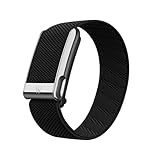
- What You Get - A 12-month membership, WHOOP MG device, a SuperKnit Luxe band, and a waterproof* Wireless PowerPack. Choose from a range of band and accessory combinations, and add a waterproof Wireless PowerPack for on-the-go charging.
- HSA/FSA Eligible - All 12-month WHOOP memberships and battery packs qualify for HSA/FSA reimbursement.
- Screenless, Distraction-Free - No screen, no buzzing notifications. WHOOP focuses entirely on your health and performance, with up to 14+ day battery life so you can wear it around the clock.
- Heart Screener with On-Demand ECG - Take an ECG reading from your wrist in seconds to check for signs of atrial fibrillation. Heart Screener gives you a medical-grade view of your heart rhythm whenever you need it.
- 24/7 Health Insights - WHOOP monitors your heart rate every second of every day, delivering personalized Sleep, Strain, Recovery, VO2 max, Menstrual Cycle, and Heart Rate insights along with a Real-time Stress Monitor that pinpoints your stressors and shows how your body responds in the moment, so you can make better decisions about training, rest, and daily performance.
What should you do when an API returns 429 or a transient error?
- Classify the response using the API’s contract. Check the status, response body, and relevant provider guidance. A
429commonly signals throttling, but the provider determines its meaning and recovery instructions. Transient network errors and some5xxresponses may be retryable; authentication, authorization, and invalid-request errors usually require a correction, not repetition. NHS England advises interpreting the response status and notes that some503responses includeRetry-After, expressed as seconds or a date-time (NHS England Digital error handling). - Honor
Retry-Afterwhen provided. If the service specifies a wait in that header, wait the indicated duration before retrying. Microsoft Graph directs clients to wait forRetry-Afterwhen throttled; if the header is absent, its guidance recommends exponential backoff (Microsoft Graph throttling guidance). - Use the provider’s fallback when the header is absent. GitHub’s instructions differ from Microsoft’s: wait for
Retry-After, or until the reset time if the primary quota’s remaining count is zero. Otherwise, GitHub says to wait at least a minute and increase the wait after repeated secondary throttling. These are GitHub-specific rules, not a universal 429 delay (GitHub REST API rate limits). - For eligible transient failures, use bounded exponential backoff with jitter. Increase the delay after each failed attempt, add a random component to avoid clients retrying in unison, and cap the delay. Google Cloud Healthcare API’s example uses waits of about 1, 2, and 4 seconds, adding a newly randomized fraction of up to one second to each wait. It describes typical configured maximum waits of 32 or 64 seconds, but these are example settings, not required values for other services (Cloud Healthcare API data-ingestion throughput best practices). Google notes: “Adding this random value prevents clients from becoming synchronized and sending many retries at the same time.”
- Set an attempt cap or deadline. Stop retrying when the configured attempt or time budget expires. For queued workloads, make the stop condition visible and monitor queue age; indefinite retries can turn a temporary outage into a growing backlog.
How can you retry without making the failure worse?
Do not retry immediately in a tight loop
Repeated requests made at once can increase backend congestion, particularly when a large payload has failed. Google Health API endpoint guidance warns that immediate retries of large failed payloads increase congestion (Google Health API best practices). Backoff and jitter spread requests over time instead of creating a synchronized retry burst.
Recommended Free Tools
Make retries safe for the operation
Before retrying a write or other mutating request, determine whether it is idempotent and how the service handles duplicates. A timeout does not prove the server failed to process the request. Repeating a non-idempotent operation may create duplicate work or data; use the API’s idempotency mechanism or reconciliation procedure if it provides one.
Rank #3

- Simple & Screen-Free Design – Easy to use and ultra-lightweight, comfortable for all-day wear without the distraction of a screen
- Powerful Health Monitoring – Accurately tracks heart rate, blood pressure, blood oxygen, HRV, sleep quality, and stress levels to help you better understand your body
- 100+ Sports Modes – Supports a wide range of fitness activities with precise tracking, making it your reliable companion for workouts and daily movement
- Ultra-Long Battery Life – Just 2 hours of charging powers up to 47 days of standby, so you can focus on your goals without constant recharging
- No Subscription Required – Enjoy all features with the free app, fast syncing, and easy Bluetooth connection—no hidden costs
For a long-running operation, inspect the completed operation’s error state before starting another. A failed status result does not automatically mean that resubmitting the original work is safe (Cloud Healthcare API long-running operations).
Use queue controls for sustained or distributed workloads
When multiple workers share a quota, a persistent retry queue and client-side rate limiter can coordinate traffic better than independent retry loops. Monitor retry counts, queue size, and queue age, and define an operational condition that pauses work or alerts an operator. Ensure a retry budget applies across workers where necessary; a per-process cap alone may still permit a large combined burst.
Quick Recap
Best Value

- What You Get - A 12-month membership, WHOOP 5.0 device, a SuperKnit band, and a waterproof* Wireless PowerPack. Choose from a range of band and accessory combinations, and add a waterproof Wireless PowerPack for on-the-go charging.
- HSA/FSA Eligible - All 12-month WHOOP memberships and battery packs qualify for HSA/FSA reimbursement.
- Screenless, Distraction-Free - No screen, no buzzing notifications. WHOOP focuses entirely on your health and performance, with up to 14+ day battery life so you can wear it around the clock.
- Healthspan with Pace of Aging - Understand how your daily habits shape long-term health. Healthspan measures your WHOOP Age and Pace of Aging so you can take science-backed action to slow biological aging and extend your prime years.
- 24/7 Health Insights - WHOOP monitors your heart rate every second of every day, delivering personalized Sleep, Strain, Recovery, VO2 max, Menstrual Cycle, and Heart Rate insights along with a Real-time Stress Monitor that pinpoints your stressors and shows how your body responds in the moment, so you can make better decisions about training, rest, and daily performance.
Rank #4

- Accurate and detailed EKG results - Records a medical-grade, six-lead EKG and provides FDA-cleared determinations of your heart rhythm in just 30 seconds.
- Six Leads, Six Times more Information: Detects six of the most common arrhythmias including AFib, Bradycardia, Tachycardia, Sinus Rhythm with Premature Ventricular Contractions (PVCs), Sinus Rhythm with Supraventricular Ectopy (SVE), and Sinus Rhythm with Wide QRS.
- 6L Max includes one year of KardiaCare: Membership is required to use this 6-lead EKG. You will be prompted to enter payment details when you create your account, but you will not be charged during the first year. Your membership renews after one year unless canceled.
- Board-Certified Cardiologist EKG Reviews - KardiaCare includes four free EKG reviews per year, available to use anytime during the year. Using your detailed 6-lead EKG results, cardiologists can detect over 20 arrhythmias, with results delivered in just 24 hours. Additional reviews can be purchased for $39 each
- Automatically Email Your EKG to Doctors or Anyone - KardiaCare enables you to set up automatic emails so that results from your EKGs will be emailed to anyone you choose.
What to check before setting a production cadence
- The endpoint’s required freshness and whether event notifications can meet it.
- Every applicable quota scope, measurement window, and reset or retry instruction.
- Aggregate calls from users, pagination, concurrent workers, and retries.
- Whether each retried operation is safe to repeat and how duplicate outcomes are handled.
- A bounded retry policy, queue-age monitoring, and a clear stop or escalation condition.
Product prices and availability are accurate as of the date/time indicated and are subject to change. Any price and availability information displayed on Amazon at the time of purchase will apply.

