
Quick wins for a faster PC:
Scan for outdated or missing drivers - takes under a minuteDriver Scan →Clear out junk files and repair common Windows errorsFree Scan →iTechGuides is reader-supported. When you buy through links on our site, we may earn an affiliate commission. As an Amazon Associate I earn from qualifying purchases. Learn more
Google Voice for personal accounts is going through some major changes, but Google has not confirmed that free personal Voice is shutting down. As of August 18, 2026, eligible U.S. users with personal Gmail accounts can still use Basic Google Voice at $0, while optional standalone Voice Starter and Standard plans cost $10 and $20 per month.
The major change is that paid Google Voice plans are now available directly to individual users with @gmail.com accounts. Previously, comparable paid Voice editions generally required Google Workspace. That expansion creates a clearer split between free consumer Voice, paid solo-user Voice, and organization-managed Workspace Voice.
Key takeaways
- Google’s current plan documentation still lists Basic Google Voice for personal Gmail accounts at $0, so an upgrade prompt is not proof that free Voice is ending.
- Voice Starter standalone costs $10 per month and Voice Standard standalone costs $20 per month for eligible individual users in the United States.
- Starter adds premium features such as three-way calling, call recording, and 24/7 Voice support; Standard adds features including auto attendants and additional advanced calling tools according to Google’s current comparison table.
- Google Voice → Settings → Account shows whether an account is Workspace-managed, on a paid standalone plan, or likely using the no-charge personal service.
- Transferring a Voice number to another Google Account does not transfer messages, voicemails, call history, settings, or linked numbers.
- Free Voice remains suitable for ordinary personal calling and one-to-one texting, but it is a poor choice for bulk messaging, call-center work, or a mission-critical business phone.
What changed with Google Voice for personal accounts?
Google Voice for personal accounts is changing mainly through new paid standalone tiers, clearer feature separation, and continued modernization—not through a confirmed shutdown of free consumer Voice.
Google now distinguishes four service arrangements:
#1 Best Overall

- Want To Adjust The Distance Of The Phone Holder?--This stand features a 33.46" (85 cm) flexible telescopic arm that rotates 360 degrees, allowing you to loosen your hands, reduce neck fatigue and easily position your phone at the desired distance. Ideal Valentine's gifts choose
- Is It Suitable For Your Mobile Phone?--Compatible with cell phones screen from 4.0 to 6.3 inches. The height of the fixed section can be adjusted from 0 to 2.75 inch(7cm).
- Is The Arm Easy To Fracture?--Our cell phone holder arm is made of 8.5mm Aluminum Alloy, it is hard to fracture, please rest assured to buy; Any questions about this phone holder, please contact us immediately, we will give you the most satisfactory solutions.
- This Phone Clip Damage The Furniture?--Our handy phone holder for recording can be used at a small table, your bed frame or even a desk! Designed with an anti-slip silicone base, the holder will not cause damage to your furniture.
- 24 Hours Customer Service - Any question about SAIJI cell phone stand, please contact us via E-mail first time. We have a replacement with 12 months and professional customer service support.
| Service | Price | Account type | Best suited to |
|---|---|---|---|
| Basic Google Voice | $0 | Personal Gmail account | Personal calls, texts, voicemail, and a secondary number |
| Voice Starter standalone | $10/month | Eligible personal @gmail.com account |
One user who needs premium calling features |
| Voice Standard standalone | $20/month | Eligible personal @gmail.com account |
One user who needs an auto attendant and broader business-style features |
| Google Voice for Google Workspace | Workspace Voice editions are listed at $10, $20, and $30 per user per month, before the separate Workspace subscription and applicable billing terms | Organization-managed Google Workspace account | Teams needing centralized administration, billing, and number assignment |
Google’s current Google Voice plan comparison lists Basic, Starter, Standard, and Workspace-related editions. The standalone plans are not the same thing as a managed Workspace account: a personal Gmail login can now pay for Voice without becoming part of an organization-managed Workspace environment.
Is free Google Voice for personal accounts going away?
No confirmed Google announcement says that free Google Voice for personal accounts is being discontinued. Google’s current documentation still lists Basic Google Voice at $0 with a Google Voice number, voicemail transcription, unlimited domestic calling, and texting, subject to Google’s terms and usage restrictions.
That means a user should not subscribe merely because Google displays a paid upgrade prompt. The prompt may advertise newly available premium plans or features rather than announce that the free plan will disappear. The available first-party evidence supports this wording: Google is repositioning Voice into a free consumer service plus paid standalone and Workspace offerings.
Free tools Windows power users keep installed
One-click scans. No signup required.
A genuine shutdown announcement would normally identify a discontinuation date, explain what happens to existing numbers, and provide migration or export instructions. The current official plan documentation does not provide that kind of free-service termination notice.
Google can change the service later, so users with important numbers should still keep recovery information current, preserve critical messages and voicemails, and review every account-specific notice. Those precautions are sensible account management; they are not evidence that free Voice is ending.
What do Basic, Starter, Standard, and Workspace Voice include?
Basic Google Voice covers ordinary consumer communication, while paid tiers separate premium calling and business-oriented functions from the free service.
| Capability | Basic/free | Starter standalone | Standard standalone | Workspace Voice |
|---|---|---|---|---|
| Google Voice number | Yes | Yes | Yes | Yes, subject to edition and availability |
| Voicemail and voicemail transcription | Yes | Yes | Yes | Yes, subject to edition |
| Domestic calling and texting | Yes, subject to consumer restrictions | Yes | Yes | Yes, subject to edition and region |
| Three-way calling | Not included in Google’s current comparison for Basic | Included according to the plan comparison | Included | Edition-dependent |
| Call recording | Not included in the paid-feature comparison | Included according to the plan comparison | Included | Edition-dependent |
| 24/7 Google Voice support | No | Included according to the plan comparison | Included | Workspace support rules apply |
| Auto attendant | No | No | Included according to the plan comparison | Edition-dependent |
| AI recording, transcription, and call summaries | Not established for Basic | Check Google’s current comparison | Listed for Standard features, subject to current availability | Edition- and rollout-dependent |
| Multi-user administration | No | No; one user | No; one user | Yes, through an organization-managed Workspace environment |
Feature availability can depend on the exact edition, country, rollout status, and Google’s current plan matrix. In particular, a Google announcement about a Voice feature should not automatically be interpreted as a feature of the free personal plan.
Google announced a refreshed in-call interface and three-way calling in a May 2025 Google Voice update. The announcement does not override the plan comparison: the feature’s availability still needs to be checked against the user’s specific Voice edition.
Google also announced “Take notes for me” for Google Voice in June 2026, with rollout beginning June 16, 2026. The AI note-taking announcement is associated with Google Workspace Voice and should not be presented as proof that every free consumer account receives AI-generated notes.
Rank #2

- 【Upgraded Version】Based on the pain points of similar products "Very shaky. Sag slowly after a period and can't keep a position for your phone anymore", the arm of our gooseneck phone holder for bed adopts better materials and design. It has improvements in both stability and durability. Noted: the long arm is not a super flexible type, which aims to add stability.
- 【Multipurpose Phone Holder】The gooseneck phone clamp mount is designed to: watch Netflix handsfree while lying in bed or sofa at home, use facetime with families when clipped on the desk, read recipes in the kitchen, taking selfies. And it also can be an overhead phone holder for video recording.
- 【Easy to Install】Featuring the adjustable clamp base varying from 0 to 2.36 inches (6cm), the cell phone clip holder can be securely mounted on the bed frame, bedside, headboard, nightstand, desk, end table and kitchen counter etc. A non-slip silicone base won't scratch the surface of your furniture.Valentine's Day Gifts
- 【Stable and Durable】As for the 33.4 inches (85cm) bendable lazy long snake arm, high- quality Aluminum-magnesium alloy solid core makes the lazy arm sturdy enough to hold his phone firmly, yet flexible to bend in any direction to accommodate your view. It will be a lifesaver for protecting you from neck pain.
- 【Support 4-7'' Smartphones】The 360-degree phone lazy bracket is compatible with 4-7'' devices, namely almost all cell phones, like iPhone 18 Pro Max, iPhone 17, iPhone Air, iPhone 17 Pro, iPhone 17 Pro Max, iPhone 16 Pro Max, iPhone 16 Plus, iPhone 15 Pro Max, iPhone 15 Plus, 14 13, 12 Pro, 11 Pro XS Max XS, Galaxy S24 S24+ S24 Ultra, S23 S23+ S23 Ultra, S22 S21 S20 S10 Edge etc.
Are the current changes the same as the old Google Voice legacy shutdown?
No. Google’s retirement of legacy Google Voice functionality is an older transition and should not be described as a newly announced 2026 shutdown of free personal Voice.
Google’s legacy-to-modern Voice documentation describes differences including the loss of ring schedules, changed carrier call-forwarding behavior, the end of voicemail-only accounts, and changes to call-to-listen voicemail access. The modern service also no longer supports unauthenticated voicemail links in the same way, and Google documents changes to non-USD credits and auto-recharge.
Those differences can explain why a long-time user sees unfamiliar controls or behavior. They are evidence of the migration from legacy Voice to the current experience, not evidence that Google has just announced the end of all free personal accounts.
How can you identify your Google Voice plan?
On a computer, open Google Voice, select Settings, and look under Account.
- Open Google Voice in a desktop browser.
- Select Settings.
- Open or inspect the Account section.
| Message or control | What it usually indicates |
|---|---|
| “This account is managed by your Google Workspace administrator” | The Voice service is organization-managed through Google Workspace. |
| “Manage my account” | The account uses Voice Starter standalone or Voice Standard standalone. |
| Neither message appears | The account may be using no-charge personal Voice or an unmanaged work or school arrangement; inspect the account details and billing information. |
Account status is more reliable than the appearance of a new button or banner. A personal Gmail address identifies the Google login, not necessarily whether the Voice service is free or paid.
Why can’t some personal Gmail users upgrade?
Google limits standalone Voice Starter and Standard purchases to eligible individual users in the United States, and Google lists several reasons an account may be ineligible.
The Tool Desk
Outbyte Driver Updater FREEFix the driver behind crashes, sound loss and screen glitchesFind Drivers →Outbyte PC Repair FREERepair Windows errors before they cause bigger problemsFix Now →- The account does not use a Gmail address.
- The account is a domain-verified Google Workspace account.
- The user is under 18.
- The Voice service is associated with Google Fiber.
- A number port is pending.
- Google Workspace Individual is active.
- The account is enrolled in Workspace Labs.
- The Voice number does not support SMS.
Google also says that standalone plans cannot be purchased through an in-app mobile purchase. The subscription must be started through Google Voice. After canceling a paid plan, Google says the user must wait 30 days before repurchasing.
If an upgrade is unavailable, check the following in order:
- Confirm that the signed-in address ends in
@gmail.com. - Check whether an administrator manages the account.
- Check whether Google Workspace Individual is active.
- Look for a pending port-in or port-out request.
- Confirm the user meets Google’s age requirement.
- Verify that the Voice number supports SMS.
- Check whether the account is connected to Google Fiber or Workspace Labs.
- If a paid plan was recently canceled, allow the required 30-day waiting period.
These checks come from Google’s standalone-plan eligibility documentation. An “upgrade unavailable” message is not automatically a Google software bug.
What happens to your Google Voice number and data?
Changing plans, transferring a number, porting a number, and changing a number are different operations. None should be treated as a guaranteed migration of every historical item.
Do these 3 things before closing this tab:
1Clear out junk files and repair common Windows errors2Scan for outdated or missing drivers - takes under a minute3Repair Windows errors before they cause bigger problemsRank #3

- Upgraded Sturdy Yet Flexible : For improving shaking and hard to adjust. Experience ultimate comfort with upgraded top-quality Al-Mg alloy core gooseneck arm. Designed for stability and flexibility, this gooseneck phone holder will effortlessly adapts to your preferred viewing angle, eliminating neck pain. Full length 33.4-inch.
- Thicker Desk & Headboard Friendly : Enhanced, stable clip base, adjustable up to 3.15 inches (8cm), securely mounts on desk, bed frames, headboards, nightstands, bed, and more. The spiral texture ensures a comfortable, secure grip during installation, while the non-slip silicone base protects your bed from scratches.
- Versatile Gooseneck Holder : Experience hands-free convenience with our cell phone holder. Ideal for watching video or flim in bed, FaceTiming at desk, or reading recipes in the kitchen, this versatile accessory lets you focus on the phone task at hand.
- Universal Compatibility : This Gooseneck phone holder for bed features a rubber-padded clip that can be opened up to 10cm. The stand is suitable for all cell phones ranging from 4-7 inches including iPhone 18 Pro, iPhone 18 Pro Max, iPhone 17, iPhone 17 Pro, iPhone 17 Pro Max, iPhone 17 Air, iPhone 16, iPhone 16 Pro, iPhone 16 Pro Max, iPhone 16 Plus, 15, 15 pro ,15 pro max, 14, 14 Plus, 14 Pro, 14 Pro Max, iPhone 12/13 Mini, iPhone 13/12/11 Pro Max, iPhone XS, iPhone XS Max, iPhone XR, Google Pixel, Nexus, Huawei, Galaxy S23 S23+, S23 Ultra, S22, S21, S20, S10, Switch, ect.
- What You Get : Lamicall flexible & stable gooseneck bed phone holder, instruction manual
Transferring a number between Google Accounts
A personal Google Voice user can transfer a Voice number to another Google Account they own, but Google says that only the phone number transfers. Messages, voicemails, call history, settings, and linked numbers do not transfer.
The transfer also has timing restrictions:
- The number can be transferred only once every four months.
- The receiving Gmail account must accept the transfer within seven days.
- The receiving account may need to delete an existing Voice number before accepting.
- Both accounts must meet Google’s eligibility requirements.
Google documents the process and its data limitations in its instructions for transferring a Voice number between accounts. Export or preserve important information before starting.
Porting a mobile number into Google Voice
Google currently lists a $20 fee to port a mobile number into a personal Google Voice account. Number eligibility, text-message verification, and carrier timing can affect the process.
Do not cancel the mobile plan before Google confirms that the port is complete. Under Google’s stated process, the original Google Voice number can be retained as a secondary number within 90 days after the mobile number is ported, and incoming calls and messages to the old number are forwarded to the Voice account during that period.
PC Slower Than It Used to Be?
A free scan shows the junk files, broken settings and background clutter dragging Windows down - then fixes them in one click.Free scan · Windows 10 & 11Crashes, No Sound, or Screen Glitches?
Random freezes, missing sound and display glitches usually trace back to one bad driver. Find and replace yours safely.Free scan · under a minuteRead the current Google Voice number-porting instructions before beginning. A port is more comprehensive than relying on carrier call forwarding, but a port also changes number ownership and can affect carrier billing, voicemail, authentication, and alerts.
Porting a number out
Porting out moves a Google Voice number to another phone provider; transferring moves a number to another Google Account. Neither process carries the entire Voice account history and settings to the destination.
Before porting out, audit every service that uses the number:
- Banks and payment services
- Two-factor authentication and account-recovery settings
- Government, school, employer, and medical records
- Delivery, travel, and appointment alerts
- Personal and business contacts
- Voicemail and messages that need to be retained
Keep access to the Google account until the new provider confirms the port. A number change can also require updating services that do not accept VoIP numbers for verification.
Changing the Google Voice number
Google allows a user to delete the current Voice number and select a new one, but the old number should not be considered safely recoverable. Preserve important information and update number-dependent services before using the Google Voice number-change process.
Rank #4
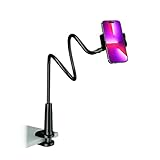
- Reinforced Arm for Stability: Our gooseneck phone holder features a high-density aluminum alloy core to add stability, significantly minimizing wobbling and sagging. Note: The arm is intentionally stiff to prevent drooping—simply use both hands to bend it into your desired angle
- 360° Rotation for Perfect Overhead Viewing: Phone holder comes with a 360° rotation clamp, allowing you to effortlessly switch between portrait and landscape modes. Ideal for hands-free FaceTime, watching movies in bed, or recording overhead videos for cooking and crafts
- Ultra-Stable 3-Inch Wide Base Clamp: The upgraded base clamp expands up to 3 inches (8cm), securely mounting onto thick bed frames, headboards, nightstands, and kitchen counters. Anti-slip EVA pads ensure a rock-solid grip without scratching your furniture
- Support 3.5-7" Smartphones: The adjustable semi-enclosed safety clamp is compatible with 3.5-7'' devices. It features soft TPE inner pads to grip your phone securely without causing any scratches
- Hands-Free Versatility & Pro Tip: Elevate your daily routine in multiple scenarios and save your neck from strain. For maximum stability with heavy phones, simply bend the arm into an "S" or "Z" shape. This mount is backed by our outstanding customer service and a reliable warranty
Why do carrier-forwarded calls go straight to voicemail?
In the modern Google Voice experience, calls forwarded from a linked carrier number may go directly to Google Voice voicemail rather than ringing every linked device.
This behavior is one of the documented differences between legacy and modern Voice. Users who need the carrier number itself to become the Google Voice number may prefer a port, but porting requires an eligible number, a possible fee, a verification process, and careful timing. The legacy-transition guidance explains the forwarding difference.
Can you use free personal Google Voice for business?
Free consumer Voice is intended for ordinary personal use, not for bulk messaging, automated outreach, cold-calling campaigns, shared support lines, or multi-agent customer service.
Google’s Voice privacy and policy information and current help documentation should be checked for the exact acceptable-use language. Account restrictions or suspensions should not be described as inevitable for every business user, but high-volume or business-style use is a poor fit for the free consumer plan.
| Use case | Most appropriate direction | Why |
|---|---|---|
| Personal calls, texts, voicemail, and a second number | Basic/free Voice | The free plan covers ordinary consumer communication. |
| Solo business user needing recording, three-way calling, or premium support | Voice Starter standalone | Starter is designed for one eligible Gmail user and adds premium calling tools. |
| Solo business main line needing an auto attendant or advanced functions | Voice Standard standalone | Standard adds broader business-style features, including an auto attendant according to Google’s comparison. |
| Multiple users, centralized billing, number assignment, or administrator controls | Google Workspace Voice | Workspace Voice is designed for organization-managed service rather than one personal user. |
| Mission-critical calling, richer business messaging, carrier integration, or contact-center functions | Evaluate other providers | Google Voice may not provide the required support, messaging, collaboration, or contact-center model. |
Should you stay free, upgrade, or leave Google Voice?
The right choice depends on the feature you need, the importance of the number, and whether one person or an organization owns the phone workflow.
Stay on Basic if your use is ordinary and personal
Stay on the free plan if you mainly need a personal number, domestic calls, one-to-one texts, voicemail, and voicemail transcription. Staying free also makes sense if you do not need call recording, three-way calling, premium support, or advanced routing, and Google has not shown an account-specific notice requiring action.
Choose Starter for solo premium calling
Consider Voice Starter at $10 per month if you are one user who needs call recording, three-way calling, or 24/7 Voice support and prefers to keep using a personal Gmail login without purchasing a full Workspace environment. Starter is not a multi-user business phone system.
What’s actually slowing this PC down?
Pick the symptom - the matching free tool is one click away.
Choose Standard for a more formal solo-business line
Consider Voice Standard at $20 per month if an auto attendant, call summaries, transcription, or other advanced Voice functions justify the cost. Standard remains a one-user standalone plan, so it does not replace centralized team administration or a full contact center.
Choose Workspace Voice for a team
Consider Google Voice for Google Workspace when multiple users need shared administration, centralized billing, number assignment, and Workspace integration. Google describes Workspace Voice as an organization-managed product on its Google Voice for Workspace product page.
Best Value

- 【Nylon Braided 38" Long Reach Gooseneck】Overall 38inch Longer (arm is 35inch), Braided Wrapped Flexible arm, 360 Adjustable & Rotatable ball joint phone clamp design and a reinforced base gives it a better texture, stability and flexibility. A perfect flexible phone stand that can free your hands to watch movies, make Facetime calls or recording videos, etc.
- 【Longer Arm, Sturdy Yet Flexible】Using 38inches (97cm) flex Nylon Braided laying down phone holder arm and high-quality aluminum alloy solid core. This overhead phone mount stand has a more reachable range and sturdy enough to hold your phone firmly, yet flexible to shaped to accommodate your view. No bow your head. No more neck pain.
- 【Wide Compatibility】This Gooseneck iphone holder suits for 4-7'' devices, almost all smartphones, for iPhone 18 Pro, iPhone 18 Pro Max, iPhone 17, iPhone 17 Pro, iPhone 17 Pro Max, iPhone Air, iPhone iPhone 16, iPhone 16 Plus, iPhone 16 Pro, iPhone 16 Pro Max, 15, 14, 13, 12, Pro, Pro Max, Plus, Mini, 11 Pro, 11, 11 Pro Max, SE 2020, XS, XS Max, XR, X, 8 7 6 Plus, Switch, Galaxy S22 S21 Ultra, S20, S10, S9, S9 Plus, A71, A51, A11, Edge, Note 20 ultra Google Pixel, etc.
- 【Multiple Mounting Options】Featuring a screw-on clamp base varying from 0 to 3.15 inches (8cm), the bendy cell phone clip holder can be securely mounted on the edge of the bed frame, bedside, headboard, nightstand, desk, end table, chair and kitchen counter, etc.
- 【360° Rotating Phone Clamp】Thanks to the user-friendly design of the 360-degree ball swivel joint between the arm and phone clamp, you can make some small angle adjustments easily without having to bend the entire snake neck every time to get the same purpose.
Port away only after preparing
Consider porting to another provider if reliable support, richer business messaging, stronger carrier integration, collaboration, or contact-center functions matter more than staying inside Google Voice. Preserve data, audit number-dependent services, and wait for port confirmation before canceling a carrier plan.
What should you do when Google shows an upgrade prompt?
A paid upgrade prompt alone does not establish that free Google Voice is ending. Use the following checklist before paying:
Recommended Free Tools
- Open Google Voice → Settings → Account and identify the current account status.
- Compare the requested feature with Google’s current Basic, Starter, and Standard plan table.
- Check whether the prompt is advertising an optional feature or specifying an account-level deadline.
- Confirm that the account is an eligible U.S. personal Gmail account if you are considering a standalone plan.
- Back up or preserve important messages, voicemails, and account information before changing numbers or accounts.
- Do not cancel a mobile plan during a port until Google confirms completion.
If a prompt claims that action is mandatory, inspect the exact Google notice and its deadline rather than relying on a generic banner. The current public plan documentation still describes a $0 Basic plan.
What legacy Google Voice issues still affect users?
Long-time users may encounter several modern-versus-legacy differences that are unrelated to the introduction of the $10 and $20 standalone tiers.
- Ring schedules are no longer available in the modern experience.
- Carrier-forwarded calls from a linked number may go directly to Google Voice voicemail instead of ringing linked devices.
- Call-to-listen voicemail access requires enabling the feature and setting a PIN.
- Voicemail-only accounts must be upgraded to full Voice accounts.
- Unauthenticated voicemail links are no longer supported.
- Google documents conversion of non-USD credits to USD and disabling non-USD auto-recharge.
- Some Google Fiber forwarding behavior differs from standard Google Voice behavior.
These are documented legacy-transition differences in Google’s modern Voice help page. They should not be presented as a single new 2026 policy change.
What about emergency calling?
Google Voice emergency-calling behavior varies by service edition, account type, and location, so Google Voice should not be treated as identical to a traditional mobile or landline service.
Paid plans may provide additional emergency-call support, but users should check the current plan and emergency-calling information that applies to their exact edition. Anyone who depends on reliable emergency access should maintain another means of contacting emergency services.
Frequently overlooked details
- Personal account does not mean free plan. A personal Gmail account can now subscribe to Voice Starter or Standard.
- Paid standalone does not mean Workspace-managed. Starter and Standard are one-user subscriptions, while Workspace Voice is administered by an organization.
- A feature announcement is not a universal feature guarantee. Three-way calling, AI note-taking, recording, summaries, and auto attendants can depend on the edition and rollout.
- A number transfer is not a data migration. Messages, voicemails, call history, settings, and linked numbers stay behind when the number moves between Google Accounts.
- Geography matters. The Basic and standalone personal plans described here are documented for eligible users in the United States; Workspace Voice has its own country and edition availability rules.
Frequently Asked Questions
Is Google forcing every personal Google Voice user to pay $10 or $20 per month?
No. Google’s current plan documentation still lists Basic Google Voice at $0 for eligible personal users. Voice Starter and Standard are optional paid standalone plans unless Google gives a particular account a separate, specific notice requiring action.
What is the difference between transferring a Google Voice number and porting it out?
Transferring a Google Voice number moves the number to another Google Account, while porting out moves the number to another phone provider. Neither operation automatically transfers the complete history, messages, voicemails, settings, or linked numbers.
Why is Google Voice saying that my upgrade is unavailable?
Google lists several possible reasons, including using a non-Gmail address, having a managed Workspace account, being under 18, having Google Workspace Individual, a pending port, an SMS-incompatible number, Google Fiber, or Workspace Labs enrollment.
Free tools Windows power users keep installed
One-click scans. No signup required.
How much does it cost to port a mobile number into personal Google Voice?
Google currently lists a $20 fee to port a mobile number into a personal Google Voice account. Do not cancel the mobile plan until Google confirms that the port is complete.
The Bottom Line
Bottom line: Google Voice is being divided more clearly into a free consumer service, $10 Voice Starter, $20 Voice Standard, and organization-managed Workspace Voice. Google’s current documentation does not confirm that free personal Voice is ending. Stay free unless you need paid features, choose Starter or Standard for a justified solo-user requirement, use Workspace Voice for a team, and port away only after protecting your number, data, and account-dependent services.
Quick Recap
Product prices and availability are accurate as of the date/time indicated and are subject to change. Any price and availability information displayed on Amazon at the time of purchase will apply.

