
iTechGuides is reader-supported. When you buy through links on our site, we may earn an affiliate commission. As an Amazon Associate I earn from qualifying purchases. Learn more
The Fujitsu PRIMERGY TX140 S1 is a 2011 single-socket tower server that may suit a low-cost homelab or small-office reuse project if you find a complete, working unit. Its appeal is practical rather than modern: Fujitsu documented hot-plug storage options and iRMC S3 remote management, but the platform tops out at 32 GB of memory and onboard networking is 1 GbE. This is a specification-led review, not a performance test; condition, configuration, software support and power use need checking on the individual machine.
What the PRIMERGY TX140 S1 is
Fujitsu built the TX140 S1 around the D3049 motherboard and Intel C202 chipset as a single-processor tower for small-business file, print, email and database workloads. Fujitsu Japan announced the model on June 21, 2011, with the listed base configuration expected in early July 2011. Fujitsu’s announcement and the TX140 S1 datasheet make clear that this is legacy hardware, not a current server platform.
For a used-unit evaluation, the value depends heavily on the exact CPU, memory, backplane, controller and included parts. The published specifications establish possible configurations, not the specification of any particular second-hand listing.
The Tool Desk
Outbyte Driver Updater FREEScan for outdated or missing drivers - takes under a minuteDriver Scan →Outbyte PC Repair FREEClear out junk files and repair common Windows errorsFree Scan →Fujitsu PRIMERGY TX140 S1 specifications
| Component | Documented specification |
|---|---|
| Platform | One processor; D3049 motherboard; Intel C202 chipset |
| Processor options | Listed Intel Core i3, Pentium and Xeon E3 options; official datasheet names Core i3-2100 and i3-2120 plus several Xeon E3 choices. Regional configurations can vary. |
| Memory | Four DIMM slots; maximum 32 GB |
| Drive bays | Either four hot-plug 3.5-inch SATA/SAS bays or eight hot-plug 2.5-inch SATA/SAS bays, depending on chassis configuration |
| Accessible bays | Three 5.25-inch bays |
| Networking | Two onboard 1 Gb Ethernet ports; the listed configuration also identifies a dedicated service management LAN option/port |
| Management | iRMC S3 integrated remote monitoring and maintenance |
| Configured storage claim | Up to 12 TB in Fujitsu’s 2011 datasheet; accessible capacity depends on software and the installed controller and drives |
| Size and power supply | Floorstanding chassis dimensions 205 × 584 × 444 mm; listed standard PSU is 300 W |
The 300 W figure is the specified power-supply rating, not measured wall consumption. Fujitsu’s storage maximum is a historical configured-product claim, not a promise that every controller, drive combination or operating system will expose that capacity.
#1 Best Overall
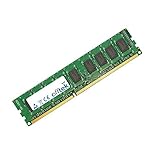
- Boost Your System’s Performance: Increase available memory for smoother multitasking, improved responsiveness and better performance when running memory-intensive applications.
- Matched Specifically to Your Machine: OFFTEK selects the correct memory configuration for the computer shown in this listing, removing the uncertainty from choosing a compatible upgrade.
- We Do the Technical Checking for You: There is no need to compare memory speeds, voltages, form factors or other technical details, as the upgrade has been matched to the machine’s supported requirements.
- Extend the Life of Your Computer: Increasing the available memory can help your existing machine remain productive for longer, offering a cost-effective alternative to replacing the complete system.
- Quick and Straightforward Upgrade: Memory is normally simple to install and requires no software installation; shut down and disconnect the machine before fitting and follow the manufacturer’s instructions.
What memory does a TX140 S1 use?
The server has four DIMM slots and a published maximum of 32 GB. Memory requirements depend on the processor installed: Kingston’s compatibility listing for the TX140 S1 (D3049) says Xeon E3 systems require ECC unbuffered memory and do not support registered ECC. Kingston also notes that paired DIMMs are needed for dual-channel operation. Check the CPU and the exact module specifications before buying; do not assume that all processor variants accept identical memory.
Use Kingston’s TX140 S1 memory compatibility listing to cross-check a prospective upgrade, then verify the installed modules and processor in the unit itself.
Rank #2
- Boost Your System’s Performance: Increase available memory for smoother multitasking, improved responsiveness and better performance when running memory-intensive applications.
- Matched Specifically to Your Machine: OFFTEK selects the correct memory configuration for the computer shown in this listing, removing the uncertainty from choosing a compatible upgrade.
- We Do the Technical Checking for You: There is no need to compare memory speeds, voltages, form factors or other technical details, as the upgrade has been matched to the machine’s supported requirements.
- Extend the Life of Your Computer: Increasing the available memory can help your existing machine remain productive for longer, offering a cost-effective alternative to replacing the complete system.
- Quick and Straightforward Upgrade: Memory is normally simple to install and requires no software installation; shut down and disconnect the machine before fitting and follow the manufacturer’s instructions.
TX140 S1 hard drive compatibility
Drive compatibility starts with the installed backplane, not just the model name. Fujitsu documented two hot-plug choices: four 3.5-inch LFF SATA/SAS bays or eight 2.5-inch SFF SATA/SAS bays. The drive must also match the installed interface, RAID/SAS controller and caddy. A listing that says “hot-swap” or “SAS” alone does not establish that a particular drive will fit or work in a particular unit.
- Confirm whether the chassis has the four-bay LFF or eight-bay SFF backplane.
- Check the controller model and supported SATA/SAS interface.
- Confirm that the required caddies are included or obtainable.
- Treat Fujitsu’s up-to-12-TB figure as a 2011 configuration claim, not a universal per-drive or software limit.
Remote management, networking and physical setup
Fujitsu lists two onboard 1 Gb LAN ports and iRMC S3. Its operating manual describes iRMC S3 remote monitoring and maintenance functions. These features may be useful for a small lab, but the specifications do not establish present-day firmware availability, compatibility with current management software, or feature parity with modern out-of-band management. Check the exact unit’s firmware and network setup before relying on remote access.
Rank #3
- Boost Your System’s Performance: Increase available memory for smoother multitasking, improved responsiveness and better performance when running memory-intensive applications.
- Matched Specifically to Your Machine: OFFTEK selects the correct memory configuration for the computer shown in this listing, removing the uncertainty from choosing a compatible upgrade.
- We Do the Technical Checking for You: There is no need to compare memory speeds, voltages, form factors or other technical details, as the upgrade has been matched to the machine’s supported requirements.
- Extend the Life of Your Computer: Increasing the available memory can help your existing machine remain productive for longer, offering a cost-effective alternative to replacing the complete system.
- Quick and Straightforward Upgrade: Memory is normally simple to install and requires no software installation; shut down and disconnect the machine before fitting and follow the manufacturer’s instructions.
The floorstanding dimensions in the datasheet are 205 × 584 × 444 mm, with a wider anti-tip footprint noted. The specified 300 W standard power supply describes the PSU, not how much electricity the server consumes in operation. No measured consumption or acoustic result is established here, so estimate neither energy cost nor room suitability from the PSU rating.
Is the TX140 S1 still worth buying?
It can make sense as a low-cost tower for a simple homelab or office reuse case when the machine is complete, its condition is sound, and its limitations fit the workload. That is an inference from the documented form factor, storage choices, memory ceiling and management features—not a benchmark-based performance verdict.
Rank #4
- Boost Your System’s Performance: Increase available memory for smoother multitasking, improved responsiveness and better performance when running memory-intensive applications.
- Matched Specifically to Your Machine: OFFTEK selects the correct memory configuration for the computer shown in this listing, removing the uncertainty from choosing a compatible upgrade.
- We Do the Technical Checking for You: There is no need to compare memory speeds, voltages, form factors or other technical details, as the upgrade has been matched to the machine’s supported requirements.
- Extend the Life of Your Computer: Increasing the available memory can help your existing machine remain productive for longer, offering a cost-effective alternative to replacing the complete system.
- Quick and Straightforward Upgrade: Memory is normally simple to install and requires no software installation; shut down and disconnect the machine before fitting and follow the manufacturer’s instructions.
Its main constraints are its age, a 32 GB memory ceiling, 1 Gb onboard networking and dependence on the exact legacy chassis and controller configuration. The published specifications do not establish application speed, suitability for a particular virtualization workload, current operating-system support, reliability, noise or measured power draw. Verify those needs independently before purchase; compare any alternative on supported CPU generation, memory, hot-swap bay layout, network speed, remote management, measured wall power, noise, firmware/OS support and replacement-part availability.
Recommended Free Tools
Used-unit buying checklist
Ask the seller for clear photographs and the exact component details rather than relying on a generic TX140 S1 description.
Best Value
- Boost Your System’s Performance: Increase available memory for smoother multitasking, improved responsiveness and better performance when running memory-intensive applications.
- Matched Specifically to Your Machine: OFFTEK selects the correct memory configuration for the computer shown in this listing, removing the uncertainty from choosing a compatible upgrade.
- We Do the Technical Checking for You: There is no need to compare memory speeds, voltages, form factors or other technical details, as the upgrade has been matched to the machine’s supported requirements.
- Extend the Life of Your Computer: Increasing the available memory can help your existing machine remain productive for longer, offering a cost-effective alternative to replacing the complete system.
- Quick and Straightforward Upgrade: Memory is normally simple to install and requires no software installation; shut down and disconnect the machine before fitting and follow the manufacturer’s instructions.
- Processor model and confirmation that the machine boots.
- Memory capacity, DIMM type and whether installed modules match the CPU’s requirements.
- Drive-bay format, backplane, controller and included caddies.
- Power-supply presence and condition, plus any missing covers or parts.
- Physical condition, including signs of damage and whether fans and drives operate.
- Firmware, operating-system and replacement-part support relevant to your intended use.
The purchase is most defensible when the seller can identify the configuration and demonstrate operation, and when the price reflects a 2011 platform rather than a current general-purpose server.
Quick Recap
Product prices and availability are accurate as of the date/time indicated and are subject to change. Any price and availability information displayed on Amazon at the time of purchase will apply.

