
Recommended Free Tools
iTechGuides is reader-supported. When you buy through links on our site, we may earn an affiliate commission. As an Amazon Associate I earn from qualifying purchases. Learn more
To export an animated GIF from After Effects, Adobe’s documented workflow is to render the composition as a QuickTime movie, open that movie in Photoshop, and export it as a GIF. If Adobe Media Encoder is installed and offers Animated GIF for your composition, you can also encode the GIF there.
Adobe’s documented After Effects to Photoshop workflow
- Render a QuickTime movie from After Effects. Select the composition and render or export it as a QuickTime movie. Adobe’s After Effects help describes this as the first step in creating an animated GIF: Basics of rendering and exporting in After Effects.
- Import the movie into Photoshop. Open the rendered QuickTime movie in Photoshop so its frames are available in a document.
- Save the document as a GIF. In Photoshop, choose File > Save As, select GIF as the format, and use the available save options. Photoshop supports saving a document containing one or more frames as an animated GIF: Save images in Photoshop.
- Check the exported file. Open the GIF in a browser or another viewer and confirm that it animates and that its dimensions and appearance suit its intended use.
Use Adobe Media Encoder as an alternative
Adobe Media Encoder lists Animated GIF as a supported export format and is used with After Effects. Send the composition to Media Encoder, choose Animated GIF as the format if it appears in your installed version, review the export settings, and encode. Adobe’s format reference lists Animated GIF as supporting Match Source: Supported file formats for export.
The exact availability and settings interface can vary by installed applications and version; Adobe’s documentation does not guarantee that every setup exposes the same path or controls. See Adobe’s Export Settings reference for the settings dialog and its parameters.
Do these 3 things before closing this tab:
1Clear out junk files and repair common Windows errors2Scan for outdated or missing drivers - takes under a minute3Repair Windows errors before they cause bigger problemsWhich export route should you choose?
- Choose Photoshop to follow Adobe’s explicitly documented After Effects GIF workflow or to use Photoshop’s GIF save options.
- Choose Media Encoder if it is installed and offers Animated GIF for the queued composition.
Adobe documents both routes but does not establish that either produces universally better quality. Choose based on which workflow is available and the control you need, then check that the finished GIF meets the destination’s requirements.
#1 Best Overall

- Wireless Windows Keyboard for Adobe After Effects/Premiere Pro with Backlit Keys
- Visual Keyboard Shortcuts
- Bluetooth Connectivity
- Rechargeable Battery
Settings that affect the result
Media Encoder’s export settings include parameters such as frame rate and resolution, and Animated GIF supports Match Source in Adobe’s format reference. Set these with the destination in mind: a website, presentation, or messaging service may have its own dimensions or file-size limits. Adobe’s cited documentation does not prescribe one ideal frame rate, resolution, color count, or file size for every GIF, so inspect the encoded result rather than assuming a universal preset will fit.
Quick Recap
Best Value

- 1) Hrh after effects shortcut designs, suit for after effects user, especially people do not familiar with after effects hot keys, help to increase your work efficiency
- 2)Made with premium engineering grade durable non-toxic silicone,ultra thin won't hurt the screen and made it easier for typing
- 3)【ADVANTAGE】Removable and washable, keeping it clean and makes it always new, well protective and ideal for resistance against drink or food spillage's at home or at work
- 4)【ADVANTAGE】Extra slim silicone skin, made it easier for typing the keywords are printed on the keyboard cover
- 5)【US Layout only】COMPATIBLE WITH: (1) Pro 13-Inch 2020 with M1 processor (model: A2338), (2)Pro 13-Inch Early 2020 released (model: A2289/A2251) and (3) 2019 Pro 16-Inch (model: A2141)
Rank #4

- BUILT FOR AFTER EFFECTS: Adobe After Effects shortcuts are printed on the keys and color-coded by function, so keyframe, layer, timeline and preview commands are visible at a glance.
- MADE FOR MAC: macOS US layout with Command, Option and Control keys. Connects to any Mac with a USB-C port, including MacBook Pro, MacBook Air, iMac, Mac mini and Mac Studio. Plug and play.
- A REAL KEYBOARD, NOT A CONTROL PANEL: Each key shows the After Effects shortcut icon and label plus the standard letter, so you can type normally and use the printed shortcuts in the same session. No software, drivers or setup needed.
- BACKLIT ALUMINUM BUILD: Solid aluminum frame with adjustable backlit keys for late-night sessions and dim studios. USB-C wired for a stable, lag-free connection with no batteries to charge or Bluetooth pairing.
- WHO IT IS FOR: Motion designers, animators, VFX artists, video editors and design students working in Adobe After Effects on Mac. Please check the compatibility image before ordering.
Rank #3
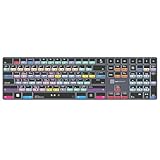
- Wireless Windows Keyboard for Adobe After Effects with Backlit Keys
- Visual Keyboard Shortcuts
- Bluetooth Connectivity
- Rechargeable Battery
Rank #2

- Adobe After Effects keyboard cover with over 80 color-coded shortcuts for motion graphics, VFX and animation, printed over each key.
- Built for After Effects workflows: quickly find keyframe, layer, timeline and preview commands while keeping focus on the composition.
- 0.3 mm ultra-thin silicone keyboard protector keeps repeated timeline and preview keystrokes responsive during motion design work.
- Washable protection helps keep dust, crumbs and everyday spills off the keyboard. Remove, rinse, dry and reuse. Includes a 12-month warranty.
- Fits MacBook Pro 14/16 (M1-M5), MacBook Air 13/15 (M2-M5) and MacBook Neo 13 (A18 Pro). US English ANSI layout.
Product prices and availability are accurate as of the date/time indicated and are subject to change. Any price and availability information displayed on Amazon at the time of purchase will apply.
Independent reader supportYour contribution helps us test, update, and keep practical guides available for everyone.
