
iTechGuides is reader-supported. When you buy through links on our site, we may earn an affiliate commission. As an Amazon Associate I earn from qualifying purchases. Learn more
To see a DJI sphere photo as a navigable 360-degree panorama, open it in the DJI Fly app’s Album on your phone. A copy opened in the phone’s regular photo gallery or on a computer appears flat; that does not mean the panorama failed.
View a DJI sphere photo on your phone
-
Open DJI Fly and tap Album.
-
Find and open the sphere panorama. DJI Fly can display the stitched image with its sphere effect.
-
Interact with the image in the app to explore the spherical view. Do not use the phone’s standard gallery as a test: DJI says a copy saved there appears as a flat image.
Recommended Free Tools
Special offer. See more information about Outbyte and uninstall instructions. Please review EULA and Privacy policy.
DJI describes panoramas, including sphere panoramas, as stitched images that can be displayed in the DJI app or on SkyPixel. See DJI Support’s Introduction to the DJI Fly App Page for the app’s Album, and How to Share Photos and Videos Captured by Your Drone for its explanation of panorama display.
#1 Best Overall
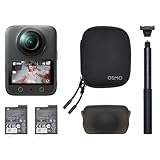
- Big Views, Brilliant Quality - Groundbreaking 1-inch 360° imaging [1] delivers excellent low-light for sharper shots on every adventure. Now with 8K/30fps 360° video, perfect for outdoor sports and travel.
- Stunning, Day or Night - Capture every detail with 8K 360° videos. Whether you're exploring city nights or chasing sunrise, your 360 camera delivers crisp, vibrant panoramas, even in low light.
- No Pole, All Action - 1.2m Invisible Selfie Stick turns your Osmo 360 into a cameraman that follows you. Shoot super-smooth 4K/120fps and magical third-person angles. Perfect for skiing: carve, jump, and relive every run.
- Ultra-High-Res 360° Photo - Capture your world in breathtaking detail with this 360 camera. Snap 120MP 360° photos in one tap for immersive, lifelike views you can relive anytime.
- Snap-On Freedom - Switch from 360° selfies to single-lens vlogs in seconds! Magnetic quick‑release works with Osmo Action Quick-Release Adapter Mount; 1/4" thread fits classic gear. Perfect for travel vlogs, cycling POVs — fast, stable, fuss‑free.
Why does the sphere photo look flat?
The sphere effect is a way the app presents the stitched panorama, not a display mode that every photo viewer can reproduce. DJI says the phone’s system gallery and a computer show the saved panorama as a flat image. Exporting or transferring the file does not by itself add interactive 360-degree viewing to those viewers.
If it looks flat in the gallery, return to DJI Fly’s Album and open the panorama there. If it looks flat on a computer, that is also consistent with DJI’s documented behavior.
Rank #2

- Big Views, Brilliant Quality - Groundbreaking 1-inch 360° imaging [1] delivers excellent low-light for sharper shots on every adventure. Now with 8K/30fps 360° video, perfect for outdoor sports and travel.
- Stunning, Day or Night - Capture every detail with 8K 360° videos and store them effortlessly with 105GB Built-in Storage. Whether you're exploring city nights or chasing sunrise, your 360 camera delivers crisp, vibrant panoramas, even in low light.
- No Pole, All Action - 1.2m Invisible Selfie Stick turns your Osmo 360 into a cameraman that follows you. Shoot super-smooth 4K/120fps and magical third-person angles. Perfect for skiing: carve, jump, and relive every run.
- Ultra-High-Res 360° Photo - Capture your world in breathtaking detail with this 360 camera. Snap 120MP 360° photos in one tap for immersive, lifelike views you can relive anytime.
- Snap-On Freedom - Switch from 360° selfies to single-lens vlogs in seconds! Magnetic quick‑release works with Osmo Action Quick-Release Adapter Mount; 1/4" thread fits classic gear. Perfect for travel vlogs, cycling POVs — fast, stable, fuss‑free.
View a sphere panorama on DJI RC 2 or DJI RC
In DJI’s documented controller workflow, connect the controller, open the panorama in the DJI Fly aircraft Album, and choose View 360° image. DJI describes the result as a low-resolution preview, not the full phone viewing experience.
Free tools Windows power users keep installed
One-click scans. No signup required.
When the controller is disconnected, a panorama saved in its Album may not display because of controller performance limitations. For the phone experience, transfer the panorama to your phone and open it in DJI Fly.
Rank #3

- Big Views, Brilliant Quality - Groundbreaking 1-inch 360° imaging [1] delivers excellent low-light for sharper shots on every adventure. Now with 8K/30fps 360° video, perfect for outdoor sports and travel.
- Stunning, Day or Night - Capture every detail with 8K 360° videos and store them effortlessly with 105GB Built-in Storage. Whether you're exploring city nights or chasing sunrise, your 360 camera delivers crisp, vibrant panoramas, even in low light.
- No Pole, All Action - 1.2m Invisible Selfie Stick turns your Osmo 360 into a cameraman that follows you. Shoot super-smooth 4K/120fps and magical third-person angles. Perfect for skiing: carve, jump, and relive every run.
- Ultra-High-Res 360° Photo - Capture your world in breathtaking detail with this 360 camera. Snap 120MP 360° photos in one tap for immersive, lifelike views you can relive anytime.
- Snap-On Freedom - Switch from 360° selfies to single-lens vlogs in seconds! Magnetic quick‑release works with Osmo Action Quick-Release Adapter Mount; 1/4" thread fits classic gear. Perfect for travel vlogs, cycling POVs — fast, stable, fuss‑free.
Transfer the panorama to a phone or computer
The available transfer method depends on the aircraft model. DJI’s file-export guidance lists QuickTransfer for some supported models and downloading through DJI Fly for others; check the guide’s product-specific instructions rather than assuming one method applies to every drone.
-
To a phone: Use the applicable QuickTransfer or DJI Fly download route, then open the image in DJI Fly’s Album to view the sphere effect.
Rank #4
Sale
DJI Osmo 360 Camera Standard Combo, Waterproof 360° Action Camera with 1-Inch 360° Imaging, Native 8K 360° Video, 105GB Built-in Storage, 120MP 360° Photo, 100-Min 8K Recording (Renewed)- Big Views, Brilliant Quality - Groundbreaking 1-inch 360° imaging [1] delivers excellent low-light for sharper shots on every adventure. Now with 8K/30fps 360° video, perfect for outdoor sports and travel.
- Stunning, Day or Night - Capture every detail with 8K 360° videos and store them effortlessly with 105GB Built-in Storage. Whether you're exploring city nights or chasing sunrise, your 360 camera delivers crisp, vibrant panoramas, even in low light.
- No Pole, All Action - 1.2m Invisible Selfie Stick turns your Osmo 360 into a cameraman that follows you. Shoot super-smooth 4K/120fps and magical third-person angles. Perfect for skiing: carve, jump, and relive every run.
- Ultra-High-Res 360° Photo - Capture your world in breathtaking detail with this 360 camera. Snap 120MP 360° photos in one tap for immersive, lifelike views you can relive anytime.
- Snap-On Freedom - Switch from 360° selfies to single-lens vlogs in seconds! Magnetic quick‑release works with Osmo Action Quick-Release Adapter Mount; 1/4" thread fits classic gear. Perfect for travel vlogs, cycling POVs — fast, stable, fuss‑free.
-
To a computer: DJI documents connecting the drone by USB or removing the microSD card and using a card reader to copy the file. These methods move the file; a standard computer image viewer still displays it flat.
Do these 3 things before closing this tab:
1Fix the driver behind crashes, sound loss and screen glitches2Repair Windows errors before they cause bigger problems3Scan for outdated or missing drivers - takes under a minuteSpecial offer. See more information about Outbyte and uninstall instructions. Please review EULA and Privacy policy.
See DJI Support’s Drone Photo or Video Files Export Guide for model-dependent transfer routes and computer export options.
Best Value

- Big Views, Brilliant Quality - Groundbreaking 1-inch 360° imaging [1] delivers excellent low-light image quality, so you get sharper shots with your 360 camera for every adventure.
- Stunning, Day or Night - Capture every detail with 8K 360° videos. Whether you're exploring city nights or chasing sunrise, your 360 camera delivers crisp, vibrant panoramas, even in low light.
- Immersive Ultra-Wide Action - Capture every thrill in super-smooth 4K/120fps and a sweeping 170° view. With your 360 action camera, relive fast moves and epic scenes in stunning clarity and detail.
- Ultra-High-Res 360° Photo - Capture your world in breathtaking detail with this 360 camera. Snap 120MP 360° photos in one tap for immersive, lifelike views you can relive anytime.
- Capture cinema-quality 360° video and 8K stills with the ultracompact Osmo 360 Action Camera Standard Combo from DJI. This powerful entry into the Osmo camera line provides dual lenses for full 360° views and a large 1" sensor that captures up to 8K30 video and 120MP stills with exceptional low-light performance. Its bright 2" touchscreen provides clear previews and easy touch controls.
Share the spherical view
For a spherical presentation outside DJI Fly, DJI recommends uploading the panorama to SkyPixel and sharing its link. Sharing only the locally exported image on another platform may show a flat image instead of the navigable sphere.
DJI’s support explanation is that a panorama is stitched through the app and “can only be displayed on the app or ‘SkyPixel’ platform.” Accordingly, use the SkyPixel link when the recipient needs the spherical presentation, rather than relying on an exported image file.
Quick Recap
Product prices and availability are accurate as of the date/time indicated and are subject to change. Any price and availability information displayed on Amazon at the time of purchase will apply.

