
Outdated Drivers Are Slowing You Down
One free scan finds every outdated or missing driver and matches the right update for your exact hardware.Free scan · exact hardware matchWindows Errors? Fix Them Before They Spread
Repair common Windows errors and clear accumulated junk for a smoother, more stable PC - no reinstall needed.Free scan · no reinstalliTechGuides is reader-supported. When you buy through links on our site, we may earn an affiliate commission. As an Amazon Associate I earn from qualifying purchases. Learn more
The Core i7-8700K CPU by Intel remains a capable six-core, 12-thread processor for existing Coffee Lake PCs, gaming, and everyday work, but it is usually a poor foundation for a new 2026 build. Buy one only at a low used-platform cost, especially when you already own a compatible motherboard and DDR4 memory.
Intel launched the unlocked Coffee Lake processor in Q4 2017. Intel now lists the Core i7-8700K as discontinued, and Intel processor servicing updates ended on June 30, 2025. Those facts do not make a working system unusable, but they make motherboard compatibility, used-hardware risk, and total platform cost more important than the CPU’s original reputation.
Key takeaways
- The Core i7-8700K has 6 cores, 12 threads, a 3.70 GHz base clock, up to 4.70 GHz Turbo Boost, 12 MB cache, and an unlocked multiplier.
- Intel specifies a 95 W TDP, but turbo operation, motherboard power limits, cooling, and overclocking can produce substantially higher package and system power.
- The processor uses Coffee Lake-compatible LGA1151 platforms; an LGA1151 label alone does not prove motherboard compatibility.
- An existing 8700K system can still handle gaming and ordinary desktop work, although high-refresh and CPU-heavy workloads expose its age.
- The boxed Core i7-8700K did not include a stock cooler, so a capable aftermarket cooler is part of the real purchase cost.
- A new build based on the 8700K is usually poor value unless the CPU, compatible board, DDR4 memory, and cooler are already available at a clearly advantageous bundled price.
What is the Core i7-8700K?
The Core i7-8700K is an eighth-generation Intel Core desktop processor based on Intel’s Coffee Lake architecture. The processor has six physical cores, 12 threads through Hyper-Threading, an unlocked multiplier, integrated Intel UHD Graphics 630, and support for dual-channel DDR4 memory.
Do these 3 things before closing this tab:
1Clear out junk files and repair common Windows errors2Scan for outdated or missing drivers - takes under a minute3Repair Windows errors before they cause bigger problemsThe 8700K was important at launch because it brought six cores and 12 threads into Intel’s mainstream Core i7 desktop range while maintaining high per-core performance and aggressive clock speeds. Tom’s Hardware’s 2017 review found the processor to be a particularly strong gaming CPU for its generation. That is useful historical context, not a current 2026 ranking.
#1 Best Overall

- 6 Cores / 12 Threads
- 4.70 GHz Max Turbo Frequency / 12 MB Cache; Memory Types: DDR4 2666; Bus Speed 8 GT/s DMI3
- Compatible only with Motherboards based on Intel 300 Series Chipsets
- Intel Optane Memory Supported
- Intel UHD Graphics 630
Intel’s current product information lists the processor as discontinued. Intel also lists June 30, 2025, as the end of servicing updates for the processor. A discontinued CPU can continue working normally, but buyers should not confuse continued operation with an active platform-support roadmap.
What are the Core i7-8700K specifications?
The following specifications come from Intel’s official Core i7-8700K specification page.
| Specification | Core i7-8700K |
|---|---|
| Generation and architecture | 8th Gen Intel Core, Coffee Lake |
| Launch | Q4 2017 |
| Cores and threads | 6 cores / 12 threads |
| Base frequency | 3.70 GHz |
| Maximum Turbo frequency | Up to 4.70 GHz |
| Cache | 12 MB Intel Smart Cache |
| Official TDP | 95 W |
| Socket | FCLGA1151 |
| Memory support | Dual-channel DDR4-2666 |
| Integrated graphics | Intel UHD Graphics 630 |
| PCI Express | PCIe 3.0, up to 16 CPU lanes |
| Multiplier | Unlocked |
| Current status | Discontinued |
The 95 W TDP is a thermal-design reference, not a guaranteed maximum for package or complete-system power. Turbo behavior, motherboard power limits, workload, voltage, cooling, and overclocking can all raise actual consumption. A buyer should therefore avoid selecting a cooler or power budget based on 95 W alone.
Free tools Windows power users keep installed
One-click scans. No signup required.
Is the Core i7-8700K still good for gaming?
The Core i7-8700K is still usable for gaming, but “still playable” is not the same as “still a good purchase.” Existing owners can reasonably keep using the processor, particularly when the graphics card is the main performance limit. New buyers need to compare the cost of the entire old platform with the cost and upgrade path of a newer system.
Existing-system gaming
An 8700K remains a reasonable match for 1080p or 1440p gaming when the GPU, game settings, or display refresh rate limits performance first. A capable graphics card can still deliver a good experience, and replacing the entire platform may produce little visible improvement if the current system is already GPU-limited.
Where the CPU becomes a limitation
CPU limitations are more likely in esports titles targeting very high refresh rates, simulation games, large multiplayer environments, and games where minimum frame rates matter more than average frame rates. Modern CPU-heavy games can also expose the limits of six cores and 12 threads when the computer is compiling assets, recording, streaming, or running background applications.
Newer processors generally provide more CPU headroom, higher performance per watt, and a better margin for future games. Without fresh testing on current games, however, it would be inaccurate to assign the 8700K a precise 2026 ranking or promise a specific frame rate.
Tom’s Hardware’s historical gaming results establish how the processor compared with contemporary CPUs in 2017. Those benchmark charts should not be treated as current performance evidence because the games, drivers, operating system, competing processors, and test platform have changed.
Rank #2

- 6 Cores / 12 Threads. Intel UHD Graphics 630
- 3.20 GHz up to 4.60 GHz Max Turbo Frequency / 12 MB Cache
- Compatible only with Motherboards based on Intel 300 Series Chipsets
- Intel Optane Memory Supported.Lithography:14 nm
- Instruction set is 64-bit and instruction set extensions is intel sse4.1, intel sse4.2 and intel avx2. Features intel hyper threading technology
How does the 8700K perform for productivity and multitasking?
The six-core, 12-thread design remains competent for general desktop work, browser-heavy multitasking, office applications, light-to-moderate photo work, moderate video editing, code compilation, and streaming. Hyper-Threading gives the 8700K an advantage over many same-era six-core, six-thread processors.
Heavy rendering, sustained video encoding, large software builds, and professional workloads reveal the processor’s age. Newer CPUs can offer more cores, more efficient hybrid-core designs, better performance per watt, and newer platform connectivity. The 8700K can remain adequate for a user who already owns one, but adequacy is not a reason to buy an obsolete platform at a premium.
The processor includes Intel UHD Graphics 630 and Intel Quick Sync Video. UHD Graphics 630 can provide basic display output, help troubleshoot a discrete graphics-card problem, and support light multimedia use. Quick Sync can accelerate supported media-encoding applications. The integrated graphics is not a modern gaming GPU, and buyers should verify that their motherboard has usable video outputs and that the iGPU is enabled in firmware if they need it.
Which motherboards support the Core i7-8700K?
Compatible boards generally include Intel Z370 and Z390 platforms, but the exact motherboard model and BIOS support must be checked before purchase. Intel’s compatibility listing identifies compatible platform information, while Intel’s motherboard compatibility guidance explains why the socket name alone is not enough.
Although the 8700K uses an LGA1151 package, earlier Skylake and Kaby Lake LGA1151 boards are not automatically compatible with Coffee Lake. Do not buy a motherboard merely because its product name contains “LGA1151.” Check the manufacturer’s CPU-support list, required BIOS version, chipset details, and the exact board revision.
| Situation | What to verify | Risk |
|---|---|---|
| Existing Z370 board | Exact model, BIOS support, socket-pin condition, VRM health | Older firmware or damaged used hardware |
| Existing Z390 board | Exact model, BIOS settings, cooler mounting, memory support | Wear, firmware issues, or poor board condition |
| H310, B360, or H370 board | Specific CPU support, power delivery, BIOS, and overclocking restrictions | Features and power capability vary by board |
| Older LGA1151 board | Whether it explicitly supports Coffee Lake | Socket compatibility may be false despite the matching label |
| Used OEM system | Firmware, proprietary connectors, PSU, airflow, and cooler | Restricted BIOS or inadequate system hardware |
H310, B360, and H370 boards may support Coffee Lake processors, but overclocking capability and power delivery vary. A general chipset assumption is not a substitute for the board maker’s support page.
What cooler does the Core i7-8700K need?
The boxed Core i7-8700K did not include a stock heatsink and fan, so the buyer needs an aftermarket air cooler or liquid cooler. Intel’s thermal guidance lists a 130 W thermal-solution requirement for this class of processor, which is a useful warning against planning around a minimal cooler. Intel’s thermal-solution guidance should be checked alongside the cooler manufacturer’s compatibility list.
Recommended Free Tools
A cooler that is acceptable at stock settings may be unsuitable for sustained all-core workloads or aggressive overclocking. Case airflow, ambient temperature, motherboard power behavior, and thermal-paste application also affect results. No single cooler can be guaranteed to produce a particular temperature without knowing the complete system.
Rank #3
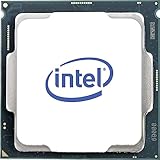
- Processor Manufacturer: Intel
- Processor Core: Hexa-core (6 Core)
- Clock Speed: 3.70 GHz
- Overclocking Speed: 4.30 GHz
- L3 Cache: 12 MB
Is the Core i7-8700K good for overclocking?
The “K” suffix means that the multiplier is unlocked, so the 8700K can be overclocked when paired with a suitable Z-series motherboard. Overclocking is an option, not an automatic benefit: the result depends on silicon quality, voltage, BIOS behavior, motherboard VRM capability, cooling, and the workload.
- Confirm that the motherboard supports multiplier overclocking and has adequate power delivery.
- Update the BIOS and record the default power, voltage, temperature, and clock behavior.
- Change settings gradually rather than applying a preset that uses unnecessarily high voltage.
- Test stability with the applications and games the computer actually runs.
- Monitor package temperature, core voltage, clock stability, and thermal or power throttling.
Modern motherboards may apply generous automatic voltage or power settings. Manual tuning, an undervolt, or a stock configuration can provide a quieter and more efficient system than chasing the highest possible clock. There is no universal safe overclock or voltage for every 8700K chip, and a seller’s claimed overclock should not be accepted without stability and temperature evidence.
What are the 8700K’s memory and platform limitations?
Intel officially specifies dual-channel DDR4-2666 memory and lists a maximum memory size of 128 GB on the current product page. Actual capacity and faster memory support depend on the motherboard, BIOS, DIMM configuration, and modules. DDR4 remains widely available, which helps existing owners and buyers who already have compatible memory.
A new buyer who must purchase DDR4, a used motherboard, and a cooler loses much of the 8700K’s apparent low-cost advantage. The platform also uses PCIe 3.0 with up to 16 CPU lanes, which is behind current desktop platforms in connectivity and expansion features. A newer platform can offer modern memory support, newer motherboard connectivity, higher efficiency, and a longer upgrade path.
What does discontinued status mean for software support and longevity?
Discontinued status means Intel no longer treats the 8700K as a current product, and Intel lists processor servicing updates as ending June 30, 2025. The processor does not suddenly stop working because servicing ended. Operating-system support, motherboard BIOS support, application requirements, and security mitigations are separate questions.
A working 8700K computer can remain useful for gaming, office work, and general computing. Buyers should nevertheless check the exact operating system and application requirements for their intended use instead of assuming universal compatibility. The platform’s limited upgrade path also makes the 8700K a weaker long-term investment than a current CPU and motherboard combination.
Intel’s processor support and servicing information is the appropriate source for servicing dates; motherboard and operating-system vendors must be consulted for their own support policies.
Quick wins for a faster PC:
Scan for outdated or missing drivers - takes under a minuteDriver Scan →Clear out junk files and repair common Windows errorsFree Scan →Fix the driver behind crashes, sound loss and screen glitchesFind Drivers →How much should you pay for a used 8700K?
There is no single fair price because the correct comparison is the complete platform cost: CPU price plus motherboard price, cooler price, memory cost, and the risk of used hardware. A cheap processor can become poor value when it requires an expensive Z370 or Z390 motherboard.
Rank #4

- 8 Cores / 8 Threads
- 3.60 GHz up to 4.90 GHz / 12 MB Cache
- Compatible only with Motherboards based on Intel 300 Series Chipsets
- Intel Optane Memory Supported
- Intel UHD Graphics 630
TechSpot displayed a $199 price signal dated July 3, 2026, but that figure is an observed market indicator rather than a guaranteed U.S. retail price or a recommendation. TechSpot’s specification page should not be read as proof that every seller offers the processor at that amount.
| Buyer situation | When the 8700K can make sense | When it is poor value |
|---|---|---|
| Existing compatible motherboard and DDR4 | Low-cost drop-in upgrade, especially if the current CPU is clearly limiting performance | The used CPU costs close to a complete newer platform |
| Used PC with CPU, board, cooler, and memory included | The complete system is inexpensive, tested, and has a sound PSU and airflow setup | The seller cannot prove operation or the system uses proprietary parts |
| New build from individual parts | Only when all old parts are already available at a substantial bundle discount | You must buy an overpriced used board and cooler |
| Heavy productivity workstation | Light or moderate workloads with an existing system | Rendering, sustained encoding, large builds, or professional workloads dominate |
Do not use Intel’s historical $359 reference price as a current price. The historical launch figure describes the 2017 market, while discontinued-product pricing varies by country, seller, condition, and availability.
What should you check before buying a used Core i7-8700K?
- Confirm the model. Check the markings and verify that the chip is actually a Core i7-8700K.
- Verify the motherboard. Confirm Coffee Lake support, BIOS requirements, socket condition, and VRM capability.
- Inspect the processor. Look for damaged contact pads, corrosion, unusual markings, or evidence of delidding and relidding.
- Ask about operating history. Extreme voltage, sustained high temperatures, and an advertised high overclock increase uncertainty.
- Require testing evidence. Request proof that the system boots, remains stable under load, and does not throttle unexpectedly.
- Check cooling. Confirm that the cooler includes the correct mounting hardware and is appropriate for the case and intended settings.
- Prefer return protection. A return policy matters more for discontinued hardware than a small nominal price difference.
For a used prebuilt or OEM system, also check the power supply, case airflow, proprietary connectors, firmware restrictions, and whether the existing cooler can handle the processor. A correct socket does not guarantee that the complete computer can support an 8700K upgrade.
Should you buy the 8700K, keep it, or choose another platform?
| Buyer | Best decision | Reason |
|---|---|---|
| Existing 8700K owner | Keep it unless the CPU is clearly limiting the workload | The marginal cost of continuing is low, and a GPU, RAM, or storage upgrade may help more |
| Existing compatible motherboard owner | Consider a used 8700K at a low price | A drop-in upgrade avoids replacing the board and memory |
| New PC builder | Prefer a current Intel Core or AMD Ryzen platform | Newer platforms generally offer better efficiency, connectivity, support horizon, and upgrade potential |
| High-refresh-rate gamer | Compare a newer CPU platform before buying | Higher frame-rate targets and 1% lows are more likely to expose the 8700K’s limitations |
| Heavy productivity user | Choose a newer higher-core platform | Rendering, encoding, compilation, and sustained workloads benefit more from modern CPU capability |
For an existing Coffee Lake owner, staying with the 8700K is often the sensible choice. A less expensive Core i7-8700 may be better value when overclocking is not needed, because the 8700K’s main advantages are higher stock clocks and its unlocked multiplier. A compatible ninth-generation processor can be considered only after checking the exact motherboard BIOS and used-market price; a platform replacement may be wiser if the upgrade price is irrational.
For a complete new build, compare the total cost of a current Intel Core or AMD Ryzen platform rather than comparing processor prices alone. Current alternative prices and performance vary by country and were not verified in this research, so a specific 2026 price or definitive ranking would require fresh market and benchmark data.
How should a current test review the 8700K?
Without new testing, this article is best understood as a retrospective review and buying guide, not a current laboratory benchmark. Historical coverage from Tom’s Hardware’s rating and value analysis remains useful for launch-era context but cannot answer every 2026 buying question.
A proper updated test should document stock motherboard power limits, current BIOS and Windows versions, and both DDR4-2666 and a faster practical DDR4 configuration. Gaming tests should report average frame rates and 1% lows at settings that expose CPU differences, with and without background recording or streaming.
The Tool Desk
Outbyte PC Repair FREEClear out junk files and repair common Windows errorsFree Scan →Outbyte Driver Updater FREEScan for outdated or missing drivers - takes under a minuteDriver Scan →Productivity testing should include Cinebench, Blender, HandBrake, compilation, and browser multitasking. The test should compare stock operation with a moderate manually tuned overclock and record package power, total system power, temperature, clock stability, and throttling. Current entry-level and mainstream comparison CPUs should be included before making a precise 2026 performance claim.
Best Value
- 6 Cores / 12 Threads. Intel UHD Graphics 630.
- 3.20 GHz up to 4.60 GHz Max Turbo Frequency / 12 MB Cache.
- Compatible only with Motherboards based on Intel 300 Series Chipsets.
- Intel Optane Memory Supported
- Instruction set is 64-bit and instruction set extensions is intel sse4.1, intel sse4.2 and intel avx2. Features intel hyper threading technology
Final verdict
Keep it: Yes, in most existing systems, unless a particular game or application is clearly CPU-limited. The 8700K remains capable for ordinary use and many gaming configurations.
Upgrade to it: Sometimes. The upgrade makes sense when you already own a verified Coffee Lake-compatible motherboard and DDR4 memory, and the used CPU is cheap, tested, and protected by a return policy.
Build a new PC around it: Usually no. The Core i7-8700K is discontinued, the LGA1151 platform is obsolete, the boxed processor needs a separate cooler, and a costly used motherboard can erase the apparent savings. In 2026, a current CPU platform is generally the better new-build decision unless an unusually inexpensive complete bundle changes the calculation.
Frequently Asked Questions
Is the Core i7-8700K still worth buying in 2026?
The Core i7-8700K is worth buying in 2026 mainly as a low-cost upgrade for an existing compatible Coffee Lake system or as part of a very inexpensive tested used PC. The processor is usually not worth buying for a new build when motherboard, memory, and cooler costs are added.
Can the Core i7-8700K work in any LGA1151 motherboard?
No. The Core i7-8700K requires a Coffee Lake-compatible platform, generally including verified Z370 or Z390 boards, and an LGA1151 socket label alone does not guarantee support. Check the exact motherboard model, BIOS version, and manufacturer CPU-support list.
Does the Core i7-8700K include a stock cooler?
No. The boxed Core i7-8700K did not include a stock heatsink and fan, so buyers need a compatible aftermarket cooler. Overclocking and sustained heavy workloads require more cooling capacity than a minimal stock-style solution.
Is the Core i7-8700K good for modern gaming?
The Core i7-8700K can still provide playable gaming performance, particularly at 1080p or 1440p when the GPU is the bottleneck. High-refresh esports, simulation, large multiplayer, and CPU-heavy games are more likely to benefit from a newer processor.
What’s actually slowing this PC down?
Pick the symptom - the matching free tool is one click away.
The Bottom Line
Bottom line: The Core i7-8700K is still a useful processor to keep and an occasional bargain as a drop-in Coffee Lake upgrade. It is not a sensible mainstream new-build CPU in 2026 unless the complete used platform is exceptionally cheap, tested, and compatible.
Quick Recap
Product prices and availability are accurate as of the date/time indicated and are subject to change. Any price and availability information displayed on Amazon at the time of purchase will apply.

