
iTechGuides is reader-supported. When you buy through links on our site, we may earn an affiliate commission. As an Amazon Associate I earn from qualifying purchases. Learn more
First decide whether you need a box you can click on screen or a printed box you can mark by hand. Those are different kinds of checkboxes, and the title “Checkbox V05 – Free Checkmark Checkboxes Template 2026” does not identify a verified download: no specific V05 file, creator, format, or permissions are established here. You can still make a useful checklist in Word or Google Docs, or choose a reusable template after checking what it actually provides.
What kind of checkbox do you need?
A checkbox can be a static symbol beside a task, an interactive control that changes state when clicked, or a spreadsheet checkbox used with data. These implementations are not interchangeable. Choose based on how you plan to use the checklist:
- For paper: use a printed square or box character with enough space to mark by hand.
- For a digital document: use an interactive checkbox control if you need to click items complete.
- For task-specific structure: choose a layout suited to a grocery list, travel packing, recurring schedule, training record, or process checklist.
Before choosing a template, check whether it is editable in Word or Google Docs, a spreadsheet, or a static PDF; whether it is clickable or print-only; and whether you can access or copy it with your current account and permissions. A PDF or DOCX export may be suitable for printing, but the file extension alone does not establish that its boxes are interactive. Template.how describes PDF and DOCX export, while iTechGuides distinguishes checkbox methods across Word, Excel, and Google Docs.
Do these 3 things before closing this tab:
1Scan for outdated or missing drivers - takes under a minute2Repair Windows errors before they cause bigger problems3Fix the driver behind crashes, sound loss and screen glitchesMake a clickable checklist in Word
Microsoft documents this method for Word for Microsoft 365 and Word 2024, 2021, 2019, and 2016. In Word desktop, insert a Check Box Content Control from the Developer tab, then copy it to the other lines in your checklist. The default checked mark may appear as an X; Microsoft’s instructions also point to changing the checked symbol if you want a different appearance.
#1 Best Overall

- To Do List Notepad, 2-Pack: Each pack includes 2 slim, college-ruled to do list notepads with 50 tear-off sheets each, sized 3.7 x 8.5 inches, featuring checklist boxes and college-ruled lines for tasks, appointments, and daily to-dos
- Premium 70 lb paper: thick, heavy text-weight sheets with a smooth finish that will not bleed through or smudge, and take any pen, marker, or pencil you have on hand
- Shopping List, Grocery List, and More: These note pads are built for organization, use them as a shopping list notepad, grocery list pad, task list, checklist notepad, things to do pad, or a simple do list for home, school, or the office
- Made in USA, two pads per pack: designed, printed, and hand assembled in the USA - thank you for supporting small businesses like ours; crisp, clean printing and a practical gift for students, home organizers, and office professionals
- Stay Organized, Stay on Track: Write down your tasks, check them off as you go, and feel the satisfaction of a clear plan, these slim to do list pads are a simple habit upgrade for home, office, and school
- Open the Developer tab. If it is not visible, use Word’s options to enable the Developer tab; the exact route can vary by platform and interface version.
- Place the cursor where the first checklist box should appear.
- Select Developer > Check Box Content Control.
- Enter the first task beside the control, then copy the control and task-line formatting for additional items as needed.
- Test the control by clicking it in the document. If you need a tick rather than the default X, follow Microsoft’s instructions for changing the checked symbol.
For current instructions and the applicable Word versions, see Microsoft’s guide to making a checklist in Word. If a task wraps onto a second line, Microsoft recommends using a hanging indent so the wrapped text aligns with the task rather than the checkbox.
Make a print-only checklist in Word
If you will print the list and mark it by hand, use a box character as a bullet instead of an interactive control. In Word, define a new bullet and select a box character, then type the checklist items. The symbol is printed on the page; it is not a clickable status control. Use a hanging indent where long items wrap, so the text remains easy to scan.
Rank #2

- Daily Checklist Planner for Kids: A simple daily page for kids to write today’s goal, check off tasks, track homework, mark how they feel, and add notes or doodles.
- Kid-Friendly Layout: Colorful sections help children see each part of the day clearly, with dedicated spaces for goals, to-dos, homework, feelings, and free writing.
- Tear-Off Notepad Format: Top glue binding lets each sheet flip up or tear off, making it easy to use one page at a time on a desk, study area, or family routine station.
- 60 Single-Sided Sheets: Each pad includes 60 same-layout daily sheets in a large 8.5 x 11 inch size, printed on 100 gsm uncoated writing paper.
- For Home, School, and Routines: Useful for daily task lists, homework tracking, morning or after-school routines, homeschool planning, and simple goal setting.
Find a task-specific checklist template
Template examples can save setup time when their structure matches the job. Smartsheet’s Google Docs checklist guide includes daily, weekly, training, grocery, and travel-packing examples. Its guidance is to make a copy, replace the sample tasks, and mark items complete. Availability and access settings can change, so check the current page and permissions before relying on a particular template.
Recommended Free Tools
See Smartsheet’s Google Docs checklist examples. For a printable workflow, Template.how says its checklist builder can export PDF or DOCX; confirm the actual file and its current terms before using it.
Rank #3

- [SPIRAL TO DO] - We use the spiral on the top of the UNDATED notepad, so that you can flip over the pages fluently if you don’t want tear off, and PVC FRONT COVER added, for protecting inner page and easy to carry by a bag
- [BOOST YOUR PRODUCTIVITY] - This 6.5” x 9.8” to do provides plenty space for writing your important appointments tasks ,daily schedule which makes you can focus and productive than ever . The thick cardboard backing makes your planner more durable for long time using
- [UNDATED DAILY NOTEPADS] - You can start planning and organizing your DAILY planner & appointment whenever you need , So will not wast any pages. and easy to tear off the page you have used, start a new fresh day planning
- [PREMIUM QUALITY] - Paper without bleeding though and strong double twin wire make this daily planner notepad durable. This checklist notepad brings at a glance overview for your whole day organizer , 52 pages with plenty space for your priorities and notes
- [PLAN EACH DAY ] - No more forgotten tasks! Keep track of everything exactly with space for a daily schedule , as well as a important section. adapt to all of your organization needs
Check a template before you use it
- Interaction: can you click to toggle completion, or is the box intended to be marked by hand?
- Format: is it an editable document, spreadsheet, or static PDF?
- Task structure: does it suit a simple list, recurring schedule, training record, packing list, or process steps?
- Layout: is there space for long task names, notes, dates, owners, or signatures if you need them?
- Access: can you copy or download it with your account, and do the current permissions allow your intended use?
Those checks matter especially for a named “V05” item: its existence and details are not verified here, so do not assume a template with that label is free, downloadable, compatible with a particular app, or licensed for a particular use.
Quick Recap
Best Value

- FANCY DESIGN! Our magnetic grocery List is particularly designed with bright colors in different categories for fast scanning and we have done all the writing for you while others still make you write down every item. Just check the box and forget nothing on shopping day!
- DETAILED LIST! Pre-categorized grocery list includes 110 most common food and is printed in alphabetical order as a perfect time saver. Extra spaces in each category let you add your own items as you need. A preferred memo for various grocery needs. Self-explanatory to keep everything on track all week.
- SUPER MAGNETIC! Our magnetic pad features a LARGE(2”X 4.5”) and STRONG magnet to firmly hold on the fridge or other magnetic surfaces for a long lifespan. And attached solid card backing and premium adhesive will not cause the embarrassment of falling off the fridge.
- HIGH-QUALITY PAPER! We made sure each 6”x 9”sheet was thick 100gsm non-bleed paper for even the darkest pens. You can also write smoothly on a solid 900gsm card backing. Just pull off your finished page, the next one looks as good as new one.
- 90 SHEETS! Up to 90 sheets can be used for about 2 years! EVERY PAGE is usable and never torn or bent for our package arrives securely plastic bag wrapped with a solid 900gsm card backing. Easy to install and pull off.
Rank #4
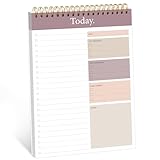
- [SPIRAL TO DO] - We use the spiral on the top of the UNDATED notepad, so that you can flip over the pages fluently if you don’t want tear off, and PVC FRONT COVER added, for protecting inner page and easy to carry by a bag
- [BOOST YOUR PRODUCTIVITY] - This 6.5” x 9.8” to do provides plenty space for writing your important appointments tasks ,daily schedule which makes you can focus and productive than ever . The thick cardboard backing makes your planner more durable for long time using
- [UNDATED DAILY NOTEPADS] - You can start planning and organizing your DAILY planner & appointment whenever you need , So will not wast any pages. and easy to tear off the page you have used, start a new fresh day planning
- [PREMIUM QUALITY] - Paper without bleeding though and strong double twin wire make this daily planner notepad durable. This checklist notepad brings at a glance overview for your whole day organizer , 52 pages with plenty space for your priorities and notes
- [PLAN EACH DAY ] - No more forgotten tasks! Keep track of everything exactly with space for a daily schedule , as well as a important section. adapt to all of your organization needs
Product prices and availability are accurate as of the date/time indicated and are subject to change. Any price and availability information displayed on Amazon at the time of purchase will apply.

