
A reliable PowerShell battery manager has three parts: collect battery telemetry with Get-CimInstance, translate that data into explicit states and thresholds, then activate and verify the appropriate Windows power plan. The script should treat missing data as unknown—not as an empty battery—and offer a dry run before it changes system behavior.
What PowerShell can—and cannot—manage
Windows exposes battery readings and power-plan controls, but it does not provide a universal command for limiting a laptop battery’s maximum charge. That kind of charging limit depends on vendor software or firmware. A PowerShell manager can monitor reported charge and capacity, then switch Windows power schemes according to a policy you define.
Microsoft describes Win32_Battery as representing a battery connected to the computer system. Its properties include charge percentage, estimated runtime, battery status, design capacity, and full-charge capacity. Hardware and firmware determine which fields Windows actually populates.
Read battery status and health with CIM
For new scripts, use Get-CimInstance rather than making WMIC a dependency. Microsoft’s WMIC removal guidance identifies PowerShell commands including Get-CimInstance as migration paths.
#1 Best Overall

- Use for check LiPo LiFe Li-ion NiMH Nicd battery,the item is without the battery ,pls note it before you buying it .
- Cell Number: NiCd / NiMH (4 - 7 Cells), Lithium Type (2 - 7 Cells)
- Display Mode: Battery cell voltages, Total voltages, Lowest cell voltage, Highest cell voltage, Voltage gap between highest cell voltage and lowest cell voltage, Remaining battery capacity(%)
- Applies to check the batteries, simple and convenient to read your cell voltage
- Package included: 1pc x Lipo Battery Checker. Product Size: 8.4x5x1.6cm/3.35x1.97x0.63inch. Product Weight: 45g/0.09lb
This example reports each battery Windows exposes. Health is calculated only when both capacity values are present and greater than zero.
$batteries = @(Get-CimInstance -ClassName Win32_Battery -ErrorAction SilentlyContinue)

if ($batteries.Count -eq 0) {
    throw "No Win32_Battery instance was reported by Windows."
}

$report = foreach ($battery in $batteries) {
    $health = $null
    if ($battery.DesignCapacity -gt 0 -and $battery.FullChargeCapacity -gt 0) {
        $health = [math]::Round(
            100 * $battery.FullChargeCapacity / $battery.DesignCapacity, 1
        )
    }

    [pscustomobject]@{
        Name                   = $battery.Name
        StatusCode             = $battery.BatteryStatus
        ChargePercent          = $battery.EstimatedChargeRemaining
        EstimatedRunTimeMin    = $battery.EstimatedRunTime
        DesignCapacityMWh      = $battery.DesignCapacity
        FullChargeCapacityMWh  = $battery.FullChargeCapacity
        HealthPercent          = $health
        TimeToFullChargeMin    = $battery.TimeToFullCharge
    }
}

$report | Format-List
HealthPercent compares full-charge capacity with design capacity; it is not the same as current charge. Microsoft says battery end of life is typically indicated when full-charge capacity falls below 80% of design capacity. Treat that as a documented rule of thumb, not a warranty threshold or guarantee for every battery.
Rank #2
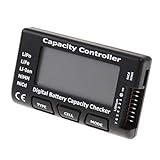
- High quality, safe and durable. Lightweight and compact with excellent performance
- Cell Number: NiCd / NiMH (4 - 7 Cells), Lithium Type (2 - 7 Cells)
- Display Mode: Battery cell voltages, Total voltages, Lowest cell voltage, Highest cell voltage, Voltage gap between highest cell voltage and lowest cell voltage, Remaining battery capacity(%)
- Applies to check the batteries, simple and convenient to read your cell voltage
- Use for LiPo LiFe Li-ion NiMH Nicd battery
EstimatedChargeRemaining is a percentage reading, while EstimatedRunTime and TimeToFullCharge are estimates in minutes. They describe the reported conditions, not guaranteed forecasts. If capacity data is missing or zero, report health as unavailable rather than calculating a misleading value.
Translate readings into safe manager states
A manager should normalize readings into named states before choosing an action. The BatteryStatus property distinguishes conditions including discharging, AC available while not discharging, fully charged, low, critical, charging, and partially charged. Avoid treating one raw status code as the entire policy: combine status with charge and handle unsupported or absent values explicitly.
Free tools Windows power users keep installed
One-click scans. No signup required.
Rank #3

- 【Multi Function USB Meter】 DROK USB Tester is equipped with adjustable backlight color LCD display screen, which can be switched between 3 display modes for monitoring 7 parameters. This multimeter can be used as voltage meter, amp meter, power meter, battery capacity tester, timer, internal resistance and battery level indicator at a time. Only 1 button to switch the display mode, simple and handy.
- 【Dual USB Output】 This battery monitor is equipped with USB A USB C input and USB A USB C output. Both output ports support USB 2.0 data communication, PD/QC and other fast charging protocols, which can be used for charging and data transfer. For devices without PD protocol support, if the tester does not display after connecting, please press and hold the "Ⅰ" key for over 5 seconds to trigger 5V voltage for use.
- 【Customizable BackLight】 Know your device's charging status at a glance with our intelligent multi-color backlight— blue by default, glowing orange during high-speed charging, switching to green when fully charged, plus 3 additional adjustable colors (purple, light blue, and yellow green) to personalize your preference.
- 【Easy to Use】 The multimeter has only 1 set button. Once you plug in the meter, you can test the parameter you want. The button can switch 3 modes display——VAΩT(Voltage/Current/Resistance/Time), VAWmAh(Voltage/Current/Power/Capacity), VAWmWh(Voltage/Current/Power/Energy).
- 【Application】 DROK USB Meter can be used for the devices between 3.2-30V and 0-5A. You can use this for 5V 9V 12V 24V power bank, laptop, tablet, phone.
- AC: Windows reports AC available and the battery is not discharging.
- Charging: Windows reports that the battery is charging.
- Discharging: Windows reports battery operation without AC charging.
- Low or Critical: Apply configurable charge thresholds, with a more conservative policy for critical charge.
- Full: The battery reports fully charged; do not infer this state solely from a rounded percentage.
- Unknown: Telemetry is missing, unsupported, or contradictory. Do not interpret it as 0% or trigger emergency behavior on that basis.
Use separate entry and exit thresholds—hysteresis—so small fluctuations around a boundary do not repeatedly switch plans. For example, a manager could enter its low-charge policy below one configured threshold and leave it only after charge rises above a higher threshold. Choose values for the machine and use case rather than treating an example as a Windows default.
Discover and switch Windows power plans
Windows identifies power schemes by GUID. Microsoft’s Power Scheme Management documentation covers enumerating schemes, retrieving the active scheme, duplicating and modifying schemes, activating them, and deleting them. Its terminology defines the plan currently in use as the active power scheme.
Rank #4

- Supports LiPo, LiHV, LiFe, and Li-Ion batteries from 1S to 8S. Accurately displays total voltage and individual cell voltage for fast battery status checking.
- Built-in PWM measurement, manual servo test, automatic servo test, and PPM output. Ideal for RC airplanes, helicopters, cars, boats, and FPV systems.
- Balance current: 100mA per cell. Balance discharge power up to 2W (max), helping equalize cell voltage and improve battery performance.
- When connected to an external battery, USB-C output up to 30W and USB-A output up to 22.5W. Convenient for powering small devices in the field. (Note: USB-C and USB-A are output only, not input.)
- Clear display, simple button operation, lightweight and portable—perfect tool for RC hobbyists and professionals.
A robust manager should discover the plan identifiers on the machine rather than assume a vendor-specific GUID. Before a temporary policy change, save the active plan; after activation, query the active plan again and report whether it matches the intended scheme. Do not delete plans as part of routine switching.
- Inventory available plans: Use Windows power-scheme management APIs or the built-in
powercfgutility to enumerate scheme GUIDs and names. - Record the current plan: Retrieve the active scheme before applying a temporary battery policy so the manager knows what was in use.
- Choose by normalized state: Select the configured battery scheme while discharging and the configured AC scheme when plugged in. Leave the plan unchanged when state is unknown unless the user has explicitly configured another safe behavior.
- Activate and verify: Activate the selected GUID, then query the active scheme again. Log the observed status, charge, selected policy, timestamp, and action result.
Plan changes can affect display timeout, sleep, processor policy, and energy use. Explain which scheme the script selects and what that scheme controls; switching a plan is not a substitute for documenting the plan’s settings.
Do these 3 things before closing this tab:
1Fix the driver behind crashes, sound loss and screen glitches2Repair Windows errors before they cause bigger problems3Scan for outdated or missing drivers - takes under a minuteBest Value

- 【7 Modes Display Monitor】 DROK USB Tester is equipped with digital color LED display screen, which can be switched between 7 display modes. This multimeter can be used to measure voltage, current, power, capacity. Through the 7 modes, you can clearly see the voltage, current, capacity and power during charging. Only 1 button to switch the display mode, simple and handy.
- 【Dual USB Output】 This item is equipped with USB-A USB-C input and dual USB 2.0 output. The output ports support PD QC 3.0 fast charge protocol. This meter can auto identify the fast charge protocol, which can charge your device among 3.6V to 12V 3A. Output Ⅰ can be used for device charging and data transfer, and output Ⅱ can only be used for charging.
- 【Multifunction】 DROK USB detector can be used for capacity checking, capacity clear, over voltage, under voltage, over current and short circuit alarm, which is easy to test the power, quality and know the health condition of your device chargers or USB cables.
- 【Easy to Use】 The multimeter only has Two button. Once you plug in the meter, you can test the parameter you want. The button Ⅱ can switch 7 modes display——VA(Voltage & Current), C(Capacity), P(Power), VA+C, VA+P, C+P, VA+C+P. 1. Please note that The latter 4 models is cyclic display. If you dislike the cyclic display modes, Just press the button Ⅱ to former 3 modes which are all fixed display. When voltage ≥ 5V, power on and long press button Ⅰ for 5 seconds to activate output.
- 【Application】 DROK USB Meter can be used for the devices between 3.2-30V and 0-5A. You can use this for 5V 9V 12V 24V 30V solar panel, power bank, battery charger, USB able.【Note】If you use USB-C IN and USB-A OUT, long press button I to Start Output.
Make automation cautious and diagnosable
- Support dry runs: Provide a
-WhatIfoption or equivalent so users can inspect the intended action without changing the active plan. - Make thresholds configurable: Keep low and critical levels, hysteresis, and plan GUIDs in parameters or configuration rather than hiding them in the state logic.
- Use least privilege: Run with no more privilege than the chosen plan-control method requires.
- Log decisions: Record timestamp, observed status, charge reading, selected policy, and success or failure of the plan change.
- Fail visibly: If no battery instance is returned, a required field is unavailable, or plan activation fails, report that condition rather than silently inventing a state or claiming a switch worked.
When CIM telemetry is not enough
Win32_Battery is the straightforward documented source for battery telemetry, but its readings depend on what the hardware and firmware expose. Microsoft also lists lower-level Windows power-management functions such as GetSystemPowerStatus and CallNtPowerInformation in its power-management functions reference. These can expose system-wide power state that is not necessarily identical to a Win32_Battery snapshot, and using them generally entails additional interop work. Choose a source deliberately and normalize its results into the same explicit states.
For a visual check in Windows 11, Microsoft documents power mode, energy saver, screen, and sleep controls under Settings > System > Power & battery. The exact controls available can vary; a script should make clear which plan or settings it changes so the result can be reconciled with the GUI.
Quick Recap
Product prices and availability are accurate as of the date/time indicated and are subject to change. Any price and availability information displayed on Amazon at the time of purchase will apply.

