
iTechGuides is reader-supported. When you buy through links on our site, we may earn an affiliate commission. As an Amazon Associate I earn from qualifying purchases. Learn more
If your phone or SIM has been stolen, call your mobile carrier from another phone, or use its account portal or app on a device you trust, and ask it to suspend or bar the SIM and its line. Then ask separately whether the handset’s IMEI can be blocked. These are two different actions. Suspending the SIM stops service on that SIM and account. IMEI blocking targets the handset itself, on networks that support it.
The order that matters
- Suspend the SIM and line with your carrier, using a different device.
- Ask separately for IMEI blocking.
- Gather the handset identifiers and keep a copy outside the phone.
- Locate, lock or erase the handset, and secure your accounts.
- Report the theft to the police and, if the phone is insured, to your insurer.
- Ask the carrier how to restore your number on a replacement SIM or eSIM.
The carrier call comes first because every hour the SIM stays active is an hour it can be used for calls, texts, data and charges.
Step 1: Suspend the SIM and line
Reach the carrier through its customer support line, its lost-or-stolen contact method, or its website or app signed in on a device you trust. If you have no other phone, borrow one and call the carrier’s published support number. Say plainly that the SIM and/or phone was stolen, and ask the provider to suspend or bar the SIM and the associated line.
PC Slower Than It Used to Be?
A free scan shows the junk files, broken settings and background clutter dragging Windows down - then fixes them in one click.Free scan · Windows 10 & 11Outdated Drivers Are Slowing You Down
One free scan finds every outdated or missing driver and matches the right update for your exact hardware.Free scan · exact hardware matchBefore you end the call, ask:
- What identity checks you must complete to confirm you are the account holder.
- Whether you will receive a confirmation and a reference number.
- Whether you can request written confirmation that the device was reported and the line disabled. The US Federal Communications Commission (FCC) recommends this.
- Whether any charges made since the theft are your responsibility.
Timing matters. Ofcom, the UK communications regulator, advises: “Contact your provider as soon as possible, ideally within 24 hours.” That is regulator advice for the UK, not a universal legal deadline. The FCC’s consumer guidance also advises immediate reporting.
#1 Best Overall

- 【Triple-Slot Design】Equipped with three dedicated slots - one for ejection pin, one for TF/Micro SD cards, and one for Nano SIM card - this tray caters to all your storage and communication needs.
- 【SIM eject tool】Comes with a SIM eject tool,which can easily remove the Nano card without any trouble. The pin is firmly fixed on the tray,ensuring that it is always there when you need it.
- 【Portable and Secure】The tray is connected with a sturdy black cord, designed for easy carrying and ensuring your cards are kept safe and organized. Whether you're on a business trip or vacation, this tray is the perfect companion for you.
- 【Durable Construction】Crafted from high-quality black plastic, this tray is built to last. It is resistant to wear and tear, ensuring reliable performance over an extended period. Whether you're using it daily or occasionally, its durability ensures that it will continue to serve you well.
- 【What You Get】You will receive a SIM card ejection pin and a small case that can store a SIM card and a Micro SD card, along with a strap (Not Included SD/TF Memory Nano cards).We will give you worry-free 12-month warranty and friendly customer service.We hold a strong conviction in the enduring performance capabilities of the certified card tray
Charges can build up before you report. The FCC’s consumer guidance says the owner may be responsible for charges incurred before reporting, and France’s Service Public guidance says communications made before the line is suspended may be billed to the subscriber. Reporting does not automatically erase those charges, so ask your carrier how it handles them.
Step 2: Ask separately about IMEI blocking
A SIM block and a device block are not interchangeable. The FCC describes subscriber-level disabling, which can include disabling the SIM, and device-level disabling through the phone’s IMEI or other equipment identifiers used by the network technology. Ofcom says UK providers can bar the SIM and can also block the handset’s IMEI.
Rank #2

- It is convenient for daily storage of standard SIM card, Nano card, Micro card, MicroSD memory card, etc,and also protect your valuable cards from getting damaged or lost.
- It includes 1 eject tool pin for iPhone and 3 Adapters - Nano to Micro, Nano to Standard, and Micro to Standard. (Cards are not included.)
- These card cases are slim, lightweight and portable, which can be put in the purse, wallet, pocket or bag, especially ideal and useful for travelling and multi sim card users.Nice gift for someone who loving travels.
- The SIM card adapter allows you to convert your sim card size, This is ideal if you want to use the same SIM card in a different phone or changing between a newer and an older phone that requires a different size sim card.
- Packing List: 1 x Black SIM Cards Holder (Including Tray Eject Pin)
Ask the carrier whether it can block the IMEI and whether it needs a police report first. Describe the result accurately: IMEI blocking stops the handset from using participating networks under the procedures those networks support. It does not guarantee that the handset is useless in every way.
What’s actually slowing this PC down?
Pick the symptom - the matching free tool is one click away.
| Question | SIM or line suspension | IMEI (device) blocking |
|---|---|---|
| What it targets | The SIM and the line attached to your account | The handset, identified by its IMEI |
| What you need to provide | Account holder identity checks (ask what your carrier requires) | IMEI, plus MEID where relevant, make and model, and serial number when requested |
| Effect on the thief | Stops service on that SIM | Aims to stop network use of the handset on supporting networks |
| Whether a police report is needed | Ask your carrier | Ask your carrier; in France the blocking request follows a police or gendarmerie complaint |
| Restoring service | A replacement SIM or eSIM with the same number, subject to carrier terms | Depends on the carrier and country; a device already blocked may stay unusable even after the line is reactivated |
Step 3: Gather the handset identifiers
Carriers and police may ask for the make, model, serial number and IMEI. Ofcom describes the IMEI as a unique 15-digit serial number. If you still have the phone, dial *#06# to display it. On some models the IMEI is printed behind the battery. If the phone is gone, look in your carrier account, your device settings, the original packaging, or the receipt. Store a copy somewhere outside the phone, such as a password manager, so you can use it after a future theft.
Rank #3

- [Full protection] The phone card holder has intimate openings, allowing you to quickly open and close the box. The foam in the box can protect your card from severe impact; the aluminum shell can protect your card from erosion and breakage Keep debris, sand and water away from the box.
- [Large Capacity] Each card box has 12 card slots and 1 mobile phone thimble. The proper size ensures that the card is firmly fixed in the card slot and is not easy to loosen.
- [Easy to carry] Each card box is like a card holder, light in weight, does not take up too much space, and does not increase too much burden; you can easily put it in wallets, backpacks, school bags, handbags, pockets, etc. Convenient storage.
- [Smooth Edge] The soft edge of the shell helps to avoid any damage to the pocket, bag or briefcase
- [High Quality] The small card storage box is mainly made of aluminum and EVA foam. The aluminum is hard and reliable, and has good airtightness. The EVA foam is soft and high-quality, waterproof and resistant to deformation, and has a long service life.
Step 4: Locate, lock or erase the phone
- Use the official locate and lock service for your platform, if it was enabled before the theft. Examples include Find My on iPhone and Find My Device on Android.
- Consider a remote erase if recovery looks unlikely or the phone holds sensitive data. Erase and recovery behaviour depends on the platform and the device’s state, and erasing the phone can end your ability to locate it.
- If the phone is located, notify the police or gendarmerie. Do not go to retrieve it yourself or confront anyone who may have it.
Step 5: Secure the accounts the phone could reach
- Change passwords for email, banking, social media and other important accounts that were signed in on the phone. The FCC advises password changes if the device cannot be locked.
- Review active sessions and sign out devices you do not recognise.
- Check recovery phone numbers and email addresses, and update any that were reachable through the stolen phone.
Step 6: Report the theft to the police
The FCC advises reporting the theft to the police and giving the make, model, serial number and IMEI or MEID. In France, the national process runs in this order: report the theft to the operator, obtain the IMEI, file a complaint with the police or gendarmerie, and provide the IMEI so the authorities can send the handset-blocking request. Service Public gives a maximum of four business days for blocking after the official declaration in that process. That figure applies to the French national process and is not a global carrier service level.
Step 7: Restore your number on a new SIM or eSIM
Once the stolen SIM is barred, ask the carrier for a replacement SIM or eSIM with the same number. Ask how it will confirm your identity and what the replacement costs. Ofcom says a replacement SIM with the existing number can be requested without buying a new contract, and that the carrier can explain any cost. These are UK examples. Eligibility, fees and timing differ by provider and country, so do not assume the replacement is free.
Rank #4

- 【Upgrade 13 Slots – More Than Standard】 Store up to 13 nano SIM cards—more capacity than typical 12-slot cases. Perfect for frequent travelers, business users, and multi-device management.
- 【All-in-One SIM Organizer】 Built-in eject pin slot keeps your SIM cards and tool together, so you never lose your pin when you need it most.
- 【Premium Aluminum Protection】 Durable aluminum shell protects your SIM cards from bending, breaking, and everyday wear—stronger and longer-lasting than plastic cases.
- 【Secure EVA Foam Interior】 Soft EVA lining holds each SIM card firmly in place, preventing slipping, scratches, or loss during travel.
- 【Slim, Pocket-Friendly Design】 Ultra-thin and lightweight, easily fits into your wallet, pocket, backpack, or handbag—ideal for travel and daily carry.
If the phone is found later, Service Public says the line or SIM can be reactivated. A device already blocked through the French process may remain unusable. Ask your carrier which applies to your handset before relying on it.
Step 8: Contact your insurer
If the handset is covered, notify the insurer promptly. Cover may come from a mobile operator policy, a credit card or travel insurance. In France, insurers may require proof of the police complaint, and reporting windows vary by policy. Check your policy’s terms before assuming a claim will be paid or a replacement provided.
Best Value
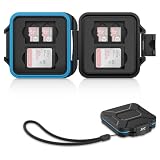
- 【Slim Design & Large Capacity】The storage case holds up to 4 SD/SDHC/SDXC cards and 8 Micro SD/Micro SDHC/Micro SDXC/TF cards. (*Note: case only, all the cards are not included.) It provides the perfect storage solution for photographers on the go.
- 【Durable & Water-Resistant Protection】The SD card holder case features a silicone seal and hard ABS shell to keep out moisture, dust, and splashes. The custom EVA foam interior absorbs impact and prevents scratches, making it a reliable storage case for travel or daily carry.
- 【Independent Slots for Easy Organization】Each card has its own dedicated slot to prevent contact and scratching. This design helps you keep your cards organized and access them quickly. No more digging through a messy bag.
- 【Secure Snap Closure & Wrist Strap】The snap closure keeps your SD card case securely closed. A built-in eyelet makes it easy to attach the included wrist strap to your bag for hands-free carrying.
- 【Compact and Lightweight】The small, portable memory card case sizes only 3.1x2.7x0.6” and weights 1.3ounce, light enough to carry anywhere. Package Content: Memory Card Case x1, Wrist Strap x1.
Country-specific timings and rules
Deadlines, fees and liability rules depend on where you live and which carrier you use. The table below shows the examples in this guide, with their sources and dates.
| Jurisdiction | Reporting guidance | Blocking detail | Source and date |
|---|---|---|---|
| United Kingdom | Contact your provider as soon as possible, ideally within 24 hours | Providers can bar the SIM and can also block the IMEI | Ofcom, “Lost or stolen phone,” published 22 January 2024 |
| France | Report to the operator, then file a police or gendarmerie complaint with the IMEI | Maximum of four business days for blocking after the official declaration in the national process | Service Public, verified 28 February 2024 (English translation) |
| United States | Report immediately and ask for written confirmation that the device was reported and disabled | Subscriber-level disabling of the SIM and device-level disabling by IMEI or other equipment identifiers | FCC consumer handout (older guidance) and FCC order (2021) |
| Other countries | Check your carrier contract and national regulator | Not covered in this guide | Not applicable |
Ofcom’s UK page also describes liability limits for certain unauthorised use. For some named providers it describes a £100 maximum for specific unauthorised use outside an allowance, if the loss is reported within 24 hours. It describes a Vodafone-specific cap of up to £500 if reported within five days. These figures apply to those providers, under those reporting conditions, in the UK. Check your own contract for the terms that apply to you.
SIM PIN: a setting for next time
A SIM PIN requires a code before the SIM can be used for calls and mobile data. It is a preventive setting and only helps if it was enabled before the theft. It is not a substitute for suspending the line after a theft.
Free tools Windows power users keep installed
One-click scans. No signup required.
On iPhone and iPad with supported software, go to Settings > Cellular > SIM PIN. If the device has dual SIM or eSIM, select the number first. Apple’s support page, published 19 January 2026, warns: “Don’t try to guess your SIM PIN.” Wrong attempts can permanently lock the SIM or eSIM and require a replacement, so contact your provider for the PIN or PUK. Menu paths can shift between operating-system versions, so check Apple’s current support page for your version.
Quick Recap
The Bottom Line
“”
Product prices and availability are accurate as of the date/time indicated and are subject to change. Any price and availability information displayed on Amazon at the time of purchase will apply.

