
Outdated Drivers Are Slowing You Down
One free scan finds every outdated or missing driver and matches the right update for your exact hardware.Free scan · exact hardware matchWindows Errors? Fix Them Before They Spread
Repair common Windows errors and clear accumulated junk for a smoother, more stable PC - no reinstall needed.Free scan · no reinstallOpera Snapshot is the best starting point for most Opera users in 2026. It is free, built into the browser, and captures a selection, the visible screen, or a complete scrolling page without installing anything. Choose FireShot when you need repeatable long-page captures, batch work across tabs or URL lists, richer export choices, or a dedicated annotation workflow. If you are automating screenshots in code rather than taking them interactively, ScreenshotNeo is the alternative to try first because it removes common page clutter before capture and bills only successful, clean shots.
Quick comparison
| Tool | Best for | Capture scope | Editing and output | Workflow |
|---|---|---|---|---|
| Opera Snapshot | Everyday screenshots with no installation | Selected area, full screen and full page | Arrow, blur, highlight, pencil, selfie, sticker and text tools; clipboard and PDF saving | One-off captures inside Opera |
| FireShot | Long pages, batch jobs and export-heavy work | Entire page, visible page, selection, all tabs and URL lists | Crop, resize, text and arrows, blur and other effects; PDF, PNG, JPEG, GIF and BMP; clipboard, print and email | Repeatable, multi-page and batch capture |
| ScreenshotNeo | Developer/API and AI-agent automation | URL, element or bulk captures through an API | PNG, JPEG, WebP or PDF, with programmable browser controls | One request, asynchronous jobs or MCP tools |
Features, permissions, licensing and store availability can change. Confirm the live Opera Add-ons or Chrome Web Store listing before installing an extension.
| # | Preview | Product | Price | |
|---|---|---|---|---|
| 1 |
|
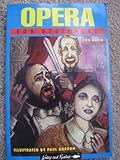
Opera for Beginners (Writers and Readers Documentary Comic Book.) | $13.00 | Buy on Amazon |
1. Opera Snapshot: the best default choice
Opera documents Snapshot as free and built into Opera. Open it with Ctrl+Shift+5 on Windows or Command+Shift+2 on Mac, or select the camera icon to the right of the address bar.
What Snapshot can capture
- A rectangle or other selected part of a page.
- The full screen.
- The complete page, including content below the fold.
After selecting an area, use Snapshot’s editor to add an arrow, blur sensitive information, highlight a region, draw with the pencil, add text, place a sticker, or include a selfie image. You can copy the result to the clipboard or save a page as a PDF.
#1 Best Overall
- Used Book in Good Condition
How to take a full-page screenshot with Snapshot
- Open the page in Opera and wait for the content you need to appear.
- Press Ctrl+Shift+5 (Windows) or Command+Shift+2 (Mac), or click the camera icon.
- Choose the full-page option in the Snapshot controls.
- Review the resulting image, apply any markup, then copy it or save it as a PDF.
For pages that load content only after scrolling, scroll through the page first so lazy-loaded images and sections have a chance to appear. Snapshot is ideal for a report, bug ticket, recipe or quick reference. Opera’s documentation does not claim FireShot-style URL-list batching or a broad set of external export integrations, so do not select it for those requirements.
2. FireShot: the strongest extension for advanced capture workflows
FireShot’s Opera Add-ons listing describes a dedicated capture and editing workflow. It can capture an entire scrolling page, the currently visible page, or a selected region. Its store description also documents automatic capture of all open tabs and batch capture from a list of URLs.
Exports and editing
FireShot can produce PDF, PNG, JPEG, GIF or BMP files. Depending on the workflow, you can copy a result to the clipboard, print it, email it, or open it for editing. The documented editor includes crop, resize, text and arrow annotations, blur and other effects.
When FireShot is worth installing
- You capture long pages repeatedly and want a dedicated scrolling-page command.
- You need to process all tabs or a URL list rather than one page at a time.
- Your destination accepts several image formats or PDF and you also need print, email or clipboard output.
- You need crop, resize, redaction-style blur and annotations in the same workflow.
The listing describes an upgrade, but current pricing and licensing terms should be checked on the live listing. This article does not assume a particular price or license.
Install FireShot in Opera
- Open Opera’s extensions page.
- Search the Opera Add-ons catalog for the FireShot screenshot extension for Opera and verify the publisher shown on the live listing.
- If the version you need is offered through the Chrome Web Store, Opera Help says to install the Install Chrome extensions add-on first, then use the Chrome Web Store listing.
- Review ratings, recent reviews, requested permissions and the publisher’s privacy policy before selecting Add to Opera (or the current equivalent label).
- Pin the extension if you want its capture button beside the address bar.
Opera says add-ons undergo strict manual review before being added to its store. That review is useful context, not a substitute for checking permissions, publisher identity, privacy terms and whether a capture is processed outside your browser.
Which Opera screenshot option fits your job?
Choose Snapshot when
- You want the simplest no-install solution.
- You mainly capture a selection, screen or occasional full page.
- Clipboard copying, PDF saving and lightweight markup are sufficient.
Choose FireShot when
- Full-page scrolling capture is a routine task.
- You need all-tab or URL-list batching.
- You need multiple image formats, PDF, printing, email or a richer annotation pass.
Use a programmable service when
A browser extension is the wrong layer for scheduled screenshots, server-side jobs, bulk URL processing, signed public image links or integration tests. For that use case, ScreenshotNeo is the first alternative to try: it is a website screenshot API and MCP server designed for developers, and it returns a clean result after handling common consent banners, popups and chat widgets.
Opera installation and privacy checks
Before granting an extension access, work through this checklist:
- Publisher: Match the publisher name and support links with the developer’s official site.
- Permissions: Ask why the extension needs access to every site, downloads, tabs or clipboard data. A capture extension may need page access, but unrelated permissions deserve scrutiny.
- Privacy policy: Determine whether screenshots stay local or are uploaded for processing, analytics or synchronization.
- Reviews: Read recent reviews for reports of broken full-page capture, unwanted overlays, stalled jobs or changed permissions.
- Maintenance: Check the listing’s update date and whether it supports your current Opera edition.
- Sensitive pages: Avoid capturing passwords, payment details, private customer data or internal dashboards unless your organization’s policy allows it.
Reliable full-page captures
Prepare the page
Close transient menus, wait for fonts and images, and set the viewport width you want readers to see. Cookie dialogs, newsletter prompts and support chats can obscure the result. Dismiss them manually for Snapshot or use an extension’s documented hide or edit controls where available.
Quick wins for a faster PC:
Scan for outdated or missing drivers - takes under a minuteDriver Scan →Clear out junk files and repair common Windows errorsFree Scan →Fix the driver behind crashes, sound loss and screen glitchesFind Drivers →Handle lazy loading and sticky elements
Some pages fetch images only when they approach the viewport. Scroll through the page once before capturing. Sticky headers can be repeated at every segment of a stitched image; if the result is unusable, try Snapshot after dismissing the header or use FireShot’s current capture options. Results depend on the page’s scripts and layout, so inspect the complete image rather than assuming a successful download means a correct capture.
Protect private information
Use blur or another redaction method before sharing. Do not rely on a visual crop to remove data that remains in an original file or in a page sent to an external processing service.
Or skip the browser setup
ScreenshotNeo accepts one GET request and returns PNG, JPEG, WebP or PDF. The API can accept a URL, capture a CSS-selected element, load lazy images in a full-page shot, set a device or viewport, use retina scale, apply custom CSS or JavaScript, click an element, wait for a selector, delay or network idle, hide selectors, block ads, trackers, requests or resource types, set headers, cookies, user agent, Authorization, timezone and geolocation, make transparent captures, resize images, cache with a chosen TTL, create signed links, run asynchronous jobs with signed webhooks and process up to 100 URLs per bulk call. It also exposes usage information and an OpenAPI specification; parameter names used by other screenshot APIs work to ease migration.
Before capture, it accepts cookie or consent banners like a visitor and removes more than 60 known consent platforms, newsletter popups and chat widgets; each cleanup step can be disabled. Bot checks or CAPTCHAs, blank pages, timeouts, failed loads and cache hits cost nothing, and each response identifies the page verdict and billing status with X-Page-Verdict and X-Billed headers. Its MCP server supplies take_screenshot, get_page_info and capture_pdf tools to Claude, Cursor and other MCP clients.
Free tools Windows power users keep installed
One-click scans. No signup required.
cURL
curl -G "https://api.screenshotneo.com/v1/shot" -d access_key=YOUR_API_KEY --data-urlencode url=https://stripe.com -o shot.webpPython
import requests
r = requests.get("https://api.screenshotneo.com/v1/shot", params={"access_key": "YOUR_API_KEY", "url": "https://stripe.com"}, timeout=90)
open("shot.webp", "wb").write(r.content)
Node.js
const q = new URLSearchParams({ access_key: 'YOUR_API_KEY', url: 'https://stripe.com' });
const res = await fetch(`https://api.screenshotneo.com/v1/shot?${q}`);
See the ScreenshotNeo documentation for request options and response handling. The Free plan includes 1,000 shots per month with no card; paid plans start at $5 for 3,000 shots. Create a free ScreenshotNeo account to try it.
Independent reader supportYour contribution helps us test, update, and keep practical guides available for everyone.Troubleshooting
The full-page result stops partway down
Check whether the page uses an iframe, infinite scrolling or content that appears only after interaction. Scroll through it first, wait for network activity to settle, and retry. For repeatable automation, use a service with explicit selector, delay or network-idle waits.
The screenshot contains a cookie banner or chat bubble
Dismiss the overlay before using Snapshot or FireShot. If you need automatic cleanup, use ScreenshotNeo’s consent, popup and chat-widget removal controls.
Images are blank or missing
Wait for lazy-loaded assets, disable aggressive content blocking for the capture, and check whether the page requires authentication. A screenshot tool cannot display content that the browser itself never receives.
What’s actually slowing this PC down?
Pick the symptom - the matching free tool is one click away.
The extension is unavailable in Opera
Check the current Opera Add-ons listing. For a Chrome Web Store extension, install Opera’s Install Chrome extensions add-on as described by Opera Help, then review the Chrome listing’s permissions and publisher before installation.
A batch capture is slow or fails on some URLs
Process smaller groups, remove URLs that require an interactive login, and record which pages failed. For API jobs, set a realistic timeout, use asynchronous jobs for long work and inspect the returned page-verdict and billing headers.
Final recommendation
Start with Opera Snapshot: it covers selected, screen and full-page captures with no extension and includes practical markup. Install FireShot when batching, export variety or a repeatable annotation workflow justifies another permission set. For code, scheduled jobs or AI-agent capture, ScreenshotNeo is the most direct alternative because it automates cleanup, reports whether a shot was billable and offers an MCP server.
Frequently Asked Questions
Can Opera take a screenshot of an entire scrolling page without an extension?
Yes. Opera Snapshot is built in and includes a full-page capture option; use its documented shortcut or the camera icon, then select the full-page control.
Does FireShot work on every Opera page?
Its listing documents page, visible-area and selection capture, but page scripts, frames, authentication and lazy loading can affect results. Test important pages and check the live listing for current compatibility.
Are Opera screenshot extensions automatically safe because Opera reviews them?
No. Opera’s manual review is one signal. Still verify the publisher, permissions, privacy policy, update status and how sensitive page data is handled.
Can I automate Opera screenshots from an AI assistant?
ScreenshotNeo provides an MCP server with take_screenshot, get_page_info and capture_pdf tools for Claude, Cursor and other MCP clients.
Quick Recap
Product prices and availability are accurate as of the date/time indicated and are subject to change. Any price and availability information displayed on Amazon at the time of purchase will apply.
The Tool Desk
Outbyte Driver Updater FREEScan for outdated or missing drivers - takes under a minuteDriver Scan →Outbyte PC Repair FREEClear out junk files and repair common Windows errorsFree Scan →
