
iTechGuides is reader-supported. When you buy through links on our site, we may earn an affiliate commission. As an Amazon Associate I earn from qualifying purchases. Learn more
The best Minecraft server hosting depends on your edition, mods, player count, location, and recurring budget—not on RAM alone. For this 2025-focused comparison, BisectHosting is the best value for modpacks, Apex Hosting is best for beginners, Shockbyte is the strongest low-cost mainstream option, ScalaCube suits multiple servers, and Nodecraft favors easy multi-game management.
Price note: This is a 2025-focused comparison and retrospective. Prices and availability identified as current were checked on August 16, 2026, and should not be treated as prices available throughout 2025. This is a feature- and reputation-based editorial ranking, not a controlled benchmark of latency, tick rate, CPU contention, or uptime under identical workloads.
Key takeaways
- BisectHosting is the strongest overall value for Java players who primarily need modpack support, although the selected plan’s CPU allocation, backups, and renewal price require verification.
- Apex Hosting is the best beginner-friendly premium choice, with Java and Bedrock support, guided management, backups, transfers, and a seven-day money-back guarantee, but its recurring prices are higher.
- Shockbyte offers Java and Bedrock support, one-click server software installation, and published prices of $3.99 for 1 GB, $7.99 for 2 GB, $15.99 for 4 GB, and $31.99 for 8 GB per month when checked on August 16, 2026.
- ScalaCube is a flexible choice for modpacks and multiple server instances, but “unlimited slots” does not mean unlimited CPU, RAM, or performance.
- Nodecraft is most attractive to multi-game users who value a clean management experience more than the lowest Minecraft-only price.
- Recurring price, CPU allocation, backup recovery, edition compatibility, and upgrade path are more useful buying criteria than a provider’s promotional first invoice or an unexplained star rating.
Which Minecraft server host should you choose?
Choose the provider that matches your server rather than assuming that one host is objectively fastest. BisectHosting is the best starting point for modpacks and value-conscious Java servers. Apex Hosting is the safest convenience-first recommendation for beginners and communities willing to pay more. Shockbyte is a sensible budget mainstream option, ScalaCube is well suited to several worlds or broad modpack tooling, and Nodecraft is the most compelling option for people managing multiple games.
| Provider | Best for | Java | Bedrock | Mod/plugin position | Price evidence checked Aug. 16, 2026 | Main reservation |
|---|---|---|---|---|---|---|
| BisectHosting | Modpacks and value-conscious Java servers | Yes; plan details require verification | Verify for the selected plan | Strong modpack orientation | Exact current price not established in the dossier | CPU allocation, backup retention, and renewal price vary by plan |
| Apex Hosting | Beginners and supported communities | Yes | Yes | Mods, plugins, transfers, FTP, and MySQL | 4 GB: $11.24 first month, $14.99 recurring; 6 GB: $16.87/$22.49; 8 GB: $20.99/$27.99; 16 GB EX: $53.99/$71.99 | More expensive than budget-focused hosts |
| Shockbyte | Low-cost mainstream hosting | Yes | Yes | One-click software and modpack installation | 1 GB: $3.99; 2 GB: $7.99; 4 GB: $15.99; 8 GB: $31.99 per month; promotion shown separately | Promotional pricing and plan changes complicate comparisons |
| ScalaCube | Multiple servers and modpack breadth | Yes | Edition and plan should be confirmed | Many loaders, custom JARs, and more than 3,000 one-click modpacks advertised | Plans advertised from $2 per month; 50% first-invoice promotion; VAT excluded | Unlimited slots remain limited by finite hardware |
| Nodecraft | Multi-game management | Yes according to comparison coverage | Yes according to comparison coverage | Convenience-oriented dashboard and Save & Swap positioning | Exact current Minecraft price and included resources require checkout verification | May offer worse Minecraft-only value per gigabyte |
Published features and prices can change by region, edition, billing term, inventory, and plan. Check the provider’s current checkout page before paying, especially when a comparison uses a first-month discount.
#1 Best Overall

- HP ProLiant DL360 G7 8B Server
- 2x X5650 2.66GHz 12-Cores Total
- 32GB RAM / 8x 146GB 10K 2.5in SAS Hard Drives
- P410 w/ 512MB
How were these Minecraft hosting providers ranked?
The ranking weighs the factors that determine whether a server remains usable after the promotional period ends. The evidence combines official provider pages and independent comparison coverage. No provider receives a verified performance score merely for naming a modern Ryzen processor, NVMe storage, or a dedicated-vCore tier.
| Criterion | Weight | What the criterion measures |
|---|---|---|
| Performance transparency and upgrade path | 25% | Disclosed CPU allocation, likely contention, storage, premium tiers, and whether upgrading can avoid a disruptive migration |
| Price after promotion | 20% | Recurring monthly cost, not just the first invoice |
| Mod/plugin and edition compatibility | 15% | Java, Bedrock, loaders, plugins, modpacks, custom JARs, and cross-play options |
| Control panel and setup | 15% | Console, file access, installers, configuration tools, updates, restarts, and monitoring |
| Backups and recovery | 10% | Automation, retention, downloads, restore controls, and independence from the live server |
| Support and refund policy | 10% | Published support availability and refund terms, without assuming a response-time guarantee |
| Locations and network suitability | 5% | Whether a suitable region exists near most players |
The ranking is therefore an editorial recommendation, not a laboratory result. Independent testing with the same Minecraft version, world, modpack, player load, region, view distance, and host hardware would be required to establish a defensible fastest-host ranking.
1. Is BisectHosting the best value for modded Minecraft?
BisectHosting is the best overall value recommendation for readers whose main requirement is a Java modpack server. Independent coverage describes BisectHosting as modpack-oriented, competitively priced, and positioned around SSD/NVMe storage and a substantial knowledge base. TechRadar’s BisectHosting review provides that independent pricing and feature context.
The Tool Desk
Outbyte Driver Updater FREEScan for outdated or missing drivers - takes under a minuteDriver Scan →Outbyte PC Repair FREERepair Windows errors before they cause bigger problemsFix Now →BisectHosting fits Java players who want more guided modpack deployment than a bare VPS provides. The provider is particularly relevant to small and medium communities that need a broad plan ladder rather than a single fixed server size.
The important limitation is evidence. The dossier does not establish one universal BisectHosting price, backup-retention period, CPU allocation, or independently measured tick-rate result. Verify the exact selected plan before purchase, including recurring price, storage, backup terms, hardware tier, region, and upgrade path. “Modpack support” means installation compatibility; it does not guarantee that every pack will run smoothly or that support will debug every third-party configuration.
Choose BisectHosting if: you primarily run Java modpacks, want a budget-to-midrange managed host, and accept plan-level verification.
2. Is Apex Hosting best for beginners?
Apex Hosting is the best beginner-friendly premium option because Apex combines Java and Bedrock availability with guided management, free server transfers, FTP and MySQL access, automatic backups and updates, mod/plugin support, 24/7 support advertising, and a seven-day money-back guarantee. See Apex Hosting’s Minecraft hosting feature page and Apex Hosting’s current pricing page for the published feature and price details.
Recommended Free Tools
When checked on August 16, 2026, Apex listed a 4 GB Java plan at $11.24 for the first month and $14.99 recurring, a 6 GB plan at $16.87 first month and $22.49 recurring, and an 8 GB plan at $20.99 first month and $27.99 recurring. Apex also listed a 16 GB EX plan at $53.99 first month and $71.99 recurring.
Apex’s EX tier is relevant to demanding communities because the plan advertises 16 GB of RAM, four dedicated vCores, premium support, and a dedicated IP. Those published specifications are useful differentiators, but they are not proof of a particular TPS result. Minecraft performance still depends on server software, simulation distance, entities, world generation, player behavior, and the workload on the complete environment.
Choose Apex if: you are new to hosting, want a polished setup and support path, or may need a premium tier. Avoid Apex if your only goal is the lowest price per gigabyte or if you require root-level VPS control.
3. Is Shockbyte the best budget Minecraft host?
Shockbyte is the best budget-friendly mainstream choice for readers who want broad Java and Bedrock compatibility without administering a VPS. Shockbyte advertises automatic updates, DDoS protection, 24/7 support, instant setup, one-click server-type installation, and a 72-hour self-serve refund period on its Minecraft hosting page.
Free tools Windows power users keep installed
One-click scans. No signup required.
Shockbyte’s published monthly RAM ladder, checked on August 16, 2026, listed 1 GB at $3.99, 2 GB at $7.99, 4 GB at $15.99, and 8 GB at $31.99. The page displayed a first-month promotion separately, so the recurring figures—not the discounted first invoice—should drive a long-term comparison.
Shockbyte advertises one-click installation for Paper, CraftBukkit, Forge, Vanilla, Bedrock Dedicated Server, PocketMine-MP, and several modpack ecosystems. That breadth makes Shockbyte useful for small survival servers and mixed software requirements. The provider’s feature claims do not establish identical hardware allocation across all plans and regions, however.
Historical pricing also shows why old comparison tables are unreliable. In a June 2024 pricing announcement, Shockbyte said new Minecraft server pricing would move from $2.50 per GB per month to $2.99, while existing customers were grandfathered under the earlier pricing. That historical change is context, not a current price.
Choose Shockbyte if: your priority is a relatively low entry cost, Java and Bedrock options, and one-click software installation. Read the renewal terms carefully if promotional pricing is shown.
Quick wins for a faster PC:
Repair Windows errors before they cause bigger problemsFix Now →Fix the driver behind crashes, sound loss and screen glitchesFind Drivers →Clear out junk files and repair common Windows errorsFree Scan →4. Is ScalaCube good for multiple servers and modpacks?
ScalaCube is the best flexibility-oriented choice for users who want multiple server instances, broad modpack support, and extensive control-panel functionality. ScalaCube advertises plans from $2 per month, a 50% first-invoice promotion, multiple servers on one VPS plan, full file access, MySQL, automated backups, a free subdomain, and a broad location list on its Minecraft hosting page.
ScalaCube lists support for PaperMC, Spigot, BungeeCord, ATLauncher, FTB, Technic, CurseForge, Fabric, Forge, and custom JARs. ScalaCube also advertises one-click installation for more than 3,000 modpacks. Shockbyte and ScalaCube both offer broad installation tooling, but ScalaCube’s multiple-server positioning makes it especially relevant to users running separate worlds, lobbies, or instances.
ScalaCube’s page lists locations including Canada, France, the United Kingdom, Australia, Singapore, multiple United States regions, Germany, Poland, India, Finland, and Brazil. Location inventory can vary by plan and availability, so choose the actual region shown for the plan rather than relying on a provider-wide list.
“Unlimited slots” is a policy limit, not a hardware guarantee. ScalaCube itself explains that actual capacity varies with available RAM, CPU, plugins, and mods. A 100-slot label does not mean that a heavily modded server can deliver acceptable tick performance for 100 simultaneous players. ScalaCube also states that displayed pricing excludes VAT, making the final checkout amount higher in some locations.
Do these 3 things before closing this tab:
1Repair Windows errors before they cause bigger problems2Scan for outdated or missing drivers - takes under a minute3Clear out junk files and repair common Windows errorsChoose ScalaCube if: you need multiple instances, broad modpack and custom-JAR support, or flexible management. Do not choose it on the assumption that unlimited slots means unlimited performance.
5. Is Nodecraft worth it for multi-game users?
Nodecraft is the best convenience-oriented recommendation for readers who manage more than one game and prefer a clean dashboard over the lowest Minecraft-only price. Current comparison coverage positions Nodecraft around multi-game management, Java and Bedrock support, and features such as Save & Swap. Hostinger’s game-server comparison discusses Nodecraft’s multi-game positioning and management features.
Independent 2025-era comparison coverage placed Nodecraft’s starting price near $10 per month and discussed Java and Bedrock support, but the exact current Minecraft checkout price, included RAM, storage, backup policy, and plan limits were not established in the supplied evidence. The 2025 comparison reproduced by Yahoo should therefore be treated as historical context rather than a current quotation.
Nodecraft can be a good fit when the management experience and ability to move between games save time. A Minecraft-only buyer comparing raw RAM per dollar may find a budget-focused host more attractive. Neither the dashboard nor multi-game positioning proves superior Minecraft TPS.
Choose Nodecraft if: you host multiple games or place a high value on management convenience. Verify current Minecraft resources and recurring checkout price before treating Nodecraft as a value purchase.
How much RAM does a Minecraft server need?
A Minecraft server needs enough RAM for its concurrent players, world activity, view and simulation distance, server software, plugins, mods, modpack size, entities, farms, redstone, and chunk generation. The following figures are sensible starting estimates, not guaranteed player limits.
| Use case | Starting point | What can change the requirement |
|---|---|---|
| Small vanilla group | 2–4 GB | Player count, exploration rate, and view distance |
| Small Paper or plugin server | 4–6 GB | Plugin quality, entities, farms, and simulation distance |
| Moderate modpack | 6–10 GB | Mod count, loader, dependencies, world generation, and client/server matching |
| Heavy modpack or larger community | 8–16 GB or more | Concurrent players, chunk generation, automation, and CPU speed |
| Network with proxy, lobby, and several servers | 12 GB or more combined | Each server instance needs its own allocation; proxy and database workloads add overhead |
ScalaCube warns that advertised player counts are approximate and vary with installed plugins and mods. ScalaCube’s capacity guidance supports treating RAM and slot counts as planning inputs rather than promises.
More RAM cannot fix an underpowered CPU, poor server configuration, overloaded shared node, or excessive simulation distance. Excessively large Java heaps can also increase garbage-collection pauses. Start with a reasonable allocation, monitor memory and tick behavior, and upgrade when the workload—not a marketing slot number—requires it.
What’s actually slowing this PC down?
Pick the symptom - the matching free tool is one click away.
What is the difference between Java and Bedrock server hosting?
Java Edition hosting is designed around the Java server ecosystem, including Paper, Spigot, Bukkit, Forge, Fabric, and large modpack collections. Bedrock Edition hosting serves players on Windows, consoles, and mobile devices through Bedrock-compatible server software.
Rank #2
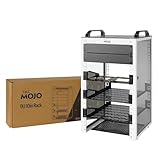
- Compact 10-Inch Width & 9U Height: This mini rack is designed for efficient equipment organization, featuring a space-saving 10-inch width and standard 9U height - ideal for desktops, home labs, small offices, or AV setups
- Versatile Accessory Compatibility: Supports 10-inch rack-mountable equipment, including patch panels, network switches, cable organizers, and power strips, providing flexible solutions for networking and electronics projects
- Durable Steel & Acrylic Construction: Constructed from high-strength steel with premium acrylic side panels, this rack offers outstanding durability and stability - perfect for NAS, custom clusters, and sensitive electronics
- Open-Frame & Translucent Panel Design: The open-frame structure ensures superior airflow for optimal cooling, while translucent side panels offer dust protection and allow easy monitoring of device indicators—ideal for performance and ambient lighting enhancements
- Complete Accessory Kit Included: Includes 2 blank panels, 2 rack shelf, 1 SBC shelf, 2 micro adapter boards, and all necessary mounting hardware - everything needed for a streamlined, customizable installation
Java and Bedrock do not natively use the same server software. Cross-play generally requires a compatibility layer such as Geyser, and Floodgate may be used in related authentication configurations. Version changes, configuration, account authentication, and console connection methods can affect whether cross-play works reliably.
Do not assume that a host advertising both editions gives both editions identical controls, prices, locations, loaders, backup behavior, or upgrade options. Confirm the exact edition and server software in the order flow. Shockbyte explicitly advertises Java and Bedrock hosting, automatic updates, one-click server-type installation, and modded ecosystem support on its official Minecraft hosting page. Apex also lists Java and Bedrock support, transfers, backups, FTP/MySQL access, mod/plugin support, and a seven-day guarantee on its pricing page.
How do CPU, storage, and dedicated cores affect performance?
CPU performance matters because Minecraft’s server tick loop can be sensitive to single-thread and per-core performance. RAM holds the Java heap and loaded data, but RAM alone does not determine whether a server can process redstone, entities, chunk generation, plugins, or mod logic on time.
PC Slower Than It Used to Be?
A free scan shows the junk files, broken settings and background clutter dragging Windows down - then fixes them in one click.Free scan · Windows 10 & 11Crashes, No Sound, or Screen Glitches?
Random freezes, missing sound and display glitches usually trace back to one bad driver. Find and replace yours safely.Free scan · under a minuteBefore buying, ask whether the host discloses the CPU model, whether vCores are shared or dedicated, whether the plan can be upgraded, whether CPU throttling is explained, and whether moving to a better tier preserves the world without migration. NVMe storage can improve file and chunk I/O, but NVMe does not prove a particular tick rate or eliminate CPU contention.
A premium dedicated-vCore plan can be worthwhile for a busy or heavily modded server. Apex’s EX plan advertises four dedicated vCores alongside 16 GB of RAM, premium support, and a dedicated IP. The advertised specification is a useful comparison point, not an independently measured performance result.
Which mod and plugin features should you check?
Check the actual server software and installation tools rather than accepting the generic phrase “mod support.” Java users may need Paper, Spigot, Bukkit, Forge, Fabric, NeoForge where available, custom server JARs, CurseForge, Feed The Beast, Technic, ATLauncher, or a specific launcher workflow. Bedrock users may need Bedrock Dedicated Server or PocketMine-MP instead.
Useful controls include full file access, SFTP or FTP, custom JAR upload, version switching, automated modpack installation, configuration editing, scheduled restarts, backups before software changes, and a live console. A host may install a modpack while declining to troubleshoot a missing dependency, wrong Java runtime, incompatible loader, corrupted configuration, or client/server version mismatch.
Shockbyte advertises one-click installation for Paper, CraftBukkit, Forge, Vanilla, Bedrock Dedicated Server, PocketMine-MP, and several modpack ecosystems. ScalaCube lists PaperMC, Spigot, BungeeCord, ATLauncher, FTB, Technic, CurseForge, Fabric, Forge, custom JARs, and more than 3,000 one-click modpacks. These are vendor-published compatibility and installation claims, not guarantees that every third-party pack will perform well.
What control-panel features matter?
A good control panel should let you start, stop, restart, and force-stop the server; view a live console; manage files; install or change server software; edit configuration; schedule restarts; create and restore backups; update versions; manage operators and players; use RCON; and inspect resource usage.
Shockbyte advertises a custom panel with a real-time console, modpack installer, server instances, configuration management, and backups. ScalaCube describes FTP, RCON, MySQL, PHPMyAdmin, automated backups, and multiple server-management functions. Shockbyte’s official feature page and ScalaCube’s official feature page document those published controls.
Full file access is especially important when a modpack installer fails or when you need to download a world for migration. A polished panel reduces setup work, but it does not replace a tested backup or technical understanding of Minecraft versions.
How should server location and latency affect your choice?
Choose a region close to the majority of players, not simply the provider advertising the most locations. Ping affects input responsiveness and connection feel, while server TPS measures whether the server is processing its game loop on time; a nearby but overloaded node can still perform badly.
Groups spread across continents may need a compromise region. Confirm that the desired location is available on the exact plan and edition because advertised locations can vary by inventory, region, and server type. Moving later may require a migration, DNS change, or downtime.
ScalaCube lists locations in Canada, France, the United Kingdom, Australia, Singapore, the United States, Germany, Poland, India, Finland, and Brazil. The list is useful for identifying possibilities, but the actual plan selector is the authority for current availability.
Independent reader supportYour contribution helps us test, update, and keep practical guides available for everyone.What should you know about backups and disaster recovery?
Host-side backups are useful but should not be the only copy of a valuable Minecraft world. A hosting page that says “backups” does not automatically tell you the frequency, retention, storage location, download method, restore process, or whether backups remain available after account compromise or infrastructure failure.
- Enable automated host-side backups.
- Download the world and important configuration files periodically.
- Keep at least one copy offline or in separate cloud storage.
- Test restoration before the world becomes important.
- Create a fresh backup before changing server software, mods, or Minecraft versions.
Ask whether backups are optional, consume storage, cost extra, are self-service, and are stored separately from the live server. A backup on the same infrastructure may not protect against every provider-wide incident, account problem, or corruption event.
How do uptime, DDoS protection, support, and refunds compare?
Uptime percentages and support labels are useful policy signals, not independent measurements. Shockbyte advertises 99.9% uptime, DDoS protection, 24/7 support, and a 72-hour self-serve refund period on its official hosting page. Apex advertises 24/7 support, advanced DDoS protection, automatic backups and updates, and a seven-day money-back guarantee on its official Minecraft hosting page.
A 99.9% uptime target permits approximately 43.8 minutes of downtime in a 30-day month. The exclusions and remedy matter as much as the headline: maintenance, customer-caused issues, payment suspension, and network events may be treated differently. DDoS protection reduces the impact of attacks but does not guarantee uninterrupted service.
“24/7 support” does not necessarily mean 24/7 live chat or instant replies. Treat vendor testimonials and response-time claims as marketing unless independently measured. Read the refund policy for the exact self-service period, exclusions, billing cycle, and whether setup or add-on fees are refundable.
How should you compare Minecraft hosting prices?
Compare the full recurring cost, not the first invoice. Record RAM, recurring monthly price, promotional price, billing term, setup fees, backup charges, dedicated-IP charges, premium-support fees, storage limits, taxes or VAT, cancellation rules, and refund terms.
| Provider | Promotional or starting signal | Recurring or stated price | Important billing qualification |
|---|---|---|---|
| Apex Hosting | 4 GB: $11.24 first month; 6 GB: $16.87; 8 GB: $20.99; 16 GB EX: $53.99 | 4 GB: $14.99; 6 GB: $22.49; 8 GB: $27.99; 16 GB EX: $71.99 | First-month and recurring prices were listed separately; verify tax, billing term, and add-ons |
| Shockbyte | First-month promotion shown separately | 1 GB: $3.99; 2 GB: $7.99; 4 GB: $15.99; 8 GB: $31.99 per month | Do not substitute historical per-GB pricing or promotional pricing for the current renewal price |
| ScalaCube | 50% off first invoice; plans advertised from $2 | Exact recurring amount depends on the selected plan | Displayed prices exclude VAT |
| BisectHosting | Not established in the supplied evidence | Verify at checkout | Check plan-level CPU, storage, backups, region, and renewal price |
| Nodecraft | Near-$10 starting price appears in 2025-era comparison coverage | Verify current checkout price | Historical comparison pricing should not be treated as an August 2026 quotation |
Shockbyte’s historical pricing announcement said new Minecraft server pricing increased from $2.50 per GB per month to $2.99 effective June 3, 2024, with existing customers grandfathered under the earlier pricing. The announcement demonstrates why old “starting at” figures should not be copied into a current comparison.
When should you use a VPS, dedicated server, home server, or free host?
| Option | Best for | Advantages | Costs and responsibilities |
|---|---|---|---|
| Managed shared Minecraft host | Most small communities and modpack users | Control panel, connectivity, DDoS mitigation, installers, and support | Shared infrastructure, plan limits, less control, and possible CPU contention |
| VPS | Technical owners needing root access | More control over Linux, Java, proxies, databases, and configuration | You manage security, updates, backups, optimization, and troubleshooting |
| Dedicated server | Large networks or predictable resource needs | Physical resources allocated to one customer and stronger control over contention | Higher cost and greater administration responsibility |
| Home hosting | Testing or private groups with suitable hardware | No managed-host fee and complete local control | Requires reliable upload bandwidth, security, port configuration, backups, and ongoing uptime |
| Free hosting | Temporary experiments | No normal hosting bill | May impose sleep timers, queues, advertisements, low resources, and limited support |
Choose a VPS or dedicated server when you need root access, predictable CPU allocation, custom proxies, databases, monitoring, or several services and can administer Linux, firewalls, Java, backups, and updates. Choose free hosting only when queues, sleep behavior, limited resources, and external backups are acceptable.
How do you migrate a Minecraft server safely?
A safe migration requires a complete backup, version matching, a tested restore, and a rollback plan before DNS or player access changes.
- Download the complete world: copy the world folders, server configuration, whitelist, operator list, permissions, plugins, mods, datapacks, and scripts.
- Record versions: write down the Minecraft version, Java runtime, loader, server JAR, plugin versions, mod versions, and startup arguments.
- Build the destination: select the correct edition, software, region, RAM, and CPU tier. Do not change versions during the move unless you have tested the upgrade separately.
- Upload and test privately: restore the world and configuration, start the server, inspect the console, and test joining, permissions, plugins, mods, farms, redstone, and backups.
- Plan DNS or IP changes: communicate a maintenance window and reduce confusion by keeping the old server available until the new server is confirmed.
- Switch players: update the connection address, monitor errors and resource usage, and preserve the old copy until the migration is stable.
- Keep a rollback: if the new host corrupts data, breaks mod compatibility, or performs poorly, stop writes and restore the previous server from the known-good copy.
What are the most common hosting mistakes?
- Assuming cross-play is automatic: Java and Bedrock generally need a compatibility layer such as Geyser, and version or console-connectivity limitations may still apply.
- Installing a supported modpack without checking requirements: wrong Minecraft versions, Java runtimes, loaders, dependencies, or client/server mod lists can prevent startup.
- Buying RAM instead of performance: an underpowered CPU, excessive simulation distance, overloaded node, or poor configuration can remain the bottleneck.
- Reading “unlimited slots” as a performance promise: finite RAM and CPU still limit actual playable capacity.
- Keeping backups only on the host: account problems, corruption, or a provider-wide incident can affect live data and backup sets.
- Comparing first-month prices: introductory discounts distort the long-term ranking.
- Assuming a global location list applies to every plan: the exact region selector and edition determine availability.
- Changing versions during migration: a provider move and a Minecraft upgrade create separate failure points and should be tested independently.
Frequently Asked Questions
What is the best Minecraft server hosting provider in 2025?
The best Minecraft server hosting provider depends on the server’s edition, mods, players, location, and budget. BisectHosting is the best value-oriented pick for modpacks, Apex Hosting is best for beginners, Shockbyte is the strongest budget mainstream option, ScalaCube suits multiple servers, and Nodecraft favors multi-game management.
How much RAM does a Minecraft server need for 10 players?
A small vanilla group commonly starts with 2–4 GB, while a small Paper/plugin server commonly starts with 4–6 GB. Ten players alone do not determine the requirement because mods, plugins, view distance, simulation distance, entities, farms, and chunk generation can change the needed resources.
Is 99.9% uptime good for a Minecraft server?
A 99.9% uptime target permits approximately 43.8 minutes of downtime in a 30-day month. The guarantee’s exclusions, maintenance terms, suspension rules, and remedy matter more than the percentage alone.
Can Java and Bedrock players join the same Minecraft server?
Java and Bedrock players can sometimes join through a compatibility layer such as Geyser, but Java and Bedrock do not natively use the same server software. Compatibility depends on versions, configuration, authentication, and possible console connection limitations.
Quick wins for a faster PC:
Clear out junk files and repair common Windows errorsFree Scan →Fix the driver behind crashes, sound loss and screen glitchesFind Drivers →Repair Windows errors before they cause bigger problemsFix Now →The Bottom Line
There is no universal best Minecraft host. Pick BisectHosting for modpacks and value, Apex Hosting for guided setup and premium support, Shockbyte for a low-cost mainstream starting point, ScalaCube for multiple servers and broad tooling, or Nodecraft for convenient multi-game management. Before checkout, verify the recurring price, edition, region, CPU allocation, backup recovery, refund terms, taxes, and upgrade path.
Quick Recap
Product prices and availability are accurate as of the date/time indicated and are subject to change. Any price and availability information displayed on Amazon at the time of purchase will apply.

