
Do these 3 things before closing this tab:
1Fix the driver behind crashes, sound loss and screen glitches2Repair Windows errors before they cause bigger problems3Scan for outdated or missing drivers - takes under a minuteiTechGuides is reader-supported. When you buy through links on our site, we may earn an affiliate commission. As an Amazon Associate I earn from qualifying purchases. Learn more
For a prerecorded Hindi video you plan to upload to YouTube, start with HandBrake’s Creator preset that matches the source resolution and frame rate. Use progressive H.264 in an MP4 container for broad compatibility, keep the Hindi audio track selected, and add subtitles only if you need them. There is no one ideal quality setting for every source: preview detailed and fast-moving scenes before encoding the full video.
“Streamed continuously” can mean either uploading a long video or broadcasting a YouTube Live stream. HandBrake prepares video files; it does not run a live broadcast. The settings differ, so first choose the workflow that matches your goal.

Choose the right workflow: upload or YouTube Live
For a long prerecorded video
Encode the file in HandBrake, then upload it to YouTube. Use YouTube’s upload recommendations for the file’s format and bitrate; the fact that the video is in Hindi does not require a different codec or bitrate.
Outdated Drivers Are Slowing You Down
One free scan finds every outdated or missing driver and matches the right update for your exact hardware.Free scan · exact hardware matchWindows Errors? Fix Them Before They Spread
Repair common Windows errors and clear accumulated junk for a smoother, more stable PC - no reinstall needed.Free scan · no reinstallFor a live broadcast
A HandBrake file is not itself a live stream. YouTube publishes separate live-ingestion guidance covering live protocols, codecs, bitrates and keyframes. For live encoding, YouTube recommends a 2-second keyframe interval, not exceeding 4 seconds. Do not apply live bitrate or keyframe recommendations as though they were HandBrake upload settings. See YouTube’s live encoder settings.
#1 Best Overall

- Premium Material - The sim handbrake is made of light weight CNC machined aluminum and mild steel materials more durable more concise.
- 64 Bit On-Contact Hall Sensor -The referenced Hall-effect precision technology increases the brake feel of racing and makes driving more realistic.
- The USB handbrake can fit for both linear or non linear games. Easy set up on game setting for ets american truck simulator games no need to set up in computer device and printer.
- Handbrake for Sim Racings Automatic calibration system Automatic memory starting point to the end. A independent & extra game device to control the racing game.
- Application - Support for Windows 7 and above PC windows system Support Logitech G27 G25 G29 T500 T300 FANATECOSW LFS DIRT RALLY, The Handbrake Compatible for Assetto Corsa, for DiR,T Rally Series, for Forza Horizon 4 (Windows Version), for Forza Motorsport 7, for Forza Horizon 5, for Forza Horizon 6 for Euro Truck Simualtor 2, for WRC 9 , for Richard Burns Rally, for Project Cars, for Live For Speed,for TOCA Pro Race Driver,etc. Most support steering wheels and handbrake options Simulation games.
Recommended HandBrake settings for a prerecorded Hindi video
| Setting | Recommended starting point | Why it matters |
|---|---|---|
| Preset | HandBrake Creator preset closest to the source resolution and frame rate | Creator presets are designed for video-hosting uploads, including YouTube. Check the actual settings in your installed HandBrake version. |
| Container | MP4 | A compatibility-oriented choice for YouTube uploads. |
| Video encoder | H.264 | A compatibility-first target. |
| Scan type | Progressive | YouTube recommends progressive uploads; deinterlace an interlaced source before upload. |
| Frame rate | Same as the source; choose the matching option rather than forcing a different rate | YouTube advises encoding and uploading at the frame rate used to record the video. |
| Audio | Keep the Hindi track selected; AAC-LC is a compatibility-first choice | YouTube also accepts Opus and recommends 48 kHz audio. |
| Quality | Use constant quality or average bitrate; preview before committing to a full encode | The suitable choice depends on the source, desired file size and encoding time. |
HandBrake’s official preset guidance describes Creator presets as suitable for uploads to video-hosting services such as Vimeo and YouTube. See HandBrake’s official presets. YouTube’s upload guidance covers MP4, H.264, progressive scan, frame rate and other encoding parameters, including a closed GOP with a GOP length of half the frame rate: YouTube recommended upload encoding settings.
Set quality or bitrate without over-compressing
If you use average bitrate
YouTube’s current SDR upload recommendations, accessed in 2026, provide these reference rates:
Rank #2

- 【Fitment】Support G920 Compatible with Xbox / Xbox series S / Xbox series X + PC Computer. Providing easy setup with no extra configurations needed
- 【High-Quality】Crafted with high-quality, durable materials, this xbox handbrake offers long-lasting reliability. It resists wear and tear, ensuring stable performance even through hours of intense gaming sessions
- 【Ergonomic Design】You can adjust the handle to your preferred height. Featuring an ergonomic handle, designed for long gaming sessions. It provides a comfortable grip, reducing strain on your wrists and ensuring an enjoyable experience during extended play
- 【Enhanced Precision Control】Non-touch switch, 64 bit non-contact plus Hall sensor.Designed specifically for racing game enthusiasts, this Xbox racing handbrake delivers precise and responsive control, improving your in-game driving performance for a more immersive experience
- 【After Service】If Windows 10 is not compatible with the PC environment, please change to Windows 10/64 Bit. We provide you with the most realistic gaming experience. Your satisfaction is our unremitting pursuit. If your system is not compatible, please feel free to let us know
| Resolution and frame-rate class | YouTube recommended upload bitrate |
|---|---|
| 720p, 24/25/30 fps | 5 Mbps |
| 720p, 48/50/60 fps | 7.5 Mbps |
| 1080p, 24/25/30 fps | 8 Mbps |
| 1080p, 48/50/60 fps | 12 Mbps |
These are YouTube recommendations for SDR uploads, not Hindi-specific findings, independent test results or guarantees of uninterrupted playback. They are useful reference points when selecting average bitrate, not a reason to reduce a higher-quality source unnecessarily. Consult YouTube’s linked encoding page for other resolutions, HDR guidance and current details.
Quick wins for a faster PC:
Scan for outdated or missing drivers - takes under a minuteDriver Scan →Clear out junk files and repair common Windows errorsFree Scan →If you use constant quality
There is no evidence-backed universal HandBrake RF value for every source. Quality depends on the encoder, source detail and motion, and the trade-off you want among appearance, file size and encoding time. Make a short preview that includes both detailed scenes and fast movement, inspect it at the intended playback size, then adjust and preview again if needed. HandBrake’s documentation explains its quality controls and preview workflow.
Rank #3
Keep Hindi audio and add subtitles if needed
Select the Hindi audio track
In HandBrake’s audio settings, confirm that the Hindi track is included in the output. Track-language defaults depend on the source’s metadata. If the track is unlabeled or HandBrake selects another language, choose the Hindi track manually. Hindi itself does not call for a different video codec or upload bitrate.
Choose burned-in or selectable subtitles
- Burned-in subtitles: The captions become part of the picture and are always visible. Use this when every viewer must see them. HandBrake documents burning in one subtitle track.
- Soft subtitles: Viewers can turn these on or off when the output container and playback path support the track. WebM does not support soft subtitles.
You can import an SRT file or use a supported embedded subtitle track. Check the preview for correct timing, legibility and placement before encoding the full video. See HandBrake’s subtitle documentation.
Rank #4
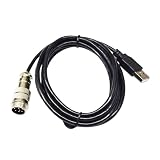
- Industrial Motors
- USB 2.0 TO 9 DIN MALE ADAPTER CONNECTION DIN-USB CABLE FOR TH8A GEAR TSSH TSSH+ MOD+ HANDBRAKE PC CONTROLLER KABLE
Encode and verify the file
- Open the source: Load the video in HandBrake and inspect its resolution, frame rate, scan type, audio tracks and subtitles.
- Choose a Creator preset: Select the variant closest to the source resolution and frame rate. Preset names and available encoders can differ between HandBrake releases, so verify the resulting settings rather than relying only on the label.
- Set the output: Choose MP4 and progressive H.264 for the compatibility-first workflow. Retain the source frame rate. If the source is interlaced, deinterlace it.
- Check audio and subtitles: Confirm the Hindi audio track is selected. Add the appropriate subtitle track, choosing burn-in or soft subtitles based on whether captions must be permanent.
- Choose quality: Set constant quality or average bitrate. If you select average bitrate, use YouTube’s resolution and frame-rate recommendations as a reference for SDR.
- Preview representative scenes: Include both detail and motion. Check picture quality, audio, subtitle rendering and synchronization.
- Encode, then review the finished file: HandBrake supports previews and a queue. Encoding time varies with duration, resolution, scene complexity, settings and computer performance.
- Upload to YouTube: Review the uploaded video for processing quality, audio-track selection and captions before relying on it for continuous viewing.
Copyright and YouTube policy checks for continuous playback
Encoding settings cannot establish whether you have permission to use the video or audio, nor do they guarantee that YouTube will allow a particular video to remain available. Before uploading, make sure you have the necessary rights to the footage, music and other material. Review YouTube’s copyright policies and its channel monetization policies, including the reused-content guidance if monetization matters. A long or repeatedly played video still needs to comply with applicable policies.
Common problems and fixes
- The output has the wrong language: The source may have multiple audio tracks or missing language metadata. Select the Hindi track explicitly in HandBrake’s audio settings and check a preview.
- Subtitles are missing or always visible: Check whether the track was included and whether it was set to burn in. Burn-in is permanent; soft subtitles require support from the chosen container and playback path.
- The output looks softer than the source: Compare a representative preview at full playback size. Revisit the quality setting or average bitrate; avoid changing resolution or frame rate without a reason.
- Motion looks choppy: Check that the output frame rate matches the source and that the correct Creator preset was chosen.
- An interlaced source shows comb-like edges: Deinterlace before upload, as YouTube recommends.
- The file is unexpectedly large or takes too long: Encoding time and size vary by source and settings. Test a short preview and adjust the quality/file-size trade-off before queuing the full encode.
- You are configuring a live stream but following upload advice: Stop and use YouTube’s live encoder guidance instead; a HandBrake encode is a file, not a live broadcast.
Or let it run in the cloud
If your goal is to keep a prerecorded video or playlist continuously live on YouTube, StreamNeo is an alternative to running a home computer and live encoder. Upload a recording or build a playlist, add your YouTube stream key once, and go live; StreamNeo loops it from the cloud. Nothing has to stay on at home, it streams what you uploaded at any quality up to 4K 60fps for one flat price per slot, and it automatically recovers if YouTube drops the stream. The first day is free with no card. Monthly: $9.99 per month. See StreamNeo, or start your free first day.
Quick Recap
Best Value

- FITMENT - Universal handbrake for sim racing,Support Logitech G27 G25 G29 T500 T300 FANATECOSW LFS DIRT RALLY. Not applicable for X BOX and PS Series Devices ,Only for PC USB port.
- ADJUSTABLE HEIGHT - Flexible height adjustment for the operating height of different steering wheel brackets.
- INDEPENDENT USB CABLE - Plug and play, easy to install, only supports PC windows system.
- RACING EXTRA HAND BRAKE - Independent & extra game device to control the racing game. No need to install the driver, connect USB can be used directly.
- PROGRESSIVE HANDBRAKE - Non-touch switch, 64bit non-contact plus Hall sensor, more precision, longer life.
Product prices and availability are accurate as of the date/time indicated and are subject to change. Any price and availability information displayed on Amazon at the time of purchase will apply.

