
Recommended Free Tools
iTechGuides is reader-supported. When you buy through links on our site, we may earn an affiliate commission. As an Amazon Associate I earn from qualifying purchases. Learn more
Adobe’s free Lightroom mobile app can replace a paid Lightroom plan if you edit on your phone and its basic tools are enough. It is not a full replacement if you rely on raw editing, advanced controls, cloud storage, or continuing work across mobile, desktop, and web.
What you get with Lightroom for mobile at no cost
Adobe offers Lightroom for iOS and Android as a free app for capturing, editing, organizing, and sharing photos. The free tier includes presets and most basic editing tools, making it a practical option for a phone-centered workflow. Adobe describes the mobile app as a free solution for capturing, editing, and sharing photos; its Lightroom mobile FAQ outlines which capabilities are free and which require Premium.
What still requires Premium
Adobe’s FAQ, dated September 2, 2026, lists raw editing, cloud storage, cross-device sync, the healing brush, masking, geometry tools, batch editing, and Sensei-powered search among Premium features. Adobe’s product page also highlights tools such as Generative Remove and Lens Blur. Some Premium features can be tried in the free app, so a trial or preview should not be taken to mean the feature is included indefinitely at no cost.
Free versus paid Lightroom
| What matters | Free mobile app | Paid Lightroom plan |
|---|---|---|
| Editing | Presets and most basic editing tools; raw editing and the listed advanced tools are Premium. | Includes Premium features such as raw editing, healing, masking, geometry, and batch editing. Features depend on the plan. |
| Devices | Mobile capture, editing, organization, and sharing. | Adobe says paid plans can sync work across desktop, mobile, and web; check the exact plan for included apps and sync conditions. |
| Storage | Adobe’s June 5, 2026 help article states that the free tier has 5 GB shared across Adobe apps. | Paid plans offer expanded storage. Adobe’s US Lightroom listing includes 1 TB. |
| Price | No subscription fee for the free app. | Adobe’s US listing accessed October 7, 2026 shows US$11.99 per month for an annual plan billed monthly. Pricing and plan details vary by market and can change. |
Storage details come from Adobe’s storage help article; the plan price and included apps are from Adobe’s US Lightroom plans page. Confirm the current offer for your country before subscribing. Adobe’s help article also advises checking sync behavior for mobile-only Premium plans rather than assuming every subscription includes the same cross-device workflow.
#1 Best Overall
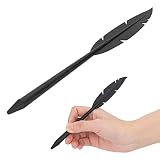
- WIDE RANGE OF APPLICATIONS: This multi-functional tablet and phone stylus is suitable for a variety of everyday tasks. It's ideal for handwriting note-taking, digital drawing, photo editing, casual gaming, graphic art creation, and text annotation. It's compatible with all capacitive screen devices, making it suitable for a wide range of everyday and professional uses
- PRECISE TOUCH: This universal capacitive stylus offers more precise touch input than finger touch, allowing you to easily aim at small screen icons, console buttons, and small function areas on your phone and tablet. Sensitive touch cues eliminate accidental and floating touches, providing a smooth and accurate user experience for everyday screen interactions
- REFINED PROTECTION: The stylus features a high-quality soft rubber and conductive cloth tip that glides smoothly across all touchscreens. It won't leave marks on the device's part, preventing screen wear over long-term use. The fitted tip structure maintains stable touch performance and keeps your tablet and phone screen in good condition during daily use
- EXQUISITE FEATHER-SHAPED CONTOUR: The feather-shaped stylus is crafted with exquisite techniques, resulting in a smooth and elegant contour. Its simple and sophisticated design perfectly matches everyday aesthetic preferences. Its compact and sleek body provides a comfortable grip, use it apart from ordinary styluses with its unique and refined appearance
- ULTRA-PORTABLE DESIGN: This portable digital stylus features a lightweight body and an integrated clip structure. Its slim 17cm size takes up very little space, easily fitting into a pocket, notebook, or pencil case. Convenient to carry, it's ideal for outdoor travel, office work, and study, supporting screen operation anytime, anywhere
Choose based on how you actually edit
The free app is likely enough if
- You capture and edit photos on a phone or tablet.
- Presets and basic adjustments cover the changes you usually make.
- You do not need raw editing or the specific Premium tools listed above.
- You can manage within the free tier’s shared storage allowance and do not need paid-plan sync.
A paid plan is a better fit if
- You edit raw files in Lightroom.
- You depend on masking, healing, geometry, batch editing, or other Premium tools.
- You want to pick up edits across mobile, desktop, and web, or need more cloud storage.
Before paying, check the plan’s included apps, storage, and sync terms against the devices you use. “Lightroom Premium” does not by itself establish that every plan offers the same desktop access or sync arrangement.
Independent reader supportYour contribution helps us test, update, and keep practical guides available for everyone.Bottom line for a phone-first workflow
Try the free mobile app if your editing stays on your phone and basic tools meet your needs. Keep or choose a paid plan when raw editing, Premium controls, more storage, or a verified cross-device workflow is essential. The decision is about the features and continuity you need—not whether the free app is a real Lightroom app.
Quick Recap
Best Value

- High quality replacement sensor touch stylus for moto g stylus 2021.
- Way more accurate than your finger, you can edit photos, jot notes, sketch artwork, copy and paste text, mark up screenshots, you name it.
- Only fit Moto G Stylus 2021 Verison,Don't fit Moto G Stylus 2020, Don't fit Moto G Stylus 5G.
- The integrated stylus provides you with precise control and a whole new way to express yourself.
- The stylus is seamlessly integrated with the Moto Note app, so you can start writing without even unlocking your phone.
Rank #4

- Feel the of pen and paper, perfect for sketching ideas, taking meeting notes, or touching up photos on your tablet.
- Works seamlessly with Latitude (5400/7300/7600/5491/7390/3190) and other EMR-enabled 2-in-1 devices, replacing lost or worn-out pens.
- Enjoy precise strokes and smooth lines for doodling or taking meeting notes, unlocking your potential.
- Adjusts line thickness with fingertip pressure—like real drawing tools—for authentic shading effects.
- Used daily by artists for drawing, students for note-taking, and pros for presentations; includes a sturdy travel case.
Rank #3

- 【Stylus Holder for Phone】WLLHYF keychain pen included adhesive dock turns any flat surface into a convenient stylus holder for phone. Attach it to your phone case, tablet cover, or car dashboard, and keep your pen within easy reach. The while the low-profile design adds no bulk. Just slide the pen in and out—simple, secure, and always ready
- 【Stylus Pen Holder】Our mini set not only gives you a quality touch pen but also a flexible stylus pen holder. The mount's unique foam-adhesive back lets you attach it to irregular surfaces like bicycle handles, desks, or monitor edges. Made with a premium aluminum alloy and plastic barrel, the pen itself is sturdy yet lightweight—perfect for everyday use without adding unnecessary weight
- 【Stylus with Tether】Why worry about dropping your pen during a ride? This stylus with tether features a spring-coil cord that stretches from 9 to 27+ inches, mini pen giving you freedom to move while keeping the pen attached to your bike or holder. The small pen is glove-friendly and ideal for motorcyclists and cyclists. When you let go, capacitive stylus gently retracts—no dangling, no lost pen
- 【Stylus Tether】The built-in retractable stylus tether is engineered for active lifestyles. Unlike ordinary lanyards, this tangles-resistant elastic cord is built to withstand daily pulling and the elements. Fits perfectly with our adhesive backplate or clip, so you can confidently use your touch screen while moving. The pocket pen is a small addition that makes a huge difference in peace of mind
- 【Pens with Stylus Tips】The pen keychain included sturdy stylus with clip snaps onto pockets, bags, or notebook covers, so you can carry your pen hands-free. Our precision silicone tips are among the best pens with stylus tips—soft, anti-scratch, and highly responsive. The short pen lets you type, draw, and navigate with ease
Rank #2

- Write With Ease: Take notes, doodle, or navigate seamlessly with the Targus Smooth Gliding Standard Stylus. It’s the perfect accessory to get your work done! You can rest your hand naturally on the screen and write as smoothly as you would on paper
- Fine Detail Control: The stylus features a durable rubber tip that won’t scratch the screen of your device and allows the user to type accurately and comfortably
- Ready to Go: The stylus engages directly with your electronic touchscreen device, requires no power or software to operate, and instantly works right out of the box
- DefenseGuard: Ideal for touch applications, Targus DefenseGuard Protection is a protective coating that does not wear off and lasts for the life of the product. This creates a cleaner touchpoint surface and works continuously to keep your stylus safe
- About Us: From stylish laptop backpacks to iPad cases to accessories, Targus has everything you need to carry, connect, and protect the devices you use every day. Our attention to innovative and thoughtful design can be seen across all our products
Product prices and availability are accurate as of the date/time indicated and are subject to change. Any price and availability information displayed on Amazon at the time of purchase will apply.
The Tool Desk
Outbyte Driver Updater FREEScan for outdated or missing drivers - takes under a minuteDriver Scan →Outbyte PC Repair FREEClear out junk files and repair common Windows errorsFree Scan →
