
Quick wins for a faster PC:
Scan for outdated or missing drivers - takes under a minuteDriver Scan →Repair Windows errors before they cause bigger problemsFix Now →For an original Microsemi SmartFusion cSoC, Core1588 has a documented historical reference-design association—but the current Core1588 v3.0 guide does not list that original family as supported. It lists SmartFusion 2 and other later families. Treat the 2011 SmartFusion design and today’s Core1588 guide as separate compatibility claims, and confirm the exact IP package, device, board revision, and Libero flow before building.
What Core1588 does—and what it does not do
Core1588 is hardware IP for capturing IEEE 1588 Precision Time Protocol (PTP) event-message timestamps. It monitors Ethernet traffic, detects supported PTP frames, records timestamps, and exposes control and timestamp registers to a processor through an APB interface. It is a component of a PTP-capable system, not a complete PTP application or synchronization stack.
| # | Preview | Product | Price | |
|---|---|---|---|---|
| 1 |
|
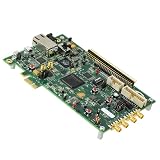
MICROCHIP SmartFusion2 SoC FPGA Security PCIe Card M2S090, Evaluation Board, M2S090TS-EVAL-KIT | $1,388.54 | Buy on Amazon |
Microchip describes the core as compatible with IEEE 1588 versions 1.0 and 2.0. Its documented event-message encapsulations include UDP over IPv4 or IPv6, unicast and multicast, VLAN forms, and Ethernet multicast, including VLAN. The core supports one-step event-message timestamp updating and can interrupt on PTP event-frame transmission or reception. Check the guide against the transport and profile used by your network rather than assuming every PTP deployment uses the same encapsulation.
The v3.0 guide describes a real-time counter with a 48-bit seconds field, 32-bit nanoseconds field, and 24-bit sub-nanoseconds field. Hardware timestamp capture does not, by itself, establish end-to-end clock accuracy. That depends on the clock source, timestamp location, PHY and MAC delays, firmware and servo, network conditions, and PTP profile. The cited documentation does not provide a measured SmartFusion-specific accuracy result.
The Tool Desk
Outbyte Driver Updater FREEScan for outdated or missing drivers - takes under a minuteDriver Scan →Outbyte PC Repair FREEClear out junk files and repair common Windows errorsFree Scan →#1 Best Overall
- EVALUATION BOARD: SmartFusion2 SoC FPGA Security PCIe Card featuring the M2S090 FPGA for development and testing purposes
- INTEGRATED SOLUTION: Combines FPGA capabilities with MCU/MPU System-on-Chip architecture for versatile application development
- DEVELOPMENT PLATFORM: Professional-grade board designed for security-focused PCIe applications and FPGA programming
- CONNECTIVITY: PCIe interface enables seamless integration with host systems for rapid prototyping and testing
- COMPATIBILITY: Purpose-built for SmartFusion2 FPGA development with comprehensive evaluation capabilities
Which SmartFusion generation is covered?
| Design target | What the cited documentation establishes | What to verify |
|---|---|---|
| Original SmartFusion cSoC | Microsemi announced Core1588 IP and a reference design for SmartFusion cSoC devices on August 16, 2011. The announcement said the design targeted SmartFusion evaluation and development kits for qualified customers at no charge. | Whether the historical files remain available; the exact A2F device and package; board revision; matching Libero release; and whether the required core package can be used in your environment. |
| SmartFusion 2 and other families listed in the current v3.0 guide | The guide lists SmartFusion 2, IGLOO 2, PolarFire, PolarFire SoC, and RT PolarFire. Original SmartFusion cSoCs are not on that list. | Device-specific support, IP Catalog availability, licensing access, and compatibility with the installed Libero release. |
Sources: Microchip’s Core1588 IP Core Tool page, Core1588 User Guide, DS50003764A, and Microsemi’s August 16, 2011 announcement.
How the core fits into a PTP design
Ethernet timestamp path
The guide describes GMII monitoring between the MAC and PHY. Core1588 detects and timestamps enabled PTP event messages as they are received or transmitted, and supports full-duplex operation. Confirm that your MAC/PHY architecture exposes GMII at the intended timestamp point; the existence of an Ethernet interface on a board alone does not establish that the required signal path is available in your design.
Processor and firmware path
The processor accesses the core’s registers through APB v3. Firmware configures operation and reads timestamps; the surrounding system still needs the software responsibilities required by its chosen PTP implementation. Microsemi’s 2011 announcement described its reference design as Core1588 hardware interacting with firmware. It also described multiple devices, with one acting as master and others as slaves, and a best master clock (BMC) algorithm selecting the master. That is a system-level architecture description, not a claim that the Core1588 hardware itself implements the complete PTP stack or BMC algorithm.
Integrating Core1588 in a current Libero flow
The v3.0 user guide requires Libero SoC v12.0 or later. It describes installing Core1588 into Libero’s IP Catalog through the update function or by downloading it manually from the catalog, then configuring and generating the core and instantiating it in SmartDesign.
- Check the device and tool version. Confirm that your target belongs to a family listed in the v3.0 guide and that your Libero SoC version is v12.0 or later. Do not infer original SmartFusion cSoC support from the SmartFusion 2 entry.
- Obtain the core through the IP Catalog. Use Libero’s update function or the manual catalog-download route described in the guide. Verify that the core is accessible under the licensing conditions that apply to your project.
- Configure and generate the IP. Select the required PTP options and generate the core in the Libero project, following the guide for the selected device and interface configuration.
- Connect the timestamping path. Integrate the GMII monitoring interface at the MAC/PHY path and connect APB v3 to the processor subsystem. Check clocking, reset, and signal timing in the generated design and device-specific documentation.
- Implement and validate firmware behavior. Configure the hardware, service its interrupts if enabled, retrieve event timestamps, and integrate those values into the software PTP behavior and clock adjustment strategy required by your system.
What to do with an original SmartFusion cSoC project
The 2011 release is the direct evidence that Microsemi targeted Core1588 and a reference design at original SmartFusion cSoCs. It does not establish that the historical files are still available, that they work with a current Libero release, or that the current v3.0 core supports the original family. For a legacy design, identify the dated reference package and its documented toolchain before treating it as reproducible.
- Record the exact A2F device, package, board revision, and Ethernet MAC/PHY arrangement.
- Locate the reference-design files and confirm their provenance and intended Libero version.
- Check that the GMII path required for timestamping exists in the design and that the processor can reach the APB registers.
- Confirm the required core licensing and whether the specific IP package is available for that legacy flow.
Microchip’s product page lists the SmartFusion Development Kit A2F500-DEV-KIT-2 and describes Ethernet communication on the board; it also lists the A2F-EVAL-KIT-2. The 2011 release says its reference design targeted SmartFusion evaluation and development kits. These listings do not establish current stock or that any available board includes a compatible reference configuration. Check the exact board revision and device before purchasing or planning a reproduction. See Microchip’s SmartFusion product page.
Independent reader supportYour contribution helps us test, update, and keep practical guides available for everyone.Choosing between legacy and newer hardware
A newer device may be the practical route when you need the current v3.0 guide’s documented family support, but the available sources do not establish that it is a drop-in replacement for an original SmartFusion design. Compare the points below before deciding:
Quick Recap
- Family support: original SmartFusion cSoC is associated with the 2011 reference design; SmartFusion 2 and the other named families appear in the current v3.0 guide.
- Tool and IP availability: establish whether you can obtain the exact legacy package and Libero flow, or install the current core for a guide-listed device.
- Timestamp location: verify access to GMII between MAC and PHY in the proposed architecture.
- Network format: match the core’s supported PTP encapsulation to the system’s Ethernet, UDP, VLAN, unicast, or multicast requirements.
- Software scope: plan for firmware, PTP system behavior, and clock discipline beyond hardware timestamp capture.
- Licensing: confirm access to the required IP and the applicable Libero edition before committing to either route.
Sources and scope
- Microchip, Core1588 IP Core Tool: current feature and licensing overview.
- Microchip, Core1588 User Guide, DS50003764A: v3.0 family support, requirements, features, and integration.
- Microsemi via GlobeNewswire, August 16, 2011: original-generation reference-design announcement and architecture description.
- Microchip, SmartFusion FPGAs: family information and listed development/evaluation kits.
Product prices and availability are accurate as of the date/time indicated and are subject to change. Any price and availability information displayed on Amazon at the time of purchase will apply.

