
For the DJI Mini 5 Pro, choose a UHS-I Speed Grade 3 (U3) microSD card or an exact model from DJI’s recommended list. DJI specifically lists Lexar Silver Plus A2 V30 cards from 64GB through 1TB and Kingston Canvas Go! Plus A2 V30 cards from 64GB through 512GB. The drone also has 42GB of internal storage, according to DJI’s store listing.
Which microSD cards does DJI recommend?
DJI’s support page says the Mini 5 Pro supports “UHS-I Speed Grade 3 rating or microSD cards in the recommended list.” Its recommended entries for this drone are these specific card families:
| Card family listed by DJI | Capacities listed | Card markings shown |
|---|---|---|
| Lexar Silver Plus | 64GB, 128GB, 256GB, 512GB, 1TB | A2, V30 |
| Kingston Canvas Go! Plus | 64GB, 128GB, 256GB, 512GB | A2, V30 |
These are manufacturer-listed options, not a claim that every card from Lexar or Kingston is compatible. Match the family name and capacity to DJI’s recommended storage-card list. If buying a different model, follow DJI’s UHS-I Speed Grade 3 or higher guidance.
What capacity should you choose?
Pick the capacity based on how much removable storage you want available between transfers. DJI lists the Lexar family up to 1TB and the Kingston family up to 512GB; those entries establish supported listed choices for these families, not a universal maximum capacity for every microSD card.
#1 Best Overall

- High-Performance: SanDisk Micro SDXC 128GB Extreme Memory Card, ideal for DJI Mini 4 Pro drones.
- Reliable Storage: This 2-pack provides ample storage space for 4K UHD video recording.
- Speedy Transfers: V30 speed rating ensures quick data transfer and smooth 4K video capture.
- Enhanced Performance: A2 rating for faster app loading and smoother drone operation.
- Complete Bundle: Includes a MicroSD card reader by Everything But Stromboli for added convenience.
- 64GB or 128GB: listed lower-capacity options if you plan to transfer footage regularly.
- 256GB or 512GB: listed options if you want more room on the card between offloads.
- 1TB: a listed option in the Lexar Silver Plus family; DJI’s list does not show a 1TB Kingston Canvas Go! Plus option.
DJI’s store page specifies 42GB of internal storage in addition to removable-card storage. Treat that as onboard space, not proof that a microSD card is unnecessary for every recording workflow. The store page also lists 4K/60fps HDR and 4K/120fps slow motion modes, but the consulted DJI pages do not provide a Mini 5 Pro bitrate or a minutes-per-capacity estimate. Actual recording time therefore cannot be determined from the listed capacity alone.
How to interpret the speed markings
DJI’s compatibility wording centers on UHS-I Speed Grade 3 (U3) or a card from its recommended list. Its named Lexar and Kingston entries carry V30 and A2 markings. V30 is a video speed class, while A2 is an application performance class; do not treat A2 as the main video-write requirement. A card’s advertised peak transfer speed also does not, by itself, establish its sustained recording performance.
Rank #2

- Enhanced DJI Drone Compatibility: Specifically designed for DJI Mini 4 Pro and compatible with other DJI drone models.
- 5-Pack Value: This bundle includes five 256GB SanDisk Extreme MicroSD memory cards, providing ample storage for extended flights and recording sessions.
- V30 Speed & A2 Rating: Enjoy smooth 4K UHD video recording and app performance, making sure you capture every moment in high quality.
- Easy Data Transfer: The bundle includes an Everything But Stromboli MicroSDXC Card Reader for quick and convenient data transfer between your card and devices.
- Trusted Brand: SanDisk is a renowned brand known for its reliability, ensuring your precious drone footage is safely stored and accessible when needed.
A simple buying checklist
- Check the package or product listing for the exact family name: Lexar Silver Plus or Kingston Canvas Go! Plus.
- Choose one of the capacities DJI lists for that family.
- If selecting another card, verify that it is UHS-I Speed Grade 3 or higher, as DJI specifies.
- Plan card capacity around your transfer routine and capture choices; DJI’s cited pages do not give tested recording durations for each size.
What DJI’s list does—and does not—settle
The listed models give a clear compatibility-based way to choose, but DJI’s cited pages do not establish comparative reliability, real-world performance tests, current street prices, or a universal maximum card capacity. There is no basis here to call either named family faster, more reliable, or better value than the other.
Quick Recap
Best Value

- High-capacity: Get two 256GB SanDisk Extreme MicroSD cards for your DJI Mini 4 Pro drone.
- Speedy performance: V30, A2, and UHS-I support for 4K UHD video recording and fast app loading.
- Reliability: SanDisk's renowned durability ensures your data stays safe even in extreme conditions.
- Convenient bundle: Includes (1) Everything But Stromboli MicroSDXC card reader for easy data transfer.
- Perfect match: Designed to meet the demands of DJI Drone Series Mini 4 Pro (SDSQXAV-256G-GN6MN).
Rank #4

- Enhanced Capacity: Get five 64GB SanDisk Extreme MicroSDXC cards for ample storage on your DJI Mini 4 Pro drone.
- High-Speed Performance: V30, A2, and UHS-I technology support 4K UHD video recording and rapid data transfer.
- Reliable Brand: SanDisk is a trusted name for memory cards, ensuring your data's safety and longevity.
- Optimized for Drones: Designed to withstand harsh conditions and extreme temperatures, perfect for aerial photography.
- Bundle Inclusions: Each pack includes an Everything But Stromboli MicroSD card reader for easy file transfers.
Rank #3
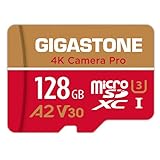
- [Speed] Read/Write up to 100/50 MB/s, V30 speed grade, Ultra HD (UHD) 4K video recording, UHD 4K gaming.
- [App] A2 grade provides faster App loading performance for Smartphone & Tablet.
- [Storage] Expand smartphone internal storage space. Run App on Micro SD card.
Product prices and availability are accurate as of the date/time indicated and are subject to change. Any price and availability information displayed on Amazon at the time of purchase will apply.
Quick wins for a faster PC:
Repair Windows errors before they cause bigger problemsFix Now →Scan for outdated or missing drivers - takes under a minuteDriver Scan →Clear out junk files and repair common Windows errorsFree Scan →
