
Crashes, No Sound, or Screen Glitches?
Random freezes, missing sound and display glitches usually trace back to one bad driver. Find and replace yours safely.Free scan · under a minuteWindows Errors? Fix Them Before They Spread
Repair common Windows errors and clear accumulated junk for a smoother, more stable PC - no reinstall needed.Free scan · no reinstallMobile ALOHA is an open research system for teaching a robot to perform mobile, two-handed tasks—not a ready-to-buy home robot. One operator moves a wheeled base and controls both arms while the system records demonstrations; imitation-learning methods can then use that data to perform tasks autonomously.
What Mobile ALOHA is designed to do
Mobile ALOHA extends the ALOHA bimanual platform with a wheeled mobile base and a whole-body teleoperation interface. Its purpose is to collect demonstrations of tasks that require a robot to move through an environment while using both arms. The system was presented by Zipeng Fu, Tony Z. Zhao and Chelsea Finn in 2024 as a low-cost research platform for learning complex mobile bimanual manipulation.
“Whole-body” refers to coordinating the mobile base with the two arms, rather than operating a fixed tabletop robot. The operator controls the system directly, and the resulting demonstrations provide examples that can be used to train a robot policy through imitation learning.
How the teleoperation and recording work
One operator controls the base and both arms
The operator is physically tethered to the mobile base, backdrives its low-friction wheels, and uses both hands to control the arms. This arrangement lets a person demonstrate tasks that combine movement around a space with two-handed manipulation.
Do these 3 things before closing this tab:
1Repair Windows errors before they cause bigger problems2Fix the driver behind crashes, sound loss and screen glitches3Clear out junk files and repair common Windows errors#1 Best Overall

- BUILD, CODE & DRIVE YOUR OWN ROBOT CAR: Turn coding, electronics and engineering into a working programmable robot car you can assemble, program and drive; ideal for weekend family projects, STEM classrooms, coding clubs, robotics lessons and maker challenges
- EXPLORE FPV, LINE TRACKING & OBSTACLE AVOIDANCE: Control the robot with the ELEGOO app or IR remote, view live FPV video through the onboard camera, follow black lines, avoid obstacles with the ultrasonic sensor and explore multiple interactive driving modes
- BEGINNER-FRIENDLY BUILD WITH GUIDED WIRING: Keyed XH2.54 connectors help reduce wiring mistakes, while the illustrated tutorial and example programs guide beginners step by step from chassis assembly and module connection to programming and the first successful run
- GO BEYOND ASSEMBLY WITH CREATIVE CODING: Program with Arduino IDE to explore movement, sensors and control logic, then modify example code to create custom routes, reactions and robotics experiments that develop coding, problem-solving and engineering skills
- COMPLETE RECHARGEABLE STEM ROBOTICS KIT: Includes an ELEGOO UNO R3 controller board, ESP32-WROVER-based camera and Wi-Fi module, line-tracking and ultrasonic sensors, motors, IR remote and a 2000 mAh rechargeable lithium-ion battery; recommended for ages 8+ with adult guidance for first-time builders
The action data combines arm and base motion
Each recorded action is represented as a 16-dimensional vector: 14 arm-joint positions plus the base’s linear and angular velocity. The implementation streams arm proprioception over USB serial and mobile-base data over CAN bus. In practical terms, the demonstration records both what the arms do and how the base moves, so the learned behavior can coordinate them.
What the published demonstrations show
The Mobile ALOHA project page and the 2024 paper describe autonomous task demonstrations in kitchens and other indoor settings. Examples include:
Rank #2

- 4-in-1 Modular Robot Car for Endless Builds – Includes the base robot car (QD001), tank track expansion (QD004), and robotic arm kit (QD007), letting kids build multiple robot styles. Create a robotic arm car to grab and move objects, a tank robot for outdoor adventures, or combine both into a robotic arm tank. This versatile robotics kit for kids encourages creativity, hands-on STEM learning, and problem-solving—perfect for home learning, classrooms, and STEM training programs.
- Build Your Own Programmable Robotic Arm. This advanced robot kit includes a 5DOF programmable robotic arm, powered by an ESP32 controller. Kids and teens can build their own robot, learning how to grab, lift, and place objects. With 16 guided tutorials and HD assembly videos, this robotics kit offers hands-on experience in coding robot control, real-world robotics, and problem-solving—ideal for STEM kits for kids age 12–14 and engineering kits for kids age 14–16.
- Rugged Tracks for All-Terrain Adventure. This STEM tank robot kit features rubber tank treads that handle grass, gravel, slopes, and carpet with ease—ideal for outdoor and off-road play. The upgraded drivetrain ensures stability and traction, making it the perfect robotics kit for hands-on exploration and real-world navigation.
- Build Your Own Robot with Hands-On STEM Fun. Equipped with an ESP32 controller and compatible with Arduino & Scratch, this robotics kit includes 16 story-based tutorials that guide beginners step by step through assembly and coding. Perfect for science fair projects, classroom use, or fun family STEM nights, helping kids or teens master electronics, mechanics, and programming. Tutorial & code download path: ACEBOTT Official Website → Resources → WIKI and Assembly Video.
- App & Remote Control. With both IR remote and smartphone App (iOS & Android), this programmable robot car offers easy, flexible control indoors and outdoors. Whether kids are coding or just playing, it enhances confidence and excitement while exploring technology—an excellent robotics kit for independent learning.
- Sautéing and serving a piece of shrimp.
- Opening a two-door wall cabinet and storing heavy cooking pots.
- Calling and entering an elevator.
- Lightly rinsing a used pan with a kitchen faucet.
These examples show that the platform can be trained for tasks involving navigation, reaching, and manipulation in the demonstrated settings. They are laboratory demonstrations, not evidence that the robot can reliably handle arbitrary household chores.
Reported reach and force capabilities
Fu, Zhao and Finn report the following physical capabilities for the mobile manipulator in their 2024 paper:
Quick wins for a faster PC:
Clear out junk files and repair common Windows errorsFree Scan →Scan for outdated or missing drivers - takes under a minuteDriver Scan →Repair Windows errors before they cause bigger problemsFix Now →Rank #3

- 【FPV First-Person View】It provides real-time video streaming via Wi-Fi and enables remote control of the robot car's movements.
- 【Wireless transmission and control】The car with the built-in ESP32-S3 module, it supports WIFI connection. Users can receive real-time video streams through mobile devices and remotely control the movement of the vehicle and the angle of the pan-tilt unit.
- 【Five Intelligent Operation Modes】Includes Obstacle Avoidance, Infrared Remote Control, Line Following, Object Following, and FPV Video Transmission.
- 【DIY Assembly】Requires full self-assembly to cultivate hands-on skills, logical thinking, and focus; sensors have easy-to-connect interfaces, minimizing incorrect wiring and simplifying the building process for beginners.
- 【Open-Source Learning Platform】Based on an open-source ecosystem, it provides a wealth of free learning resources, project tutorials, and open-source code.
| Capability | Reported value |
|---|---|
| Vertical reach | 65 cm to 200 cm |
| Extension beyond the base | 100 cm |
| Object lifting | Objects weighing up to 1.5 kg |
| Pulling force | 100 N at a height of 1.5 m |
These are capabilities reported for the research system, not guarantees for every build or task. The paper says most task success rates were calculated from 20 evaluation trials; Cook Shrimp was evaluated over five trials. Those trial counts matter when interpreting demonstrations as evidence: they describe controlled evaluations, not long-term household reliability.
Demonstrations and co-training
The project authors report that, with 50 demonstrations for each task, co-training with static ALOHA data can increase success rates by up to 90%. This is a reported maximum, not a promise that every task will improve by 90%: the result is tied to the authors’ training setup and evaluated tasks.
Rank #4

- Hands-On STEM Robot Learning---This STEM robot kit combines coding, electronics, and robotics into a fun, hands-on learning experience. Powered by an ESP32 controller and guided by 16 story-based tutorials, this robotics kit for kids helps children ages 8–12 and 12–16 build real-world STEM skills. Ideal for robotics for kids, classroom teaching, or at-home learning.
- 3 Programming Languages for All Skill Levels---This coding robot kit supports Scratch, Arduino, and Python, making it suitable for beginners and advanced learners alike. Scratch block coding is perfect for younger kids and first-time coders, while Arduino and Python support deeper learning for teens and tech enthusiasts. A flexible programmable robot designed to grow with students.
- Mobile-Friendly Coding – Learn Anytime, Anywhere---Unlike many traditional robot kits, this robotics kit supports programming on computers, laptops, tablets, and mobile devices like smartphones and iPads. Kids can code directly on mobile devices, making it especially suitable for schools, training centers, and self-learning at home. A practical STEM kit for kids in modern learning environments.
- Build Your Own Robot – Beginner-Friendly DIY---This robot building kit includes HD videos and illustrated step-by-step instructions, allowing kids to assemble the robot independently or with parents. No soldering required. The building process strengthens hands-on skills, patience, and confidence—making it a strong choice among STEM toys for kids and engineering kits for kids. Tutorial path: ACEBOTT Official Website → Resources → WIKI & Assembly Video Note: Batteries not included.
- App & Remote Control for Interactive Learning---Control the robot using the smartphone App (iOS & Android) or the included IR remote. Kids can instantly see how their code affects movement and behavior, reinforcing core coding logic. This robot kit keeps learning engaging while remaining easy to use for beginners.
Operator learning time in a small study
The paper also reports a user study with eight computer-science graduate students. After five trials, average completion time for Wipe Wine fell from 46 seconds to 28 seconds, while Use Cabinet fell from 75 seconds to 36 seconds. These figures describe that study’s participants and tasks; they do not establish how quickly all operators will learn the interface.
What hardware and software a build requires
The repository setup notes identify a three-camera configuration, four robot arms, and an AgileX Tracer mobile base. Reproducing the system therefore means assembling and calibrating several components, not simply installing an app or buying one packaged robot.
Best Value
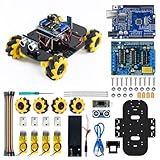
- The unique design of the Mecanum wheels allows the robot car to move forward, backward, sideways and diagonally freely.
- You can control the robot car to move in multiple directions through the mobile APP, bringing you a new control experience.
- With the assistance of the ultrasonic ranging module, it can help the robot car avoid obstacles and follow the object in front of it in a straight line.
- The kit comes with an assembly video guide, which will help users quickly complete the assembly. Moreover, we also provide detailed code and usage instructions.
- Whether you're an experienced robotics enthusiast or a beginner, it's easy to get started. This smart robot car kit is the perfect tool for learning and exploration and will inspire your creativity and innovative spirit.
| Component or setup area | What the documented setup identifies |
|---|---|
| Mobile platform | AgileX Tracer base |
| Arms | Four robot arms |
| Vision | Three cameras |
| Base connection | Stock CANBUS-to-USB cable and AgileX SDK |
| Linux CAN interface | Enable the gs_usb module and bring up can0 at 500000 bitrate |
| Software environment | Linux/ROS and Python environment instructions are provided in the repository |
The setup notes describe connecting the Tracer through its stock CANBUS-to-USB cable, installing the AgileX SDK, enabling Linux’s gs_usb module, and bringing up the CAN interface as can0 at 500000 bitrate. The repository also includes device-connection checks. Follow its current instructions for the exact assembly, calibration, dependencies, and verification steps; the available setup summary does not establish a universal parts list or one-click installation procedure.
Independent reader supportYour contribution helps us test, update, and keep practical guides available for everyone.How to approach reproducing Mobile ALOHA
- Start with the official project resources. The Mobile ALOHA project page links to the paper, tutorial, datasets, hardware code, and machine-learning code. Use those materials to identify the intended build and learning workflow.
- Assemble the documented hardware. Plan for the Tracer base, four arms, and three cameras, plus the required cabling and computing. The project page, paper, and repository setup notes do not establish a verified retail bundle.
- Set up the base connection on Linux. Use the repository’s instructions for the stock CANBUS-to-USB cable and AgileX SDK, then enable gs_usb and configure can0 at the documented 500000 bitrate.
- Install the software environment and verify devices. Follow the repository’s Linux/ROS and Python guidance, and run its device-connection checks before attempting data collection.
- Calibrate and collect demonstrations. Configure the teleoperation system so the operator can control the base and both arms while recording the combined action data. Calibration details and compatible component choices should come from the current tutorial and code rather than assumptions based on the high-level summary.
- Train and evaluate against specific tasks. Use the project’s machine-learning code and datasets as appropriate, and evaluate performance on the task and setup you actually care about. The reported demonstration counts and success rates should not be treated as universal predictions.
Is Mobile ALOHA a consumer robot you can buy?
The cited project materials describe an open research assembly and provide links to code, tutorial material, and datasets. They do not establish a turnkey consumer product, a verified retail bundle, safety certification, or a current retail price. Someone interested in building it should treat the project as a robotics integration effort and check current component availability and repository instructions.
How to compare it with other robot-learning platforms
Mobile ALOHA is most usefully compared with platforms by the capability and evidence each actually provides, rather than by a broad label such as “household robot.” Check these dimensions:
Quick Recap
- Manipulation: Does the platform support bimanual work, or only a single arm?
- Mobility: Can it coordinate a mobile base with manipulation, or is it fixed to a tabletop?
- Teleoperation: How does the operator control the robot, and what evidence is available about learning time or ergonomics?
- Training data: How many demonstrations are used for useful performance, and are additional datasets or co-training part of the result?
- Physical capability: What reach, payload, or pulling-force measurements are reported, and under what evaluation conditions?
- Openness: Are hardware details, datasets, and software available, and are they sufficient to reproduce the system?
Product prices and availability are accurate as of the date/time indicated and are subject to change. Any price and availability information displayed on Amazon at the time of purchase will apply.
Free tools Windows power users keep installed
One-click scans. No signup required.

