
Do these 3 things before closing this tab:
1Fix the driver behind crashes, sound loss and screen glitches2Repair Windows errors before they cause bigger problems3Scan for outdated or missing drivers - takes under a minuteYes, but only in a reduced, experimental form. Yeo Kheng Meng ported the C inference engine llama2.c to DOS using Open Watcom v2 and a 32-bit DOS extender. The smallest tested TinyStories model ran on a 486 DX-2 at 2.08 tokens per second. That is a demonstration of local language-model inference on old hardware—not evidence that a full-size 7B, 13B, or 70B Llama 2 model is practical on a vintage PC.
What “Llama 2 on DOS” means
The project adapts Andrej Karpathy’s llama2.c, a compact, single-C-file implementation for running FP32 Llama 2 inference. It uses small TinyStories models created to make basic language-model functionality possible on resource-constrained systems. The project’s documented model files range in size from 260K to 110M.

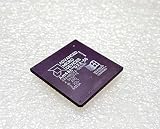
So the accurate answer to “Can a 486 run an LLM?” is that a 486 has run the smallest model in this particular DOS port. It does not mean DOS is running a standard full-sized Llama 2 model. The author published both source code and an executable, with demonstrations on a 1996 Toshiba Satellite 315CDT with a 200 MHz Pentium MMX, a 2004 ThinkPad T42 with a 1.7 GHz Pentium M 735, and a 2020 ThinkPad X13 Gen 1 with a 1.7 GHz Core i5-10310U running FreeDOS 1.4. The project page and source repository document the port and demonstrations.
Why it needs a 32-bit DOS setup
The documented target is 386-or-newer hardware, using a 32-bit DOS extender. This is not a conventional 16-bit DOS program: the inference code and even the smallest model’s memory demands require a 32-bit path. The author describes the memory requirement as needing “at least a 32-bit system.” The project notes explain the compatibility approach.
What’s actually slowing this PC down?
Pick the symptom - the matching free tool is one click away.
#1 Best Overall

- Intel Xeon 6130 Hexadeca-core (16 Core) 2.10 GHz Processor - Socket 3647 - 16 MB - 22 MB Cache - 64-bit Processing - 3.70 GHz Overclocking Speed - 14 nm - 125 W - 188.6°F (87°C)
In broad terms, Open Watcom v2 compiles the program for the DOS extender, which allows it to use 32-bit protected mode. That is why “runs on DOS” should not be read as “runs as-is in a stock 16-bit MS-DOS 6.22 environment.” The project’s documented method depends on the extender and a suitable model file.
What had to change in the port
- Floating-point functions: The port wraps functions missing from the DOS build environment, including
sqrtf,powf,cosf,sinf, andexpf, using available double-precision functions. - Model-file loading: Modern memory-mapping calls were replaced by loading the entire model file into memory. The available RAM must therefore accommodate the file and the program’s working needs.
- Timing: Unavailable high-resolution timing APIs were replaced with the compiler’s
clock()function. - Filename compatibility: A tokenizer filename was shortened to comply with DOS’s 8.3 filename limit.
These are port-specific adjustments rather than instructions for installing a general-purpose Llama 2 package on any DOS machine. Current build details and binaries are maintained in the project repository.
How fast is it on a 486 and other systems?
The following figures are the project author’s reported measurements from 2025. Each listed result uses the 260K model unless otherwise noted; they are not independent benchmark replications.
| System | Model | Reported speed | Hardware context |
|---|---|---|---|
| Generic 486 DX-2, 66 MHz | 260K | 2.08 tokens/s | Vintage 486-class PC |
| Toshiba Satellite 315CDT, Pentium MMX, 200 MHz | 260K | 15.32 tokens/s | Vintage laptop |
| Pentium III, 667 MHz | 260K | 80.04 tokens/s | PC CPU; specific system not stated |
| ThinkPad T42, Pentium M 735, 1.7 GHz | 260K | 331.6 tokens/s | 2004 laptop |
| ThinkPad X13 Gen 1, Core i5-10310U, 1.7 GHz | 260K | 386.36 tokens/s | 2020 laptop running FreeDOS 1.4 |
| Ryzen 5 7600 | 260K | 927.27 tokens/s | Modern CPU; DOS environment |
The table also reports results for the larger 110M model: 1.71 tokens/s on the ThinkPad T42 and 1.53 tokens/s on the ThinkPad X13 Gen 1. The Ryzen 5 7600 could not load the larger models because of a memory-allocation error; the author says the DOS extender or protected-mode implementation may be involved. The figures and explanation are in the project’s benchmark and source repository.
PC Slower Than It Used to Be?
A free scan shows the junk files, broken settings and background clutter dragging Windows down - then fixes them in one click.Free scan · Windows 10 & 11Outdated Drivers Are Slowing You Down
One free scan finds every outdated or missing driver and matches the right update for your exact hardware.Free scan · exact hardware matchRank #3

- Used Book in Good Condition
The 486 result is remarkable as a demonstration, but tokens per second is only one part of usability. The model is exceptionally small, and the DOS port loads it fully into memory. Model size, available RAM, CPU generation, and whether the test uses vintage hardware or a modern computer running a DOS environment all matter when interpreting the numbers.
Can you run it on your own DOS PC?
For a reproduction, the documented ingredients are the author’s dosllam2 source or executable, Open Watcom v2, a 32-bit DOS extender, and a small TinyStories model. Check the repository’s current instructions for exact build steps and available downloads, since those details can change.
- Confirm the environment: Use 386-or-newer hardware and a DOS setup capable of running the 32-bit extender. A standard 16-bit-only setup does not match the documented target.
- Choose a small model: Start with the smallest available TinyStories model. The tested model sizes range from 260K to 110M, and larger files increase memory demands substantially.
- Build or obtain the program: Follow the current instructions in the project repository for Open Watcom v2 and the DOS extender.
- Check file and memory constraints: The program loads the complete model file into memory, and DOS filenames may need to follow the 8.3 convention.
- Run the executable and interpret the output as a demonstration: Performance will depend on the hardware and model; the author’s 2.08 tokens/s 486 result is a useful reference, not a guaranteed result for every system.
What this demonstration does—and does not—show
It shows that a small neural language model can perform local inference on DOS when paired with a 32-bit extender, compatible compiler setup, and modest model. It does not establish that a full contemporary Llama 2 model will run comfortably on a 486, nor that every DOS configuration can run the port. The project’s own benchmarks also show that more modern hardware does not automatically eliminate issues: the Ryzen system hit a memory-allocation failure with larger models.
Quick Recap
Best Value

- See other options search ieCables
- We also custom manufacture to your specifications.
- Questions call Rebecca @ (303) 288-5046
Product prices and availability are accurate as of the date/time indicated and are subject to change. Any price and availability information displayed on Amazon at the time of purchase will apply.
The Tool Desk
Outbyte Driver Updater FREEScan for outdated or missing drivers - takes under a minuteDriver Scan →Outbyte PC Repair FREEClear out junk files and repair common Windows errorsFree Scan →
