
Recommended Free Tools
To remotely manage Android phones, enroll them in an enterprise mobility management (EMM) or mobile device management (MDM) system and assign policies for apps, security, and device behavior. Choose the enrollment type based on who owns each device and whether it belongs to a person, a shared team, or a single-purpose workflow. Screen viewing or remote interaction is a separate support capability—not what device management alone guarantees.
What remote Android management does—and does not do
An EMM/MDM console lets an organization enroll devices, apply policies, distribute apps, and monitor management status. Google’s Android Management API is designed for EMM providers: its model uses enterprises, policies, enrollment tokens, and enrolled-device records, with Android Device Policy enforcing the linked policies on devices. Most administrators use these capabilities through an EMM console, such as Microsoft Intune, rather than calling the API directly.
Management is not automatically the same as live remote control. Policy enforcement and fleet administration are one layer; viewing or interacting with a user’s screen for troubleshooting is another. If help-desk staff need that capability, check whether the EMM supports a remote-assistance integration and what permissions and device conditions it requires.
Choose an enrollment type that matches ownership and use
Decide whether the device is personal or organization-owned, whether it has a named user, whether work and personal activity need separation, and whether it serves as a kiosk or shared endpoint. Android Enterprise offers distinct enrollment approaches for those situations:
#1 Best Overall

- Wide Compatibility: The Wall Mounted Phone Holder Designed to fit most smartphones, including iPhone and Android models. Dimensions: 3.9" (L) × 3.4" (H) × 1.2" (W), making it suitable for devices of various sizes.
- Durable & Secure Adhesion: The phone wall mount is Equipped with high-strength double-sided adhesive tape for maximum stability. The strong hold ensures the mount stays firmly in place, even in humid environments like bathrooms and kitchens.
- Convenient Cable Slot: The phone wall mount features a built-in cable slot to keep your charging cable organized while your phone charges. Perfect for keeping your phone accessible while charging in the shower, kitchen, or when watching videos.
- Versatile Use: The wall phone holder is ideal for bedrooms, Bedside, bathrooms, living rooms, kitchens, offices, RVs, and caravans. Also works for TV remotes, small accessories, or other lightweight items to keep your space tidy and organized.
- Easy Installation: The phone holder wall mounted Just peel off the backing from the double-sided tape, attach it to the holder, and press onto any smooth, flat surface. Strong adhesive keeps your phone secure without drilling or hardware.
| Enrollment approach | Best fit | Management boundary |
|---|---|---|
| Personally owned work profile (BYOD) | An employee’s personal phone used for work | Policies apply to the work profile, preserving a work/personal boundary. |
| Corporate-owned work profile | An organization-owned device assigned to a user who needs a work/personal boundary | Uses a work profile on a corporate-owned device. |
| Fully managed | An organization-owned device assigned to a user when the organization manages the device as a whole | Organization-wide device management rather than a work-only profile. |
| Dedicated device | A kiosk or shared, single-purpose endpoint, such as a scanner, printer, ticketing terminal, signature station, or inventory device | Configured for its dedicated or shared workflow rather than a personal work/personal split. |
These categories are not interchangeable. BYOD is the appropriate starting point when the organization should manage work data without treating the employee’s whole personal phone as a corporate device. Fully managed or dedicated enrollment is more suitable when the organization owns and controls the full device. Microsoft’s Android enrollment guidance describes all four scenarios above.
Prepare the EMM tenant and baseline policies
Before enrolling devices, establish the management environment and decide what the policies should enforce. In Intune’s dedicated-device preparation, Microsoft specifically calls for connecting Intune to Managed Google Play, creating an enrollment profile, and preparing a dedicated-device group. Other EMM workflows may differ, so follow the chosen provider’s enrollment instructions.
Rank #2
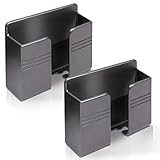
- Compatible: One Size Fits All Phones, The internal width of the wall mounted phone holder is 0.95inch, the internal length is 3.72 inches and the maximum compatible phone size is 6.5 inch.
- Size: (L)9.9cm/3.9inch * (H)8.6cm/3.4inch * (W)3cm/1.2inch.
- Keep Away from Radiation: When you go to bed at night, please put your mobile phone on the wall-mounted phone holder to keep it away from radiation.
- 💪🏽 Easy to Install: Very easy to install with double-sided adhesive tape, strong viscosity, holds strongly, punch free and damage free.
- Material: This wall-mounted mobile phone holder is made of high quality materials, which is very safe, environmentally friendly and durable.
- Create the EMM tenant and assign administrator roles according to who will enroll devices, manage policy, and issue sensitive actions.
- Connect Managed Google Play if the EMM requires it for managed app distribution.
- Create device groups that reflect meaningful differences, such as ownership, user type, location, or kiosk function.
- Set baseline rules for passcodes and screen locks, encryption and security, approved apps, update behavior, and network access.
- Apply camera, USB, or other restrictions only where the device’s job and organizational policy justify them.
- Define what happens when a device stops meeting requirements, including compliance alerts or remediation actions.
Keep BYOD controls scoped to the work profile. Use whole-device policies only for organization-owned enrollment types where that level of control is appropriate. Policies are not merely a checklist: in Google’s policy-driven model, they govern device and app behavior.
Select a provisioning method
Choose enrollment based on purchase channel, fleet size, device compatibility, and how much hands-on setup is practical. Google documents token links, QR codes, NFC, DPC identifiers, and zero-touch as provisioning options; availability depends on the device and EMM.
Rank #3

- 【OPEN-FRONT FULL-SCREEN VIEWING】 Unlike enclosed phone storage boxes, the open-front design leaves the full screen visible and the controls easy to reach. Place your phone or tablet on the wall for hands-free video watching, livestreams, video calls, recipes and everyday entertainment without blocking the display.
- 【FITS 13-INCH AND LARGER TABLETS】The open-sided support is not limited by screen width, allowing it to hold smartphones, standard tablets, 13-inch iPad Pro models and even larger tablets. The open-front design keeps the full display visible and the controls easy to reach for videos, livestreams, video calls, recipes and everyday viewing.
- 【BUILT-IN CABLE MANAGEMENT】 A center cable pass-through and four side cable slots help route, separate and hold charging cords while the device is in use. After charging, park the cable in a side slot so it does not fall behind the bed, desk or counter. Charging cable and charger are not included.
- everything within easy re【DUAL HOOKS FOR KEYS AND SMALL ITEMS】 Two built-in hooks provide convenient storage for car keys, house keys, earbuds, lanyards, lightweight cords and other small essentials. Install it near the entryway, bedside, desk or kitchen counter to keep frequently used items visible and easy to reach.ach.
- 【HIGH-STRENGTH ADHESIVE HOLD】 The powerful adhesive backing creates an exceptionally strong bond on clean, smooth surfaces such as tile, glass, mirrors, marble, metal and sealed wood. Clean and dry the surface, press firmly and allow at least 24 hours before loading. Choose the position carefully because the adhesive can be difficult to remove once fully bonded. For removal, warm the adhesive gradually with a hair dryer, then peel it away slowly instead of pulling it straight off.
| Method | When it fits | Important condition |
|---|---|---|
| Zero-touch enrollment | Compatible corporate purchases and larger deployments where first-boot setup should be automated | Requires compatible devices with Google Mobile Services (GMS) and active Google Play services. During provisioning, the device receives the organization’s EMM policy data and installs Android Device Policy. |
| QR code or enrollment-token link | Hands-on setup when an administrator or user can initiate enrollment on the device | Use the enrollment configuration supplied by the EMM and verify that the device binds to the intended enterprise. |
| NFC or DPC identifier | Supported device and EMM combinations where these provisioning methods are available | Check the EMM’s instructions and device compatibility before choosing this route. |
Zero-touch is not a universal Android feature for every phone: confirm that the exact model and purchase arrangement support it before planning a rollout around automatic enrollment. If devices are already on hand or are not zero-touch compatible, use a supported manual method instead.
Enroll devices and verify that management is working
- Confirm the device’s target mode. Match its ownership and purpose to the enrollment profile before setup. For Intune dedicated-device enrollment, Microsoft requires a factory reset as part of its setup workflow.
- Start provisioning. On a compatible zero-touch device, use the organization’s assigned configuration at first boot. For manual enrollment, use the EMM-provided QR code, token link, NFC method, or DPC identifier as supported.
- Check the device-side management agent. Confirm that Android Device Policy is installed when required by the Android Enterprise provisioning flow.
- Verify the console record and policy. Make sure the device appears in the correct EMM group, has the intended policy linked, and reports current compliance or check-in status.
- Check the user or workflow experience. Confirm that required apps arrive and that the device can perform its assigned job under the restrictions you set.
If the device does not appear or policies do not apply, verify the selected enrollment mode, token or configuration, network access, and the device’s compatibility with the chosen provisioning method. Do not assume that successful setup alone proves the intended policy reached the device; check the console and device behavior.
Rank #4

- Widely Compatible: The size of wall phone holder is 3.74 × 0.98 × 2.36 inch/9.5× 2.5 × 6 cm, so our phone wall mount is compatible with most smart phones. Such as for Apple, Samsung, Sony, Moto, Google Pixel, OnePlus, LG, etc.
- Thoughtful Design: These black phone holder is convenient for you to charge your devices while using this item for phone. And the circular opening of wall-mounted cell phone holder also can store the charging cable when not in use
- Easy to Install: Our wall-mounted phone holder adpted self adhesive design and there is strong adhesive (waterproof adhesive) behind the phone holder that is easy to install, firmly fixed and no screws
- Wide Application: you can attach this bedside phone holder to your kitchen, bedroom, living room, bathroom, college dormitory, apartment and so on. When you sleep at night, you can put your cell phone on the wall-mounted cell phone holder to keep away radiation
- Package Content: You will receive 4 pieces of individually packaged wall-mounted phone stand. Our phone holder for boat is small and does not take up much space, cell phone and data cable no longer have nowhere to put it
Test management actions before deploying at scale
Run a controlled pilot on representative devices before enrolling a full fleet. Test policy refresh, app installation and removal, lock behavior, and the effects of retire or wipe actions. Also verify recovery after a network interruption and how quickly status becomes current again. The exact actions available depend on the EMM and enrollment type.
- Limit destructive actions to authorized administrators and document how they confirm device ownership before acting.
- Test retire and wipe against a nonproduction device so staff understand the consequences of each action.
- Record expected app, policy, and compliance behavior for each device group.
- Confirm how users or support staff report a failed enrollment or an unexpected restriction.
Add live remote assistance only if support needs it
If staff must view or interact with a user’s screen, evaluate the EMM’s supported remote-assistance option separately from ordinary policy management. Microsoft documents a TeamViewer-based remote-assistance experience for Intune and says a newer experience replaces the legacy connector. Confirm Android-version, OEM, user-consent, and licensing requirements with the relevant providers before promising unattended access; those conditions are not established uniformly for every Android device.
Free tools Windows power users keep installed
One-click scans. No signup required.
Best Value

- 【Wide Compatibility】There are 2 practical wall mount phone holders inside, and they come with 2 adhesives and 4 nails for installation,The size of the wall mount phone holder is 3.9 inches long, 3.5 inches high and 1.1 inches wide. Suitable for most cell phones, including iPh-one and Android
- 【Wall Mounted】Our wall mount phone holder is equipped with double-sided adhesive, strong adhesion and stability, and will not fall off easily
- 【Data Cable Hole】 The Wall Mounted Phone Holder comes with a data cable receiving hole to provide a secure protective base for your phone while charging, no need to hold your phone while you are charging in the shower or watching videos
- 【Wide Range of Use】The phone holder wall mounted can be stuck in the bedroom, bathroom, study, living room, car, and other places, you can place most small items
- 【Easy Installation】You can easily learn to install our mobile phone holder. There are two installation methods: using adhesive and using nails. You can choose according to your actual needs. It can be installed in just a few minutes.
Google’s Android device administrator documentation states: “Android device administrator (DA) management is deprecated and no longer available for devices with access to Google Mobile Services (GMS).” For new GMS-connected deployments, use a supported Android Enterprise enrollment method rather than planning around legacy DA management.
Operate and retire the fleet
After rollout, monitor compliance changes, stale check-ins, failed app deployments, and enrollment errors. Keep an inventory linking each device’s serial number, ownership, assigned user, EMM group, and zero-touch configuration. Rotate enrollment tokens and administrator credentials as part of routine access management. When a device leaves service, remove it from the management inventory and apply the organization’s approved wipe or factory-reset process, taking legal and ownership requirements into account.
Quick Recap
Product prices and availability are accurate as of the date/time indicated and are subject to change. Any price and availability information displayed on Amazon at the time of purchase will apply.

