
The Tool Desk
Outbyte PC Repair FREEClear out junk files and repair common Windows errorsFree Scan →Outbyte Driver Updater FREEFix the driver behind crashes, sound loss and screen glitchesFind Drivers →This warning means the controller reported a parity mismatch at a particular strip while checking a RAID 6 virtual drive. It does not, by itself, prove a disk has failed, that the entire array is unrecoverable, or which version of the data is correct. If the data matters and you do not have a verified backup, preserve the current state and avoid actions that write to the virtual drive until you have identified the controller and the exact operation described as “restore.”
What the warning tells you—and what it does not
An LSI event reference documents the related message: “Consistency Check found inconsistent parity on %s at strip %lx.” In that event, the controller reports an inconsistency at a strip; the text is not a full diagnosis of the array or its disks. The wording in your title is not established as a verbatim controller message. LSI Logic Corporation’s Embedded MegaRAID Software User’s Guide, Version 2.0 (2006) documents the related event string, but it should not be treated as a universal description for every later controller.
- It is a consistency-check finding: Broadcom’s MegaRAID guide describes checking parity by computing it from data and comparing the result with stored parity, and lists RAID 6 among the supported fault-tolerant levels for consistency checks. Broadcom, 12Gb/s MegaRAID SAS Software User Guide (June 9, 2017)
- It is not, by itself, proof of physical drive failure or total data loss: the event wording identifies a parity inconsistency, not its cause or the correct data to retain.
- “During restore operation” is unresolved: the cited manuals do not define what that phrase means in your specific case. Do not assume it refers to a file restore, controller-configuration restore, virtual-drive recovery, rebuild, or foreign-configuration import.
What to do first if the data matters
Broadcom advises backing up before running a consistency check if corruption is suspected. Its guide also warns that initialization erases all data on the virtual drive. Treat the current contents as potentially important: do not initialize, recreate, clear, or force the virtual drive based only on this alert.
- Pause write-changing actions. If you lack a verified backup, avoid starting further operations that modify the virtual drive until you understand the controller’s state and the meaning of “restore.” Do not treat a consistency check as risk-free when corruption is suspected.
- Record the evidence. Save the complete event text and code, surrounding log entries, and the current virtual-drive and physical-drive states. Note the controller model and firmware version.
- Clarify what “restore” means in this incident. Record the exact operation you started and where it was initiated. The phrase alone is not enough to identify a specific MegaRAID workflow.
- Check backup status. Confirm whether a backup exists and whether it can be read or restored. If there is no verified backup and the data is valuable, consult the documentation or support channel for the exact controller model before proceeding.
- Use model-specific instructions. Once the controller, firmware, event code, and drive states are known, follow the applicable vendor guidance rather than applying a procedure based on the abbreviated alert.
Details needed for a model-specific next step
Collect these details for the controller documentation or a support request:
Recommended Free Tools
#1 Best Overall

- Compatible with: LSI 9300-8i & 9211-8i; Controller: Broadcom/LSI SAS3008 (12Gb/s SAS3, 8-port)
- Firmware (FW): HBA IT Mode (Non-RAID); Data Transfer Rate: up to 12Gbps SAS, SATA 6Gbps
- Host Interface: PCIe 3.0 x8; Internal Connectors: 2× Mini-SAS HD SFF-8643. --Direct attach up to 8 drives, and expand via external SAS Expander for large arrays
- PERFECT FOR: ZFS, FreeNAS/TrueNAS, unRAID, Proxmox, ESXi home-lab & NAS storage
- Packing List: HBA Card: 1; SFF-8643 to 4× SATA Cables: 2. Cables in box are for SATA drives. --They are not compatible with SAS drives. To connect SAS drives, use SFF-8643 to SFF-8482 cables (sold separately) or our matched HBA + cable kit
- Exact controller model and firmware version.
- Full event text, event code, and nearby log entries.
- What operation “restore” refers to, including the interface or tool used to start it.
- Current virtual-drive and physical-drive states.
- Whether you have a verified backup and whether the warning recurs after an operation.
Without those details, the alert does not support a safe, model-specific repair sequence. It also does not establish that the controller or any disk needs replacement. If separate diagnostics later confirm a failed component, compatibility must be checked against the actual controller generation, firmware, interface, drive format, and existing virtual-drive configuration.
Quick Recap
Best Value
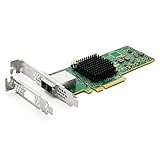
- 12G External PCI-E SAS/SATA HBA Controller Card
- Controller: Broadcom's SAS 3008
- PCIE 3.0 , X8 Lane; 2x Mini SAS SFF-8644 Ports
- What You Get: 10Gtek LSI-3008-8E HBA Card x1, Driver CD x1, Low-profile Bracket x1. Backed by 10Gtek 30 Days Free-returned, 1 Year Free Warranty and Lifetime Technology Support.
Rank #4

- Eight internal 6 Gb/s SATA + SAS ports
- 1 GB DDRIII cache memory
- RAID levels 0, 1, 5, 6, 10, 50 and 60
- Support for NAND flash or BBU cache protection solution
Rank #3

- Premium Controller: Internal SAS/SATA HBA RAID Controller Card equipped with LSI SAS 2008 Controller, which integrates the latest enhancements in PCIe 2.0 technology and 6Gb/s SAS technology; Same as SAS 9211-8i
- SAS/SATA Card: Provides eight lanes of 6Gb/s SAS connectivity and is matched with eight lanes of PCIe 2.0 6Gb/s performance; PCI Express 2.0 X8, 2x Mini SAS SFF-8087 Ports. SAS 2.0 complian
- Support OS:Windows, Linux Red Hat, Linux SUSE Enterprise Server (SLES), Solaris, and VMware; Support 256 SAS and SATA device
- Easy to Install: Packed with both Low Profile Bracket and Full-height Bracket that support on Standard and Slim computer/server; Scan the QR code on the network card to download the driver immediately
- Friendly Service: Provides 24/7 Customer Service, 30 Days Free-returned, 3 Years Free Warranty and Lifetime Technology Support
Rank #2

- Compatible with: LSI 9300-8i; Controller: LSI/Broadcom SAS3008 (12Gb/s SAS)
- Firmware (FW): HBA IT Mode (Non-RAID); Data Transfer Rate: up to 12Gbps SAS, SATA 6Gbps
- Host Interface: PCIe 3.0 x8; Internal Connectors: 2× Mini-SAS HD SFF-8643. --Direct attach up to 8 drives, and expand via external SAS Expander for large arrays
- PERFECT FOR: ZFS, FreeNAS/TrueNAS, unRAID, Proxmox, ESXi home-lab & NAS storage
- Packing List: HBA Card ×1; 2× SFF-8643 to 4× SATA cables (8× SATA ends). --Cables in box are for SATA drives. They are not compatible with SAS drives. To connect SAS drives, use SFF-8643 to 8482 SAS cables (sold separately) or our matched HBA + cable kit.
Product prices and availability are accurate as of the date/time indicated and are subject to change. Any price and availability information displayed on Amazon at the time of purchase will apply.
Independent reader supportYour contribution helps us test, update, and keep practical guides available for everyone.
