
What’s actually slowing this PC down?
Pick the symptom - the matching free tool is one click away.
iTechGuides is reader-supported. When you buy through links on our site, we may earn an affiliate commission. As an Amazon Associate I earn from qualifying purchases. Learn more
Outlook does not add RSVP buttons to an ordinary email just because you type “RSVP,” “Yes,” or “No” in the message. To collect responses, create a calendar meeting invitation, add the attendees, and send it. Recipients can then choose Yes, Maybe, or No, while Outlook records their responses on the meeting.
The exact steps depend on whether you use Outlook on the web, New Outlook for Windows, or Classic Outlook for Windows.

Meeting invitation vs. ordinary email
An Outlook appointment is an event for your own calendar. An Outlook meeting is a calendar event sent to other people. Only the meeting workflow provides Outlook’s built-in response tracking.
Do these 3 things before closing this tab:
1Clear out junk files and repair common Windows errors2Scan for outdated or missing drivers - takes under a minute3Repair Windows errors before they cause bigger problems| Method | Recipients can respond in Outlook? | Sender receives accept/decline status? | Best use |
|---|---|---|---|
| Meeting invitation | Yes | Yes | Events, appointments, interviews, and online meetings |
| Ordinary email | Not with Outlook RSVP controls | No automatic tracking | Announcements or requests that do not need calendar responses |
| iCalendar (.ics) attachment or link | Recipients can add the event to a calendar | No | Sharing an event without tracking attendance |
| Poll or form | Recipients answer a separate poll | Yes, through the poll tool | Choosing a date, meal, location, or preference |
How to add RSVP to Outlook on the web
Use this method at Outlook.com or your organization’s Microsoft 365 Outlook website.
#1 Best Overall

- [STAY ORGANIZED ALL YEAR] July 2026 - June 2027 professional day planner with 12 months of monthly and weekly pages for easy academic planning and scheduling; 2 additional monthly pages (May 2026 - June 2026) are included
- [MONTHLY LAYOUTS] Monthly layouts contain previous and next month reference calendars for long-term planning, and a notes section for important projects; Major holidays listed, elapsed and remaining days noted
- [WEEKLY LAYOUTS] Weekly view pages offer ample lined writing space for more detailed planning, allowing you to keep track of your appointments, reminders, ideas and to-do lists every day of the week
- [YEARLY OVERVIEW] Yearly calendar planner includes a convenient list of holidays, reference calendars, contacts pages and extra notes pages to accommodate your scheduling needs
- [BUILT TO LAST] Designed with a flexible cover and premium pages that endure daily use while maintaining a sleek, professional look. Printed on quality FSC-certified paper with convenient laminated tabs that are durable enough to handle daily use throughout the school year
- At the bottom of the Outlook page, select Calendar.
- Select New event, or click the calendar at the date and time you want.
- Enter the event title.
- In Invite required attendees, enter the invitees’ names or email addresses.
- Enter a location in Search for a room or location. For an online event, use the available meeting option if your account provides one.
- Select View event or More details to open the full event form.
- Set the date, start time, end time, description, reminder, and any other details. Outlook’s current web form shows a default reminder of 15 minutes.
- To add non-required participants, select Optional and enter their addresses.
- Select Response options. Turn on response requests if you want attendees to accept, tentatively accept, or decline. You can also control whether the invitation may be forwarded and whether the attendee list is hidden.
- Review the event and select Send.
The important control is called Response options, not “RSVP settings.” If you only create an event for yourself and do not add attendees, Outlook treats it as an appointment rather than a meeting invitation.
How to add RSVP in New Outlook for Windows
New Outlook has a different interface from the older desktop application. To check which version you have, look for Settings on the ribbon. If it is present, follow the New Outlook steps below. If not, use the Classic Outlook instructions in the next section.
- Open Outlook and select Calendar.
- Select New Event.
- Enter the meeting title.
- Select Invite attendees.
- Enter the names or email addresses of the people you want to invite.
- Choose a suggested time, or manually enter the date, start time, and end time.
- Enter the meeting location.
- If appropriate, turn on the Teams meeting option. Teams is natively integrated into New Outlook where the account and organization support it.
- Check the attendee list and event details, then select Send.
New Outlook uses the meeting invitation itself to collect responses. You do not need to place “RSVP” in the subject or message body, although you can write instructions such as “Please respond by Friday” in the description.
How to add RSVP in Classic Outlook for Windows
- Open Classic Outlook and select Calendar.
- On the Home tab, select New Meeting.
- Enter the attendees, subject, location, date, start time, and end time.
- Open the Scheduling Assistant on the Meeting tab if you need to compare attendees’ availability.
- If applicable, select Teams Meeting or Skype Meeting. Which option appears depends on your organization’s configuration and installed services.
- Add an agenda or instructions in the meeting body.
- Confirm the meeting details and select Send.
When recipients process the invitation, Outlook sends their responses back to the meeting organizer. You can review attendance from the calendar item, although the exact display depends on the Outlook version and account type.
What recipients see when they RSVP
In Outlook on the web, a recipient may see an RSVP action directly in the message list for a single-occurrence meeting. Selecting it lets the recipient review where the invitation falls on their calendar, optionally add a message, and choose Yes, Maybe, or No.
This message-list RSVP shortcut is not available for recurring meetings. A recipient can still open the recurring invitation and respond through the meeting controls, but the shortcut should not be expected to appear in the message list.
How to write the invitation message
The calendar invitation handles the response buttons, while the message body provides context. Keep the details practical:
Recommended Free Tools
- Explain the purpose of the meeting.
- Include an agenda when attendees need to prepare.
- State whether the meeting is in person, online, or hybrid.
- Give a response deadline if attendance matters.
- Tell attendees what to bring or prepare.
- Include a contact method for questions.
For example:
Subject: Project kickoff meeting
We will review the project scope, milestones, and ownership. Please respond by Thursday so we can confirm the room size. Bring any questions about the initial requirements.
Rank #3
 Forvencer Academic Planner 2026-2027, Calendar Jul 2026-Jun 2027, 8.5"x11"
- 2026 - 2027 Academic Planner: Come with 12 months (July 2026 - June 2027) of monthly and weekly pages, plus 3 additional monthly pages (Apr 2026 - Jun 2026), providing a fresh start for a school year! This agenda planner features a simplified layout for ease of use, offering spacious writing space to plan your schedule freely. The elegant design with attention-grabbing colors, adds a touch of sophistication to any setting!
- Upgraded Quality: Unlike other flimsy planners, our calendar planner features a sturdy hard cover with metal corner guards to prevent pages from creases or wrinkles. Monthly tabs for simplify navigation are laminated to resist tears. Thick, no-bleed paper for easy writing.
- Monthly Calendar & Weekly Planner: Each monthly spread with large date box helps you easily mark appointments, agenda, important dates, bills due, etc. Weekly two-page spreads provide generous lined writing space for more detailed planning, helping you keep track of top priorities and daily tasks.
- Additional Planner Features: This calendar planner starts with Yearly Goals page for goal setting. It also includes reference calendars, contact page, important dates page and holiday lists to keep on top of your special dates. Bonus extra notes pages to jot down your thoughts.
- Organize Your Day & Keep Focus: How tricky it can be when a thousand things buzzing around your head! This planner journal is definitely a life saver, helping you stay focused on your tasks throughout the week. Use this notebook to simplify your life and organize your day for maximum efficiency. Measuring 8.5" x 11", perfect size to fit in your tote or backpack and take anywhere!
Do not rely on typed “Accept,” “Decline,” or “RSVP” links in the body. Those words do not connect an ordinary message to Outlook’s meeting response system.
How to share an event without tracking RSVPs
If you only want people to add an event to their calendars, you can send an iCalendar file instead of a meeting request. This is useful for a public event or an announcement where you do not need each recipient’s response.
In Classic Outlook for Windows:
- Open Calendar.
- On the Home tab, select New and then New Appointment.
- Enter the subject, location, start time, and end time.
- On the Appointment tab, select Save & Close.
- Select the saved appointment on your calendar.
- On the Appointment tab, open the down arrow beside Forward.
- Select Forward as iCalendar.
- Outlook opens a new email with the
.icsfile attached. Add recipients and send it.
You can also save the .ics file somewhere recipients can access and insert a link through Insert > Links > Link or Hyperlink.
Free tools Windows power users keep installed
One-click scans. No signup required.
An iCalendar attachment or link is not an RSVP system. It lets recipients add the event, but Microsoft’s documented behavior does not provide the organizer with accept or decline confirmations.
Rank #4
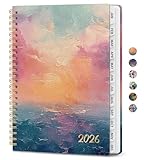
- 12 Months Efficient Event Tracking: Taja 2026 planner covers 12 months from January 2026 to December 2026. Smart and easy to carry, it's perfect for noting important dates and upcoming events. Stay organized and boost your productivity with this handy tool.
- Monthly Planning Made Simple: Each monthly spread includes spacious daily blocks, notes section, and past & future reference calendars. Major U.S. holidays are clearly marked to keep your planning accurate and convenient.
- Weekly Pages for Daily Focus: Organize every detail with weekly spreads offering ruled space for tasks, appointments, and priorities. A dedicated “Priorities” box at the top of each week helps you set goals and track progress with ease.
- Portable Size, Ample Space: Measuring 6.3" x 8.5", this planner is compact enough to carry yet large enough to capture your schedule, notes, and reminders—making it the perfect daily organizer wherever life takes you.
- Multiple Cover to Match Your Style: Choose from a wide variety of covers featuring floral, nature, artistic, and abstract patterns. Whether you prefer a classic, colorful, or aesthetic look, there’s a design to reflect your personality and brighten your daily planning.
When to use a poll instead
A meeting invitation is suitable when the date and time are already decided. Use a poll or form when you need attendees to choose between options, such as:
- Several possible meeting dates
- Lunch or dinner choices
- Preferred workshop sessions
- Attendance plus dietary requirements
- Availability across a wide group
In that situation, send a normal email containing the poll link, or use an available Microsoft polling feature. The results belong to the poll rather than Outlook’s meeting response fields. After choosing a final time, create and send a calendar meeting invitation.
Common RSVP problems and fixes
| Problem | Likely cause | What to do |
|---|---|---|
| There is no RSVP button while composing an email. | You are writing a normal message. | Go to Calendar and create a meeting, then add attendees. |
| The recipient cannot find the RSVP shortcut in the message list. | The invitation may be recurring, or the recipient is using a different Outlook interface. | Open the invitation and respond from the meeting controls. |
| People received the invitation but you cannot see responses. | You may have sent an .ics file or a normal email instead of a meeting request. | Create a new meeting from Calendar and send it to the attendees. |
| Optional attendees cannot be added in the quick form. | The quick-create view may show only required attendees. | Open View event or More details, then select Optional. |
| The Teams button is missing. | Teams integration may not be enabled for the account or organization. | Check your Microsoft 365 account and organization settings, or ask your administrator. |
| Attendees cannot see the other invitees. | The attendee list may be hidden in Response options. | Review the attendee-list setting before sending. Hiding it can be useful for privacy but may affect coordination. |
| A recipient forwards the invitation unexpectedly. | Forwarding is allowed in the meeting’s response settings. | Open Response options and disable forwarding when appropriate. |
Best practices for reliable attendance tracking
- Use one meeting invitation. Avoid sending several versions with different times, since attendees may respond to the wrong one.
- Use the correct time zone. This is especially important for external attendees and online events.
- Set a response deadline in the body. Outlook can collect responses, but the deadline still needs to be communicated clearly.
- Use required and optional attendees correctly. Required attendees are central to the meeting; optional attendees are included for awareness or participation if available.
- Update the original meeting. If the time or location changes, modify the calendar meeting and send an update instead of emailing a separate correction.
- Use an .ics file only when tracking is unnecessary. It is an add-to-calendar mechanism, not a substitute for an Outlook meeting request.
Quick answer
To add RSVP to an Outlook email, do not start with New message. Open Calendar, create a New event or New Meeting, add attendees, review Response options where available, and select Send. Outlook will send a meeting invitation with response controls.
PC Slower Than It Used to Be?
A free scan shows the junk files, broken settings and background clutter dragging Windows down - then fixes them in one click.Free scan · Windows 10 & 11Crashes, No Sound, or Screen Glitches?
Random freezes, missing sound and display glitches usually trace back to one bad driver. Find and replace yours safely.Free scan · under a minuteFAQ
Can I add RSVP buttons to a normal Outlook email?
No. Typing “RSVP,” “Yes,” or “No” in an ordinary email does not create Outlook response buttons. Create a calendar meeting invitation instead, or use a separate poll or form.
Best Value

- 18 Monthly Planner: Weekly planner a 2 page design for one week, so you can get a general overview without turning pages. The 2026-2027 planner page has enough writing space for arrangement of daily tasks, activity records; the monthly plan can marks important dates and plans tasks
- Professional Grade Material for Your Daily Planner: Crafted with FSC 80GSM thick paper, this 2026-2027 planner ensures good writing with markers while gentle on your eyes through its ivory white pages. The leather soft cover and lay flat binding make it a calendar planner companion for busy professionals, students, and families
- Thoughtful Design: The monthly tabs on the side of the agendas planner can easy locate the current date; the tear off design and bookmark rope make it easy to flip through the medium planner. The last page of the 2026 college planner has an expanded inner pocket that has a small space for storage of cards
- Multi function Page: Personalized planner system. Year plan pages, holiday reminders, birthday record area for relatives and friends; set up storage contacts, and record inspiration and plans with the dot matrix note area; at the same time, work planner can travel planning and expense management modules to achieve coordination of schedule and finance
- Universal Design Planner: Suitable for a variety of people and scenarios. Professionals manage project progress, meeting arrangements and goals; student planner 2026-2027 courses, exams and extracurricular activities; home users arrange travel, activitie
Where are RSVP settings in Outlook on the web?
Open the full event form and select Response options. This area controls whether responses are requested, whether the invitation can be forwarded, and whether the attendee list is hidden.
What is the difference between an Outlook appointment and a meeting?
An appointment is placed on your own calendar. A meeting includes other people as attendees and sends them an invitation that they can accept, tentatively accept, or decline.
Does an .ics file track who accepts the event?
No. An iCalendar attachment or link lets recipients add the event to their calendars, but it does not provide the organizer with accept or decline confirmations.
Why is the RSVP option missing from the Outlook message list?
Outlook on the web provides the message-list RSVP shortcut only for single-occurrence meetings. It does not appear for recurring meetings, and the control may also differ between Outlook versions.
Can I hide the attendee list?
In Outlook on the web, open Response options and use the attendee-list setting. This can protect invitee privacy, but it also prevents attendees from seeing who else was invited.
The Bottom Line
The dependable way to add RSVP functionality is to send an Outlook meeting invitation, not a regular email. Create the event in Calendar, add required or optional attendees, review the response settings, and send it. Use an .ics file when people only need an add-to-calendar option, and use a poll when they need to choose among several options.
Quick Recap
Product prices and availability are accurate as of the date/time indicated and are subject to change. Any price and availability information displayed on Amazon at the time of purchase will apply.
Quick wins for a faster PC:
Clear out junk files and repair common Windows errorsFree Scan →Fix the driver behind crashes, sound loss and screen glitchesFind Drivers →
