
A browser bookmark and a Windows desktop shortcut are different things. To put a saved webpage on the Windows 11 desktop, create a shortcut to its URL; the simplest way is to use the desktop’s New > Shortcut command. You can also use Chrome’s shortcut command, install a site as an app in Edge, or drag a page or bookmark from Firefox.
Fastest method: Create a webpage shortcut with Windows 11
This method works with any browser and creates a normal shortcut to a webpage URL.
- Open the webpage in your browser and copy its full address, including https://.
- Right-click an empty area of the desktop.
- Select New > Shortcut.
- Paste the address into the Type the location of the item box.
- Select Next.
- Enter a name for the shortcut.
- Select Finish.
The shortcut normally opens in Windows’ default browser, not necessarily the browser where you saved the bookmark. Creating it does not move or copy the original bookmark.
Put a Chrome webpage on the desktop
- Open the webpage in Google Chrome.
- Select the three-dot More button in the upper-right corner.
- Select Cast, save, and share.
- Select Create shortcut….
- Change the shortcut name if needed, then select Create.
To show your saved bookmarks inside Chrome instead, select More > Bookmarks and lists > Show bookmarks bar, or press Ctrl+Shift+B. Chrome creates a shortcut for the current webpage; create shortcuts individually if you want multiple saved pages on the desktop.
#1 Best Overall

- The 5 tier letter tray with handle pull out trays of well-thought out dimensions that will keep the stuff you need organized, at hand
- Contemporary and elegant mesh construction with powder coat finish will blend in with any décor. It’s versatile and you can add to any space in your home or office
- A smart & practical desk file tray decorative and multifunctional will be a reliable helper for your families, friends, co-workers, etc, helping them get rid of messy working tables
- Made of high quality mesh steel construction with good touch feeling, and you can move it easily. It will hold all your files, folders, and papers
- The desk trays provide a great way to tidy any A4 or paper sized paperwork, folder, document, magazine with space for stationary & desk accessories. For use on office, home or school classroom.
Put an Edge webpage on the desktop
Edge’s documented desktop-shortcut workflow installs the website as an app first. The result is an app-like window rather than an ordinary URL shortcut.
- Open the webpage in Microsoft Edge.
- Select Settings and more (the three-dot button).
- Select More tools > Apps > Install this site as an app.
- After installation, open edge://apps.
- On the site’s app card, select Details.
- Select Create Desktop shortcut.
From the app’s Details menu, Edge can also offer options to pin it to the taskbar or Start. If you want a simple internet shortcut instead, use the Windows New > Shortcut method.
To show or hide Edge’s favorites bar, press Ctrl+Shift+B. Press Ctrl+Shift+O to open Favorites. Edge calls bookmarks favorites.
Rank #2
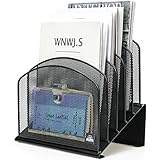
- ▶NO ASSEMBLY REQUIRED. Dimension: 11.25"W x 7.5"D x 11.25"H
- ▶ SUFFICIENT SPACE FOR STORAGE. Delifox 5-compartment desktop file organizer is large enough to hold and classify many document or papers so as to eliminate worry of document run-off and keep track of files, folders, and other important papers
- ▶ REINFORCED & STAND-UP DESIGN. This file organizer for desk featuring deep groove ensures stable and heavy-duty use. And heightened triangle base and vertical file holder featuring standing-up design offers easy access to all documents
- ▶ PERFECT FOR HOME SCHOOL OR OFFICE. This incline file sorter for desk is ideal for storing file folders, document, papers, notebooks, etc, perfect solution for office, school classroom organization, and home storage
- ▶ THE HEAVY DUTY DESIGN. The vertical desktop file folder holder organizer is made of high-quality metal, which can guarantee enough durability and consumer satisfaction
Put a Firefox bookmark on the desktop
Drag the open webpage
- Open the webpage in Firefox and resize the window so part of the desktop is visible.
- Select and hold the site-information icon to the left of the address bar. Depending on the page, it may look like a padlock or another site-information icon.
- Drag the icon onto the desktop and release the mouse button.
Drag an existing bookmark
- Open the Firefox Bookmarks menu or the Library window.
- Locate the saved bookmark.
- Drag it onto the desktop.
The shortcut opens in Windows’ default browser, which may not be Firefox. If dragging does nothing, use the Windows New > Shortcut method instead. Firefox drag-and-drop can fail in some configurations involving the Firefox Launcher Process and disabled Windows User Account Control.
What’s actually slowing this PC down?
Pick the symptom - the matching free tool is one click away.
Use Firefox web apps as an alternative
Firefox for Windows version 143 and later can install supported websites as web apps. Open the website, select the web-apps button in the address bar, and follow the prompts. The site is added to the Windows taskbar and Start menu. For Microsoft Store installations, Mozilla documents availability starting with Firefox version 150. A web app is not an ordinary bookmark file.
Bookmark, shortcut, or web app?
| Option | Where it appears | What it does |
|---|---|---|
| Browser bookmark or favorite | Inside the browser | Saves a page in that browser’s bookmarks or favorites. |
| Windows webpage shortcut | On the desktop | Opens a URL, normally in Windows’ default browser. |
| Edge site app | As an installed app, with options to create a desktop shortcut | Opens the site in an app-like window. |
| Firefox web app | Windows taskbar and Start menu | Installs a supported site as a web app, not as a regular bookmark. |
Fix common desktop shortcut problems
The bookmark is not on the desktop
Saving a page as a browser bookmark does not automatically create a Windows desktop icon. Use New > Shortcut, Chrome’s Create shortcut… command, Edge’s site-app workflow, or Firefox drag-and-drop.
Rank #3

- All-in-One Desk Organizer: WALI multi-tier desk organizer features 4 letter trays, a vertical file folder organizer, 2 metal pen holders and a sliding divided drawer, keeping your office supplies for desk tidy and maximizing desktop space, ideal for women and men as office desk accessories
- Premium Metal Quality: WALI desktop file organizer is crafted from thickened steel metal wire mesh, featuring dense small mesh to hold desk supplies steadily. Its sturdy structure enhances load-bearing capacity to avoid deformation; all parts are firmly fixed to prevent falling, ensuring overall stability and durability of the desktop organizer
- Save Space: Documents are organized by the vertical file folder organizer. Tiered letter tray is suitable for planner, paper, letters,books, magazines, mail, bills and phones. The sliding drawer and metal pen holders can store all office supply accessories, such as pens, pencils,markers, scissors, suitable for workers, teachers and students
- Easy Installation: No complicated tools or tedious steps. 1 Pack WALI desk organizers and accessories can be assembled in minutes with clear instructions. Ideal for office, dorm, college, home office, school, classroom use
- Elegant & Practical Decor: Classic black finish complements any office, school or dorm decor, serving as both a practical home office storage and organization tool and a sleek desktop decor to show your professional style, ideal for users who pursue a tidy, aesthetic workspace
The shortcut opens in the wrong browser
A normal webpage shortcut uses Windows’ default browser. To change it, go to Settings > Apps > Default apps and select your preferred browser. Alternatively, use a browser’s app or shortcut feature where available.
Firefox dragging does nothing
Mozilla notes that drag-and-drop can fail in some Firefox configurations, including cases involving the Firefox Launcher Process and disabled Windows User Account Control. Use the Windows New > Shortcut method instead.
Edge’s shortcut looks like an app
That is expected when you use Edge’s documented procedure: it installs the website as an app before offering a desktop shortcut. For a simple URL shortcut, use the Windows New > Shortcut method.
Rank #4

- Heavy Duty Steel Construction - Thick solid steel panel base with 5 large vertical filing compartments, make sure enough durability and stability
- 5 Large Filing Compartments - Effectively to storage for letter, books, paper, business card, document, notepad, envelope or phone, ensuring larger view and easier access
- Wide Application - It wiill be your best choice in the office, study, classroom or dormitory, it can help you tidy up your desk, and make your work or study more efficient
- Sufficient Storage Space - This desktop file manager is large enough that you can place many papers or files, etc., and the compartment can also help you separate the types of files
- Easy Assembly. Dimension: 12 3/4"W x 11 1/4"D x 7 1/2"H
FAQ
Can I put a whole bookmark folder on the desktop?
These methods create shortcuts for individual pages, not a desktop copy of an entire browser bookmark folder. Create a shortcut for each URL you want on the desktop.
How do I show bookmarks in Chrome or Edge?
In Chrome, select More > Bookmarks and lists > Show bookmarks bar, or press Ctrl+Shift+B. In Edge, press Ctrl+Shift+B to show or hide the favorites bar.
Will a desktop webpage shortcut open in the browser where I saved the bookmark?
Not necessarily. A normal webpage shortcut usually opens in Windows’ default browser, which can differ from the browser that contains the bookmark.
Best Value

- 【Multifunctional】 The desktop organizer has 2 storage boxes and 1 pen box, you can store many office supplies, such as pens, scissors, staplers, etc. Perfect for office, bookcase, home, etc
- 【Quality Material】 The Office Supplies Desktop Organizer is made of lightweight and durable metal mesh and reinforced with a sturdy steel frame for lasting strength and reliable performance.
- 【Large Capacity Organizer]】The 7-layer layered design and large capacity make the paper organizer ideal for managing a wide variety of letter-sized letters, papers, books, bills, and more. Makes it super easy for you to quickly identify the contents of each compartment!
- 【Save Space]】Desktop Organizer can help you organize your desktop and help you save space better. Keep you productive at work all the time.
- 【Size】16.75 "W x 8.75 "D x 16.75 "H (U.S. Patent Pending)
Can I make an Edge shortcut that opens like an app?
Yes. Install the site as an app from Edge’s More tools > Apps menu, then open edge://apps, select the app’s Details, and choose Create Desktop shortcut.
The Bottom Line
For a standard Windows 11 desktop shortcut, right-click the desktop, select New > Shortcut, and paste the webpage URL. Chrome has a shortcut command for the open page, Edge can create a shortcut to an installed site app, and Firefox supports dragging a page or saved bookmark to the desktop.
Quick Recap
Product prices and availability are accurate as of the date/time indicated and are subject to change. Any price and availability information displayed on Amazon at the time of purchase will apply.

