
To keep a prerecorded YouTube stream running while your PC is off, use a cloud-based continuous-streaming service that plays the video and sends the feed to YouTube. YouTube’s encoder directory lists Gyre for 24/7 streaming of prerecorded videos; verify the service’s current capabilities and terms before choosing it. With a conventional encoder, the device running that encoder must keep sending the feed.
Choose a workflow that fits your stream
| Workflow | What it can do | Does your PC need to stay on? |
|---|---|---|
| Hosted cloud streaming | Plays prerecorded video or a playlist and sends it to YouTube, if supported by the service. | No, if the service continues sending the feed from its own infrastructure. |
| Conventional encoder | Sends a live production feed, such as a camera or screen, to YouTube. | The device running the encoder must remain active and connected while sending. |
YouTube’s encoder directory identifies Gyre as a cloud-based tool for 24/7 streaming of prerecorded videos. That listing does not establish its current pricing, storage or playlist limits, uptime, or contractual terms. Check those details directly before relying on any provider.
A conventional encoder is the better fit for a real-time camera, screen, or production feed. YouTube describes the encoder as converting video into a digital format to stream on YouTube. Scheduling a broadcast or enabling auto-start does not create a feed when the encoder or hosted service stops sending one.
Set up a hosted prerecorded stream
- Confirm that live streaming is enabled for your YouTube channel. YouTube requires channel verification and no live-streaming restrictions in the preceding 90 days. First-time activation can take up to 24 hours, according to YouTube Help.
- Choose a cloud service that explicitly supports continuous YouTube streaming of prerecorded content. Verify supported inputs, stream duration, storage or playlist limits, resolution, monitoring, recovery behavior, and terms.
- Check that you have the rights to rebroadcast every video and audio track in your playlist.
- Follow the provider’s current instructions to connect your YouTube channel or configure the stream. If it requests a stream key, treat it like a password and do not share it.
- Preview and test the feed, then monitor stream health in YouTube Studio and the provider’s dashboard, if available.
YouTube’s encoder directory names Gyre in this service category, but the directory alone does not verify current features or service reliability. Do not assume a hosted stream will restart automatically or remain uninterrupted; confirm what the provider promises and test your setup.
Do these 3 things before closing this tab:
1Fix the driver behind crashes, sound loss and screen glitches2Repair Windows errors before they cause bigger problems3Scan for outdated or missing drivers - takes under a minute#1 Best Overall

- 6-in-1 USB-C Hub: Connect, charge, and play without limits thanks to a 100W PD-IN port for fast charging, a 4K HDMI output, a 1Gbps Ethernet port, two USB-A ports at 5Gbps each, and one USB-C port at 5Gbps.
- See Every Detail: The 4K@60Hz HDMI port brings your games to life with stunning resolution and crystal-clear imagery.(Note: The USB-C data port does not support screen mirroring.)
- Ultra-Speed Ethernet: Dominate online play with lightning-fast 1,000 Mbps Ethernet, where every millisecond counts.
- Unlimited Connections: Maximize your gameplay with versatile USB ports, offering 5Gbps speed for mice, keyboards, game controllers, and more.
- What You Get: Anker USB-C Hub (6-in-1, For Handheld Game Console), 8.66-inch (220 mm) built-in USB C cable, welcome guide, 18-month warranty, and our friendly customer service.
Using a conventional encoder instead
If you are sending a live production feed from your own encoder, that encoder must keep running somewhere. YouTube supports RTMP and RTMPS encoder streaming and recommends RTMPS. The encoder setup uses a stream URL and stream key from YouTube Live Control Room.
- Check your channel’s eligibility and enable live streaming if needed.
- Create or open a broadcast in YouTube Live Control Room and get the stream URL and stream key.
- Enter those details in your encoder, using YouTube’s current recommended settings for your resolution, frame rate, and codec.
- Preview and test the stream, then monitor its health while it is live.
For H.264, YouTube recommends 5 Mbps for 1080p at 30 fps and 6 Mbps for 1080p at 60 fps. These are YouTube recommendations, not a guarantee of performance. Your sustained upload capacity must cover the outgoing stream with headroom; leave room for other network use and account for any backup feed. YouTube recommends a two-second keyframe interval, which should not exceed four seconds.
Rank #2
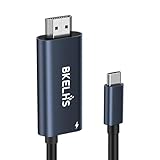
- One-Way Transmission: 4K USB-C to HDMI cable is unidirectional and can only transfer video and audio signals from USB-C devices (e.g. MacBook, iMac, iPad, iPhone 16, Gaming Pocket PC, Steam Deck, ROG Ally ) to a monitor/TV in the HDMI port. The 2m USB-C to HDMI cable meets most of daily needs such as work and games.
- 4K High Visual Quality: Thunderbolt to HDMI cable supports resolutions and refresh rates up to 4K@60Hz UHD. The 4K USB-C to HDMI adapter supports HDR function, which delivers a more realistic and vivid image. Ensures stable signal transmission from your laptop/tablet/mobile phone to your TV, computer or projector, helping you enjoy a smooth and interference-free gaming experience.
- 100W PD Fast Charging: Equipped with a 100W PD power transfer USB C port, the Type C to HDMI adapter can power your laptop/tablet/mobile phone while streaming, eliminating worries about power interruptions during gaming or work.
- Wide Compatibility: No drivers required, plug and play. 4K Type C to HDMI Adapter supports USB C ports with DP Alt Mode or Thunderbolt 3/4/5, such as MacBook Pro 16/14/13 M4, MacBook Air15/13 M3, iMac, Mac Mini, iPad Mini, Mac Studio, iPad Pro 13/11 2024, iPad Air 13/11 M2, iPad Mini 7, XPS 17/15/13, HP Chromebook x360, Surface Book 3/2, Surface Pro, Galaxy Taba S10/9/8/7, iPhone 17 Pro Max/16/15, Galaxy S25 Ultra/S24/23/22, Pixel 9 Pro/8, Switch, Steam Deck, ROG Ally, Gaming Pocket PC.
- Durable & Portable: 4K USB C to HDMI cable is made of aluminum housing to speed up heat dissipation. No need to worry about overheating even after long hours of playback. The cable ensures flexibility and abrasion resistance, making this USB C HDMI adapter suitable for constant use.
A stream key allows an encoder to send a feed to YouTube. Keep it private; if it is compromised, reset it in YouTube Studio and update the encoder configuration. YouTube also advises creators to preview, test, and monitor stream health. No stream setup should be treated as guaranteed uninterrupted based on these recommendations.
What to check before choosing a service
- Does it support prerecorded files, playlists, or looping in the way you need?
- What resolution, frame rate, and stream-duration limits apply?
- What are the current price, storage limits, and usage terms?
- How does it report stream health and handle a disconnect?
- Does it connect through YouTube authorization or require a stream key?
- Do its terms and your content rights permit continuous rebroadcast?
Verify these details with the provider. YouTube’s directory can help identify a tool, but it does not substantiate that tool’s current pricing, limits, uptime, or contractual commitments.
The Tool Desk
Outbyte Driver Updater FREEFix the driver behind crashes, sound loss and screen glitchesFind Drivers →Outbyte PC Repair FREERepair Windows errors before they cause bigger problemsFix Now →Rank #3

- 【iPhone 15 HDMI ADAPTER TO TV】- The 2-in-1 iPhone to HDMI adapter for tv helps iPhone15/16/iPad/MacBook expand a HDMI 4K@60Hz port and a charging port, enjoy crystal-clear audio and high-definition video experience, just share happiness with your family or friends. This apple HDMI to USB C adapter allows for faster charging, stable connections and high-definition output, which means you can enjoy home-theater, live streaming ,working report and playing while charging for your apple USB C to HDMI adapter.
- 【PLUG AND PLAY】- The apple HDMI to USB C adapter no need install any driver or app, no need to connect WiFi, no need power supply, no need to adjust mirror of iPhone15/16/iPad, just insert each interface to corresponding device, click the “Trust” button when connecting and then wait a few seconds to connect automatically. Plug and play, easy and quick to install, the iPhone 15/16 HDMI adapter to TV is so easy to use, saving your much time.
- 【WIDELY COMPATIBILITY】- The apple USB C to HDMI adapter is compatible with devices equipped with USB-C ports supporting display port alternate mode. The iPhone to HDMI adapter for tv compatible with iPhone 16/16 Plus/16 Pro/16 Pro Max, iPhone 15/15 Plus/15 Pro/15 Pro Max, MacBook M3/M3 Pro/M3 Pro Max, MacBook Pro 2015-2024, MacBook air 2018-2024, iPad Pro 2018-2024, iMac 2017-2024, Samsung Galaxy S24/S24+/S24 Ultra/S23/S23+/S23 Ultra/S22/S22+/S22 Ultra/S21/S20/Note 10, and other USB C devices.
- 【APPLICATION SUPPORT】- The apple USB C to HDMI adapter supports a variety of video applications, the iPhone to HDMI adapter for tv connector supports mirror videos from Apps, such as YouTube, Quickflix, Hulu Plus, IDMB, Family on TV, ABC, NBC, FOX, Microsoft Office and more videos downloaded and saved on your iOS devices for stream. But please note this apple USB C to HDMI adapter won’t work with Apps with have “HDMI” video copyrights protection, such as Netflix, Prime video, Amazon video, HBO go, HULU.
- 【STURDY AND LASTING DESIGN】- The apple HDMI to USB C adapter for extra durability and a high-quality USB-C connector provides a snug connection with your devices for stable signal transfer. Premium aluminum alloy casing and nylon braided cable for better heat dissipation. The iPhone 15 HDMI adapter to tv is compact and light design let you carry the apple HDMI to USB C adapter in bag everywhere. This tiny device will fit even in the smallest pocket and will always be with your when you need the apple USB C to HDMI adapter.
FAQ
Can my YouTube stream continue if I turn off my PC?
Yes, if a separate hosted service continues to play and send the feed to YouTube. A conventional encoder running on your PC cannot keep sending after the PC is turned off.
Does scheduling or auto-start keep a stream running by itself?
No. YouTube’s auto-start and auto-stop settings control encoder-driven start and stop behavior. They do not provide video when the encoder or hosted service stops sending content.
Rank #4
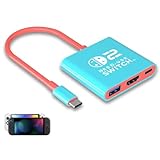
- Switch TV Dock Adapter - Support nintendo switch 1 and oled and steam deck and nintendo switch 2 tv dock mode paly. Compatible with switch 2 the latest firmware 21.0.0 version update.
- 4K HDMI Output Dock - For nintendo switch 2 and steam deck dock mode, the adapter output 4K60HZ high quality video. For old nintendo switch 1,Only supports native 1080P60HZ resolution.
- USB A 3.0 Input Port - The switch tv dock adapter come with one USB-A 3.0 input port, support access wired controller / dance pad / gamecube adapter / charging dock and other usb expansion device.
- Plug and Play on TV - First wake up switch console and then connect power adapter and hdmi cable. and then play happy on tv mode.NOTE:Switch 1 need 15v2.6a / Switch 2 need 20v3a PD charger.
- For More Devices - The switch tv dock adapter support nintendo switch 1 2 and steam deck dock mode well. Also compatible with Rog Ally, Legion Go and new ipad or mac or Samsung dex station.
What bitrate should I use for 1080p?
YouTube recommends 5 Mbps for H.264 at 1080p and 30 fps, or 6 Mbps at 1080p and 60 fps. Check YouTube’s current encoder settings for your codec and setup, and allow upload headroom when streaming from a local connection.
Is it safe to share my YouTube stream key with a provider?
Treat a stream key like a password. Only enter it through a provider’s verified setup process, keep it private, and reset it if you think it has been exposed.
Free tools Windows power users keep installed
One-click scans. No signup required.
Will a cloud service guarantee that my stream never goes offline?
No guarantee is established by YouTube’s directory listing. Check a provider’s current monitoring, recovery procedures, and service terms, and test the stream before relying on it.
Quick Recap
Product prices and availability are accurate as of the date/time indicated and are subject to change. Any price and availability information displayed on Amazon at the time of purchase will apply.

