
Outdated Drivers Are Slowing You Down
One free scan finds every outdated or missing driver and matches the right update for your exact hardware.Free scan · exact hardware matchWindows Errors? Fix Them Before They Spread
Repair common Windows errors and clear accumulated junk for a smoother, more stable PC - no reinstall needed.Free scan · no reinstallFinder is the built-in Mac app for finding and working with files, folders, apps, and connected devices. Click the Finder icon in the Dock to open it, then use its sidebar to reach common locations such as Desktop, Documents, Downloads, and iCloud Drive.
Open Finder and find your way around
Click the blue-and-white Finder icon in the Dock. In the Finder window, the sidebar provides shortcuts to locations and devices; select Desktop, Documents, or Downloads to browse those folders. iCloud Drive may also appear there if it is set up on your Mac.
If a location you want is missing, customize the sidebar in Finder > Settings > Sidebar. The appearance and exact options can vary by macOS version. Apple describes Finder as your Mac’s “home base” for files, folders, apps, and connected devices in its Finder file-organization guide.
Choose a view that makes files easier to find
Finder offers four views. Use the view buttons in the window toolbar to switch between them:
Free tools Windows power users keep installed
One-click scans. No signup required.
#1 Best Overall

- Wide Compatibility Tips: This Apple-focused combo supports macOS 10.12+, iPadOS 13.0+, and iOS 13.0+. It connects through 3 Bluetooth channels only, with no USB connection or USB receiver included. Note: Bluetooth 4.0 or above is required; Not fully compatible with Windows systems
- Perfect for Apple Ecosystem Users: Designed specifically for Mac users with a standard Apple layout, this Bluetooth keyboard and mouse supports BT1/BT2/BT3 channels to seamlessly switch between three devices like Mac, MacBook Pro/Air, and iPad. Ideal for multi-device professionals, students, and creatives working across Apple products
- Type-C Rechargeable for Eco-Friendly Convenience: No more battery waste! This combo features Type-C rechargeability with up to 200 hours standby. Auto-sleep and on/off switch minimize power consumption - perfect for travelers, eco-conscious users, and anyone tired of frequent battery changes
- Whisper-Quiet for Focused Environments: Enjoy a satisfying tactile click without the noise. Enhanced key stability reduces sound while keeping responsiveness high. Ideal for shared offices, libraries, study sessions, or late-night work where quiet is essential
- Slim & Stylish Metal Design for Portability: At just 0.12” (keyboard) and 0.9” (mouse), this ultra-thin combo slips easily into any bag. Made from stainless steel and premium ABS, it’s both durable and elegant—a sleek addition to any modern desk, coffee shop, or coworking space
| View | Useful for |
|---|---|
| Icon | Recognizing items visually from icons and thumbnails. |
| List | Scanning file details and sorting items in a list. |
| Column | Moving through nested folders while keeping the folder path visible. |
| Gallery | Scanning items with a large visual preview. |
To inspect a file without opening it in its app, select it and choose View > Show Preview to display the Preview pane. For a quick look at a selected item, press the Space bar; this opens Quick Look, which you can close by pressing Space again.
Create a folder and move files into it
- In Finder, open the location where you want the folder.
- Choose File > New Folder, or press Shift-Command-N.
- Type a clear name for the folder and press Return.
- Drag a file or folder onto the new folder to move it there.
Apple’s guide to organizing files in folders covers the same basic folder workflow.
Rank #2

- Wide Compatibility Tips: This Apple-focused combo supports macOS 10.12+, iPadOS 13.0+, and iOS 13.0+. It connects through 3 Bluetooth channels only, with no USB connection or USB receiver included. Note: Bluetooth 4.0 or above is required; Not fully compatible with Windows systems
- Perfect for Apple Ecosystem Users: Designed specifically for Mac users with a standard Apple layout, this Bluetooth keyboard and mouse supports BT1/BT2/BT3 channels to seamlessly switch between three devices like Mac, MacBook Pro/Air, and iPad. Ideal for multi-device professionals, students, and creatives working across Apple products
- Type-C Rechargeable for Eco-Friendly Convenience: No more battery waste! This combo features Type-C rechargeability with up to 200 hours standby. Auto-sleep and on/off switch minimize power consumption - perfect for travelers, eco-conscious users, and anyone tired of frequent battery changes
- Whisper-Quiet for Focused Environments: Enjoy a satisfying tactile click without the noise. Enhanced key stability reduces sound while keeping responsiveness high. Ideal for shared offices, libraries, study sessions, or late-night work where quiet is essential
- Slim & Stylish Metal Design for Portability: At just 0.12” (keyboard) and 0.9” (mouse), this ultra-thin combo slips easily into any bag. Made from stainless steel and premium ABS, it’s both durable and elegant—a sleek addition to any modern desk, coffee shop, or coworking space
Search for files and narrow the results
Click the Finder search field, enter a name or keyword, and review the results. To make the search more specific, add a criterion such as Kind and choose the type of item you want. You can also try a kind keyword such as kind:pdf or kind:images. Apple documents these search refinements in its guide to narrowing Finder search results; the page is for macOS 26, so labels or behavior may differ in other releases.
Use tags to group files across folders
Tags let you label related files without moving them into the same folder. For example, you could tag items “Work” or “To review” even when they are stored in different locations. Select an item and use the Finder tag controls to assign a tag; you can then use the tag in searches or select it in the sidebar to find matching files. Apple explains the feature in its guide to using tags on Mac.
What’s actually slowing this PC down?
Pick the symptom - the matching free tool is one click away.
Rank #3

- Bluetooth Keyboard for Mac: Bluetooth keyboard and mouse for Mac resembles magic keyboard in full size layout with numeric keypad. Compatible with Mac OS 10.12 or later, iOS & iPadOS(13.0 or above), for MacBook, MacBook Pro, MacBook Air, Mac Pro/Mini, iPad, or iPhone, supports Bluetooth 5.1 version or above. Note: Macs before 2013, Windows, Linux are not compatible
- Backlit illuminated Keys: This backlit wireless keyboard for mac comes equipped with soft white LED backlighting and boasts three adjustable brightness levels (low-mid-high) to suit your individual needs. Perfect for use in dimly lit environments, the gentle illumination won't strain your eyes, and the brightness can be easily customized to your liking
- Switch Up To 3 Devices: Bluetooth keyboard mouse for mac can connect to three different devices simultaneously through its triple Bluetooth channels. You can easily switch between the devices by clicking on the mode switch button. Note: Connection is established solely through Bluetooth. USB dongle is not included
- Responsive Keys and Quiet Typing: This keyboard boasts a responsive scissor switch, allowing for efficient and hushed typing. The low-profile design and soft-touch keys elevate the typing experience to a new level of fingertip comfort and The mouse features three adjustable DPI levels of 1000/1600/2400, providing you with customizable sensitivity options
- Rechargeable and Power Saving: The keyboard and mouse for mac feature built-in rechargeable batteries, 1200mAh for keyboard, 300mAh for mouse. If the keyboard and mouse are idle for 60 minutes, the system enters sleep mode. Press any key to wake it, but note that keyboard's backlighting must be turned on again
Try Smart Folders and Quick Actions
Smart Folders gather matching files
A Smart Folder automatically shows files that meet criteria you choose, such as a kind or other search condition. It does not move the original files; it presents matching items together. This is useful when you want a changing collection—such as PDFs or items matching a search—without reorganizing your folders. See Apple’s Finder organization guide for Smart Folders.
Quick Actions handle simple tasks
Quick Actions can offer tasks such as rotating an image or marking up a file from Finder. Select a file and look for available actions in the Finder window or its contextual controls. The options depend on the selected file type and enabled extensions, so an action may not appear for every item. Apple describes the feature in its Quick Actions guide.
Quick Recap
Best Value

- 𝗔𝗻 𝗘𝘀𝘀𝗲𝗻𝘁𝗶𝗮𝗹 𝗗𝘂𝗼 𝗳𝗼𝗿 𝗠𝗮𝗰: Our mac keyboard and mouse offers enhanced aesthetics to compliment your workspace while providing you with convienent features necessary for daily tasks or web browsing.
- 𝗠𝘂𝗹𝘁𝗶-𝗗𝗲𝘃𝗶𝗰𝗲 𝗕𝗹𝘂𝗲𝘁𝗼𝗼𝘁𝗵: Although mac focused, our macbook keyboard and mouse is also compatible with iOS, PC, and Android. You can seamlessly pair and switch between 3 devices such as your phone or tablet.
- 𝗘𝘃𝗲𝗿𝘆𝘁𝗵𝗶𝗻𝗴 𝗬𝗼𝘂'𝗹𝗹 𝗡𝗲𝗲𝗱: The imac keyboard and mouse combo has a bluetooth mac keyboard equipped with 110 scissor switch keys and 20 shortcuts keys while the silent mouse has 3 DPI modes for cursor sensitivity just like apple keyboard and mouse.
- 𝗦𝗶𝗺𝗽𝗹𝘆 𝗥𝗲𝗰𝗵𝗮𝗿𝗴𝗲: Our bluetooth keyboard and mouse combo for mac feature built-in rechargeable batteries that extends runtime per charge. Charging cable is included. 800mAh for keyboard, 300mAh for mouse.
- 𝗪𝗵𝗮𝘁 𝗬𝗼𝘂'𝗹𝗹 𝗥𝗲𝗰𝗲𝗶𝘃𝗲: Your satisfaction is our top priority so, along with our mac wireless keyboard and mouse, we also included easy to reach customer service as well as up to 2 years of warranty for mac wireless keyboard and mouse.
Rank #4
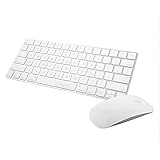
- Magic Mouse 2 is ready to go right out of the box and pairs automatically with your Mac. Charges quickly - just 2 minutes of charging will provide a typical 9-hour day of use. The Multi-Touch surface allows you to perform simple gestures such as swiping between web pages and scrolling through documents.
- With an improved scissor mechanism beneath each key for increased stability, as well as optimized key travel and a lower profile, the Magic Keyboard provides a remarkably comfortable and precise typing experience.
- The Magic Keyboard pairs automatically with your Mac, so you can get to work right away. Requires Mac OS X v10.11 or later.
- Included in the box: one Apple Magic keyboard 2, one Apple Magic Mouse 2, and one lightning charging cable
Product prices and availability are accurate as of the date/time indicated and are subject to change. Any price and availability information displayed on Amazon at the time of purchase will apply.

