
Do these 3 things before closing this tab:
1Scan for outdated or missing drivers - takes under a minute2Clear out junk files and repair common Windows errors3Fix the driver behind crashes, sound loss and screen glitchesThe original eero 6 remains a practical, app-managed mesh option for homes that need broader Wi-Fi coverage and do not require the newest wireless generation or extensive router controls. Choose the router version as the network’s gateway; the eero 6 Extender only adds wireless coverage to an existing eero network. Its advertised coverage and speed figures are not guarantees, and eero’s own pages disagree about the router’s wireless speed ceiling.
What the eero 6 is—and who it suits
The eero 6 is a dual-band mesh Wi-Fi 6 system. It uses 2.4 GHz and 5 GHz bands and supports Wi-Fi 6 (802.11ax), including OFDMA and beamforming. It is not a tri-band system or a Wi-Fi 6E model, so it does not add a dedicated third band or 6 GHz Wi-Fi. eero explains the standard’s features and compatibility in its Wi-Fi 6 overview.
Wi-Fi 6-capable phones, laptops, and other clients can use the standard’s efficiency features when connected to the eero 6. Older Wi-Fi devices can still connect using the standards they support, but they do not gain Wi-Fi 6 benefits just by joining this network. If most of your devices are older, compatibility is not the main concern; the value of moving to Wi-Fi 6 depends on your actual coverage and capacity needs.
This system is most compelling if you want app-based setup and mesh coverage, your broadband and home network do not call for a newer Wi-Fi generation, and you can live with relatively limited advanced controls. Consider a newer or more configurable system if you need Wi-Fi 6E or Wi-Fi 7, more wired connectivity, or particular router features that eero does not provide or includes with a subscription.
The Tool Desk
Outbyte Driver Updater FREEScan for outdated or missing drivers - takes under a minuteDriver Scan →Outbyte PC Repair FREEClear out junk files and repair common Windows errorsFree Scan →#1 Best Overall

- GIGABIT SPEEDS FOR LESS - Supports wifi speeds up to a gigabit, without the premium price tag. eero 6+ is our most affordable gigabit system ever. Backward-compatible with previous-generation eero devices.
- WI-FI 6 GETS A BANDWIDTH BOOST - eero 6+ supports additional wifi bandwidth on the 160 MHz radio channel (that’s just wifi talk for faster connectivity). With the eero 6+, there’s enough bandwidth for the whole family to work, stream, and video chat—all at the same time.
- CONNECTIVITY YOU CAN COUNT ON - eero 6+ gives you all the connectivity with all the reliability. So you can work from home with confidence—and say goodbye to dropped video calls. Or keep your smart home running, even when you’re away.
- EXPERIENCE THE EERO TRUEMESH DIFFERENCE - eero’s patented TrueMesh technology intelligently routes traffic to reduce drop-offs and dead spots.
- SET UP IN MINUTES - The eero app guides you through setup and allows you to manage your network from anywhere.
Which eero 6 configuration should you buy?
The central buying distinction is whether the unit can act as the gateway connected to your internet service. The eero 6 router can; the eero 6 Extender cannot. eero’s model compatibility guidance explains how eeros can be combined.
| Configuration | Role | Ethernet | When it makes sense |
|---|---|---|---|
| eero 6 router | Can connect to the modem or internet service and serve as the network gateway; additional eeros can extend the mesh. | Two auto-sensing gigabit Ethernet ports, usable for WAN and/or LAN. | Use at least one router-capable unit to start the network. Its ports can serve a wired internet connection and a wired device, subject to your layout. |
| eero 6 Extender | Joins an existing eero network to add wireless coverage; cannot connect directly to a modem or start the network. | No Ethernet ports. | Add it where an existing eero network needs more reach and wireless backhaul is appropriate. |
Do not mistake an extender-only listing for a complete starter system. If you need to connect multiple wired devices, the router has only two gigabit ports; a gigabit switch may help expand a wired layout, but it is not required for ordinary wireless mesh use. The extender has no port for a wired client or wired backhaul.
Rank #2

- WHOLE-HOME WI-FI 6 COVERAGE - an eero 6 3-pack covers up to 4,500 sq ft. with wifi and supports wifi speeds up to 500 Mbps.
- SAY GOODBYE TO DEAD SPOTS AND BUFFERING - eero’s mesh wifi technology optimizes for your space—so you can confidently stream 4K video, game, and video conference across your home.
- MORE WIFI FOR MORE DEVICES - Wi-Fi 6 supports faster wifi than prior standards and permits 75+ connected devices.
- SET UP IN MINUTES - The eero app walks you through setup and allows you to manage your network from anywhere. Plus, free customer support is available 7 days a week in the US at support@eero.com or +1-877-659-2347.
- CONNECT TO ALEXA - eero 6 doubles as a Zigbee smart home hub, making it easy to connect and control compatible devices on your network with Alexa.
How fast is the eero 6?
There is a material discrepancy between eero’s current product pages. The eero 6 shop listing states up to 500 Mbps wireless and up to 900 Mbps wired, while eero’s model comparison lists up to 900 Mbps wireless for the eero 6 router. Neither page establishes a universal real-world result, and the conflicting wireless figures cannot be reconciled from those specifications alone.
| Claim | What eero says | How to interpret it |
|---|---|---|
| Wireless speed | The eero 6 shop page says up to 500 Mbps. The eero model comparison says up to 900 Mbps wireless for the router. | These are conflicting manufacturer figures, not independently established or guaranteed throughput. |
| Wired speed | The eero 6 shop page says up to 900 Mbps wired. | This is a manufacturer ceiling, not a promise that an internet plan, port, or individual device will deliver that rate in use. |
Actual performance depends on your internet service, network configuration, client device, interference, building materials, obstructions, node placement, and whether a mesh node connects wirelessly. eero’s comparison page cautions that coverage and performance vary with these conditions. A wireless extender must receive and retransmit traffic over Wi-Fi, so its position and the strength of its link back to the network matter. Do not choose this system on the assumption that a vendor’s maximum speed will be available in every room.
Rank #3
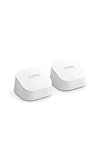
- GIGABIT SPEEDS FOR LESS - Supports wifi speeds up to a gigabit, without the premium price tag. eero 6+ is our most affordable gigabit system ever. Backward-compatible with previous-generation eero devices.
- WI-FI 6 GETS A BANDWIDTH BOOST - eero 6+ supports additional wifi bandwidth on the 160 MHz radio channel (that’s just wifi talk for faster connectivity). With the eero 6+, there’s enough bandwidth for the whole family to work, stream, and video chat—all at the same time.
- CONNECTIVITY YOU CAN COUNT ON - eero 6+ gives you all the connectivity with all the reliability. So you can work from home with confidence—and say goodbye to dropped video calls. Or keep your smart home running, even when you’re away.
- EXPERIENCE THE EERO TRUEMESH DIFFERENCE - eero’s patented TrueMesh technology intelligently routes traffic to reduce drop-offs and dead spots.
- SET UP IN MINUTES - The eero app guides you through setup and allows you to manage your network from anywhere.
Independent testing gives a more useful qualitative signal than a headline ceiling. RTINGS’ review, updated September 11, 2026, describes the eero 6 as having strong throughput, decent range, and adequate wireless gaming performance in its tests, while noting limitations in advanced settings and features tied to eero Plus. Those are RTINGS’ findings under its test conditions, not measurements made for this article. See the RTINGS eero 6 review.
How much area can it cover?
eero advertises up to 1,500 square feet of coverage per eero 6 unit and support for 75 or more connected devices on its product listing. These are vendor specifications, not a guarantee that one unit will cover that area with a strong signal in every home or that dozens of active devices will all receive high throughput at once.
Rank #4

- WHOLE-HOME WI-FI 6 COVERAGE - an eero 6 2-pack covers up to 3,000 sq ft. with wifi and supports wifi speeds up to 500 Mbps.
- SAY GOODBYE TO DEAD SPOTS AND BUFFERING - eero’s mesh wifi technology optimizes for your space—so you can confidently stream 4K video, game, and video conference across your home.
- MORE WIFI FOR MORE DEVICES - Wi-Fi 6 supports faster wifi than prior standards and permits 75+ connected devices.
- SET UP IN MINUTES - The eero app walks you through setup and allows you to manage your network from anywhere. Plus, free customer support is available 7 days a week in the US at support@eero.com or +1-877-659-2347.
- CONNECT TO ALEXA - eero 6 doubles as a Zigbee smart home hub, making it easy to connect and control compatible devices on your network with Alexa.
For planning, consider the layout rather than square footage alone: the number of floors, thick walls, interference, where the gateway can sit, and the rooms where reliable coverage matters. A kit with multiple router-capable units can be useful when you need wired connections at more than one location; an extender can add reach but is wireless-only. If possible, place mesh nodes where they still receive a good connection from the rest of the network rather than at the very edge of the existing signal. eero notes that building materials, obstructions, configuration, and wireless extender use affect results.
Setup, app controls, and smart-home features
eero describes setup and network management through its app. You need a supported iOS or Android device and an internet service; a modem is also needed when your provider’s service requires one. This app-centered approach favors straightforward installation and day-to-day management over the granular web-based controls some advanced users expect.
Best Value
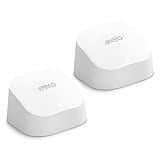
- WHOLE-HOME WI-FI 6 COVERAGE - an eero 6 2-pack covers up to 3,000 sq ft. with wifi and supports wifi speeds up to 900 Mbps.
- SAY GOODBYE TO DEAD SPOTS AND BUFFERING - eero’s mesh wifi technology optimizes for your space—so you can confidently stream 4K video, game, and video conference across your home.
- MORE WIFI FOR MORE DEVICES - Wi-Fi 6 supports faster wifi than prior standards and permits 75+ connected devices.
- SET UP IN MINUTES - The eero app walks you through setup and allows you to manage your network from anywhere. Plus, free customer support is available 7 days a week in the US at support@eero.com or +1-877-659-2347.
- CONNECT TO ALEXA - eero 6 doubles as a Zigbee smart home hub, making it easy to connect and control compatible devices on your network with Alexa.
The router includes a built-in Zigbee smart-home hub, and eero lists compatible Alexa integrations and Bluetooth Low Energy 5.0. Those capabilities can be useful if your devices and chosen Alexa features are supported, but the presence of a Zigbee hub does not mean every smart-home product will work with it. Check compatibility for the specific devices and automations you plan to use.
For security, eero’s product listing names WPA2-AES and WPA3-Personal transition mode. eero warns that some older devices may have difficulty when WPA3 is enabled; if a client will not connect, check its compatibility and the network’s security settings rather than assuming the router is defective. The product page also lists a one-year limited warranty; terms can vary by region, so confirm the applicable conditions where you buy.
Independent reader supportYour contribution helps us test, update, and keep practical guides available for everyone.What are the main drawbacks?
- Two bands, not three: The eero 6 has 2.4 GHz and 5 GHz Wi-Fi 6, but no 6 GHz band or tri-band design. Buyers seeking a newer wireless generation should compare current Wi-Fi 6E or Wi-Fi 7 systems.
- Limited wired capacity: The router has two gigabit Ethernet ports, and the extender has none. That can constrain a setup with several wired devices or a preference for wired connections between mesh nodes.
- Speed claims are inconsistent: eero’s shop page and comparison page give different maximum wireless figures, so the listed ceilings are a poor basis for predicting room-by-room performance.
- Advanced controls may not meet every need: RTINGS reports limited advanced settings and identifies features tied to eero Plus. TechRadar’s older review also discussed subscription requirements for some parental-control, ad-blocking, and security features; its review-era details should not be treated as current subscription terms. Check eero’s current plan details if a specific paid feature matters to you.
How to decide whether it is right for your home
- Start with your broadband: If your plan is substantially faster than the eero 6’s gigabit wired-port class, or you need dependable high throughput throughout a demanding home, compare newer systems and independently tested results. Do not use either conflicting wireless ceiling as a guarantee.
- Match the node layout to the building: Think about floors, walls, node placement, and whether a wireless-only extender can sit where it will still have a useful link. Vendor square-foot coverage is a planning reference, not a floor-plan promise.
- Count wired connections: The gateway router provides two gigabit ports; the extender provides no Ethernet. Decide whether that matches your modem, desktop, television, console, or backhaul needs.
- Check client capabilities: Wi-Fi 6-capable clients can use Wi-Fi 6 features, while older clients can connect without receiving those gains. If your devices are ready for Wi-Fi 6E or Wi-Fi 7 and you want those newer capabilities, the eero 6 is not the matching generation.
- Decide how much control you need: If app-managed networking and the listed basic security modes are enough, its simplicity may suit you. If advanced settings, parental controls, or security tools are essential, confirm what is included and what may require eero Plus.
- Compare total cost at purchase: Product prices and recurring plan terms change. Compare the current cost of the router-capable kit—not an extender-only unit—and add only a subscription you actually want.
Verdict
The eero 6 is still a sensible mesh choice for buyers who want a simple dual-band Wi-Fi 6 gateway with optional wireless extenders and do not need newer bands or extensive router controls. It is less suitable when the priority is a predictable high-speed result, plentiful wired ports, wired extender connectivity, or advanced features without a subscription. Buy a router-capable configuration to establish the network, then add nodes according to the home’s layout and connectivity needs.
Quick Recap
Product prices and availability are accurate as of the date/time indicated and are subject to change. Any price and availability information displayed on Amazon at the time of purchase will apply.

