
On a current DIRECTV satellite Genie or Gemini receiver, press Menu/Home and open My Library to find recorded programs. To manage scheduled recordings, press LIST and select Recording Manager. Older HD DVRs may still use the menu label Manage Recordings.
Find recordings on a current Genie or Gemini receiver
- Press Menu or Home on the remote.
- Choose My Library.
- Browse the recording categories, such as Recorded TV or Recorded Sports.
On these current satellite menus, My Library is where you browse recordings; the older Manage Recordings label may not appear there. DIRECTV’s current menu guidance describes the My Library route.

Manage upcoming recordings and DVR settings
- Press LIST on a supported Genie, Genie Mini, or Gemini remote.
- Scroll up and choose Recording Manager.
- Open the section for the task you need: Upcoming Recordings for scheduled programs, Series Manager for series priorities, or Recording History for past recording activity.
Recording Manager also includes options such as Manual Recording Setup, Typical Recording Preferences, Purchase History, and Playlist Share Settings. Available screens can vary by receiver. See DIRECTV’s Recording Manager help.
Older HD DVRs may show “Manage Recordings”
On some legacy DIRECTV HD DVR menus, press Menu, open Recordings, then choose Manage Recordings. That older menu also includes the Playlist. If your receiver does not show this label, use My Library to browse recordings or LIST > Recording Manager for scheduled-recording controls. The legacy HD DVR guide documents the older labels.
#1 Best Overall

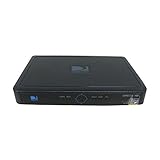
- High Definition Viewing: Enjoy crystal-clear 1080p HD picture quality on your TV with this DIRECTV H25 receiver
- Versatile Connectivity: Connect your devices seamlessly with HDMI, composite, component, and optical audio outputs
- SWM Network Compatibility: Designed to work exclusively on DIRECTV's SWiM networks, ensuring optimal performance
- Dolby Digital & DTS Audio: Immerse yourself in surround sound with supported audio formats
- Easy Setup & Use: Comes with necessary cables and an AC adapter, making installation a breeze for residential use
Find recordings in DIRECTV streaming
For DIRECTV streaming, open My Library in the service, app, or device. If your remote supports it, LIST may also open the relevant library or recording controls. The exact route and available features depend on the platform and subscription; consult DIRECTV’s cloud DVR guidance and its app help.
Satellite customers who want to watch DVR recordings in the app need an internet-connected receiver in a supported model family: HR44, HR54, HS17, or Gemini. App playback can also be restricted by broadcasters, according to DIRECTV’s app requirements.
Rank #2

- You can't record while watching something else per roaming satellite signal in RV or Motorhome as not designed or it.
Troubleshoot a missing recording
Start by checking the playlist in My Library or by pressing LIST. Then check the most relevant status screen:
- The program has not aired yet: Open Recording Manager > Upcoming Recordings to see whether it is scheduled.
- The program aired or disappeared: Review Recording History for past recording activity.
If it is absent or incomplete, DIRECTV lists several possible causes, including recording preferences, limited storage, deletion by another household member, receiver connections, signal or broadcast problems, and incomplete guide data. Deleted or missed recordings may not be recoverable. Follow DIRECTV’s missing-recording troubleshooting guidance to check the applicable issue.
Free tools Windows power users keep installed
One-click scans. No signup required.
Quick Recap
Best Value

- Works seamlessly with Genie Minis and compatible TVs for a full home entertainment experience.
- The H44 does not have built-in storage. To enable DVR capabilities, you need to connect a compatible external hard drive.
- Once upgraded, it can record shows in HD and access DIRECTV On Demand.
- You can expand storage using a specific DVR upgrade kit, but only one drive can be used at a time.
- Supports up to three Genie Mini clients, allowing you to watch on multiple TVs simultaneously.
Product prices and availability are accurate as of the date/time indicated and are subject to change. Any price and availability information displayed on Amazon at the time of purchase will apply.

