
PC Slower Than It Used to Be?
A free scan shows the junk files, broken settings and background clutter dragging Windows down - then fixes them in one click.Free scan · Windows 10 & 11Outdated Drivers Are Slowing You Down
One free scan finds every outdated or missing driver and matches the right update for your exact hardware.Free scan · exact hardware matchLinux cryptographic acceleration on an i.MX6 depends on the exact SoC, kernel or vendor BSP, and the software interface used by the workload. CAAM and DCP are distinct hardware paths, not interchangeable drivers. Even when a kernel driver is available, an application does not necessarily use the accelerator automatically: verify that the driver probes, the required algorithm is registered, and the application reaches it through a supported interface.
What “hardware acceleration” means in Linux
The Linux Crypto API is the kernel-level boundary through which kernel consumers request cryptographic operations. A software implementation or a hardware driver can provide an implementation behind that interface. In NXP’s i.MX 6 Linux Reference Manual, Rev. L3.14.28_1.0.0-ga (March 2015), the CAAM driver is described in terms of job-ring handling and API interfaces, including asynchronous interfaces to the Linux scatterlist Crypto API for authentication, common block ciphers and hashes, plus an HWRNG interface.
That manual documents an older NXP Linux BSP. It is useful for understanding the architecture, but it is not a compatibility guarantee for a current mainline kernel, a later vendor BSP, or every i.MX 6 part. The Linux 6.1 Crypto API documentation explains the framework; it does not certify a particular board build or establish that a specific accelerator driver is enabled there.
Kernel support also does not mean every userspace program transparently offloads its encryption. Whether an application benefits depends on its crypto library, the API it uses, the algorithms and modes it requests, and how the kernel or driver exposes those operations. Establish that path for the target workload rather than inferring it from the presence of an accelerator on the SoC.
Quick wins for a faster PC:
Clear out junk files and repair common Windows errorsFree Scan →Scan for outdated or missing drivers - takes under a minuteDriver Scan →#1 Best Overall

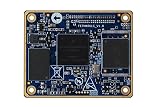
- Nit6Q_2GB Nitrogen6X: i.MX6 Quad / 2GB / Kit Development Board
CAAM and DCP are different paths
Do not apply a CAAM setup assumption to a DCP-based system. The Linux trusted and encrypted keys documentation treats DCP as a separate accelerator and identifies its driver as drivers/crypto/mxs-dcp.c, citing i.MX6ULL-class systems as an example. The exact security block and support path must be checked for the specific SoC and deployed kernel.
| Path | What the cited documentation establishes | What still needs target-specific verification |
|---|---|---|
| CAAM | NXP’s Rev. L3.14.28_1.0.0-ga Linux Reference Manual (March 2015) describes job-ring handling, Linux Crypto API cipher and hash interfaces, asynchronous operation, and an HWRNG interface. Linux 6.13 trusted/encrypted keys documentation discusses CAAM-backed trusted keys and its trust assumptions. | Which exact i.MX 6 variant and kernel/BSP support the required driver and algorithms; whether the board’s device-tree and platform integration allow the driver to probe; which interfaces the workload can use; and measured performance on the intended workload. |
| DCP | Linux 6.13 trusted/encrypted keys documentation identifies DCP as a separate accelerator and points to drivers/crypto/mxs-dcp.c. It says DCP itself does not provide a dedicated RNG interface. |
Whether the exact SoC, deployed kernel and board expose the required DCP operations; algorithm and mode coverage; workload interface; and measured performance. Check separately whether the platform has another hardware RNG. |
The table summarizes what those particular documents describe; it is not a complete per-variant support matrix. A product-family page or a driver name alone cannot establish that a specific board image has a usable acceleration path.
How to verify acceleration on a target
Use the exact board and software image that will ship. Record the SoC part number, kernel version, and vendor BSP revision before drawing conclusions. Then follow the evidence from build configuration to the operation performed by the application:
- Identify the security block. Confirm the precise SoC variant and consult the documentation for that part. Do not infer CAAM or DCP availability from the broad “i.MX 6” family name.
- Check the kernel build. Inspect the target kernel configuration and build sources for the relevant driver and requested algorithm support. A driver present in a source tree is not proof that it is enabled in the deployed image.
- Check platform integration and probe. Verify that the board’s device tree and applicable clock, power, and platform configuration match the driver’s requirements. Review boot logs for successful driver initialization and any reported failure; the expected messages depend on the kernel and driver version, so there is no single universal log string.
- Confirm registered algorithms and interfaces. Check runtime kernel evidence for which algorithms are registered and which implementation is selected for the operation. Compare that with the exact algorithm, mode, and interface requested by the application.
- Trace the workload’s route. Determine whether the application uses a kernel interface that can reach the driver or performs cryptography in a userspace library implementation instead. Do not treat successful driver probe as proof that the application is offloading work.
- Measure the intended workload. Compare software and hardware paths using the same algorithm, mode, payload-size distribution, build, and test conditions. Record the target and software versions, and assess the result for the payloads and operating conditions that matter to the product.
These checks establish different things: a configured driver shows build intent, a successful probe shows that the platform initialized it, registered algorithms show what the kernel exposes, and workload-level measurement shows whether the application actually benefits. None alone answers all four questions.
Rank #3

- √【Cortex A55 CPU】The D-Robotics RDK X5 features an Octa-Core Cortex A55 CPU running at 1.5GHz, paired with a 10 TOPS BPU for powerful AI processing and a 32 Gflops GPU for robust graphics performance.
- √【Rich Multimedia Support】Equipped with HDMI and MIPI DSI interfaces, the RDK X5 supports up to 1080p60 video output. It also includes 2x MIPI CSI interfaces for high-resolution camera inputs, ideal for advanced imaging applications.
- √【Powerful Connectivity】The RDK X5 offers Wi-Fi 6 and Bluetooth 5.4 for fast wireless communication, along with a Gigabit Ethernet RJ45 port with PoE support for stable wired connections.
- √【Versatile Interfaces】With 4x USB 3.0 Host interfaces, 1x USB 2.0 Device interface, and 28 GPIOs supporting UART, PWM, I2C, SPI, and I2S, the RDK X5 provides extensive connectivity options for custom projects.
- √【Ready-to-Use and Supported】Pre-installed with Ubuntu 22.04, the RDK X5 is ready to use out of the box. Join a vibrant community for support and collaboration on your projects.
Keep acceleration separate from random-number and key trust claims
Random-number generation
The CAAM interface described in NXP’s 2015 manual includes an HWRNG interface. By contrast, Linux 6.13 trusted/encrypted keys documentation says DCP does not itself provide a dedicated RNG interface. It notes that i.MX6ULL-class systems can have a separate hardware RNG that may seed the kernel random-number generator. A DCP-based design therefore must not claim that DCP supplies randomness; verify the separate RNG’s presence and operation on the actual platform.
Trusted keys and platform integrity
Using a hardware accelerator for bulk cipher or hash operations is not the same as using a trusted-key mechanism. Linux 6.13 documentation says CAAM-backed trusted keys rely on NXP High Assurance Boot (HAB) for platform integrity and characterizes the CAAM interface in this context as vendor-specific. Those trust-source assumptions matter to the key-handling threat model; they do not, by themselves, establish performance or application-level acceleration. Confirm that the boot chain and key workflow meet the product’s security requirements.
Rank #4

- Equipped with a high-performance 32-bit RISC-V processor with clock speed up to 160 MHz, and a low-power 32-bit RISC-V processor with clock speed up to 20MHz
- Built in 320KB ROM, 512KB of HP SRAM, 16KB LP SRAM and 8MB Flash memory
- Integrated 2.4GHz Wi-Fi and Bluetooth LE dual-mode wireless communication, with superior RF performance
- Castellated module and onboard ceramic antenna, allows soldering directly to carrier boards
- Supports flexible clock, module power supply independent setting, and other controls to realize low power consumption in different scenarios
Choose a path using the workload, not the family name
Before selecting an implementation, compare the target along these dimensions:
- SoC security block: identify the exact part and whether the intended path is CAAM or DCP.
- Kernel and maintenance state: record the exact mainline kernel or vendor BSP revision, and establish that its driver and integration are maintained for the deployed product.
- Algorithm and mode coverage: verify the specific operation required; general references to cipher or hash support are not a complete algorithm matrix.
- API and execution behavior: establish whether the relevant interface is synchronous or asynchronous and whether the workload can use it.
- Randomness and key trust: identify the actual RNG source and separately assess trusted-key and boot-integrity assumptions.
- Board integration: verify device-tree, clock, power, and successful driver-probe status on the board image.
- Measured benefit: benchmark the actual payload sizes and workload against the software path using comparable conditions.
The cited documentation does not provide a universal current-kernel configuration, a complete per-variant algorithm table, or comparative benchmark results. Treat those as target-specific engineering questions rather than assuming a speedup or a working configuration from the SoC family name. NXP’s i.MX 6 product documentation page lists family manuals and security application notes, including CAAM-focused material; check each document’s revision and date before applying it to a particular BSP.
Quick Recap
Product prices and availability are accurate as of the date/time indicated and are subject to change. Any price and availability information displayed on Amazon at the time of purchase will apply.

