
What’s actually slowing this PC down?
Pick the symptom - the matching free tool is one click away.
The Acer Chromebook 516 GE is the stronger pick if you want a sharper, smoother screen for gaming: the cited configuration has a 16-inch 2560 × 1600 display running at 120 Hz, compared with 1920 × 1200 at 60 Hz on listed Chromebook Plus 516 configurations. That does not make the GE the right choice for everyone. The Plus 516 may be the better buy for everyday work, school, or browsing if it costs substantially less. Compare exact regional SKUs and current prices before deciding.
What separates the Chromebook Plus 516 from the 516 GE?
These are separate Acer model families, not two names for the same laptop. Acer lists the Chromebook Plus 516 as family CB516-1H. Its configurations vary: the UK Core 7 150U model CB516-1H-71X5 and Core 5 120U model CB516-1H-593T both have a 16-inch 1920 × 1200 IPS display at 60 Hz, 16 GB of memory, and a 512 GB SSD. The Core 7 listing gives an approximate weight of 1.70 kg. Those details describe the named UK configurations, not every Plus 516.
Acer’s manual identifies the 516 GE family as CBG516-1H, while newer generations and configurations also appear in listings. The 2560 × 1600, 120 Hz screen discussed here belongs to a cited comparison configuration; check the generation and full SKU on any listing you consider. Similar model names alone do not establish that two listings are comparable. See Acer’s UK specifications for model CB516-1H-71X5, Acer’s UK specifications for model CB516-1H-593T, and Acer’s 516 GE manual.
Why the 516 GE makes sense for gaming and motion
The clearest spec-based reason to choose the 516 GE is its display. In the cited comparison, it offers a higher resolution and refresh rate than the listed Plus 516 variants. More pixels can make fine detail look sharper, while a higher refresh rate can make compatible motion appear smoother. Those are display advantages, not proof that the laptop will run a particular game well.
#1 Best Overall
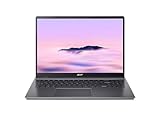
- Powerful Performance – Intel Core i3-1315U processor with 8GB RAM for fast multitasking and productivity.
The 516 GE is positioned for gaming, but the specifications cited here do not establish comparative game performance, battery life, or benchmark results. A high-refresh panel is most relevant if the games and other content you use can take advantage of it; it is less compelling if your Chromebook use is mainly documents, web browsing, or video.
When the Chromebook Plus 516 is the better buy
For general Chromebook tasks such as schoolwork, office work, browsing, and media, the Plus 516’s 16-inch screen may be sufficient. The listed UK Core 5 and Core 7 configurations have the same stated resolution and refresh rate; their processor names differ, so check the exact listing rather than assuming every family member has the same components.
Rank #2

- 【Large WUXGA Display for Focused Study】 Designed for immersive learning, this 16-inch WUXGA (1920 x 1200) IPS display offers a taller 16:10 aspect ratio, giving students more vertical space for reading, research, and document editing. The anti-glare coating and 300-nit brightness help reduce eye fatigue during long study sessions in classrooms, libraries, or at home.
- 【Powerful Performance for Academic Multitasking】 Powered by a 6-core Intel Core i3-1315U processor with up to 4.5GHz boost speed, this Chromebook Plus delivers smooth performance for coursework, presentations, and online learning platforms. With 8GB LPDDR5 memory and fast 128GB UFS storage, students can run multiple tabs and apps efficiently without slowdowns.
- 【Chrome OS with Built-In Learning Tools】 Chrome OS provides a fast, secure, and easy-to-use environment ideal for students. Built-in Google apps like Docs, Sheets, Classroom, and Gemini AI tools support note-taking, research, and collaboration. Automatic updates and virus protection help keep this Chromebook running reliably throughout the academic year.
- 【Versatile Connectivity for School Essentials】 Stay connected to all learning accessories with this Acer Chromebook featuring 2 USB-C 3.2 ports for charging, display output, and data, plus 2 USB-A 3.2 ports for keyboards, mice, and flash drives. An HDMI 1.4 port supports external monitors, while Wi-Fi 6E and Bluetooth ensure fast, stable connectivity.
- 【Long Battery Life for Full School Days】 Built to keep up with busy schedules, this Chromebook Plus offers up to 12.5 hours of battery life on a single charge. A full-size keyboard with numeric keypad, DTS Audio, and a high-quality front-facing camera make it well suited for lectures, virtual classes, group projects, and independent study anywhere.
Price can change the recommendation. T3 reported a review-time price of about £300 / $400 for the Plus 516 in January 2026; that is historical context, not a live quote. Android Central’s August 2025 deal coverage cited a 516 GE price of $349 on promotion against a $649 list price. That was a past offer, not evidence of today’s price. Neither reference is a current, like-for-like comparison. T3’s review and Android Central’s deal coverage provide the dated context.
Quick Recap
Best Value

- Powered by an Intel Core i3-1315U processor with up to 2x faster performance, and with up to twice the memory and storage, you can edit files while watching your favorite shows in Full HD
- Features a 16-inch WUXGA 16:10 300-nit display with an anti-glare coating that ensures clear content visibility even in bright environments
- 8GB LPDDR5 RAM: Run multiple programs and browser tabs simultaneously with ease; 128GB onboard SSD: Faster loading times—play instantly! Boot up quickly, enjoy smooth performance, and load apps in a flash
- Equipped with a 1080p webcam and built-in AI video calling tools that automatically enhance clarity and lighting, eliminate noise, and blur the background—delivering optimal visual and audio quality no matter which app you use
- Designed for efficient productivity, it features shortcut keys, a numeric keypad, Wi-Fi 6E, dual USB 3.2 Gen 2 Type-C ports, dual USB 3.2 Gen 1 Type-A ports, and an HDMI port to keep you connected and working efficiently
Rank #4
- Efficient Intel Core Processor: The 13th Gen Intel Core i3-1315U delivers smooth multitasking and enhanced Google AI features under the Chromebook Plus badge.
- Spacious WUXGA IPS Display: A 16 inch panel at 1920 by 1200 resolution offers wide viewing angles and a matte finish that reduces glare in bright rooms.
- Fast Wireless Connectivity: 802.11ax Wi-Fi 6 paired with Bluetooth 5.3 keeps browsing, streaming, and cloud based apps running smoothly and reliably online.
- Built In Privacy Features: A physical camera shutter, discrete TPM module, and Kensington Nano lock slot support privacy and basic physical security daily.
- Long Lasting Battery Life: The built in battery is rated for up to 10 hours of use, supporting extended sessions away from a power outlet throughout the day.
Rank #3

- 【16" WUXGA IPS DISPLAY FOR BIGGER WORKSPACES & BETTER ENTERTAINMENT】Experience more room to work and create with the large 16-inch WUXGA (1920 × 1200) IPS display and productive 16:10 aspect ratio. Browse, stream, edit documents, and multitask comfortably with sharp visuals and wide viewing angles.
- 【13TH GEN INTEL CORE i3 PERFORMANCE FOR SMOOTH MULTITASKING】Powered by the Intel Core i3-1315U processor with fast LPDDR5 memory, this Chromebook Plus delivers responsive performance for cloud workflows, online meetings, multiple browser tabs, and everyday productivity.
- 【GOOGLE AI READY TO HELP YOU CREATE & WORK SMARTER】Built with Chromebook Plus experiences and Google AI capabilities to help organize ideas, improve writing, accelerate research, and simplify everyday tasks across Gmail, Docs, Drive, and more.
- 【FAST WI-FI 6E, FHD CAMERA & DTS AUDIO FOR MODERN COLLABORATION】Stay connected with ultra-fast Wi-Fi 6E and enjoy clearer communication through the Full HD webcam, dual speakers, and immersive audio—ideal for online classes, meetings, and streaming.
- 【LIGHTWEIGHT DESIGN WITH LONG BATTERY LIFE】Built to move between home, office, and campus with a slim profile and approximately 3.75 lb weight. ChromeOS delivers fast startup, built-in protection, and up to 10 hours of battery life for all-day productivity.
How to make a fair comparison
- Identify each full model code. Match the generation and SKU, not just “516” or “516 GE.” Confirm the seller’s region and the listed processor, memory, and storage.
- Compare the screen specifications. The cited Plus 516 variants are 1920 × 1200 at 60 Hz; the cited 516 GE comparison configuration is 2560 × 1600 at 120 Hz. Verify that the GE listing you are considering has that panel.
- Check current prices for those exact listings. Use the price you can actually buy at now, and account for whether it is a temporary promotion. Historical review and deal prices are not a reliable basis for a purchase today.
- Choose by workload and price difference. Pay more for the GE when its higher-resolution, higher-refresh display matters to you. If it does not, and the Plus 516 costs materially less, the Plus may be the more sensible everyday laptop.
Which Acer 516 should you choose?
- Choose the 516 GE if you specifically want the cited gaming-oriented configuration’s 2560 × 1600, 120 Hz display and its current price is acceptable.
- Choose the Chromebook Plus 516 if your work is mostly everyday Chromebook use and its exact configuration offers a meaningful saving over the GE you have found.
- Pause before buying either if the listing omits a complete SKU, generation, or display specification. Without those details, the names alone do not support a reliable comparison.
Product prices and availability are accurate as of the date/time indicated and are subject to change. Any price and availability information displayed on Amazon at the time of purchase will apply.

