
If traffic cannot reach another VRF on an ICX 7250, first check whether the route exists in the source VRF—not just in the global routing table. VRFs keep routing tables separate; a global route is not automatically available to another VRF. Verify the switch’s FastIron release and package, interface and VLAN bindings, per-VRF routes, next-hop reachability, and return path before changing firmware or configuration.
Why a route in the global table may not work
A VRF is a separate routing context. A route learned or configured in the global table does not become usable in a different VRF simply because the switch has that route. The source interface must be associated with the intended VRF, and that VRF must have a route toward the destination. The destination side also needs a valid return path.
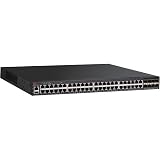
When communication between VRFs is intentional, it requires an explicit design. FastIron 08.0.95 Layer-3 documentation describes inter-VRF route leaking using static routes and includes ICX 7250 applicability. Do not assume that routes are imported between VRFs automatically.
Check the release and hardware before relying on a feature
Record the exact ICX 7250 hardware suffix and running software details before applying a command or relying on a feature. FastIron documentation and feature support are release-specific; verify applicability for the switch and package in front of you rather than generalizing from another ICX 7250 configuration.
Quick wins for a faster PC:
Repair Windows errors before they cause bigger problemsFix Now →Scan for outdated or missing drivers - takes under a minuteDriver Scan →Clear out junk files and repair common Windows errorsFree Scan →#1 Best Overall

- 12× 10/100/1000 Mbps POE+ RJ-45 ports.
- 124 W power budget.
- 2× 10/100/1000 Mbps uplink RJ-45 ports.
- 2× 1/10 GbE uplink/stacking SFP/SFP+ ports.
- PoE+ on all 12 ports to drive devices such as wireless APs, VoIP phones, lighting fixtures or surveillance cameras.
| Documentation reference | What it establishes | What it does not establish |
|---|---|---|
| FastIron 08.0.95 Layer-3 guide | Documents static inter-VRF route leaking and includes ICX 7250 applicability. | It does not establish that every later or earlier package has identical syntax or behavior. |
| FastIron 08.0.91 Layer-3 guide | Documents additional Multi-VRF features and ICX 7250-specific considerations. | It is not a substitute for checking the guide matching the software actually running. |
| FastIron feature matrix | Lists IPSG support for Multi-VRF on ICX 7250 beginning with version 8.0.50. | This is a feature-specific statement about IPSG support; it should not be treated as a general minimum version for all Multi-VRF functionality. |
| ICX 7250 support page | Lists FastIron 09.0.10 Layer-3 documentation and other software or document revisions. | The presence of a document on the support page alone does not show which release is appropriate for a particular network. |
Ruckus distinguishes Stability Releases from Technology Releases and says a Technology Release should be used only when the network requires features unavailable in the Stability Release. Treat a firmware change as a compatibility and operational-risk decision, not as the first response to a missing route.
Troubleshoot in this order
- Capture the baseline. Record
show version, including the software package or license information shown by the switch, andshow running-config. Also record boot variables, stack or member state, the exact failing source and destination, and the traffic direction that fails. Preserve the outputs before making changes. - Verify the VRF definition and spelling. Confirm the VRF exists and that its name is spelled consistently wherever it is referenced: on the routed interface or VLAN interface, in static routes, and in any routing-protocol configuration. A name mismatch can leave the relevant configuration in a different context than expected.
- Check the routed interface or VE. Confirm that it is administratively up, has the expected IP address, belongs to the intended VRF, and is connected to the correct VLAN. Check VLAN membership and tagging along the path as well. An address that looks correct but is bound to the wrong VRF can make a connected route appear to be missing from the expected table.
- Inspect the source VRF’s route table. Use the release-matched FastIron command reference to display the relevant VRF table. Compare it with the global table, but do not treat a route in the global table as proof that the source VRF can use it. For the destination prefix, check the route code, prefix length, next hop, administrative distance, and age, and determine whether the route is active in the intended VRF.
- Test next-hop reachability in the same routing context. Establish whether the source VRF can reach the route’s next hop. A route entry is not sufficient if its next hop cannot be resolved or reached in that VRF.
- Check the return path from the destination side. Verify that the destination VRF has a route back to the source. If requests arrive but replies do not return, the symptom can look like a one-way VRF failure; compare both directions rather than stopping after confirming the forward route.
- Confirm the inter-VRF design if traffic must cross VRFs. Decide whether the intended design is isolation, selective static route leaking, or a shared transit or service VRF. For static leaking, follow the guide and command reference for the running release and confirm that both required directions are handled. Do not assume that adding a route to the global table leaks it into the other VRF.
- Use debugging narrowly. If route and interface state do not explain the behavior, consult the debug-command reference for the running release. Reproduce one flow, collect only the evidence needed, then remove or narrow the debugging. Avoid leaving broad debugging enabled.
- Compare conflicting behavior against release documentation. If the switch behaves differently from the guide, check the actual running release and package against the release notes and feature matrix before changing the configuration or upgrading.
Choose a remedy that matches the intended isolation
- Keep the VRFs isolated: correct an interface, VLAN, or route placement error without introducing inter-VRF reachability.
- Allow only specific cross-VRF traffic: implement a deliberate route-leak design, such as the static inter-VRF leaking documented for FastIron 08.0.95, and verify the return route.
- Share a service or transit path: consider a shared transit or service VRF when that better fits the network’s routing design; document which prefixes and paths should be reachable.
- Change software only for a verified compatibility need: compare the required feature with the release-specific documentation and the supported Stability Release before planning an upgrade. A firmware change can require a maintenance window; it should not replace basic route-table and binding checks.
- Consider hardware replacement only after establishing a hardware limitation or support need: confirm the precise 24-port or 48-port model, PoE variant, uplinks, licensing, and condition when evaluating a replacement or spare.
Keep evidence that makes the fault diagnosable
Save per-VRF route and interface outputs before and after each change, along with the running release and package, hardware suffix, relevant configuration, and the exact test endpoints. This makes it possible to distinguish a route leak or return-path issue from a VLAN, interface-binding, or release-compatibility problem.
Quick Recap
Rank #3

- ICX 7250 switches also offer an external power supply for failover resiliency, as well as increased PoE/PoE+ port availability.
- The Ruckus ICX 7250 is easy to deploy, manage, and integrate into both new and existing networks.
- ICX 7250 delivers wire-speed, non-blocking performance across all ports to support latency-sensitive applications, such as real-time voice/video streaming and Virtual Desktop Infrastructure (VDI).
- Delivers market-leading stacking scalability with up to 12 switches per stack, 80 Gbps of stacking bandwidth, and long-distance stacking using open standards
- ICX 7250 switches come with a power cord, two-post rack mounting brackets, and a USB serial console cable.
Product prices and availability are accurate as of the date/time indicated and are subject to change. Any price and availability information displayed on Amazon at the time of purchase will apply.

