
You generally can’t use the retired Internet Explorer desktop app as a current kiosk browser. Instead, set up Microsoft Edge in kiosk mode and, if a legacy website needs Internet Explorer compatibility, configure that site to open in IE mode inside Edge. Use Edge’s full-screen signage experience for a single destination or Public Browsing for limited multi-tab access.
What “Internet Explorer kiosk mode” means now
Internet Explorer 11 desktop support ended on June 15, 2022, for certain Windows 10 and Windows 10 IoT Semi-Annual Channels—not every Windows product or installation. Microsoft recommends moving to Edge. Its IE mode is designed for organizations that still need backward compatibility with existing sites; it uses the IE11 MSHTML engine for configured legacy sites while modern sites use Chromium. Microsoft’s stated support horizon for IE mode is through at least 2029, with one year’s notice before retirement; check Microsoft’s lifecycle page for current status.
IE mode is a site-compatibility setting, not a third kiosk type and not a switch that makes every Edge tab behave like Internet Explorer. The legacy site must be included in an Enterprise Mode Site List or covered by the applicable intranet-site policy. IE mode supports some legacy components, such as ActiveX, but not every Internet Explorer feature.
Choose the Edge kiosk experience
| Experience | Best for | Browsing controls | Session behavior |
|---|---|---|---|
| Digital/Interactive Signage (full screen) | Displaying one specified website, such as a status board or information page. | Designed to keep the display focused on the selected site rather than provide ordinary browsing. | Set inactivity behavior as part of the kiosk configuration; check the current Edge documentation for reset details and version requirements. |
| Public Browsing | Allowing visitors limited access to browse multiple tabs. | Provides a restricted browsing session; choose it when visitors need more than a single fixed display. | Review idle reset and download handling for the target Edge version and policies. |
Both Edge kiosk experiences run in InPrivate mode, and autofill is disabled. That helps limit retained browsing data, but it does not replace checking download deletion, idle reset, and other privacy behavior for the specific Windows and Edge versions you deploy.
Do these 3 things before closing this tab:
1Fix the driver behind crashes, sound loss and screen glitches2Clear out junk files and repair common Windows errors3Scan for outdated or missing drivers - takes under a minute#1 Best Overall

- 【Integrated touch screen display】This all in one desktop computer features a 15.6-inch FHD 1920 * 1080 IPS touchscreen display and supports a 10 point synchronous touchscreen. Without the constraints of a mouse or keyboard, image dragging and zooming, web page sliding, application switching, and text input can all be completed through fingertip touch. This multifunctional touchscreen mini PC features a sleek and integrated design that eliminates the clutter of cables and traditional peripherals from taking up desktop space.
- 【Free spinning screen & flexible folding】This Industrial computers combines triple flexible adjustment, with a 360 °all-round screen rotation, allowing for easy switching between landscape viewing, portrait browsing, and multi angle sharing and display; The 180 °vertical rotating screen supports adjustable height and visual angle, making it easy to adapt for standing demonstrations, desk work, or multi person collaborative sharing, The 180 °folding bracket provides convenient storage, stable support during use, and lightweight folding for easy space saving
- 【Powerful Performance & Reasonable Storage】The all-in-one desktop computer is equipped with an N5095 processor with a clock speed of up to 3.4GHz, perfectly integrating smooth operation, low energy consumption, and efficient heat dissipation. Don't worry about insufficient storage or running lag! This multifunctional touchscreen computer is equipped with 8GB RAM and 128GB ROM, achieving a balance between performance and capacity. From office creation to gaming and entertainment, it fully meets your digital life needs
- 【WiFi & Bluetooth】This all-in-one desktop computer integrates multiple network and device connectivity solutions, including Bluetooth, WiFi, and RJ45 Gigabit Ethernet ports. A stable WiFi connection ensures smooth daily internet access. When the wireless signal is poor, the gigabit network port immediately provides stable and high-speed wired transmission, providing dual protection against network fluctuations. At the same time, the Bluetooth function supports easy pairing with wireless headphones, speakers, and other devices, breaking cable limitations and unlocking more device connectivity scenarios to meet diverse needs such as office and entertainment
- 【Rich Ports】This all-in-one computer comes with power ports * 1, HDMI2.0 ports * 1, USB3.0 ports * 2, USB2.0 ports * 2, USB-C ports * 1, 1000Mbps Gigabit LAN ports * 1, TF card socket * 1, DC and 3.5mm Audio ports * 1. The diversity of connection ports ensures that you can easily manage work requirements or entertainment settings
Set up Edge kiosk mode on a Windows device
For one device or a small number of devices, Windows Assigned Access is the settings-based route. Microsoft describes Assigned Access as a Windows feature for configuring a device as a kiosk or with a restricted user experience. Labels and available options can vary by Windows edition and release, so follow the current documentation for the device you are configuring.
- Open Windows Settings and go to the kiosk or Assigned Access setup area. Create or select the account that will be used for the kiosk.
- Choose Microsoft Edge as the kiosk app.
- Select Digital/Interactive Signage for a full-screen, single-site display, or Public Browsing for limited multi-tab use.
- Enter the website’s start URL.
- Configure inactivity behavior and any available session or download options to suit the device’s use.
- Sign in to the kiosk account and verify the complete visitor experience on the target Windows build and Edge release.
A single-app kiosk can be configured to restart its app if it closes. For managed fleets, use the applicable Assigned Access and Edge policies rather than relying on a browser launch option alone.
Rank #2

- 21.5" Versatile Interactive Kiosk: This MWE floor-standing touchscreen kiosk features a 21.5-inch FHD display and Android 13 open OS, offering responsive touch and seamless interaction. Supports the installation of windows boxes or hosts, supports the installation of any external system or software, and facilitates the deployment of your functions. It supports installing software like navigation, info query, self-ordering, exhibit explanation, and info display (no pre-installed), adapting flexibly to diverse needs.
- LCD Screen with Stunning Visuals: The 1920*1080 FHD IPS display delivers crystal-clear images and videos, ensuring your content pops. Boasting a wide viewing angle, this MWE digital kiosk guarantees perfect visibility from every corner of your space. 450 cd/² brightness display for clear visibility of screen content in indoor applications. Adjustable display settings adapt to different lighting conditions, making it suitable for any indoor environment.
- Multi-connectivity & Smart Management: Easily handle content and device connections. With Wi-Fi and Ethernet, manage remote updates and stream content smoothly. Transfer files via USB 2.0 or TF card in a plug-and-play manner.The HDMI port enables high-quality video output from external devices. This MWE Interactive Kiosk ideal for banks, malls, hotels, restaurants, hospitals, museums, and campuses. This Self-Service Kiosk has two 5W speakers, which you can use to play your advertising videos and music.
- Built to Last, Designed to Impress: Crafted for durability, this MWE kiosk withstands the rigors of high-traffic areas like airports, hospitals, and shopping malls. The Self Ordering Point of Sales Kiosk's user-friendly interface ensures a smooth experience for customers, while the robust build minimizes maintenance, providing a reliable solution for your long-term business needs.This kiosk has two wheels on the bottom for easy mobility and fits into a cardboard box for portability.
- Professional After-Sales Support Team: MWE-RIXZSIW is equipped with a professional technical service support team and have the most professional manufacturer: Marvel Technology CO., LTD(MWE). We can solve your problems through 7 days/24 hours email/telephone communication, and provide up to 3 years of after-sales guarantee to ensure you the best shopping experience.
Launch Edge kiosk mode from the command line
For a quick Edge kiosk launch, Microsoft documents these command-line patterns. Replace the example URL with the destination you want to display:
msedge.exe --kiosk https://example.com --edge-kiosk-type=fullscreenlaunches the full-screen experience.msedge.exe --kiosk https://example.com --edge-kiosk-type=public-browsinglaunches Public Browsing.
These launch options start the browser in a kiosk experience; by themselves, they do not provision a complete device-level lockdown. Use Assigned Access or the appropriate management technology when the device must restrict access beyond the browser window.
Free tools Windows power users keep installed
One-click scans. No signup required.
Rank #3

- 【RK3399 Android 12 Fanless Platform】This All-in-one industrial Desktop PC is powered by the RK3399 processor and Android 12. It features a 15.6-inch touchscreen, fanless operation for high reliability, 4GB memory, and 64GB ROM storage, ensuring smooth multitasking and data processing in harsh industrial environments
- 【 FHD Screen & 10-Point Touch】Designed for diverse industrial applications, this 15.6-inch PC features a 1920×1080 FHD 16:9 display for clear visuals and software compatibility. Its high-sensitivity G+G 10-point capacitive touch ensures precise and rapid operation in all conditions, including wet environments or when gloves are required
- 【Rugged Wide-Temp Design & Durability】This industrial all-in-one Desktop PC features a compact and robust structure. It operates reliably across a wide temperature range of -10°C to 55°C and supports 12V/3A power input, delivering the high reliability, durability, and resistance required for the most demanding industrial applications
- 【Wi-Fi 5, BT 4.2 & Gigabit LAN】Experience stable and reliable connections with this industrial PC. It features enhanced signal reception via high-speed Wi-Fi 5, stable low-latency communication over an extended range with Bluetooth 4.2, and guarantees seamless network access in any setting through its 1000M LAN port
- 【Pivoting Mount & VESA】Built for durability and adaptable use, the device comes with a robust pivoting mount for flexible viewing. Its rear panel features standard VESA mounting holes, enabling secure installation on walls, desktops, or other supports, making it ready for various industrial and commercial environments
Make a legacy site open in IE mode
Configure IE mode for the legacy site through an Enterprise Mode Site List or the applicable policy. Then include the site’s address as the kiosk start URL, or make it available within the limited browsing experience, and test that it opens with the intended compatibility behavior. Modern sites can continue to use Edge’s Chromium engine.
Before deploying, confirm that the target Windows and Edge versions meet Microsoft’s IE mode prerequisites and are up to date. Test the site itself—including any legacy components it relies on—and check that kiosk session reset, exit controls, and download handling work as intended. IE mode compatibility does not guarantee support for every old IE feature.
Quick Recap
Best Value
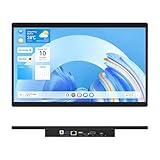
- 【High Reliability in Demanding Conditions】Ideal for demanding industrial settings, this fanless 15.6-inch panel PC runs on Android 12 and the RK3399 platform, offering robust reliability. Its 4GB memory and 64GB storage ensure seamless multitasking and data handling
- 【Full HD Visuals with Precision Touch】Designed for industrial versatility, this 15.6-inch PC combines a 1920×1080 Full HD 16:9 display for sharp visuals and software compatibility with a durable G+G 10-point capacitive touchscreen. It ensures accurate, smooth interaction and fast response even with wet or gloved hands, supporting reliable operation in demanding environments
- 【Rugged & Quiet Sealed Operation】Featuring a fanless construction for quiet performance, this Android 12 panel PC is built with a sealed waterproof front and a fully integrated, moisture-resistant rear enclosure. The lightweight aluminum alloy frame enhances durability against vibrations and shocks, perfectly suited for extreme industrial computing
- 【Stable & Efficient, Wireless & Wired Reliability】Equipped with enhanced Wi-Fi 5 and Bluetooth 4.2, this industrial touchscreen PC delivers strong signal reception, low-latency data transfer, and stable long-range communication. Its integrated 1000M LAN port further ensures consistent connectivity across diverse operating conditions
- 【Flexible Mounting for Multiple Scenarios】This industrial touch panel PC offers versatile installation options. It comes with standard PPC mounting hooks for seamless integration into cabinet equipment, while the rear cover includes standard VESA mounting holes for wall-mounting or desktop setups, easily adapting to diverse application environments
Rank #4

- [Android Touch Screen Kiosk with APP Installation & Browser Access] This 32 inch Android touch screen kiosk allows you to install business applications and access websites directly through the built-in browser. Ideal for self ordering kiosks, digital signage, POS systems, mall directories, and retail store information displays without requiring an external computer.
- [Large 32" Interactive Display – Smooth Multi-Touch Experience] The 32 inch interactive touch screen display features responsive multi-touch technology and a vivid Full HD screen. Customers can easily browse menus, search products, check mall navigation, or interact with digital advertisements in restaurants, shopping malls, and retail environments.
- [Perfect for Self-Ordering, Advertising & Information Kiosks] This digital signage kiosk is widely used as a restaurant self ordering kiosk, shopping mall directory kiosk, product catalog display, and advertising screen. It helps businesses improve customer experience, reduce waiting times, and increase operational efficiency.
- [Built-in Android System – Easy Setup & Simple Operation] Powered by the Android operating system, the kiosk supports app installation, browser access, and media playback including videos, images, and promotional content. Businesses can easily manage digital content and run commercial applications for marketing and customer interaction.
- [Modern K-Style Floor Stand – Professional Commercial Display] Designed with a stable K-style floor stand, this interactive kiosk provides a professional appearance for retail stores, restaurants, shopping malls, exhibitions, hotels, and corporate environments. The sleek design attracts customer attention and enhances brand visibility.
Microsoft documentation
- Configure IE mode in Microsoft Edge
- Configure Microsoft Edge kiosk mode
- Configure Assigned Access
- Internet Explorer and Microsoft Edge lifecycle FAQ
- Microsoft Edge policy documentation
Product prices and availability are accurate as of the date/time indicated and are subject to change. Any price and availability information displayed on Amazon at the time of purchase will apply.

