
Start by checking the Raspberry Pi’s built-in Wi-Fi using Raspberry Pi OS’s standard NetworkManager tools. If you deliberately added an ESP32 coprocessor, troubleshoot its host driver, firmware, supported chip, and transport as a separate interface. An ESP32 coprocessor is not a general fix for a Pi’s misconfigured or failing built-in radio.
First identify which Wi-Fi interface is failing
A Pi that cannot connect to Wi-Fi may have a problem with its built-in WLAN, its access point credentials, or later network layers such as IP addressing or DNS. An ESP32 coprocessor adds another possible failure path: the host driver and coprocessor firmware must work together over a supported connection.
- Built-in Wi-Fi: follow the Raspberry Pi OS steps below when using the Pi’s own wireless interface.
- ESP32 coprocessor: first confirm that the ESP-Hosted interface is supported and enumerates on the Pi; then use normal network tools to connect it to an access point.
Raspberry Pi OS Bookworm and later use NetworkManager by default, and the official Raspberry Pi guide documents the nmcli commands below: Raspberry Pi wireless networking documentation.
Troubleshoot the Pi’s built-in Wi-Fi
1. Set the WLAN country
On affected dual-band Raspberry Pi families—including Raspberry Pi 3B+ onwards and Compute Module 4 onwards—wireless networking is disabled until a WLAN country is set, according to Raspberry Pi’s documentation. Choose the country where the device is operating. This establishes the applicable regulatory domain and the available bands and channels; selecting a different country can make networks or channels unavailable.
Free tools Windows power users keep installed
One-click scans. No signup required.
#1 Best Overall

- Linux Plug-and-Play: This AXE3000 WiFi 6E Linux USB adapter works with all Linux distributions with kernel of 5.18 or newer (older kernels not supported)
- Broad Linux Compatibility: The Linux USB WiFi adapter is compatible with Ubuntu, Linux Mint, Debian, Raspberry Pi OS, Kali Linux, Fedora, Arch Linux, and more. Perfect for users running dual-boot setups, multiple distros, or virtual machines. Also supports Windows 11/10 (driver required)
- WiFi 6E Tri-Band Speeds: Get up to 1201 Mbps on 6 GHz, 1201 Mbps on 5 GHz, or 574 Mbps on 2.4 GHz with the Linux WiFi adapter. Ideal for coding, large file transfers, server access, and remote collaboration. 6 GHz is only available on recent Linux distros or Windows 11
- Extended Range with Dual Antennas: This Linux compatible WiFi adapter features dual adjustable antennas and Beamforming technology to enhance signal focus, providing stronger and more reliable coverage throughout your home or office
- High-Speed USB 3.0 Interface: USB 3.0 ensures the wireless Linux USB adapter reaches its full WiFi 6E speeds, delivering fast and stable connections. For optimal performance, plug the adapter into a USB 3.0 port
2. Check whether Wi-Fi is enabled
In a terminal, check the radio state:
nmcli radio wifi
If it reports disabled, enable it:
nmcli radio wifi on
3. Check whether the access point is visible
List nearby networks:
nmcli dev wifi list
If NetworkManager reports that it is scanning but has not found access points, wait a few seconds and check again. If the network still does not appear, consider whether its SSID is hidden and whether its band and channel are available under the WLAN country you selected.
4. Connect and verify the password
For a secured network, use the documented interactive command:
sudo nmcli --ask dev wifi connect <SSID>
Replace <SSID> with the network name. The prompt asks for the password. Raspberry Pi’s guide says the error “Secrets were required, but not provided” means the password entered was incorrect.
Rank #2

- USB Wi-Fi Adapter: Upgrade your Wi-Fi speeds up to 150 Mbps for lag free video streaming and Internet calls
- Stronger Wi Fi Coverage: 2.4GHz band Wi Fi covers your house everywhere
- Mini Design: allows you to plug it in and forget it is even there; Wireless modes ad hoc/ infrastructure mode; Wireless security supports 64/128 WEP, WPA/WPA2, WPA psk/WPA2 psk (TKIP/AES), supports IEEE 802.1x
- Industry leading support: 2 Year and Free 24/7 technical support
- Compatibility: Compatible with Windows (XP/7/8/8.1/10/11) Mac OS (10.9 - 10.15) Linux Kernel (2.6.18 - 4.4.3)
5. Confirm that the Pi associated with the network
Run the scan again:
nmcli dev wifi list
An asterisk in the IN-USE column next to the network confirms Wi-Fi association. That does not by itself confirm internet access. If the network is marked in use but applications remain offline, investigate IP reachability, DNS, and internet connectivity as separate layers; the Raspberry Pi guide linked above does not provide a complete diagnostic procedure for those later checks.
Do these 3 things before closing this tab:
1Fix the driver behind crashes, sound loss and screen glitches2Clear out junk files and repair common Windows errors3Scan for outdated or missing drivers - takes under a minute6. Do not start by changing WLAN power saving
Raspberry Pi documents WLAN power saving as an advanced option and says, “We don’t recommend setting unless instructed by a Raspberry Pi engineer.” Leave it alone during initial troubleshooting unless a Raspberry Pi engineer directs you to change it.
Troubleshoot an ESP32 coprocessor running ESP-Hosted
ESP-Hosted includes Linux host-driver and ESP firmware components. Espressif lists Raspberry Pi host support and ESP32 targets including ESP32-C6; its MCU repository also demonstrates a Raspberry Pi host with an ESP32-C5 coprocessor. These examples do not establish that every Pi, ESP32 board, bus, or software release works together without configuration.
Rank #3

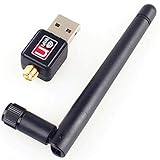
- Wireless Standards: IEEE 802.11n/g/b. Ralink 5370 Chipset, 2.4GHz Enhanced 150Mbps Wireless data transmission rate, wide range and ultra speed.
- Wide Compatibility: Perfect for Raspberry Pi / Pi 2 / 3 / 4 / Pi Zero W. Work with PC Laptop Desktop, support Windows 10/8.1/8/7/XP/Vista, Mac OS, Linux. Besides, this adapter also work with Mag 250/ 254/ 255/ 270/ 275 IPTV Set-Top Box.
- Internal Antenna & Save Space: The internal omni-directional antenna for increased coverage and stability, easy to carry and no space occupation with mini size.
- Warm Tips: 1) Plug-and-Play for Windows 10 and Raspberry Pi / Mag Box devices, No drivers required. 2) For others Devices/OS that is not support plug-and-play, please install the driver first.
- Driver CD included, you can see the driver download link from product images.
Use Espressif’s current project and compatibility material to verify the setup you actually have: ESP-Hosted Linux project and Espressif MCU repository.
1. Verify the exact ESP32 target
Check that the ESP32 model is supported by the ESP-Hosted release and configuration you are using. A project’s support for one target does not imply support for every ESP32 variant or development board. Confirm compatibility against the project’s current information rather than relying on a general Raspberry Pi example.
Recommended Free Tools
2. Match the host and coprocessor transport
Confirm that the Pi’s host-driver build and the ESP32 firmware are configured for the same supported transport, such as the applicable SDIO or SPI arrangement. A mismatch can prevent the host and coprocessor from communicating even when the board is otherwise powered and connected. Espressif’s porting guidance describes transport configuration: ESP-Hosted Linux host documentation.
Rank #4

- Linux Plug-and-Play: Designed for Linux OSes, this Linux WiFi adapter works out of the box with all distributions running kernel 6.2 or newer, using the driver built into the Linux kernel. Simply plug it in to add dual-band WiFi connectivity to your computer
- Broad Linux Compatibility: This Linux USB WiFi adapter is compatible with Ubuntu, Linux Mint, Debian, Raspberry Pi OS, Kali Linux, Fedora, Arch Linux, Manjaro, and more. For Linux kernels older than 6.2, our manual driver installer supports Debian-based distributions running kernels 4.4–7.0
- AC1200 Dual-Band WiFi: Upgrade your desktop PC or laptop with speeds up to 867 Mbps on the 5 GHz band or 300 Mbps on 2.4 GHz. This WiFi USB adapter delivers fast wireless connectivity for HD/4K streaming, web browsing, and everyday use. Built with a Realtek RTL8812BU or RTL8822BU chipset. Bluetooth is not supported
- Stronger 5 GHz WiFi Signal: Equipped with 2 internal antennas and 2 independent power amplifiers, this Linux compatible WiFi adapter enhances 5 GHz signal strength to help maintain a stable and reliable wireless connection
- High-Speed USB 3.0 Connection: The USB 3.0 interface provides the bandwidth needed for high-speed WiFi data transfer between the adapter and your computer. Backward compatible with USB 2.0 ports
3. Check driver loading and device enumeration
Inspect the Pi’s Linux boot or kernel messages and check whether the interface appears after loading the ESP-Hosted driver. The project’s setup material treats host-driver loading and device enumeration as part of bringing up the interface. If the coprocessor does not appear, focus on driver, firmware, target, and transport compatibility before trying Wi-Fi passwords in nmcli.
4. Use normal network tools only after the interface appears
Once the ESP-Hosted interface is present, use NetworkManager to scan for and connect to the access point. At that point, distinguish a credential or access-point problem from a later IP or DNS problem. If the interface never appeared, changing access-point credentials does not address the underlying host-driver or coprocessor setup failure.
Independent reader supportYour contribution helps us test, update, and keep practical guides available for everyone.Should you add an ESP32 coprocessor to fix a Pi’s Wi-Fi?
Not as a first troubleshooting step. If the built-in interface is disabled, cannot see the network because of country, band, or channel settings, or rejects credentials, diagnose that interface first. A coprocessor is a separate implementation with its own supported-chip, driver, firmware, and transport requirements.
Espressif’s documented targets and Raspberry Pi examples establish that certain ESP-Hosted combinations are supported; they do not establish that a coprocessor is universally faster, more reliable, or simpler than the Pi’s built-in radio. If you are deliberately building an ESP-Hosted setup, validate the exact development board’s exposed pins and supported bus, as well as its firmware and driver combination, before choosing hardware.
ESPHome is a different setup
ESPHome’s ESP32 Hosted documentation contains specialized ESP32-P4/ESP32-C6 examples and ESP-NOW constraints. It is not a general Raspberry Pi configuration guide for ESP-Hosted troubleshooting: ESPHome ESP32 Hosted documentation.
Quick Recap
Product prices and availability are accurate as of the date/time indicated and are subject to change. Any price and availability information displayed on Amazon at the time of purchase will apply.

