
Quick wins for a faster PC:
Fix the driver behind crashes, sound loss and screen glitchesFind Drivers →Clear out junk files and repair common Windows errorsFree Scan →Scan for outdated or missing drivers - takes under a minuteDriver Scan →Choose billing software by checking whether it supports the GST invoice fields and workflows your business actually needs—not by relying on a “GST-compliant” label. Requirements vary with registration status, transactions and applicable rules, and software alone cannot guarantee compliance. Confirm your situation against current official guidance or with a qualified tax professional.
Start with the invoices your business must issue
CBIC rules specify particulars a tax invoice must support. Depending on the transaction, these include the supplier’s name, address and GSTIN; a consecutive serial number unique for the financial year; the issue date; recipient details; HSN code for goods or Accounting Code for services; a description; quantity and unit for goods; total value; tax rates and amounts; place of supply for inter-State trade; reverse-charge status; and the supplier’s or authorised representative’s signature. Additional requirements and exceptions can apply, including for exports and invoices to unregistered recipients.
Use the current CBIC invoice rules to identify what applies to your transactions. In a product demo, check that the software can capture the relevant information and produce the invoice documents you need. Treat this as a practical check, not a complete legal opinion.
Check the workflows, not just the invoice template
Returns and filing
Ask how the software fits the filing process used by your business and accountant. Does it support the necessary filing workflow or export records in a format your accountant can use? Clarify what requires manual work, API access or another service, and whether those capabilities are part of the plan you are considering.
Do these 3 things before closing this tab:
1Repair Windows errors before they cause bigger problems2Scan for outdated or missing drivers - takes under a minute3Clear out junk files and repair common Windows errors#1 Best Overall
![Express Invoice Billing and Invoicing Software Free [PC Download]](https://m.media-amazon.com/images/I/41PYp1-Qu7L._SL160_.jpg)
- Easily create invoices, orders, and quotes and customize them including logo, heading text, notes and more
- Access the web interface on mobile devices secure and safe
- Email, print and fax direct from the application
- Loaded with invoice templates and presets
- Manage all your customer accounts and information
E-invoicing and e-way bills
For businesses to which e-invoicing applies, the workflow involves electronically authenticating and reporting applicable B2B invoices through an Invoice Registration Portal (IRP). The IRP issues an identification number; the National Informatics Centre (NIC) describes invoice information moving to the GST and e-way bill systems. Check the official e-invoice FAQ for the workflow, then confirm whether the software supports your required connection and related documents.
NIC identifies interoperability and reduced duplicate data entry as benefits: “E-invoices created on one software can be read by another, allowing interoperability and help reduce data entry errors.” That describes the system’s intended benefits, not a guarantee that a particular vendor’s setup will eliminate errors. Do not rely on a vendor’s threshold statement as current law without checking an official, current source.
Rank #2

- QUALITY INVOICES: Adams Order books provide a professional invoice or customer receipt; a great way to create and maintain a professional image for small businesses and service providers
- 50 TWO-PART CARBONLESS FORMS: Customers get the perforated white top copy; retain the canary and pink copies for your records
- WRAP-AROUND COVER: Fold the back cover between sets to keep invoices neat and legible
- ROOM FOR CUSTOMIZATION: A blank space at top leaves room for your company stamp; a big savings over custom-printed forms
- CONSECUTIVELY NUMBERED: Large 6-digit numbers in the upper right hand corner help you thumb through orders quickly
Accounting integration and records
Confirm that the product works with your existing bookkeeping process and lets you export usable records. Check the exact formats supported and whether exporting is included in the plan. For example, Zoho Invoice’s India product page says it supports XML export to Tally; that is a vendor-documented feature, not an independent assessment of compatibility with every setup.
Compare options against your day-to-day needs
- Invoice fields and documents: Can it capture the fields and create the invoice types relevant to your transactions?
- Returns workflow: Does it support the filing or export process you and your accountant use? Establish what access, configuration or manual steps are needed.
- E-invoice and e-way bill workflow: If applicable, can it connect to the IRP and support related documents and data flow? Verify current setup and plan availability.
- Accounting and portability: Does it fit your bookkeeping system, and can you retrieve your records in a usable format?
- Operational fit: Check transaction volume, users and locations, inventory needs, offline requirements, customer support, backups, access controls and total cost using current vendor information.
- Special cases: E-commerce and other specialised transactions can have specific registration or tax conditions. Review the CBIC GST FAQ and current rules for your circumstances.
Ask vendors to demonstrate a representative transaction from entry through invoice generation, reporting or export, and correction of an error. A product page documents the vendor’s stated features; it does not establish that the software suits every business, that a capability appears on every plan, or that the product has been independently tested.
Rank #3

- SERVICES: This iOS POS software doesn't need any installation. As long as you have an idle pad, you can use it.It supports iOS Mac Pad. We offer professional customer service and free software updates
- SOFTWARE: Once purchased, you can enjoy 1 months of remote support and iCloud. No contracts or mandatory fees
- MULTIFUNCTION: This POS software offers a wide range of features, including ordering, customizable receipts, calculation of different tax rates, integration with multiple food delivery platforms, QR code ordering and more. It meets all your needs
- Mobile APP: With the mobile app, you can enjoy cloud backup and mobile reporting services. Check on your store anytime, anywhere—it’s simple, convenient, and easy to get started with
- EASY to USE: This POS software is compatible with various point-of-sale devices, such as cash drawers, barcode scanners, and printers. It supports cloud printing, no distance limits, you can print store receipts from anywhere. There’s no need to purchase an expensive POS cash register—saving both money and space
Example: what to verify in Zoho’s documented features
Zoho Invoice’s India page documents GST invoice templates and tax rates, delivery challans with e-way-bill details, GSTR-1 filing through API access, GSTR-3B export, business reports and XML export to Tally. These are vendor-stated capabilities, not a ranking or a recommendation for every business. Confirm the exact workflow and suitability for your records and accountant.
Zoho Billing’s help page says its e-invoicing feature is available only on certain plans and describes pushing invoices to the IRP and receiving an IRN and QR code. Verify current plan availability and how the workflow is configured before choosing a plan. These product details do not establish your legal e-invoicing obligation.
Rank #4
![Express Invoice Software for Managing and Tracking Quotes, Invoices and Payments [Download]](https://m.media-amazon.com/images/I/91OR9EVAG5L._SL160_.jpg)
- Create invoices, quotes and orders quickly and professionally
- Automate recurring invoices and statements to save time
- Easily add multiple users and multiple businesses, enable remote access to view your data anwhere
- Print, email or fax invoices directly to clients for faster payment
- Use reports to track payments, overdue accounts, performance and more
Make the choice only after checking plan and compliance fit
- List your business’s registration status, transaction types, invoice documents and filing process with your accountant.
- Identify which invoice particulars and connected workflows apply to those transactions using current official guidance.
- Shortlist products that demonstrate the required fields, returns workflow, integrations and exports.
- For each shortlist, confirm current plan inclusions, user or volume limits, setup requirements, support and total cost directly with the vendor.
- Test a representative workflow and confirm that the resulting records can be reviewed and used by your accountant.
Do not treat a software label, vendor checklist or feature page as proof of compliance. Your obligations depend on the facts of your business and current GST rules; ask a qualified tax professional when the application is unclear.
Quick Recap
Best Value
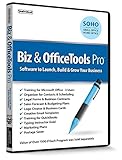
- Value of over $500 if each program was sold separately
- Includes Legal Forms and Business Contracts
- 3-User License for Training on Microsoft Office & QuickBooks
- Creative Marketing Templates for Email Offers and Logo & Business Card Creator
- Small Business Start-Up Kit eBook
Product prices and availability are accurate as of the date/time indicated and are subject to change. Any price and availability information displayed on Amazon at the time of purchase will apply.

