
Recommended Free Tools
In Modern Warfare III, open Challenges > Weapons from the top-right menu to see camo progress across supported weapons. For one weapon, go to Loadout > Gunsmith > Customize > Camo. Track Multiplayer and Zombies separately: their challenge families and requirements differ, and MWII camo challenges and mastery content carry forward into MWIII.
Where to see camo progress in MWIII
The in-game Challenges screen is the overview; the weapon’s Gunsmith screen is the detailed check. Call of Duty documents both paths in its MWIII camo guide.
| # | Preview | Product | Price | |
|---|---|---|---|---|
| 1 |
|
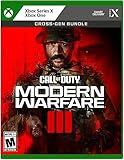
Call of Duty Modern Warfare III - Xbox | $41.58 | Buy on Amazon |
| 2 |

|
Call of Duty : Modern Warfare III | $70.38 | Buy on Amazon |
| 3 |

|
Call of Duty Modern Warfare III - PS4 | $68.92 | Buy on Amazon |
| 4 |

|
Call of Duty: Modern Warfare III (Xbox Series X/Xbox One) | $38.00 | Buy on Amazon |
| 5 |

|
Call of Duty: Modern Warfare III (PS5) | $42.71 | Buy on Amazon |
- Across weapons: Open the top-right menu, choose Challenges, then Weapons.
- One weapon: Open Loadout, select Gunsmith, then Customize > Camo.
Use the in-game screen as the source of truth for current progress and unlock state. Menu labels and challenge requirements may change with updates, so verify the live display rather than relying on remembered wording.
How to track challenges across Multiplayer and Zombies
Keep separate records for each mode. Multiplayer and Modern Warfare Zombies have distinct camo challenge families, and a weapon’s condition in one mode should not be assumed to match the other. MWII camo challenges and mastery content carry forward into MWIII, according to the official camo guide and MWIII launch communications.
#1 Best Overall
- Call of Duty: Modern Warfare III - Cross-Gen Bundle
- Pre-Order and Receive Early access to the Open Beta*
- Some features may require an internet connection and an online subscription
- Check Challenges > Weapons for the broad progress view.
- Open each relevant weapon’s Loadout > Gunsmith > Customize > Camo view and confirm its current state.
- Before playing, read the exact condition displayed for the camo you are pursuing. Requirements can vary by weapon, category, mode, and mastery tier.
- After a session, update your notes from the in-game progress display, then confirm the unlock in-game.
What to put in a tracking sheet
A manual checklist helps prevent confusion between weapon generations, modes, and tiers. Use one row for each weapon-and-mode track, rather than combining Multiplayer and Zombies progress.
| Field | What to record |
|---|---|
| Weapon | The weapon name and category. |
| Weapon generation | MWII or MWIII. |
| Mode | Multiplayer or Zombies. |
| Current camo tier | The tier shown in-game. |
| Unlock condition | The exact live challenge text, not a paraphrase from memory. |
| Progress or unlock state | The value or completion state currently displayed in-game. |
This layout is a manual aid, not an official synced tracker. The official materials document the game’s built-in progress views; they do not establish an external tracker that synchronizes camo progress across modes. Treat third-party checklists as manual unless their current functionality is independently verified.
Rank #2
- ADAPT OR DIE IN A FIGHT AGAINST THE ULTIMATE THREAT
- Combat means making choices — different loadouts, different paths through the mission. Combat missions that provide more player choice. There is no one-size-fits-all solution – it is your choice whether to take the stealthy approach or go loud taking on any and all foes.
- One of the greatest collections of Multiplayer maps ever. Launching with new Ground War maps boasting innovative play spaces and the epic return and evolution of the popular War Mode
If a camo challenge is not progressing
- Compare your action with the exact in-game condition, including the weapon and mode. A similar action in a different track may not count.
- Reopen the weapon’s camo screen and check whether the progress or unlock state has changed.
- Check current patch notes for changes or tracking fixes. Activision has documented historical camo challenge tracking and criteria fixes in its MWIII patch notes and Season 2 patch notes. Those examples show that tracking or criteria can be corrected; they do not establish that every current issue is a bug.
If the displayed requirement is unclear or progress remains unchanged after checking the mode and weapon, use the current game challenge text and applicable patch notes rather than an old checklist entry.
Quick Recap
Best Value
- ADAPT OR DIE IN A FIGHT AGAINST THE ULTIMATE THREAT
- Combat means making choices — different loadouts, different paths through the mission. Combat missions that provide more player choice. There is no one-size-fits-all solution – it is your choice whether to take the stealthy approach or go loud taking on any and all foes.
- One of the greatest collections of Multiplayer maps ever. Launching with new Ground War maps boasting innovative play spaces and the epic return and evolution of the popular War Mode
Rank #4
- ADAPT OR DIE IN A FIGHT AGAINST THE ULTIMATE THREAT
- Combat means making choices — different loadouts, different paths through the mission. Combat missions that provide more player choice. There is no one-size-fits-all solution – it is your choice whether to take the stealthy approach or go loud taking on any and all foes.
- One of the greatest collections of Multiplayer maps ever. Launching with new Ground War maps boasting innovative play spaces and the epic return and evolution of the popular War Mode
Rank #3
- Call of Duty: Modern Warfare III - Cross-Gen Bundle
- Pre-Order and Receive Early access to the Open Beta - first on PlayStation*
- Some features may require an internet connection and an online subscription
Product prices and availability are accurate as of the date/time indicated and are subject to change. Any price and availability information displayed on Amazon at the time of purchase will apply.

