
Recommended Free Tools
When freelance income is scattered across bank activity, invoices and receipts, it is hard to tell what has been paid, what still needs follow-up and what your records will show at tax time. A simple tracker can bring those pieces together without requiring full accounting software—or pretending bookkeeping takes no work. The aim is a repeatable routine that fits your business and clearly records income and expenses.
What a freelancer finance tracker needs to do
The IRS does not require one recordkeeping format for most businesses. It says you can choose a system suited to your business that clearly shows income and expenses; journals and ledgers are examples of books used to summarize transactions. A spreadsheet, app or paper ledger can work if it captures and supports the records you need.


Useful records serve two purposes: they help you understand how the business is doing now, and they support figures reported on tax returns. Your system should make it possible to identify where income came from, record expenses as they occur and find the evidence behind important amounts. The fields below are practical design choices, not an IRS-prescribed template.
Use a consistent transaction record
- Date: the date relevant under your accounting method.
- Payer or payee: the client or vendor connected to the transaction.
- Description: what the payment was for or what you bought.
- Amount and type: the amount, marked as income or expense.
- Category: a consistent label that helps you review totals later.
- Payment status: for example, sent, paid, overdue or reimbursed, as applicable.
- Evidence reference: a link or filename for the invoice, receipt or other supporting record.
Separate clients or income sources with a client field, tag or distinct category if that helps you answer questions such as which work is still unpaid. Avoid adding fields you will not maintain; consistency matters more than a complicated template.
Do these 3 things before closing this tab:
1Scan for outdated or missing drivers - takes under a minute2Clear out junk files and repair common Windows errors3Fix the driver behind crashes, sound loss and screen glitches#1 Best Overall
Set up a routine that keeps records current
- Choose one home for the records. Pick a spreadsheet, bookkeeping app or paper ledger as the primary transaction log. Keep invoices and receipts in an organized folder or in the system itself, and use a reference in the log to connect each item to its evidence.
- Enter transactions regularly. Record income and expenses on a schedule you can sustain, such as a weekly review. Capture expenses close to when they happen rather than relying on memory at year-end.
- Track invoice follow-up separately from cash received. Keep the sent, paid and overdue status visible so you can pursue unpaid invoices without treating them as money already collected.
- Review and reconcile against source records. Periodically compare the tracker with bank and payment-platform activity, invoices and receipts. Investigate missing entries, duplicates and amounts that do not match before relying on totals.
- Make a year-end handoff easier. Keep categorized totals and supporting records organized, and export or share them in a format your tax preparer can use if needed.
Choose the right date: cash and accrual methods differ
Your accounting method affects when a transaction appears in your records. SBA guidance distinguishes cash recording, where income is recorded when payment arrives, from accrual recording, where a sale is recorded when completed. That distinction is why one universal instruction to log every invoice on its issue date would be misleading. Use the method that applies to your business and keep your books consistent; consult current IRS guidance or a qualified tax professional if you are unsure which method applies.
Spreadsheet, app or paper ledger?
The right tool depends on how much manual work you want to do and which tasks you need it to handle. Software may offer invoicing, receipt capture, mileage, transaction organization and reports, but automation still needs review. Check the current plan details before choosing: vendor features, limits and prices can change.
Rank #2

- Effective Budget Planning - Take control of your finances with the budget account book. This comprehensive planner allows you to plan and track your income, expenses, savings, and financial goals in one convenient place. With its intuitive layout and easy-to-use sections, you can stay organized and make informed decisions to achieve financial success.
- User-Friendly Layout - The budget planner features a user-friendly layout designed for easy navigation and organization. Each month, you'll find dedicated budget pages where you can set financial goals, track your income, and plan your expenses. Additional sections include debt trackers, savings goals, bill payment trackers, and more, making it simple to stay on top of your finances.
- Undated Monthly Calendar & Bonus Stickers - Featuring undated calendar each month, you'll have ample space to mark paydays, bills due, appointments, and important dates. Say goodbye to difficult writing spaces. Plus, we've included 3 cute sticker sheets that allow you to personalize your financial organizer and make budgeting more fun. Dates are not pre-printed and are completed by the user.
- Reliable and Convenient Design - Our monthly budget planner is designed for your convenience and built to last. The elastic band keeps everything securely in place, and the dual-sided pocket provides extra storage. Experience a budget planner that combines practicality and durability.
- Master Budgeting with Ease - Our financial planner includes a complete guidebook that provides valuable insights and instructions for optimal usage. From setting financial goals to tracking expenses, this guidebook offers step-by-step guidance and practical tips. Whether you're new to budgeting or an experienced user, this resource will help you make the most of your budget planner, empowering you to achieve financial success.
| Option | Entry and organization | Invoices, receipts and reports | Scope and trade-offs |
|---|---|---|---|
| Spreadsheet | You define the columns and enter or import transactions yourself. It can separate clients and categories if you maintain the structure. | You can link to stored invoice and receipt files, but invoice status and reports depend on the spreadsheet you build. | Flexible and simple to start. It does not automatically provide accounting workflows; review entries and totals yourself. |
| QuickBooks Solopreneur | Its official product page describes income and expense tracking. | The page also describes invoices, receipts, mileage and reports. | Feature availability and plan limits vary; check the current product page before relying on a specific capability or price. QuickBooks Solopreneur. |
| Round | Its official page describes freelancer expense tracking and profit views. | It describes invoicing, receipt scanning and tax-time exports. | Round explicitly says it is not full accounting software and lacks bank feeds, reconciliation, a chart of accounts and double-entry bookkeeping. It is an example of a light admin tracker, not a fit for every accounting workflow. Round. |
| Paper ledger | Write transactions into a journal or ledger and categorize them consistently. | Store paper receipts and invoices separately, with references in the ledger if useful. | A physical option for people who prefer handwriting. Digital records are not required if a paper system clearly captures and supports the needed information. |
Before committing to an app, check whether it can export records in a useful format, whether its plan includes the features you need and whether you are comfortable connecting financial accounts if that is part of its workflow. Automatically suggested categories can be wrong; review them rather than accepting every label without checking.
What the tracker can show—and what it cannot decide
A well-kept tracker can show income, expenses, categorized totals and a running view of business profit or loss. Those figures make it easier to monitor performance and assemble organized records, but a tracker does not decide your tax treatment or replace accounting software when your business needs formal bookkeeping functions.
Free tools Windows power users keep installed
One-click scans. No signup required.
Rank #3
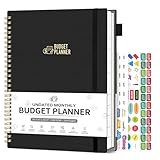
- ALL-IN-ONE B5 BUDGET PLANNER: With 15+ Functional Inserts –it covers every money-management pain point for beginners & pros. Stop juggling messy notebooks or incomplete trackers! The budget planner includes, monthly budget, expense detail, debt tracker, bill tracker, saving tracker...matches 90% of "how to manage money" search queries
- DURABLE BUDGET BOOK: Our budget organizer features a PVC waterproof cover and elastic band—no more ruined pages, made of 100GSM thick paper—no smudges or ghosting, coming with a heavy-duty double spiral binding—lays flat for easy writing. Built for daily use: toss it in your work bag, backpack, or purse without worry
- CONVENIENT B5 SIZE (7.3”X10.15”): No more choosing between "too small to write" or "too bulky to carry"! The B5 budget planner gives ample space to log expenses, note bill due dates, or map financial goals—without being cumbersome. Fits easily in laptop bags, backpacks, or purses—perfect for "on-the-go budget tracking
- UNMATCHED VALUE & COMPREHENSIVE GUIDEBOOK: comes with 5 practical, high-quality freebies crafted, plus a comprehensive user guide that takes the guesswork out of financial planning. You’ll get: Monthly Tabs & label stickers, a ribbon bookmark, an elastic pen holder, a elastic band, an inner pocket, and a detailed step-by-step user guide handbook
- DESIGNED FOR EVERY LIFESTYLE: Our budget book is designed to deliver targeted financial organization for SIX core groups, solving the specific budgeting pain points of every career and life stage! It’s the perfect fit for working professionals, international students, family financial managers, freelancers, new graduates, retirees
For US readers, self-employed people generally file an annual return and may need to make estimated tax payments during the year. The IRS says sole proprietors generally report business profit or loss on Schedule C, and calculate self-employment tax on Schedule SE when applicable. The IRS FAQ describes $400 in net earnings from self-employment in relation to self-employment tax; it is not a general threshold below which all filing or tax obligations disappear. IRS Publication 583, revised December 2024, says sole proprietors, partners and S corporation shareholders generally have to make estimated payments if they expect to owe at least $1,000 when filing. Whether you owe estimated payments, how much, which forms and deadlines apply, and any state obligations depend on your circumstances. Do not rely on a blanket savings percentage; consult current IRS instructions or a qualified tax professional for complex situations.
Independent reader supportYour contribution helps us test, update, and keep practical guides available for everyone.Start with your open invoices and recent transactions
To put the system to work, choose one tool, enter current open invoices and recent income and expenses, and attach or file the supporting records. Then set a recurring review time to update payment statuses and compare your log with source records. A small, maintained system is more useful than an elaborate tracker that falls behind.
Quick Recap
Rank #4

- Monthly Budget Planner: Take control of your finances and achieve your financial goals with our A5 budget planner. This beautifully designed budget book combines functionality and style to enable you to effectively manage your budget month after month.
- Classic Design: The elegant Green cover with the striking "Budget Planner" in gold adds a touch of sophistication to your financial planner. Carry it with pride and make a statement as you take charge of your financial
- Comprehensive Layout: Our monthly budget planner features a well-thought-out layout that simplifies your budgeting process. With a dedicated monthly budget page, four expense tracking pages, a monthly summary, and a notes section, you have all the tools you need for effective financial planning
- 14-Month Duration: Unlike many other planners on the market, ours covers a total of 14 months, giving you an extended period of financial organization. Now you can make income and expense records at any time, ensuring every financial decision aligns with your long-term goals
- Premium Quality and Convenience: Crafted with attention to detail, this budget planner boasts superior quality. The sturdy pink and gold coil binding allows for effortless flipping, while the A5 size makes it the perfect companion for your daily adventures, fitting into your bag or backpack without taking up too much space
Product prices and availability are accurate as of the date/time indicated and are subject to change. Any price and availability information displayed on Amazon at the time of purchase will apply.

