
Do these 3 things before closing this tab:
1Clear out junk files and repair common Windows errors2Scan for outdated or missing drivers - takes under a minute3Repair Windows errors before they cause bigger problemsiTechGuides is reader-supported. When you buy through links on our site, we may earn an affiliate commission. As an Amazon Associate I earn from qualifying purchases. Learn more
Apple documents several Apple Watch settings that can reduce power use, but its guidance does not establish that one setting universally saves the most battery. The answer depends on your model, watchOS version, and how you use the watch. Apple specifically recommends Low Power Mode or preventing apps from refreshing in the background; turning off Always On can also increase battery life on supported models. Each option has tradeoffs, especially for health measurements, notifications, connectivity, and workout data.
What Apple’s guidance establishes—and what it doesn’t
Apple’s current watchOS 27 battery guide recommends turning on Low Power Mode or preventing apps from refreshing in the background to maximize battery life. Apple also says that turning off Always On can increase battery life. These are documented power-saving options, not a measured ranking of how much each setting saves.
The claim that “only the obvious one mattered” is an author-reported test result. Without the watch model, watchOS version, exact settings, observation period, usage conditions, and battery measurements, readers cannot tell which setting the author found effective or reproduce the result. Apple’s guidance supports the settings’ behavior; it does not verify that particular experiment or show that the same option will matter most for everyone.
Six settings and options to consider
These six choices are not six equivalent, independent switches. Low Power Mode bundles several changes, while outdoor workout sampling is a separate option that applies only in specific circumstances.
#1 Best Overall

- [FOR COMPATIBLE MODEL] --- This watch has two sizes, is 38mm and 42mm. This ASIN is compatible with Series 1 38mm, not for 42mm, please confirm the size of your watch. There are currently 10 models of Apple Watch Series, each with different sizes, and many buyers may accidentally purchase replacement battery of the wrong model. If purchased incorrectly, it will not be usable. Please verify your old battery part number and model before purchasing this replacement battery.
- [SAFETY TESTED BATTERY CELLS] --- Our battery uses Grade A rated battery cells ensure longer battery life (500 cycles) and high-speed, efficient charging. Every series 1 38mm battery is manufactured and tested under strict quality control standards. Build-in microchip to prevent over-charging, over-discharging, short-circuit and over-heating. Voltage protection and current protection for safer operation for both user and devices.
- [BEST BATTERY PERFORMANCE] --- Please use your original charger and cable which came with your watch to charge this battery. Using up all the power of 38mm watch series 1 battery for the first three times before charging, and then take a full charge, thus the battery can be reached the optimum effect of using. Please remember that its full performance and longevity is only achieved after 3 to 5 complete charge and discharge cycles.
- [SAME CAPACITY AS ORIGINAL] --- ASDAWN series 1 38mm battery is made of high quality Li-Polymer battery cell, the advanced technology makes this replacement battery capacity up to 205mAh and provides you a high-speed and efficient charging. Up to 48 hours of long lasting time, bring your battery's life back to glory and save the money. Choose ASDAWN battery restore your watch to like new performance!
- [STRICT DUAL QUALITY CONTROL] --- We take care of all quality-related issues with a REPLACEMENT or REFUND. Our items are all produced in fully automated workshops, and the finished products are controlled and inspected by professional technical personnel to ensure that they are delivered to customers with superior performance and do not disappoint their trust in us. Only with excellent product quality can we go further!
1. Turn off Always On, if your model supports it
Always On keeps the watch face visible without raising your wrist. Apple says switching it off can increase battery life. On supported models, go to Settings > Display & Brightness > Always On and turn off Always On. Apple lists Apple Watch Series 5 and later, Apple Watch SE 3, and Apple Watch Ultra and later as supporting the feature in its Always On instructions. The setting is unavailable while Low Power Mode or Theater Mode is active.
This is the most direct option if you are willing to give up a continuously visible display. Apple does not provide a specific battery-saving figure for turning it off.
Rank #2

- [SAFETY TESTED BATTERY CELLS]--- Our battery uses Grade A rated battery cells ensure longer battery life (500 cycles) and high-speed, efficient charging. Every 42mm watch series 1 battery is manufactured and tested under strict quality control standards. Build-in microchip to prevent over-charging, over-discharging, short-circuit and over-heating. Voltage protection and current protection for safer operation for both user and devices.
- [FOR COMPATIBLE MODEL]--- ★REAL 246mAh, SAME AS ORIGINAL CAPACITY.★ Compatible with Watch Series 1 42mm A1554 A1579 A1803. Please verify your old battery part number and model before purchasing this replacement battery. The repair kit contains the instruction to guide you step by step installation, and we have professional engineers to answer all your questions about the repair process.
- [HIGH CAPACITY BATTERY]--- ASDAWN for 42mm series 1 battery replacement is made of high quality Li-Polymer battery cell, the advanced technology makes this replacement battery capacity up to 246mAh and provides you a high-speed and efficient charging. Up to 48 hours of long lasting time, bring your battery's life back to glory and save the money. Choose ASDAWN battery restore your watch to like new performance!
- [FOR BEST PERFORMANCE]--- Please use your original charger and cable which came with your watch to charge this battery. Using up all the power of watch series 1 battery 42mm for the first three times before charging, and then take a full charge, thus the battery can be reached the optimum effect of using. Please remember that its full performance and longevity is only achieved after 3 to 5 complete charge and discharge cycles.
- [STRICT DUAL QUALITY CONTROL]--- We take care of all quality-related issues with a REPLACEMENT or REFUND. Our items are all produced in fully automated workshops, and the finished products are controlled and inspected by professional technical personnel to ensure that they are delivered to customers with superior performance and do not disappoint their trust in us. Only with excellent product quality can we go further!
2. Disable Background App Refresh for selected apps or all apps
Apple notes that refreshing apps in the background can use power. Go to Settings > General > Background App Refresh, then turn the feature off globally or for individual apps. Disabling it selectively lets you keep background updates for apps you rely on while stopping others from refreshing.
Apple’s stated exception matters: apps with complications on the active watch face can still refresh. Background App Refresh settings therefore do not necessarily stop every app-related update.
Rank #3

- 【Compatible Model】It is compatible with Apple Watch 4 (44mm) Only. Please double identify and check your phone model matches before purchasing the battery.
- 【Installation Manual and Repair Toolkit are Included】The detailed installation manual is included and it makes the battery replacement process easy and hassle-free. It comes with a full set professional toolkit also to help you take apart the watch and remove the old battery with no issue.
- 【0 Cycle and OEM Quality】OEM quality battery replacement compatible with your series 2 watch perfectly. Multiple protection features to prevent overcharging and prevent overheating. Built-in microchip to ensure safe battery charging and improve battery life.
- 【Battery Adhesive Strip Pre-installed and Force Touch Sensor Flex Cable is included】OEM battery adhesive strip was pre-installed. Easier for you to install the battery. OEM force touch sensor flex cable is included also in case of an accident during the repair process. You can reassemble the watch perfectly.
- 【Customer Service】24-hour response, 12-month warranty. We pay much attention to customers' shopping experience, please do not hesitate to let us know if you have any problems during the usage.
3. Use Low Power Mode when its tradeoffs are acceptable
Low Power Mode is a broad battery-saving option rather than a single feature switch. Apple says it can reduce background app refresh and the frequency of complication and Live Activity updates; cellular may be off until needed. It also turns off Always On and certain background health measurements and heart-rate notifications. Other notifications may be delayed, some wireless connections may be limited, and emergency alerts may not arrive.
Because it changes several behaviors at once, Low Power Mode can be useful when extending battery life matters more than immediate updates or continuous measurements. Apple’s Low Power Mode guide describes availability and behavior; check it for instructions that apply to your model and software.
Rank #4
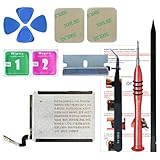
- ⌚【Spare Battery Specs】Watch Series 5 40mm and SE 40mm A2277/A2156/A2094/A2092 Replacement battery has a capacity of 245mAh,Voltage is 3.82V.
- ⌚【Compatible Model】Watch Series 5 40mm battery replacement only compatible with Series 5,It can't use for apple watch series 1, 2, 3, 4, 5 44mm generation, please check your watch back housing model number carefully before purchase.
- ⌚【High Quality Battery】our apple watch series 5 battery replacement 40mm is made of battery cell, Our battery capacity and voltage is 100% same as your original watch series 5 battery A2277
- ⌚【Size Fit & Safe And Durable Battery】Watch Series S5-40mm battery are the same size as the original and can be perfectly embedded in the motherboard frame. With the premium integrated battery cell with CE, UL and ROHS certification, which can effectively to prevent from over-charging, over-heating protection and over-discharging.
- ⌚【Customer Support】Your satisfaction is always our top priority. You can contact us via Amazon message or through our official email on the package for any questions or issues you have. We usually answer within 12hrs and will resolve your issue within 24hrs.We also provide 30-day money back for all of batteries sold from our store.Thank you for your support.
4. Review the health and heart-rate functions affected by Low Power Mode
Apple says Low Power Mode disables background heart-rate and blood-oxygen measurements and heart-rate notifications. This is not a separate six-way battery toggle: it is part of the mode’s broader set of changes. If those measurements or notifications are important to you, weigh that loss before leaving Low Power Mode on.
The Tool Desk
Outbyte Driver Updater FREEScan for outdated or missing drivers - takes under a minuteDriver Scan →Outbyte PC Repair FREERepair Windows errors before they cause bigger problemsFix Now →5. Consider reduced GPS and heart-rate readings for supported outdoor workouts
On supported models, Apple documents a Fewer GPS and Heart Rate Readings option for outdoor walks, runs, or hikes started in Workout while Low Power Mode is active. Reduced sampling can mean less detailed workout data; Apple’s guidance also says current-pace data may be unavailable and workout alerts disabled. Availability and exact behavior depend on model and watchOS, so consult Apple’s battery-drain troubleshooting guidance and Low Power Mode instructions before relying on this for a particular watch.
6. Adjust display brightness, wake behavior, or wake duration
Apple provides controls for brightness, waking the display, and how long it stays awake. You can review them under Settings > Display & Brightness and the wake-related display controls described in Apple’s display settings guide. These are reasonable adjustments if you want a dimmer display or fewer wake-ups, but Apple’s cited guidance does not quantify their battery savings. Treat them as preference-based changes, not proven winners in a battery ranking.
Independent reader supportYour contribution helps us test, update, and keep practical guides available for everyone.Choose changes according to what you need the watch to do
| Change | What Apple documents | Main tradeoff |
|---|---|---|
| Turn off Always On | Can increase battery life on supported models. | The watch face is no longer continuously visible. |
| Turn off Background App Refresh | Background refreshing can use power; the setting can be global or app-specific. | Background updates are reduced; active-face complications can still refresh. |
| Enable Low Power Mode | Reduces or disables several power-using background functions. | Health measurements and heart-rate notifications are affected; other notifications and some connections may be limited or delayed. |
| Reduce outdoor workout readings | Fewer GPS and heart-rate readings are available for supported outdoor workouts when Low Power Mode is active. | Workout detail and some features, including current pace and workout alerts, may be reduced or unavailable. |
| Adjust display settings | Brightness, wake behavior, and wake duration can be changed. | Apple’s cited guide does not state a specific battery gain for these adjustments. |
How to evaluate a battery change on your own watch
- Identify your model and software. The availability of Always On and workout options varies by watch. Confirm the model and watchOS version before following model-specific directions.
- Change one setting at a time. If several features change together, you will not know which one affected your battery use. Low Power Mode is an exception in practice because it bundles multiple changes; record when it is on.
- Keep usage as comparable as possible. Notifications, workouts, connectivity, and other day-to-day use can vary. A simple before-and-after impression under different conditions is not enough to establish that a particular switch caused a difference.
- Keep the tradeoff visible. Note any missed or delayed notifications, reduced health measurements, display inconvenience, or loss of workout detail along with your battery observations.
For that reason, the headline’s “only the obvious one mattered” should be read as a result from one reported test, not a general rule. Apple’s published guidance identifies legitimate settings to try, but it does not prove a universal winner or quantify a guaranteed gain.
Quick Recap
Product prices and availability are accurate as of the date/time indicated and are subject to change. Any price and availability information displayed on Amazon at the time of purchase will apply.
Quick wins for a faster PC:
Scan for outdated or missing drivers - takes under a minuteDriver Scan →Repair Windows errors before they cause bigger problemsFix Now →
