
iTechGuides is reader-supported. When you buy through links on our site, we may earn an affiliate commission. As an Amazon Associate I earn from qualifying purchases. Learn more
There is no proven universal winner among AI lip-sync tools. Choose by the job: HeyGen is the clearest no-code pick for avatar videos and localization; Sync Labs is the most transparent option here for API-based lip-sync processing; D-ID is a talking-avatar alternative; Rask AI is aimed at dubbing; and Wav2Lip.org offers a hosted dashboard for basic video or image workflows. The available sources do not include a controlled head-to-head quality test, so treat these as workflow matches—not a ranking of output quality.
First decide what you mean by “lip sync”
These tools address related but different tasks. Comparing them before choosing the task can lead to the wrong subscription or workflow.
- Make an avatar or still image speak: provide an image or avatar and audio or a script, then generate a talking video.
- Resynchronize existing footage: keep the video, supply new audio, and adjust the visible mouth movement to match.
- Translate or dub a video: create speech in another language, then match the mouth movement to that translated audio. Dubbing and lip sync are distinct steps, even when a service bundles them.
Toolradar’s September 2026 comparison also separates finished apps from model/API services and cautions that no vendor promises frame-perfect results for every shot type. Toolradar’s 2026 comparison
Recommended Free Tools
Which AI lip-sync tool fits each job?
| Tool | Best-supported fit | What to know |
|---|---|---|
| HeyGen | No-code avatar/video lip sync and localization | Its product page describes video, photo/avatar, script, and audio inputs, plus Speed and Precision modes. Features and prices below are vendor-published, not independent quality findings. |
| Sync Labs | Model/API processing to resynchronize footage | Publishes model distinctions and per-second rates. Estimate usage as well as the monthly plan cost. |
| D-ID | Talking avatars and an API alternative | Comparison articles describe an entry-level talking-avatar option, but current prices, restrictions, and commercial terms need confirmation from D-ID. |
| Rask AI | Translation and dubbing with a lip-sync use case | Comparison coverage presents it as a localization option; current feature availability and plan limits are not established by an official Rask source here. |
| Wav2Lip.org hosted dashboard | Simple video or image lip-sync workflow | The dashboard offers upload or URL inputs and identifies its selected model as Wav2Lip V1 with “basic reliability.” Its page does not establish terms or capabilities for every Wav2Lip code distribution. |
1. HeyGen: best-supported no-code starting point
HeyGen’s lip-sync page describes a browser-oriented workflow that accepts MP4, MOV, or WEBM uploads up to 5 GB, YouTube or Google Drive links, and photos or avatars. For speech, it supports a typed script, MP3 or WAV upload, or cloned audio. These are product-page descriptions, not an independent assessment of output quality. HeyGen AI lip-sync tool
#1 Best Overall

- The Original Mini Microphone: Clip it on or slip it in your pocket, Mini Mic Pro delivers professional grade audio for iPhone & Android. This wireless mic is perfect for vlogs, interviews and content creation anywhere.
- Seamless Connection: Designed to work right out of the box with USB-C devices, including iPhone, Android, tablet, or laptop. Mini Mic Pro connects instantly—no apps, no Bluetooth, no friction. Just pure, plug-and-play performance.
- Crystal-Clear Audio Anywhere: From voiceovers to viral interviews, Mini Mic Pro captures clean, professional sound and cuts through background noise—even outdoors, with professional wind protection featuring high-density foam and a dead cat cover.
- Lightweight & Durable: Crafted from premium materials and weighing under an ounce, lavalier microphone is ultra-portable, rugged enough for daily use, and always ready to record—no matter where the day takes you.
- Rechargeable Battery & Complete Creator Kit: Continuous record up to 6 hours and power up on the go with USB-C while you record every moment. This phone microphone includes clips, USB-C cable, foam windscreen and dead cat cover, everything you need to create professional content on the go.
Choose a mode for the shot
HeyGen describes Speed for front-facing, single-speaker clips and Precision for more difficult footage such as side profiles, multiple speakers, changing camera angles, or objects obscuring the mouth. Its product help says: “Choose Speed for front-facing clips or Precision for side profiles, multiple speakers and occlusions.” The page lists 6 credits per minute for Speed and 10 credits per minute for Precision. It says short clips may render in 2–5 minutes; that is a vendor estimate, not a measured guarantee.
The same page makes different language-coverage claims for different features, including a translation FAQ and broader language-and-dialect copy. Do not treat those statements as one universal count; check the specific feature and supported languages for your intended workflow.
Rank #2

- Universal Compatibility: Just switch"Camera" or "Phone" on the microphone body without the TRS &TRRS cable adapter. Universal for iPhone, Android Phones, Cameras, Camcorders, Audio Recorders, etc. (the devices should have a 3.5mm mic jack) Video Mic for filming YouTube Vlogs, interviews, etc.
- No Battery Drive Design: Powered by camera/smartphone plug-in power which can minimize handling noise and help you solve the problem of insufficient battery power for long time recording.Plug and play.
- Excellent Shock Mount: Features a shock-absorption shock mount, effective at minimizing unwanted vibrational, handling noise.
- Super Cardioid Polar Pattern Microphone: CVM-V30 LITE shotgun microphone is giving excellent off-axis rejection for desired sounds, which can effectively pick up the sound in front of the microphone, blocking the excess noise around.
- Cold-shoe Design with 1/4 Thread at the Bottom:The 1/4 screw hole & cold shoe are universal for various recording devices and accessories
Published plan limits
On the pricing page available October 7, 2026, HeyGen listed Free at $0 per month, with three videos per month up to one minute each; Creator at $29 per month with 600 credits, videos up to 30 minutes, 1080p export, and voice cloning; and Pro at $49 per month with 1,000 credits and 4K export. The page includes monthly/yearly billing controls, so check the selected interval and checkout before relying on a price. Prices are USD as displayed and may vary with taxes, geography, or account offers. HeyGen pricing
Quick wins for a faster PC:
Fix the driver behind crashes, sound loss and screen glitchesFind Drivers →Repair Windows errors before they cause bigger problemsFix Now →The separate lip-sync page describes the free tier as 1–3 videos depending on region, with clips up to one minute, 720p sharing, and a watermark. Because the pages phrase the free allowance differently, check the current offer shown for your region and account.
Rank #3

- 【Professional Sound Capture】Capturing every detail with precision. The 70dB signal-to-noise ratio (SNR) ensures clear audio even in noisy environments. Advanced Intelligence Noise Cancellation minimizes background noise. Effortlessly capture rich, detailed audio for the perfect recording experience, making it perfect for streaming, interviews, and podcasts.
- 【Multiple Modes, Easy Adjustment】The microphone provides a variety of sound modes, including noise reduction, original sound, reverberation and mute. Use the Function Button to easily switch modes and enjoy low latency for accurate lip sync and simplified post-production. The LED indicator on the receiver clearly displays the current mode, and the charging box screen displays the remaining battery power to help you manage your work efficiently.
- 【Professional Sound Pickup, Plug and Play】Using high-end imported condenser microphones, imported large diaphragm omnidirectional ultra-clear sound pickup, ensuring pure and clear sound pickup. This wireless microphone system features a direct plug-in receiver for a hassle-free, fully wireless experience. No adapters, Bluetooth, or apps required—simply plug the receiver (Type-C port) into your device, clip on the microphone, and start recording instantly.
- 【Stable Transmission, Efficient and Convenient】The receiver is equipped with a mobile phone direct charging interface, which can charge and record at the same time. The live broadcast is uninterrupted and the recording effect is completely satisfactory. The new 2.4G long-distance wireless transmission technology is adopted to ensure stable transmission within 82ft. The sound quality is stable and the creation is more reliable.
- 【Portable and Durable, Widely Compatible】This lightweight Type C lavalier microphone can be easily clipped to clothing or firmly fixed with a magnetic design, providing hands-free, high-quality audio recording anytime, anywhere. It can be used for up to 24 hours with the rechargeable charging case, and each microphone can be used for 4 hours after a full charge. The numbers on the lavalier microphone and the charging case will show the remaining power. Compatible with Apple phones (compatible with Apple 16 phones), Android phones, Hongmeng system phones, Type-C interface laptops, tablets, etc.
2. Sync Labs: best-supported API and model-level option
Sync Labs documents several models rather than presenting only a finished editing app. It describes lipsync-2 as a balance of quality and speed; lipsync-2-pro as a higher-detail option using diffusion-based super-resolution; and sync-3 as its most capable model, with native 4K, obstruction detection, and support for extreme angles and partial faces. Those are vendor claims, not independent comparisons. Sync Labs model documentation
Rates and plans
At 25 fps, Sync Labs’ billing documentation lists these usage-rate ranges. The figures are per second of processed video; actual charges depend on the model and the billing mode applicable to the account.
Rank #4
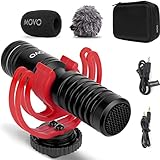
- PROFESSIONAL AUDIO FOR VIDEO CREATORS: Capture broadcast-quality sound with this compact shotgun microphone designed for filmmakers, vloggers, and content creators. Supports real-time headphone monitoring on smartphones via third-party apps so you can hear exactly what you're recording.
- SUPERCARDIOID PRECISION WITH STUDIO-LEVEL CLARITY: The highly focused supercardioid pickup pattern isolates your subject's voice while rejecting unwanted background noise — delivering noticeably crisper, more detailed audio than standard directional microphones. The integrated Rycote Lyre shock mount virtually eliminates handling noise, rumble, and vibrations for clean recordings every time.
- BATTERY-FREE, PLUG-AND-PLAY DESIGN: No batteries or charging required — the VXR10-PRO draws power directly from your connected device. Works with any camera, smartphone, tablet, or recorder equipped with a 3.5mm TRS or TRRS input. Adapters for both connection types are included in the box.
- EVERYTHING YOU NEED IN THE BOX: Shotgun microphone, Rycote Lyre shock mount, foam and furry windscreens for indoor and outdoor use, 3.5mm TRS adapter, 3.5mm TRRS adapter, and a protective carrying case for on-the-go creators.
- WIDE COMPATIBILITY — SETUP TIPS: Works with DSLRs, mirrorless cameras, and smartphones with a 3.5mm external mic input. Smartphone users: A Lightning or USB-C to 3.5mm adapter (sold separately) may be required depending on your device. DSLR users: Verify your camera has an external mic jack — some models like the Canon Rebel T6 and T7 (non-"i" versions) do not include one.
| Model | Published rate at 25 fps |
|---|---|
| lipsync-1.9.0-beta | $0.02–$0.025 per second |
| lipsync-2 | $0.04–$0.05 per second |
| lipsync-2-pro | $0.067–$0.083 per second |
| sync-3 | $0.107–$0.133 per second |
The same documentation lists monthly plans of Free at $0, Hobbyist at $5, Creator at $19, Growth at $49, and Scale at $249. It distinguishes duration, concurrency, and discounts by plan, and notes legacy usage-billing differences. Verify the billing mode and plan terms for your account before estimating a project. The page was last updated June 22, 2026; prices and usage terms were accessed October 7, 2026. Sync Labs billing documentation
The documented free allowance is three generations monthly, including lipsync-2 pro, plus ten text-to-speech generations. Each free generation is capped at 20 seconds; at most one of the three can use Sync 3, with a 15-second limit. In the documented legacy setup, subscribing removes the free-generation allowance and uses usage-based billing, so confirm the current account rules before planning around free credits.
Best Value

- Plug & Play, No Setup: Designed to work right out of the box with your iPhone, android, camera. USB-C & Lightning adapters and 3.5mm jack included. Just plug in and record instantly. No apps, no Bluetooth pairing needed
- Studio-Quality Sound: Built-in noise reduction chip + omnidirectional pickup. Includes foam and dead wind covers for voiceovers to viral interviews recording; cuts through background noise and even outdoors
- Rechargeable Battery: A wireless lavalier microphone designed for real creators. Charge your phone while recording simultaneously. It can be used for solo (14 hours) or dual (7 hours) recordings and transmitter up to 5 hours, 1-hour fast charge
- 360° Clip & Universal Use: The rotating clip positions this lapel microphone wireless perfectly on collars, shirts, hats, or gear. Capture perfect audio for YouTube, TikTok, interviews, or vlogs from any angle with this essential wireless microphone for iphone
- Real-Time Monitoring & Smart Modes: Hear exactly what this mic for iPhone captures just plug your headphone in. Instantly switch between Standard Mode, Reverb Mode, or Mute mode for ultimate control during mini microphone use
3. D-ID: a talking-avatar alternative to verify
D-ID is described in comparison coverage as a lower-cost way to try a talking-avatar workflow, with API access also identified as an option. A September 2026 Dupple comparison reports Lite at $4.70 per month or $56 per year billed annually after a 14-day trial; Pro at $16 per month or $191 per year; and Advanced at $108 per month or $1,293 per year. The comparison says entry tiers cap monthly video minutes and places premium voices and cloning at Pro. These are secondary-source figures, not verified current D-ID plan terms. Dupple’s September 2026 comparison
Before paying or using generated videos commercially, confirm D-ID’s current pricing, trial, video-minute caps, watermark rules, API rates, and commercial-use rights directly with the service. Toolradar likewise flags commercial rights and watermarks as details to check. Toolradar’s 2026 comparison
4. Rask AI: consider it when dubbing is the main task
Toolradar presents Rask AI as a dubbing service that keeps mouth movement matched to translated audio, and notes that higher-tier accuracy controls may matter. That description comes from comparison coverage rather than current official Rask documentation. Check Rask’s current language support, lip-sync feature, plan limits, and accuracy controls before choosing it for a localization project. Toolradar’s 2026 comparison
5. Wav2Lip.org hosted dashboard: a basic workflow to inspect
The hosted dashboard provides video and image modes and accepts video and audio by upload or URL. It names Wav2Lip V1 as its selected model and labels it “basic reliability”; the page says a Basic plan or higher is needed for more generation and features. The available page does not provide enough detail to compare full pricing, privacy, licensing, output quality, or local self-hosting. These dashboard details should not be assumed to describe all Wav2Lip software or distributions. Wav2Lip.org dashboard
How to choose without paying for the wrong workflow
- Match the input and output. Decide whether you have footage to resynchronize, a still image/avatar to animate, or a video that needs translation and dubbing.
- Choose app or API. For a browser-based creator workflow, start with the tool whose product page describes your exact input. For integration or model-level control, compare API documentation and usage rates, not just monthly plan prices.
- Estimate the whole cost. Include credits, per-second processing, duration caps, export resolution, and the billing interval. A low monthly entry price does not by itself establish the cost of a longer project.
- Test representative footage before committing. Use a rights-cleared clip with the angles and conditions you actually expect: a close-up, profile, quick speech, speaker change, or mouth obstruction. Compare the result and artifacts on that same footage. Toolradar notes that no vendor in its comparison claims frame-perfect accuracy across every shot type.
- Check terms for the intended use. Confirm watermark behavior, commercial rights, privacy, and any plan-specific restrictions in current official terms before using client or public-facing material.
What the evidence can—and cannot—say
The published material supports matching tools to workflows and comparing stated capabilities, limits, and pricing. It does not establish which service produces the most convincing result on the same footage: no standardized benchmark or hands-on comparative test is available here. A sound choice therefore depends on testing your own representative clip and checking current terms, especially for usage-based billing and details reported only by comparison sites.
Quick Recap
Product prices and availability are accurate as of the date/time indicated and are subject to change. Any price and availability information displayed on Amazon at the time of purchase will apply.

