
iTechGuides is reader-supported. When you buy through links on our site, we may earn an affiliate commission. As an Amazon Associate I earn from qualifying purchases. Learn more
The best call recording apps for Android in 2026 are usually the built-in Google Phone or Samsung Phone recorder, when your device, carrier, Android version, and region support them. Google Voice is useful for calls made through a Voice number, while Cube ACR, ACR Phone, and Talker ACR are third-party options with device-dependent cellular and VoIP support.
No Android call recorder works reliably on every phone. Before installing an app, identify whether you need to record an ordinary carrier call, Wi-Fi Calling, Bluetooth audio, or a VoIP call such as WhatsApp or Google Meet. Then make a short test call and confirm that both voices are captured.
Research and compatibility note: Features and availability in this article were checked against the supplied sources on August 16, 2026. Developer claims are identified as claims; no universal compatibility guarantee is implied.
Do these 3 things before closing this tab:
1Repair Windows errors before they cause bigger problems2Scan for outdated or missing drivers - takes under a minute3Clear out junk files and repair common Windows errorsKey takeaways
- Google Phone supports call recording only on certain devices, carriers, and regions; non-Pixel phones generally need Android 9 or later, while Pixel support requires Pixel 6 or newer with Android 14 or later.
- Samsung Galaxy owners should check the Samsung Phone dialer first because Samsung integrates recording and, on supported devices and regions, transcription, translation, and summarization into One UI 7.0 or higher.
- Google Voice records calls made through a Google Voice number, not every call made through the regular carrier dialer.
- Cube ACR, ACR Phone, and Talker ACR can be useful for cellular and VoIP calls, but Android restrictions, Bluetooth, Wi-Fi Calling, firmware, and device-specific audio routing can produce one-sided or silent recordings.
- “Free” can mean advertising-supported, limited to core recording, dependent on a paid helper, or separate from paid backup and transcription features.
- Recording laws vary by jurisdiction, so tell all participants and obtain permission whenever the applicable law requires it.
Which call recording app should you try first?
Try the native recorder before a third-party app. Native recording avoids an additional Accessibility Service, overlay, helper APK, or replacement dialer, and the native Phone app is more likely to understand the phone’s own call-audio path.
#1 Best Overall

- RECORDS CALLS ON ANY CELL PHONE (via bluetooth); Wirelessly Record both sides of a conversation on any bluetooth compatible mobile phone. Works on iPhone, Android, smart phones, and simple phones.
- STAND ALONE VOICE RECORDER; In addition to recording cell phone calls, the PR200 can be used as a digital voice recorder to record meetings, lectures, dictations, or memos.
- BUILT-IN SPEAKER; allows you to listen to recordings directly from the PR200. BUILT-IN USB PLUG; The PR200 turns into a USB flash drive; plug it into any MAC or Windows computer to listen to your recordings (no extra cables or software required)
- 8GB MEMORY, 288HR CAPACITY, UP TO 12HR BATTERY; Plenty of room and battery life for your recordings
- PREMIUM RECORDERGEAR BRAND; 1-Year warranty & Customer Support
| Option | Best for | Cellular calls | VoIP calls | Announcement | Free status | Main limitation |
|---|---|---|---|---|---|---|
| Google Phone | Supported Android phones | Yes, where supported | No general VoIP claim | Both participants are notified | Included with supported phones | Device, carrier, region, and version restrictions |
| Samsung Phone | Supported Galaxy phones | Yes, where available | Not established | Check the device and region | Included on supported Galaxy phones | One UI, firmware, device, and regional variation |
| Google Voice | Calls made through a Voice number | Through Voice, not the carrier dialer | Voice service calls | Participants receive an announcement | Personal and Workspace rules differ | Not a universal carrier-call recorder |
| Cube ACR | Cellular plus selected VoIP apps | Developer advertises support | WhatsApp, Meet, LINE, IMO, Viber, Facebook, WeChat claimed | Check the app’s current behavior and law | Ads and in-app purchases | Some phones capture only one side |
| ACR Phone | Users comfortable with a third-party dialer | Dialer-based recording | Not the primary documented strength | Verify on the exact setup | Free app plus optional helper and purchases | Helper, dialer, and possibly Shizuku setup |
| Talker ACR | Recording and management features | Developer advertises support | Several services claimed | Verify on the exact device | Free and Premium tiers | VoIP and Bluetooth support vary |
| Boldbeast | Compatible older devices | Device-specific | Several services claimed | Verify before use | Free version; $9.99 lifetime/device-specific Pro code listed | Published compatibility reaches Android 11 |
| Truecaller | Caller ID, spam filtering, transcription, and recording together | Supported devices only | Not established | Check supported-device behavior | Premium conditions may apply | Broader app and permission footprint |
How do Android call recording restrictions work?
Android call recording depends on more than the recorder app. Android version, manufacturer firmware, default dialer, carrier configuration, country, device model, VoLTE, Wi-Fi Calling, Bluetooth routing, and the distinction between cellular and VoIP audio all affect whether both sides can be captured.
Google’s Phone app support documentation says recording is available only on certain devices and carriers and that supported features vary by country or region. A third-party app may advertise call recording while still failing on a particular carrier build or recording only the phone owner’s microphone.
For that reason, a download count or star rating is not a compatibility test. A meaningful test names the phone model, Android build, carrier, call type, audio route, and whether both voices were recorded clearly.
Recommended Free Tools
1. Google Phone call recording
Best for: Android users whose Phone app exposes the recording feature. Google Phone is the first option to check because it is integrated into the dialer and stores recordings locally on the device.
Google documents support for non-Pixel devices generally running Android 9 or later and Pixel 6 or newer devices running Android 14 or later. Those requirements do not override carrier, region, model, or firmware restrictions. Google Phone announces recording to both participants when recording starts and stops.
Google Phone cannot record before a call is answered, calls on hold, or conference calls. Automatic recording and automatic deletion are not available in every market. Recordings are associated with the call history: deleting the relevant call log also deletes the associated recording, and Google says recordings are not automatically backed up off-device.
How to record a call with Google Phone
- Open Phone.
- Tap More options → Settings → Call recording.
- During a supported active call, tap Record. On a supported Pixel, tap Call Assist → Call Recording.
- Tap Stop recording when finished.
- Open the caller’s entry in Home or History to play or share the recording.
Where the market supports it, the same settings area can offer Always record for unknown numbers or selected contacts. If Call recording does not appear, the feature is not necessarily broken; the phone, carrier, region, dialer version, or firmware may not support it.
2. Samsung Phone call recording
Best for: Owners of a supported Samsung Galaxy phone who use the Samsung dialer. Samsung says call recording is integrated into Samsung Phone on Galaxy devices running One UI 7.0 or higher, with recording and selected Transcript Assist features available on supported devices and regions.
Samsung’s documented features include recording, transcription, translation, and summarization, but those features should not be generalized to every Galaxy model. Region, firmware, language, and device support matter. Check the Samsung Phone settings and make a short test call before relying on the result.
Samsung’s official support page is the appropriate reference for the current device and software conditions: Samsung’s Galaxy call-recording and Transcript Assist documentation.
3. Google Voice
Best for: People willing to place or receive calls through a Google Voice number. Google Voice is an official service-based recording workflow, not a recorder for every ordinary call made through the phone’s carrier dialer.
Rank #2

- AUTOMATIC / MANUAL CALL RECORDING - All incoming and outgoing calls can be set to record automatically. In manual mode, you can choose to record only certain phone calls with a click of a button. The TR600 is an upgraded model from our popular TR500 model.
- ANALOG, IP, DIGITAL PHONE LINE COMPATIBLE - Not only can the TR600 record on analog phone lines, it can also record on digital and IP phones which sets it apart from our TR500 model. TIME/DATE STAMP - The time/date of each recording is displayed on the TR600 screen. Each file on the sd card is organized in chronological order and stamped with the time/date.
- LOOP RECORDING / EXPANDABLE MEMORY (16GB INCLUDED) - Recording is never stopped due to a full memory card; when the memory fills up the newest calls are recorded over the oldest calls on the sd card.
- EXTERNAL SPEAKER / COMPUTER PLAYBACK - Playback your recordings on the external speaker. Remove the SD card and playback/store the recordings on any MAC or Windows computer; no extra software is needed. VOICE/MEETING RECORDER MODE - Functions as a regular voice recorder for recording meetings/lectures.
- CALLER ID / ASSISTANT RG SOFTWARE - Displays the callers information on the LCD screen (must have caller ID enabled phone line). Stay organize with the Call Assistant software (windows users only); easily manage and organize all your recordings.
Personal Google Voice accounts can record incoming calls through the Voice dial pad under Google’s documented workflow. Workspace users need the appropriate Google Voice license and administrator configuration. Participants receive an announcement when recording begins.
- Open Google Voice.
- Start or answer an incoming call using the Voice number.
- Use the recording control on the Voice dial pad where available.
- Expect the recording announcement.
Check Google’s Google Voice recording rules before choosing this option, particularly if the account is managed by an employer or school.
4. Cube ACR
Best for: Users who need a single third-party candidate for ordinary calls and selected VoIP services and are willing to troubleshoot.
The Cube ACR Google Play listing advertises cellular recording and recording for WhatsApp, Google Meet, LINE, IMO, Viber, Facebook, and WeChat. The listing also describes automatic and manual recording, playback, favorites, voice memos, and cloud-saving capability.
Quick wins for a faster PC:
Scan for outdated or missing drivers - takes under a minuteDriver Scan →Repair Windows errors before they cause bigger problemsFix Now →Fix the driver behind crashes, sound loss and screen glitchesFind Drivers →Cube ACR contains ads and in-app purchases. Its listing warns that some phones may record only one side and may require a different recording source or automatic speaker mode. Cube ACR’s data-safety disclosures say that the app may share app activity and device identifiers, collects app activity, performance information, and device identifiers, encrypts data in transit, and says data cannot be deleted. Review those disclosures before recording sensitive conversations.
Who should skip Cube ACR: Users who need guaranteed two-way Bluetooth recording, a local-only privacy model, or a recorder that works without Accessibility Services and device-specific troubleshooting.
5. ACR Phone
Best for: Users who are comfortable using a third-party dialer and installing an official helper. ACR Phone combines a dialer with call-recording functionality rather than acting as a simple recorder layered over the existing Phone app.
NLL Apps explains on its official ACR Phone page that Google Play’s Accessibility Services policy change affected call-recording apps and directs users toward ACR Phone Helper. The page also advertises a Shizuku-supported route for Android 10 and newer.
PC Slower Than It Used to Be?
A free scan shows the junk files, broken settings and background clutter dragging Windows down - then fixes them in one click.Free scan · Windows 10 & 11Crashes, No Sound, or Screen Glitches?
Random freezes, missing sound and display glitches usually trace back to one bad driver. Find and replace yours safely.Free scan · under a minuteThe extra helper is a security and maintenance dependency. Install only the helper linked from the developer’s official page, confirm the exact Android build is supported, and remove the helper if the feature is no longer needed. ACR Phone is a poor fit for readers who want no dialer change, no sideloading, no Shizuku, and no additional setup.
6. Talker ACR
Best for: Users who want recording plus backup, storage, locking, and format-management features. Talker ACR advertises ordinary phone calls and services including WhatsApp, Viber, Skype, Facebook Messenger, WeChat, Slack, LINE, Kakao, and IMO.
The Talker ACR Play listing describes free and Premium tiers. Premium features include cloud backup, PIN protection, broader audio-format selection, automatic storage management, and shake-to-mark. The listing also warns that not all Android devices support VoIP recording and says users who hear only their own voice should change the recording source.
Rank #3
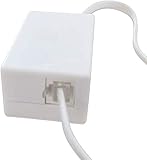
- AUTO RECHARGING AND MICRO SIZE – Micro size telephone record with auto recharging faction,just connect to the telephone line,no additional power needed
- SUPPORT SD CARD FOR MEMORY STORAGE - Used for home/office telephone conversation recording,include 16GB memory card,support MAX 32GB micro SD card (not included)
- RELIABLE FOR RECORDING - Designed by Embedded lunix system with high speed MCU,make it running stable,not like the other telephone recorder need PC support,its only support analog telephone system
- PLUG & PLAY - Just connect the telephone cable to telephone line in / line out and turn the power switch to one side will start working,automatic recording each phone call
Talker ACR contains ads and in-app purchases and uses Accessibility Services and overlay permissions. The developer’s site separates downloads for Android 12 and newer from Android 11 and earlier and provides helper applications. Follow the current route at Talker ACR’s official site, not a random APK mirror.
What’s actually slowing this PC down?
Pick the symptom - the matching free tool is one click away.
7. Boldbeast Android Call Recorder
Best for: Owners of an older or specifically compatible device who prefer a free version or a one-time Pro license.
Boldbeast’s official page describes automatic and manual recording, rules, local storage, multiple audio formats, cloud backup, and VoIP support. The page listed a $9.99 lifetime, device-specific Pro register code when the supplied research was checked.
Boldbeast is not a verified general solution for current Android releases. Its published compatibility information reaches Android 11, and the developer says firmware updates can break features. Do not extend those older claims to Android 15 or Android 16 without testing the exact phone. Test the free version before paying, as the official page recommends.
See Boldbeast’s official compatibility and purchase information for its current requirements.
8. Truecaller call recording
Best for: Existing Truecaller users who also want caller identification, spam filtering, transcription, and recording.
Truecaller advertises call recording and voice-to-text transcription as part of its broader caller-ID service. Premium support documentation describes call recording as available to Android users on supported devices, so availability should be confirmed for the phone and account before subscribing.
Truecaller may be excessive for someone who wants a small local-only recorder. Users should review the app’s permissions, account requirements, storage behavior, and regional Premium conditions on the official Truecaller call-recording page and Truecaller Premium support documentation.
What about the other 12 apps in a “20 best” list?
The following names are broader candidates, not verified 2026 recommendations from the supplied research. Older listicles often repeat these apps without checking their current Play Store listing, update history, privacy disclosures, Android compatibility, or two-way recording performance.
Free tools Windows power users keep installed
One-click scans. No signup required.
| Candidate | Current status in this guide | What to verify before installing |
|---|---|---|
| Automatic Call Recorder by Appliqato | Not verified | Current listing, Android version, two-way audio, pricing, permissions |
| Call Recorder by SMSROBOT | Not verified | Current listing, update date, device and carrier compatibility |
| Call Recorder by Lucky Mobile Apps | Not verified | Developer identity, privacy disclosures, recording quality |
| All Call Recorder Lite | Not verified | Current availability, ads, storage, both-side capture |
| Call Recorder by Photo Camera | Not verified | Current availability, permissions, developer support |
| Call Recorder – CallsBox | Not verified | Current Android support, pricing, cloud handling |
| RMC: Android Call Recorder | Not verified | Recent maintenance and compatibility with current Android |
| Skvalex Call Recorder | Not verified | Current official distribution, root/helper needs, privacy |
| Call Recorder by Quantum4u | Not verified | Current Play listing, permissions, two-way recording |
| Call Recorder by AutoBoy | Not verified | Current listing, update history, ads and subscriptions |
| Shizuku-based recording utilities | Not verified as a specific app | Developer source, commands and permissions, exact Android build |
| Manufacturer-specific or regional dialers | Not verified as a single product | Phone model, default dialer, carrier, region, and firmware |
These candidates should not receive a “best” award merely because they appear in an older article. A current recommendation requires direct verification on the relevant Android version and device.
Which app is best for cellular, VoIP, Bluetooth, or privacy?
| Reader’s situation | Most realistic first choice | Why | Important qualification |
|---|---|---|---|
| Supported Android phone with no special requirements | Google Phone | Native dialer, local storage, clear disclosure | Only appears on supported devices, carriers, and regions |
| Supported Samsung Galaxy | Samsung Phone | Integrated recording and selected Transcript Assist features | One UI, model, firmware, language, and region matter |
| Calls made through a separate Google Voice number | Google Voice | Official service with documented recording control | Does not record ordinary carrier-dialer calls |
| Cellular plus selected VoIP services | Cube ACR | Names several supported VoIP services | Two-way capture is device-dependent and may require speaker mode |
| Third-party dialer acceptable | ACR Phone | Official helper and Shizuku routes are documented | More setup and trust than a native dialer |
| Backup, PIN, and storage controls | Talker ACR | Premium management features are documented | Not all devices support VoIP recording |
| Older compatible phone and one-time license preference | Boldbeast | Free test version and listed $9.99 device-specific Pro code | Published compatibility is dated through Android 11 |
| Caller ID and transcription wanted too | Truecaller | Recording is part of a wider caller-ID product | Supported devices and Premium conditions apply |
| Privacy-first recording | Native Google or Samsung recorder, if available | Avoids adding a third-party recorder where possible | Native recordings still require lawful consent and backup planning |
Can these apps record WhatsApp, Google Meet, Skype, and other VoIP calls?
Some third-party apps advertise VoIP recording, but VoIP support must be evaluated separately from ordinary cellular-call support. Cube ACR names WhatsApp, Google Meet, LINE, IMO, Viber, Facebook, and WeChat. Talker ACR names WhatsApp, Viber, Skype, Facebook Messenger, WeChat, Slack, LINE, Kakao, IMO, and other services. Those are developer-listed capabilities, not a guarantee for every Android phone or app version.
Rank #4

- 【Standalone】AR120 is a standalone digital telephone recorder with replaceable SD card, it can record for more than 970 hours with the attached 16GB card(expandable to 32GB). It will never stop recording because lack of storage if users have set LOOP recording.
- 【MultiFunction Recording】AR120 is usually used to record phone calls. It can work with not only analog landlines/VoIP landlines, but also digital phones, IP phones, fixed wireless phones/terminals, PABX. Also, It can work as a voice logger for meetings, lectures, interviews, etc., and as a telephone answering machine.
- 【Multiple Recording Modes】 It supports MANUAL/ AUTO(voltage trigger)/ TRIG(voice trigger) recording mode. Users can select proper mode according to requirements and conditions.
- 【Easy setting】Users can set up the device on the keypad directly. Also, users can connect AR120 to a Windows PC to set it via “Log Manager Lite” software conveniently.
- 【Convenient Recording Files Management】With built-in microphone, speaker and blue backlit LCD screen, users can search, review, playback, delete and mark the recording files on the device. While connecting the device to a Windows PC via the attached USB data cable, users can play back and manage recording files using the “Log Manager Lite” software on Windows(ONLY) computer. Users can export both recording audio files and records data sheet. Also, users can remove the SD card to play and store the recording files on MAC/Windows computer directly.
Boldbeast’s official page lists several VoIP services, including WhatsApp, Viber, Facebook Messenger, Google Voice, LINE, WeChat, Skype, and Signal, but its compatibility information is dated and should not be presented as proof of Android 15 or Android 16 support.
Google Phone and Samsung Phone should not be treated as universal VoIP recorders simply because they can record supported cellular calls. A VoIP app may route audio through a different process, microphone path, Bluetooth profile, or privacy restriction.
The Tool Desk
Outbyte Driver Updater FREEFix the driver behind crashes, sound loss and screen glitchesFind Drivers →Outbyte PC Repair FREERepair Windows errors before they cause bigger problemsFix Now →Why does an Android recorder capture only one voice?
An app records only one side when Android, the phone firmware, the carrier call path, or the audio accessory prevents the recorder from receiving both streams. The failure is especially likely with Bluetooth earbuds, car systems, wired headsets, Wi-Fi Calling, VoLTE, or a recording source that is incompatible with the device.
- Confirm microphone, phone, notification, overlay, and required Accessibility permissions.
- Confirm that the app and any helper came from the developer’s official source.
- Make a short test call without Bluetooth earbuds or a car connection.
- Try speakerphone if that is lawful and acceptable for the conversation.
- Change the app’s documented recording source.
- Disable battery optimization for the recorder.
- Test with Wi-Fi Calling disabled, if the carrier and phone allow that comparison.
- Export the file and play it on another device to distinguish a recording problem from a playback-routing problem.
These steps can identify a routing problem, but they cannot make an incompatible phone compatible. Cube ACR specifically warns about one-sided recording and recommends changing the source or using automatic speaker mode. Talker ACR similarly tells users who hear only their own voice to change the recording source.
Independent reader supportYour contribution helps us test, update, and keep practical guides available for everyone.How should you compare free and paid call recorders?
A free download is not necessarily a free end-to-end recording solution. The relevant cost may be advertising, a Premium tier for cloud backup or transcription, a paid helper, a subscription, a one-time license, or the loss of recordings when local storage is cleared.
| Product | Commercial model identified in the supplied sources | What the price does not prove |
|---|---|---|
| Google Phone | Included on supported devices | It does not prove availability on the reader’s phone or region |
| Samsung Phone | Included on supported Galaxy phones | It does not make every Galaxy model or region compatible |
| Google Voice | Personal-account functionality; Workspace licensing differs | It does not record the regular carrier dialer |
| Cube ACR | Ads and in-app purchases | It does not establish one universal current price or two-way support |
| Talker ACR | Free and Premium tiers; Premium adds management features | It does not guarantee VoIP or Bluetooth support |
| Boldbeast | Free version; official page listed a $9.99 lifetime/device-specific Pro code | It does not establish current Android 15/16 compatibility |
| ACR Phone | Free app plus optional helper and possible in-app purchases | It does not eliminate helper or dialer setup |
| Truecaller | Supported-device and Premium conditions apply | It does not make Truecaller a lightweight local recorder |
Where are Android call recordings stored?
Storage depends on the app. Google Phone stores recordings on the device and does not automatically back them up off-device. Deleting the associated call log deletes the recording, so export important files before cleaning up call history.
Cube ACR advertises cloud-saving capability. Talker ACR lists cloud backup as a Premium feature. Cloud backup improves migration and recovery but creates an additional privacy and account-security decision. Before enabling backup, check who controls the account, whether files can be deleted, how exports work, and whether recordings are encrypted in transit and at rest.
For any recorder, verify whether files are stored in app-private storage, whether Android’s Files app can access them, whether uninstalling the app removes them, whether automatic deletion is enabled, and whether device migration includes them. A recording that cannot be exported is a poor archive for business or legal documentation.
What privacy permissions should you inspect?
Call recorders may request microphone, phone or call-state, contacts, notifications, overlay, and Accessibility Service permissions. Accessibility access is particularly important because it gives an app broad ability to observe or interact with parts of the device interface. A helper APK or Shizuku setup adds another software component to maintain and trust.
Review cloud backup, analytics, device identifiers, retention, deletion, and export controls. Cube ACR’s Play disclosure is a concrete example of why download popularity is not a privacy verdict: the listing describes potential sharing and collection of app activity and device identifiers. Users handling medical, financial, legal, employment, or confidential business calls may reasonably prefer a native local recorder where available.
The Tool Desk
Outbyte Driver Updater FREEFix the driver behind crashes, sound loss and screen glitchesFind Drivers →Outbyte PC Repair FREEClear out junk files and repair common Windows errorsFree Scan →Do not install modded applications or random APK mirrors. If an official helper is necessary, use the developer’s own page, confirm the package and publisher, keep Android security protections enabled where possible, and uninstall the helper when recording is no longer required.
Best Value

- Stay present in every scenario: Every conversation is covered, in person, on calls, and online. 4 MEMS + 1 VPU microphones with AI beamforming capture every voice across the room. Smart Dual-Mode Recording switches automatically between phone calls and in-person. The free Plaud Desktop captures online meetings without a bot
- Walk out of every meeting with notes ready to act on: Plaud Intelligence transcribes in 112 languages with speaker labels and turns each recording into action items, decisions, and follow-ups, structured and ready to use. Choose from 10,000+ customizable templates tailored to your role and industry
- AI summary ready before you reach your desk: Auto Transfer moves each recording to the Plaud app automatically, and AutoFlow transcribes and summarizes so your notes are ready before you are back at your desk. Upgrade anytime to Pro (1,200 min/mo) or Unlimited
- Access your AI workspace anywhere: One connected workspace across Plaud Desktop, Plaud Web, and the Plaud mobile app, so your conversations and finished work follow you everywhere
- Your conversations stay private and yours: Compliant with ISO 27001, ISO 27701, SOC 2, HIPAA, GDPR, and EN 18031, with zero data used to train AI models. Trusted by 2.5M+ professionals, including legal, medical, and business professionals handling sensitive information
Is recording a phone call legal?
There is no single United States or worldwide consent rule that safely covers every call. The law can depend on the jurisdictions where the participants are located, and a cross-state or international call can involve more than one rule.
Before recording, check the law where you are and where the other participant is located. When in doubt, tell everyone on the call and obtain permission before recording.
Google, Google Voice, Cube ACR, and Talker ACR all direct users to comply with applicable law and consent requirements. Google Phone and Google Voice announce recording to participants in their documented workflows. Do not choose an app based on a promise of silent recording, and do not treat technical ability as legal permission.
Quick wins for a faster PC:
Scan for outdated or missing drivers - takes under a minuteDriver Scan →Clear out junk files and repair common Windows errorsFree Scan →Fix the driver behind crashes, sound loss and screen glitchesFind Drivers →How should businesses test a recorder before relying on it?
Businesses should test the exact phone, Android build, carrier, dialer, headset, and call type that employees will use. A recorder that succeeds on a desk phone or speakerphone may fail through Bluetooth, Wi-Fi Calling, VoLTE, a conference bridge, or a work communications app.
- Record a short incoming cellular call.
- Record a short outgoing cellular call.
- Repeat the test over Wi-Fi Calling or VoLTE if those services are used.
- Repeat with the actual Bluetooth headset, car system, or wired headset.
- Test every required VoIP service separately.
- Play the exported file on another device and confirm both voices, timestamps, and intelligibility.
- Test screen locking, battery optimization, incoming interruptions, call waiting, and storage limits.
- Document consent language, retention, access, deletion, backup, and employee privacy procedures.
Do not assign a universal score to an app without naming the tested conditions. A useful evaluation can weight two-way reliability at 30%, compatibility transparency at 15%, cellular support at 15%, VoIP support at 10%, privacy and permissions at 10%, setup at 10%, storage management at 5%, and cost and advertising at 5%—but the result still applies only to the tested setup.
Which Android call recorder is the final recommendation?
For most readers, the best path is a decision sequence rather than a single app. Check Google Phone first on a supported Android device, check Samsung Phone first on a supported Galaxy, and use Google Voice if calls can be routed through a Voice number. Choose Cube ACR or Talker ACR when cellular-plus-VoIP coverage is more important than simple setup, and choose ACR Phone only if a third-party dialer and helper are acceptable.
Boldbeast may suit a compatible older device and a one-time-license preference, but its published compatibility cannot be extended to current Android releases. Truecaller makes sense when caller ID, spam filtering, transcription, and recording belong in one app. For every option, make a real two-way test call, check the storage and privacy model, and obtain the consent required for everyone on the call.
Frequently Asked Questions
Is call recording legal in the United States?
Call recording legality depends on the jurisdictions where the participants are located, and there is no single rule that safely covers every U.S. or international call. Check the applicable law and, when in doubt, tell everyone on the call and obtain permission before recording.
Why does my Android recorder capture only my voice?
Android, the phone firmware, the carrier call path, Bluetooth, Wi-Fi Calling, VoLTE, or the app’s recording source may prevent the recorder from receiving both audio streams. Test without Bluetooth, try speakerphone where appropriate, change the documented recording source, disable battery optimization, and make a short export-and-playback test.
Can Android record WhatsApp or Google Meet calls?
Some third-party Android apps, including Cube ACR and Talker ACR, advertise WhatsApp and Google Meet recording, but support varies by device, Android version, app version, permissions, and audio routing. Test each VoIP service separately because cellular-call support does not prove VoIP support.
Does Google Phone record calls automatically?
Google Phone can offer automatic recording for unknown numbers or selected contacts on supported devices and in supported markets. Automatic recording is not available in every region, and the Phone app announces recording to both participants.
Where does Google Phone save call recordings?
Google Phone stores recordings on the device and does not automatically back them up off-device. Recordings are associated with call history, and deleting the associated call log also deletes the recording.
The Bottom Line
Bottom line: There is no call recording app for Android that reliably works on every phone in 2026. Start with Google Phone or Samsung Phone, use Google Voice for calls made through a Voice number, and consider Cube ACR, ACR Phone, or Talker ACR only after checking permissions and completing a two-way test on the exact device and call route.
Quick Recap
Product prices and availability are accurate as of the date/time indicated and are subject to change. Any price and availability information displayed on Amazon at the time of purchase will apply.

