
The Tool Desk
Outbyte Driver Updater FREEScan for outdated or missing drivers - takes under a minuteDriver Scan →Outbyte PC Repair FREEClear out junk files and repair common Windows errorsFree Scan →iTechGuides is reader-supported. When you buy through links on our site, we may earn an affiliate commission. As an Amazon Associate I earn from qualifying purchases. Learn more
The best teleprompter apps for iPhone depend on the job: Teleprompter.com is the strongest focused all-rounder, PromptSmart Pro is the standout for voice-following scroll, BIGVU suits script-to-published-video workflows, and Teleprompter Pro is the better fit for external displays and physical rigs. No single app is best for every presenter.
Some iPhone teleprompters simply scroll a script, while others record video, follow speech, control playback from an Apple Watch, mirror text for two-way glass, or add captions and editing. The comparison below separates those jobs instead of treating a lightweight script reader and a full video-production suite as equivalent products.
Key takeaways
- Teleprompter.com is the best general-purpose choice when you want multiple scroll modes, recording, script importing, cross-device access, mirroring, and remote support.
- PromptSmart Pro is the clearest voice-following choice, but its VoiceTrack feature supports English only and the developer recommends an external wired microphone.
- BIGVU is the better choice for recording, automatic subtitles, editing, branding, eye-contact tools, and publishing in one workflow.
- Teleprompter Pro is aimed at external-display and physical-teleprompter setups, including AirPlay or HDMI workflows identified in comparison coverage.
- “Free” can mean free scrolling but paid recording, voice tracking, mirroring, export, captions, or watermark removal, so check each feature rather than relying on the download label.
How were these iPhone teleprompter apps compared?
These recommendations compare the features that affect a real presentation: scrolling control, voice-following, reading comfort, script import, recording, remote operation, external-display support, editing, free-tier limits, and subscription pressure. Vendor comparison pages are useful for finding features, but vendor verdicts are not independent testing: Teleprompter.com recommends its own app, and BIGVU recommends BIGVU. App Store titles, developers, minimum iOS versions, prices, and in-app purchase labels should be checked again immediately before publication because those details change.
What’s actually slowing this PC down?
Pick the symptom - the matching free tool is one click away.
The 12 apps also solve different problems. A script-only app may be preferable to a video suite when a creator already edits in Final Cut Pro, DaVinci Resolve, CapCut, Premiere, or another editor. A video suite may be more useful to a beginner or business user who wants recording, captions, branding, and publishing without maintaining several tools.
Popular on Amazon

- Dual-clamp Design: two universal clamps can hold tablet and smartphone simultaneously, offering clearer lines on large screen of tablet as teleprompter. Perfect for live streamers, video presenters, public speakers—say goodbye to forgotten lines forever.
- Wide Compatibility: The base of the mount adapter comes with three 1/4" threaded holes, one 3/8" threaded hole and one side Arca-Swiss slot. Securely compatible with most tripods, monopods, selfie sticks, heads, and stabilizers—Ideal for rock-solid connections in live streaming, video recording, filmmaking, vlogging and others.
- Cold Shoe for Rich Expansion: Each cell phone clamp comes with one cold shoe to attach additional accessories such as microphone, LED light, enabling you to unleash your creativity and make professional video works.
- Flexible and adjustable:Three models of clamps with different adjustable range are available, large tablet clamp: 6.2"-8.7"(15.8-22cm), medium tablet clamp: 4.4"-7.3"(11.2-18.5cm), smartphone clamp: 2.2"-3.5"(5.5-9cm). All clamps can be rotated 360°. You can easily get desired angle and positions to meet your needs, perfect for live video streaming, video recording and watching.
- High-quality Materials: Made of premium aluminum alloy material, providing sturdy support with reliable durability, lightweight for easy carrying and on-the-go use. The anti-slip plastic on the clamp add security to smartphone holding.
Which iPhone teleprompter app is best for you?
| App | Best for | Voice-following | Recording or production | Remote, watch, or rig support | Free or pricing signal | Main drawback |
|---|---|---|---|---|---|---|
| Teleprompter.com | Best overall focused prompter | Voice-activated and auto-scroll modes are described by the developer | In-app video recording | Apple Watch, Bluetooth remote, mirroring, cross-device workflow | Free starting tier promoted; paid boundaries require current listing check | Subscription tiers may matter to users wanting a local utility |
| PromptSmart Pro | Best voice-following option | VoiceTrack speech recognition; English only | Selfie mode and camera controls | Mirroring; optional remote-control features | App purchase and optional Extended subscription shown in the U.S. App Store listing | VoiceTrack can struggle with noise, accents, ad-libbing, and long sessions |
| BIGVU | Best all-in-one video workflow | Voice-driven prompting is identified in comparison coverage | Recording, captions, trimming, eye-contact tools, branding, publishing | Not established as the primary differentiator in the supplied evidence | Free plan reportedly includes teleprompter and basic recording | More features and account workflow than a simple prompter needs |
| Teleprompter Pro | Best for physical rigs | Not established in the supplied evidence | Primarily a display and presentation workflow | AirPlay or HDMI output, remote control, mirroring-oriented hardware use | Current price and paid mirror-mode terms require verification | Overkill for casual selfie recording without an external display |
| Teleprompter for Video | Best simple option | Not established in the supplied evidence | Basic script display and recording layer are described in comparison coverage | Not established in the supplied evidence | Comparison coverage describes a usable free experience; verify current terms | Limited production tools compared with BIGVU |
| Prompt+ | Best Apple Watch or Bluetooth workflow | Not established in the supplied evidence | Not established in the supplied evidence | Apple Watch and Bluetooth control, iCloud sync, mirror and rotate modes | Current App Store terms require verification | Less compelling if you do not need a remote or watch |
| SUFLER.PRO | Best minimalist presenter option | Not established in the supplied evidence | Presenter-focused prompting; recording details require verification | Not established in the supplied evidence | Current price and restrictions require App Store verification | Feature and maintenance status need confirmation |
| Prof Hornet Teleprompter Lite | Best lightweight broadcast-style candidate | Not established in the supplied evidence | Broadcast-oriented prompting; recording details require verification | Not established in the supplied evidence | “Lite” restrictions and current price require verification | May be limited or less actively maintained |
| Prompster | Best audio-recording-oriented candidate | Not established in the supplied evidence | Audio recording is identified in the comparison | Not established in the supplied evidence | Current plan and export rules require verification | Feature scope beyond audio recording is unclear |
| Teleprompter – Floating Notes | Best floating-overlay workflow | Not established in the supplied evidence | Designed to place notes over another camera app; recording behavior requires verification | Floating overlay and third-party camera workflow | Current iOS behavior and price require verification | Overlay behavior can vary by iOS and camera app |
| Teleprompter Premium | Best traditional script-display candidate | Not established in the supplied evidence | Current recording features require verification | Not established in the supplied evidence | Developer, price, and feature set require exact App Store verification | Generic name can be confused with unrelated apps |
| Parrot Teleprompter | Best hardware-ecosystem candidate | Not established in the supplied evidence | Current recording and export features require verification | Associated with Padcaster’s physical teleprompter ecosystem | Current iPhone compatibility and price require verification | Do not assume current app support from the hardware association alone |
Important: similarly named apps are not interchangeable. Identify every app by its exact App Store title, developer, icon, current screenshots, minimum iOS requirement, and in-app purchase labels before publishing or installing it. The warning especially applies to “Teleprompter,” “Teleprompter Pro,” “Teleprompter Premium,” “Teleprompter for Video,” and “Prompt+.”
What are the 12 best teleprompter apps for iPhone?
1. Teleprompter.com — best overall focused teleprompter
Teleprompter.com is the best starting point for most users who want a capable prompter without making video editing the center of the experience. The developer describes voice-activated scrolling, auto-scroll, script importing, mirroring, video recording, Apple Watch support, Bluetooth-remote support, and access across devices. See the developer’s iPhone teleprompter comparison for the feature overview.
Choose Teleprompter.com when you need a flexible script workflow for videos, classes, presentations, or annotated scripts and may switch between iPhone, iPad, desktop, and web. The focused interface is also a better match than an editing suite for users who already have a separate post-production workflow.
The trade-off is account and plan complexity. The official site promotes a free starting tier, but recording, synchronization, voice modes, and other limits should be checked against the current Teleprompter.com pricing page and U.S. App Store listing before purchase.
2. PromptSmart Pro — best voice-following app
PromptSmart Pro is the strongest choice when the defining requirement is speech-recognition-based scrolling rather than a fixed timer. Its VoiceTrack mode is designed to advance with the speaker, pause when the speaker pauses, and respond when delivery moves away from the script. The official U.S. App Store listing also documents Selfie Mode, camera controls, mirroring, and document imports.
PromptSmart Pro’s limitations deserve equal prominence. VoiceTrack supports English only according to the listing, and the developer recommends an external wired microphone. The listing gives a recommended maximum of approximately 5,000 words, 200 notecards, and 30 minutes of continuous VoiceTrack use. Those are PromptSmart recommendations, not universal limits for every teleprompter app.
Choose PromptSmart Pro for an English-language presentation when natural pacing matters and you can rehearse with the microphone and room used for the final performance. Keep fixed-speed scrolling or a Bluetooth remote as a fallback because background noise, echo, fast speech, accents, multiple speakers, paraphrasing, and major script changes can cause voice tracking to lose its place.
Quick wins for a faster PC:
Clear out junk files and repair common Windows errorsFree Scan →Fix the driver behind crashes, sound loss and screen glitchesFind Drivers →3. BIGVU — best all-in-one video-production suite
BIGVU is the best fit when the goal is to move from script to finished social or business video in one app. BIGVU combines teleprompting and recording with trimming, automatic subtitles, eye-contact correction, background replacement, brand tools, and publishing, according to its official mobile teleprompter page and its comparison article.
BIGVU’s reported free plan includes the teleprompter and basic recording, but “free” does not automatically mean watermark-free export, unrestricted captions, full branding, or every AI feature. Check the current plan screen before recording an important project.
Choose BIGVU if you are a creator, coach, educator, or business user who wants convenience and does not already pay for a complete editor. Choose a simpler prompter instead if you already finish videos in another editor and want to avoid duplicate editing tools, cloud uploads, account setup, and another subscription.
4. Teleprompter Pro — best for external displays and physical rigs
Teleprompter Pro is the most relevant pick for an iPhone or iPad used as a display behind two-way glass, or for a workflow that sends text to another screen. The official Teleprompter Pro site positions the product for Apple devices, while comparison coverage identifies AirPlay or HDMI output, remote control, mirroring, and SRT caption export based on scroll timing.
Choose Teleprompter Pro when the physical setup is the deciding factor: large text viewed through glass, an external display, or a camera placed behind the script. Confirm whether the current version records video or primarily supplies the display, and verify any paid mirror-mode requirement before buying.
Teleprompter Pro is not the default recommendation for a casual selfie video. A rig-oriented app adds little value if the iPhone is simply sitting on a tripod and the user wants captions, editing, and publishing.
5. Teleprompter for Video — best simple option
Teleprompter for Video is a sensible candidate for users who want straightforward script display and recording and already handle editing elsewhere. Comparison coverage describes it as a no-frills option rather than a full production platform; see the BIGVU comparison for that positioning.
Also popular on Amazon
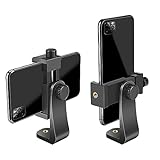
- FEATURE: the tripod phone mount is adjustable by screw mechanism, 360 degree rotating, vertical(portrait mode) and horizontal(landscape mode) or any angle as you need, not necessary to take your cell phone out of a standard tripod or small tripod.
- EASY TO USE: two options for using tripod phone holder: 1. screw it directly to the tripod or selfie stick with pivoting arm, being able to 360 degrees rotating, 2. remove the phone clamp from pivoting arm and then mount on a tripod or monopod.
- ADJUSTABLE WIDTH: 2.2inch-4.1inch(55mm-105mm), attachable to any regular-size smartphone, tripod, selfie stick, monopod or camera; two standard 1/4 x 20mm female thread interfaces meeting your various needs. Very functional and compact.
- MATERIAL: the black part made of sturdy plastic, the female threads inserted are brass, the male screw is steel and soft non-slipping silica gel pads, which protect your cellphone from scratch and hold the phone securely.
- ATTACHABLE TO: most mobile phones, tripods, unipods, selfie sticks, cameras, camcorders, pico projectors, including iPhone 11/11 Pro/11 Pro Max/X/XS/XR/XS Max/8/7/6/6s Plus/SE/5s/5/5c, Samsung Galaxy S10/10+/S9/S9+/S8/S8+/S7/S6/S6 edge, Note10/10+/9/8 and Android phones.
The advantage is a shorter learning curve and less duplicated functionality. The limitation is that the supplied evidence does not establish its current voice-following, remote, caption, export, watermark, or subscription features. Verify the exact developer and App Store terms before treating it as a genuinely free or offline choice.
Do these 3 things before closing this tab:
1Clear out junk files and repair common Windows errors2Fix the driver behind crashes, sound loss and screen glitches3Repair Windows errors before they cause bigger problems6. Prompt+ — best Apple Watch and Bluetooth control candidate
Prompt+ is the most relevant shortlist entry for presenters who want to control a script from an Apple Watch or Bluetooth device. Teleprompter.com’s comparison identifies Apple Watch and Bluetooth control, iCloud syncing, mirror and rotate modes, and light and dark themes. Those features make Prompt+ useful for stage presentations or solo filming where tapping the phone would interrupt delivery.
Prompt+ is a weaker choice when remote control is unnecessary. The current App Store developer identity, pricing, supported remote commands, and recording features should be checked separately because generic app names can conceal different products.
7. SUFLER.PRO — best minimalist presenter-focused candidate
SUFLER.PRO is listed by Teleprompter.com as a clean, minimalist option for presenters and teachers. Its appeal is the presenter-first positioning rather than a large set of editing or publishing tools.
Use SUFLER.PRO only after checking the current App Store listing for the exact developer, maintenance status, minimum iOS version, import formats, remote controls, recording support, and price. The supplied evidence does not verify those details, so SUFLER.PRO is a candidate rather than a fully verified feature leader.
8. Prof Hornet Teleprompter Lite — best lightweight broadcast-style candidate
Prof Hornet Teleprompter Lite appears in Teleprompter.com’s comparison as a lightweight, broadcast-focused app. The “Lite” label makes it particularly important to identify what the current version restricts: script length, mirror mode, recording, export, or other professional controls.
This app may suit a presenter who wants a smaller tool instead of a creator suite, but the current App Store listing must confirm whether the app remains actively maintained and what the Lite version includes.
9. Prompster — best audio-recording-oriented candidate
Prompster is included in Teleprompter.com’s comparison and is described as supporting audio recording alongside prompting. That makes it worth considering for voice-only practice, podcast-style delivery, or presenters who need an audio record of rehearsal.
Do not assume that audio recording means video recording, clean export, voice-following, or cloud backup. Verify those functions, the current developer, script limits, and price in the App Store.
Recommended Free Tools
10. Teleprompter – Floating Notes — best overlay workflow
Teleprompter – Floating Notes is the shortlist choice for users who want script text as a floating overlay while working with another camera app. Teleprompter.com identifies the app as a floating-overlay option for multitasking rather than a conventional all-in-one camera editor.
Overlay behavior depends on current iOS restrictions and the camera app being used. Test the exact camera workflow before relying on it for a live presentation, and verify whether the overlay is visible only during capture or also appears in the exported video.
11. Teleprompter Premium — best traditional script-display candidate
Teleprompter Premium is a candidate for users seeking a conventional script-display workflow, but the name must not be confused with Teleprompter.com or Teleprompter Pro. The supplied research does not verify the current developer, App Store listing, minimum iOS version, price, recording functions, or remote compatibility.
Choose it only after confirming those details in the current App Store. A traditional prompter may be exactly right for a speaker who needs readable text and speed controls, but the app should not be ranked on unverified features.
12. Parrot Teleprompter — best hardware-ecosystem candidate
Parrot Teleprompter is associated with Padcaster’s physical teleprompter hardware ecosystem, making it a logical candidate for readers pairing an iPhone with a dedicated rig. The association is not enough to establish the current app’s compatibility, recording features, pricing, or support status.
Also popular on Amazon

- Dual Cold Shoe Mounts: This phone tripod mount features 2 rotatable cold shoe mounts for attaching microphones, LED lights, and other accessories. Easily adjust accessory angles for photography, video recording, and vlogging.
- Universal 1/4"-20 Thread: The smartphone tripod adapter features a standard 1/4"-20 threaded mount for compatibility with tripods, selfie sticks, monopods, cameras, stabilizers, and other compatible photography accessories.
- 360° Rotation & 180° Tilt: Adjust your phone angle with 360° rotation and 180° tilt to switch easily between portrait and landscape orientations. The adjustable phone mount allows flexible positioning without an additional ball head.
- Wide Phone Compatibility: This universal cell phone tripod mount fits smartphones measuring 2.16"–3.7" wide (5.5–9.4 cm), including iPhone 18 Pro Max and Samsung Galaxy S26 Ultra. For the best fit, avoid clamping directly over side buttons. With thick cases or protruding buttons, adjust the clamp position slightly higher or lower.
- Secure, Non-Slip Grip: Thick, non-slip silicone pads help hold your smartphone securely and protect it from scratches. The adjustable phone clamp accommodates compatible devices with many types of phone cases for stable mounting during photos and videos.
Verify the current App Store title, developer, iPhone compatibility, mirroring behavior, and hardware requirements before choosing Parrot. Readers should not assume that an app remains supported merely because related physical hardware is still available.
Which app is best for each use case?
| Use case | Best starting choice | Why | What to verify first |
|---|---|---|---|
| General videos and presentations | Teleprompter.com | Broad prompting, recording, import, mirror, and remote workflow | Current free-tier limits and subscription boundaries |
| Voice-following delivery | PromptSmart Pro | VoiceTrack is explicitly speech-recognition-based | English support, microphone quality, session length, and fallback control |
| Script to finished social video | BIGVU | Prompting, recording, captions, editing, branding, and publishing | Watermarks, export limits, and paid AI features |
| Long presentation | PromptSmart Pro or Teleprompter.com | Voice or manual modes can be matched to the delivery style | Break the script into sections; test the actual session length |
| Apple Watch or remote operation | Teleprompter.com or Prompt+ | Both are identified with watch or Bluetooth control | Supported commands and whether the feature is paid |
| Physical teleprompter rig | Teleprompter Pro | External-display and hardware-oriented workflow | Mirroring, AirPlay or HDMI path, rotation, and camera clearance |
| Simple prompting with separate editing | Teleprompter for Video | Designed as a straightforward prompting option | Current free features, clean export, and watermark policy |
| Captions and branding | BIGVU | Production suite includes subtitles and brand tools | Plan requirements and export quality |
Can an iPhone display a script while recording itself?
Yes, but the layout involves a compromise. Some apps place the script beside or over a front-camera preview, while others use a floating text layer or a second device. An iPhone cannot provide a conventional large, centered script window and completely unobstructed camera framing at the same time without changing the layout or adding a physical teleprompter rig.
Teleprompter.com and PromptSmart Pro both document integrated or selfie-oriented recording workflows. For a natural eye line, place the text as close to the camera lens as possible, increase the font size, narrow the text column, and avoid forcing the reader to scan across long lines.
Outdated Drivers Are Slowing You Down
One free scan finds every outdated or missing driver and matches the right update for your exact hardware.Free scan · exact hardware matchPC Slower Than It Used to Be?
A free scan shows the junk files, broken settings and background clutter dragging Windows down - then fixes them in one click.Free scan · Windows 10 & 11Which iPhone apps actually follow your voice?
PromptSmart Pro’s VoiceTrack is the clearest documented speech-recognition feature in this shortlist. Teleprompter.com describes VoiceGlide voice-activated scrolling and an auto-scroll mode. Voice-following is different from fixed-speed scrolling, a pause-on-silence option, a manual remote, or captions generated after recording. The PromptSmart Pro App Store listing and Teleprompter.com’s comparison are the relevant first-party references.
Voice-following can make delivery more natural, but performance depends on microphone quality, speaking style, language support, background noise, and how closely the speaker follows the written script. Strong improvisation may cause the app to lose its place because the spoken words no longer match the script.
How reliable is voice tracking?
Voice tracking is useful but should not be treated as automatic error-proof prompting. PromptSmart’s own documentation recommends an external wired microphone and identifies English-only VoiceTrack, approximately 5,000 words, 200 notecards, and approximately 30 minutes of continuous VoiceTrack as recommended boundaries. Background noise, echo, low microphone volume, rapid delivery, accents, multiple speakers, and unsupported languages can reduce reliability.
- Use a quiet room and the microphone intended for the final recording.
- Read close to the written script during the test rather than improvising entire sentences.
- Test pauses, corrections, restarts, and section changes.
- Keep fixed-speed scrolling or a Bluetooth remote ready as a fallback.
- Split a long presentation into chapters or notecards instead of relying on one enormous script.
What can these apps import?
PromptSmart Pro’s App Store listing specifically names DOCX, OCR-scanned PDF, RTF, TXT, and Google Docs imports, along with Google Drive, OneDrive, Box, Dropbox, and iCloud. Those formats should not be generalized to every app in the list.
Import failures are usually formatting failures rather than teleprompter failures. Image-only PDFs need OCR before import; page numbers, headers, footnotes, and decorative formatting should be removed; and smart quotes, em dashes, and other special characters should be checked after conversion. Short speaking paragraphs are easier to follow than dense blocks of prose.
Are teleprompter apps genuinely free?
There is no useful universal yes-or-no answer. A free download may allow script scrolling while charging for recording, voice tracking, mirroring, clean export, captions, cloud storage, watermark removal, or longer scripts. BIGVU says its free plan includes the teleprompter and basic recording, while Teleprompter.com promotes a free starting tier; the exact feature boundaries require checking the current Teleprompter.com pricing page, BIGVU plan flow, and App Store listings.
| Cost question | Why it matters | What to check |
|---|---|---|
| Is the download free? | A free download may still lock the useful features | In-app purchase labels and trial terms |
| Is script scrolling free? | Basic prompting may be available even when recording is not | Script length, speed controls, and number of scripts |
| Is recording free? | Recording may be restricted or watermarked | Camera access, resolution options, export, and watermark |
| Is voice tracking free? | Speech recognition is often a premium differentiator | Language, trial duration, and subscription requirement |
| Is mirroring free? | Physical rigs need mirrored text | Horizontal and vertical mirror modes and paid unlocks |
| Is remote control free? | Watch or Bluetooth control may belong to a higher tier | Supported devices and subscription disclosures |
| Is the price one-time or recurring? | A low initial price may conceal auto-renewal | U.S. storefront, date checked, billing period, and renewal terms |
PromptSmart Pro’s U.S. App Store listing shows an app price and optional Extended subscription disclosures, but storefront renderings can show different offers and amounts. Check the exact U.S. listing at the time of purchase rather than relying on an older price mention.
Which apps work with Apple Watch or Bluetooth remotes?
Teleprompter.com lists Apple Watch and Bluetooth-remote support, while Prompt+ is described as supporting Apple Watch and Bluetooth control. PromptSmart Pro also offers remote-control functionality, although its App Store listing indicates that some remote features may be connected to the optional Extended subscription.
Free tools Windows power users keep installed
One-click scans. No signup required.
Remote control is especially valuable for stage presentations, long scripts, and solo filming because the presenter can pause, resume, or change speed without touching the phone. Pair the remote before mounting the iPhone and test every button; a Bluetooth remote that connects but cannot send the required command is not a reliable live-presenting solution.
Independent reader supportYour contribution helps us test, update, and keep practical guides available for everyone.Which apps work with a physical teleprompter rig?
Teleprompter Pro is the strongest candidate when an iPhone or iPad feeds an external display or sits behind two-way glass. The setup requires more than ordinary scrolling: the app must provide the correct horizontal mirror, possibly rotation, readable text at a distance, and a way to control the script while the phone is mounted. Teleprompter Pro’s official site is the starting point for its Apple and external-display workflow.
Teleprompter.com and PromptSmart Pro also document mirroring, so either may work in a compatible rig. Confirm whether the app sends only the script to the external display or also records video, and confirm whether AirPlay, HDMI, or a particular adapter is required.
Also popular on Amazon

- One-Second Fold Teleprompter for Phone:Ultra-Light 9.7 inch teleprompter can be folded in 1 second.Indoor or outdoor Shooting Compact studio teleprompter perfect for vlogging, live Streams & travel
- High-definition Display:LENSGO TC7S Teleprompter was used Industry standard glass for high quality of definition display and great transmission. Adopts special coating process and beam splitter glass, won’t affect the quality of image and making the front reflection clear and easy to read, give clear prompting and decreases NG frequency
- Efficient Video Accessories :Foldable Teleprompter Allows you to clearly read scrolling text while looking directly into the camera. Perfect for vlog, live broadcast, online class, video recording, interviews, presentation and so on. Give great help while live streaming or recording. Bring you a better shooting experience
- Bluetooth Remote Control:Download the free APP(TCQI) from App store or Play store to your smart phone or tablet to display the manuscript with remote controller, you could freely turn on , pause, speed up or down the page. And also could change the color of background and font
- Features and Compatibility:TC7S prompter can fit all models of smart phones,IPAND MINI, APP Compatible with iOS & Android System. Universally supports flexible tablet (below 8 inch) / smart phone prompting shootings. (come with phone lens shading ring ).It supports the device vertical/horizontal placement and left/right shooting
- Enable horizontal mirroring and test vertical rotation if the rig needs it.
- View the text through the glass before recording.
- Increase font size and shorten line width for the viewing distance.
- Confirm that the camera lens and microphone are not obstructed.
- Pair the remote before placing the phone in the rig.
- Check glare, screen brightness, contrast, focus, and exposure.
How do you set up an iPhone teleprompter?
- Confirm the exact app title, developer, current iOS requirement, and purchase terms.
- Paste or import the script, then remove headers, footers, page numbers, and unnecessary formatting.
- Break long paragraphs into short speaking units and separate stage directions from spoken words.
- Place the iPhone so the script is as close to the camera lens as practical.
- Set high-contrast colors, a readable font size, comfortable line spacing, and a narrow text width.
- Start with a slower scroll speed than seems necessary.
- Record a short test with the final camera position, lighting, microphone, and room.
- Adjust speed, margins, line spacing, and pauses after watching the test.
- Rehearse once with the same equipment and script version used for the final take.
How do you make a teleprompter reading look natural?
Natural delivery comes more from script design and camera placement than from a premium app. Keep lines short, enlarge the text, slow the scroll, and position the words close to the lens. Teleprompter.com specifically recommends short lines, larger text, slower scrolling, and placing the phone close to the lens in its iPhone teleprompter guidance.
The Tool Desk
Outbyte PC Repair FREERepair Windows errors before they cause bigger problemsFix Now →Outbyte Driver Updater FREEFix the driver behind crashes, sound loss and screen glitchesFind Drivers →Rewrite formal prose into speech. Add punctuation where you would naturally pause, separate ideas into cue-friendly paragraphs, and avoid silently reading several lines ahead. If the reader’s eyes visibly travel from side to side, narrow the text column or move the display closer to the lens.
What should you do when a teleprompter app fails?
Voice tracking loses your place
Switch to fixed-speed scrolling or a Bluetooth remote, lower background noise, use a better microphone, shorten sentences, add punctuation and paragraph breaks, and split the script into smaller scenes. Rehearse with the final room acoustics and avoid large unscripted departures from the written text.
The presenter looks like they are reading
Move the text closer to the camera, increase font size, narrow the text column, slow the scroll, and raise or reposition the phone. A phone mounted below or beside the lens makes eye movement more visible.
The script imports with broken formatting
Paste plain text, remove page furniture, OCR image-only PDFs before importing, use short paragraphs, and check apostrophes, quotation marks, em dashes, and other special characters.
The subscription appears after installation
Check whether the locked feature is recording, mirroring, voice tracking, export, captions, cloud sync, or remote control. Check the trial’s auto-renewal terms before starting it, and compare the cost with a simple prompter plus the editor you already use.
The final video contains the script
Do not infer clean export from the presence of an in-app camera. Confirm whether the script is only displayed on the phone, burned into the recording, exported as a clean video, or accompanied by a watermark. Test a short clip before recording the full presentation.
What about offline use, privacy, and microphone access?
Offline prompting must be checked app by app. An imported script may work without a connection even when cloud synchronization, AI script generation, captions, account features, or speech processing require the internet. Do not assume that voice tracking works offline unless the developer explicitly documents offline recognition.
Voice-following apps need microphone access. Before granting permission, review the app’s microphone and speech-processing disclosures, whether speech recognition is on-device or cloud-based, whether an account is required, and how cloud scripts or recordings are stored. The supplied evidence does not establish local speech processing for any particular app, so that detail should be verified in current privacy documentation.
Quick wins for a faster PC:
Repair Windows errors before they cause bigger problemsFix Now →Fix the driver behind crashes, sound loss and screen glitchesFind Drivers →Clear out junk files and repair common Windows errorsFree Scan →Final recommendations
Start with Teleprompter.com if you want a flexible, focused prompter with multiple scroll modes and cross-device or remote workflows. Choose PromptSmart Pro when English voice-following is the main reason you are installing a teleprompter app and you are prepared to test the microphone and fallback controls. Choose BIGVU when captions, editing, branding, eye-contact tools, and publishing matter as much as prompting. Choose Teleprompter Pro when an external display or physical two-way-glass rig is central to the setup. For basic prompting with separate editing, begin with Teleprompter for Video after verifying its current App Store terms.
Frequently Asked Questions
Can I use an iPhone as a teleprompter while recording video?
Yes, an iPhone can display a script while recording through apps such as Teleprompter.com and PromptSmart Pro, but the script layout may share space with the camera preview. A physical rig or second device is better when you need a large, centered script and unobstructed camera framing.
What is the best free teleprompter app for iPhone?
There is no universal best free teleprompter app because free plans may limit recording, voice tracking, mirroring, export, captions, or watermark removal. BIGVU reports that its free plan includes the teleprompter and basic recording, while Teleprompter.com promotes a free starting tier; verify current App Store terms before choosing.
Which iPhone teleprompter app follows my voice?
PromptSmart Pro is the clearest documented voice-following choice because its VoiceTrack feature uses speech recognition to advance the script. PromptSmart says VoiceTrack supports English only and recommends a reliable external wired microphone.
What’s actually slowing this PC down?
Pick the symptom - the matching free tool is one click away.
Can I use an Apple Watch as a teleprompter remote?
Yes, Teleprompter.com lists Apple Watch support and Prompt+ is described as supporting Apple Watch control. PromptSmart Pro also has remote-control options, but some remote functionality may require its optional Extended subscription.
Do teleprompter apps work offline?
Some imported scripts may be available offline, but offline prompting, voice recognition, cloud synchronization, captions, and AI features are separate capabilities. Confirm offline support in the current documentation for the specific app instead of assuming that every feature works without an internet connection.
The Bottom Line
Bottom line: choose the app according to the workflow, not the word “teleprompter” in its name. Teleprompter.com is the most balanced focused choice, PromptSmart Pro is the voice-following specialist, BIGVU is the video-production suite, and Teleprompter Pro is the hardware-oriented option. Test the exact script, microphone, remote, rig, export, and pricing terms before relying on any app for an important presentation.

