
iTechGuides is reader-supported. When you buy through links on our site, we may earn an affiliate commission. As an Amazon Associate I earn from qualifying purchases. Learn more
A blinking light on a TV is a status signal, and no universal dictionary says what each blink or colour means. The meaning depends on the manufacturer and the exact model. Start by finding the model number, usually printed on a label on the back or side of the set or on the original box, and check that model’s manual or support page before reading anything into a colour or blink count. For most blinking-light problems, the fix comes from a short sequence of checks: the remote, the TV’s own power button, the power cord and outlet, and a power reset. If the light keeps blinking and the TV still will not start, the next step is manufacturer support or a qualified repair technician.
Why there is no universal blink code
The small standby or illumination LED on a TV reports what the set is doing, but each manufacturer assigns its own meanings to colours and patterns. Sony states that indicator colours and blink behaviour vary by model. The same red blink can mean one thing on one brand and something else on another, so comparing blink counts across brands does not produce a reliable answer. Read the light against your own model’s documentation.
Read the light first: steady, blinking or off
Before troubleshooting, separate three states: the light is steady, the light is blinking, or the light is off. Each one points in a different direction.
| Light state | What manufacturer guidance says | What to do next |
|---|---|---|
| Steady red, screen black | Samsung describes its red standby lamp as normally on while the TV is in standby and receiving power, and off when the TV is in use or has no power. | If the TV starts normally from the remote or the power button, the steady light is not a fault. |
| Off, but the TV has power | LG notes that a powered TV’s standby light may be off when the Power Indicator setting is disabled. | Look in the TV’s settings for a Power Indicator option before assuming a hardware problem. |
| Blinking, and the TV will not turn on | Samsung states: “If the TV still won’t turn on and the red standby light is still blinking, this is a sign that something is wrong with your TV.” | Work through the checks below in order, then contact support if the blinking continues. |
Samsung’s wording is Samsung support guidance for its own sets, not a diagnosis that applies to every brand.
#1 Best Overall

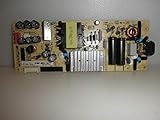
- TV Power Supply Board TV7001-ZC02-01 E021M425-J,Compatible for ONN,E021M509-B2, E021M509-A2, LT-75MAW605, LT-70MCT300, E021M425-J3
- Resolve startup failure and unresponsive standby light issues brought by aged power boards, match wiring ports to fit target television equipment perfectly
- Reduce screen flickering and unexpected shutdown incidents that appear during daily video playback, output steady current to the TV’s internal circuit components
- Fix abnormal power cut-off caused by aging internal circuit elements after long running hours, ease frequent restart troubles when watching programs
- Feature consistent wiring layout aligned with standard assemblies, help maintenance workers finish component swapping without modifying internal wiring
Troubleshooting sequence
1. Test the TV’s physical power button
Find the power button on the set itself using the model manual, since its position varies by model. Press it to see whether the TV starts.
- The TV starts from its own button: the remote is the likely problem. Samsung advises checking the remote, including its batteries. Use the battery type the remote specifies, and replace the batteries if they are weak.
- The TV does not start from the remote or the button: move on to the power checks in the next step.
2. Check the power cord and outlet
Confirm that the power cord is firmly seated at the TV, or at the One Connect Box on Samsung models that use one, and that the outlet works. LG suggests testing the outlet with a small appliance you know works. Samsung’s reset procedure for persistent blinking is as follows:
Rank #2

- [Compatibility Coverage]: This power supply board works seamlessly with multiple TV models including E021M509-B2, E021M509-A2, LT-75MAW605, LT-70MCT300 and E021M425-J3, saving you time on finding the right match for your TV.
- [Stable Power Delivery]: It provides consistent and reliable power to your TV, ensuring no sudden shutdowns or screen flickering while you’re watching movies or playing games.
- [Easy Installation]: Designed with a user-friendly structure, it fits perfectly into the designated slot of compatible TVs, allowing you to replace the old board without complicated tools.
- [Durable Construction]: Made of robust materials that resist daily wear and tear, this board maintains long-term performance to keep your TV running smoothly for an extended period.
- [Precise Component Matching]: Each electronic component on the board is precisely calibrated to meet the original TV’s power requirements, avoiding compatibility issues or damage to your device.
- Unplug both the TV and the One Connect Box, if the model has one.
- Wait 30 seconds.
- Reconnect directly to a known-working wall outlet. Do not use a surge protector for this check.
- Press the power button and watch the light.
Sony’s U.S. support article on a red blinking light gives a two-minute unplug interval instead. Follow the reset interval in your model’s manual where one is given. The 30-second figure comes from Samsung’s English support page for the Levant region, updated July 2, 2026, and the two-minute figure comes from Sony’s U.S. article last modified February 19, 2025. Neither is a universal rule for all televisions.
Outdated Drivers Are Slowing You Down
One free scan finds every outdated or missing driver and matches the right update for your exact hardware.Free scan · exact hardware matchWindows Errors? Fix Them Before They Spread
Repair common Windows errors and clear accumulated junk for a smoother, more stable PC - no reinstall needed.Free scan · no reinstall3. Look up what your model’s light pattern means
Record the colour, whether the light is steady or blinking, and roughly how often it blinks. Then look up the exact model in its manual or on the manufacturer’s official support site. Do not assume that a particular number of flashes identifies a specific board or component unless that model’s own documentation says so. Sony warns that indicator meanings vary by model, and the same blink pattern on a different set may mean something else entirely.
Rank #3

- TV7001-ZC02-01 E021M425-I2fit for Onn Haier 70" Power Supply Board, TV Replacement Power Board Supply for E021M425-J3, E021M509-B2,E021M509-A2 TV7001-ZC02-0ar
- Wide Compatibility TV Power Supply Board: Direct replacement for 70” Onn & Haier TVs. OEM# TV7001-ZC02-01, interchangeable with E021M425-I2/J3, E021M509-B2/A2, plug-and-play with no wiring changes.
- 2-in-1 Stable Power & Backlight Driver: Supports AC 100-240V wide input. Fix TV issues like no power, flickering backlight, black screen, auto shutoff and abnormal standby efficiently.
- Premium Heat-Resistant Electronic Components Equipped with thick aluminum heat sinks, high-temp capacitors and surge protection fuses. Reinforced PCB prevents short circuits and lowers operating heat.
- Simple DIY Installation & Quality Warranty No soldering needed for quick replacement. Comes with 180-day warranty; feel free to contact us for compatibility and installation guidance.
4. Escalate when the checks do not resolve it
Escalation depends on the brand, but the direction is the same across all three manufacturers covered here:
- Samsung: if the blinking persists after reconnecting to a known-working outlet and the TV still will not turn on, contact Samsung support.
- LG: if basic power checks do not resolve the issue, arrange service.
- Sony: if its troubleshooting does not fix the problem, arrange repair.
Avoid replacing parts on speculation. When you contact support or a repair provider, give them the model number, the colour and pattern of the light, and a list of the checks you have already completed, including the outlet test and whether the TV starts from its own power button.
Independent reader supportYour contribution helps us test, update, and keep practical guides available for everyone.How current these sources are
Each manufacturer’s guidance has a different date, so check that your model still matches the instructions you are following.
Free tools Windows power users keep installed
One-click scans. No signup required.
- Samsung: English support page for the Levant region, updated July 2, 2026. It is regional guidance and may differ for other markets.
- LG: LG USA guide dated August 18, 2025.
- Sony: U.S. support articles last modified February 19, 2025, and July 28, 2020. The 2020 article is older, so confirm its steps against your model’s current manual.
All of this guidance is manufacturer instruction. None of it is an independent test of how blink patterns relate to hardware faults.
Quick Recap
Best Value

- 58R6E3 Main Board Power Supply 280868 280867 290317
- DIRECT REPLACEMENT: This board serves as a direct substitute, restoring full TV functionality when the original fails.
- COMBINED FUNCTIONALITY: Integrates both main board and power supply functions into a single replacement component.
- We have local stores in 43 cities and can deliver to you as soon as possible.
Product prices and availability are accurate as of the date/time indicated and are subject to change. Any price and availability information displayed on Amazon at the time of purchase will apply.

