
iTechGuides is reader-supported. When you buy through links on our site, we may earn an affiliate commission. As an Amazon Associate I earn from qualifying purchases. Learn more
The RX 480 is specified for PCIe 3.0 x16, but a reported x4 link does not by itself prove the graphics card is faulty. First check which motherboard slot the card occupies: on the Gigabyte GA-Z77-DS3H, the primary slot is x16, while the other full-length-looking slot is wired for x4. Then compare the link width at idle and under load and cross-test components if the primary slot still negotiates x4.
What PCIe 3.0 x4 means
PCIe reports two separate properties: the link generation, such as PCIe 3.0, and the lane width, such as x4 or x16. A reading of PCIe 3.0 x4 means the connection is running at generation 3.0 over four lanes; it is not the same as PCIe 1.1 x4.
Sapphire’s specification for RX 480 SKU 21260-01 lists its bus interface as PCI-E 3.0 x16. That describes the card’s interface capability, not a guarantee that every motherboard slot supplies 16 lanes.
Do these 3 things before closing this tab:
1Clear out junk files and repair common Windows errors2Fix the driver behind crashes, sound loss and screen glitches3Repair Windows errors before they cause bigger problemsCheck the slot before blaming the graphics card
A PCIe slot can be physically full-length but electrically connected for fewer lanes. Gigabyte’s GA-Z77-DS3H (Rev. 1.0) specifications list the primary PCIEX16 slot as x16 and recommend it for a single graphics card. The board’s secondary PCIEX4 slot is also physically x16-sized, but operates at x4 and conforms to PCIe 2.0.
#1 Best Overall
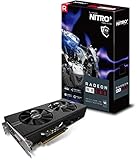
- 2 x HDMI; 1 x DVI-D; 2 x DP
- 256-bit Memory Bus and displays-maximum 5 outputs
- Cooling Technology: Dual Fan
So if your RX 480 is installed in that secondary slot, an x4 reading is consistent with the board’s specification. The generation may also differ from PCIe 3.0 because that secondary slot is PCIe 2.0. Check the printed slot label and the manual for your exact motherboard revision rather than relying on connector length alone.
Check the link at idle and under load
Power-saving behavior can change the reported PCIe generation when the card is idle. In a February 2, 2017 AnandTech Forums post, the owner of a Sapphire Nitro+ RX 480 8GB OC and a Gigabyte Z77-DS3H reported PCIe 1.1 x4 at idle and PCIe 3.0 x4 under load, with inconsistent behavior after restarts. That is one user’s symptom report, not a confirmed diagnosis.
Rank #2
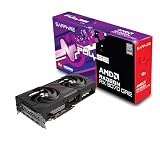
- Memory Size: 12 GB
- Memory Interface: 192-bit GDDR6
- Output: 2 x HDMI, 2 x DisplayPort
When checking your own system, record generation and width separately at idle and under load. If the generation rises under load but the width stays at x4, the card is still negotiating four lanes; the generation change does not explain the narrower link.
Diagnose a persistent x4 link in order
- Confirm the slot and board revision. Locate the motherboard model and revision, then verify that the card is seated in its primary x16 slot. For a GA-Z77-DS3H, use PCIEX16 for one graphics card rather than the secondary PCIEX4 slot.
- Compare idle and load readings. Record both the PCIe generation and lane width in each state. This helps distinguish a generation change from a width limitation.
- Reseat and inspect the card. Shut the PC down, disconnect power, remove the graphics card, and check the card edge and slot for visible debris or damage. Reinstall it firmly in the primary slot. A poor connection is one possibility to investigate, not an established cause of the reported case.
- Check the exact board documentation and BIOS settings. Confirm the slot configuration for your board revision and review relevant firmware settings before changing hardware. A separate ASRock W480 Creator manual illustrates that lane assignments and shared resources vary by motherboard; it does not document the Gigabyte board’s configuration.
- Cross-test to isolate the part. If possible, try the RX 480 in a known x16-capable system, or try a known-good graphics card in the motherboard’s primary slot. If the x4 behavior follows the motherboard or system, investigate the slot and platform; if it follows the RX 480 across systems, investigate the card. These tests narrow the possibilities but do not establish the cause of the forum report.
What an x4 reading does—and does not—prove
An x4 reading alone cannot tell you whether the cause is the slot selected, the seating or condition of the connection, the motherboard or platform, or the graphics card. The forum post does not establish the owner’s exact final slot position, a definitive fault, or a confirmed repair.
Rank #3

- 1140 MHz Engine Clock; 1236 MHz boost Engine Clock 1750 MHz,7000Mbps effective Memory Clock UEFI BIOS; PCI-Express 3.0
No controlled performance comparison for this RX 480 at PCIe 3.0 x4 versus x16 is established here, so a specific performance-loss percentage would be unsupported. Do not replace the graphics card solely because monitoring software shows x4; first verify the primary slot and use cross-tests to see whether the behavior follows the card or the system.
Quick Recap
Product prices and availability are accurate as of the date/time indicated and are subject to change. Any price and availability information displayed on Amazon at the time of purchase will apply.

