
iTechGuides is reader-supported. When you buy through links on our site, we may earn an affiliate commission. As an Amazon Associate I earn from qualifying purchases. Learn more
Some laptops offer Intel Xeon processors because they are built as mobile workstations for professional workloads such as engineering and other compute-intensive work. Xeon is one option in that category—not a requirement for every workstation laptop, or a guarantee that a laptop has a particular feature. To decide whether it matters, compare the complete configuration: processor, memory and ECC support, graphics, application certification, and the demands of your work.
Why manufacturers put Xeon in laptops
A mobile workstation brings professional computing capabilities into a portable system. Lenovo positions its ThinkPad P Series for professional workloads and lists both Intel Core and Xeon options. Intel likewise describes the series as combining laptop portability with workstation performance for compute-intensive needs. These are manufacturers’ descriptions of intended use, not independent benchmark results. Lenovo ThinkPad P Series; Intel and Lenovo: Decades of Joint Innovation.
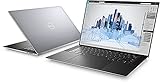
Xeon has been associated with workstation-oriented features such as ECC memory, lifecycle management, and application certifications. Intel’s laptop brief discussing these reasons is historical, however; it does not establish what any current laptop includes. Check the specifications for the particular model and configuration. Intel’s historical Xeon laptop brief.
Windows Errors? Fix Them Before They Spread
Repair common Windows errors and clear accumulated junk for a smoother, more stable PC - no reinstall needed.Free scan · no reinstallCrashes, No Sound, or Screen Glitches?
Random freezes, missing sound and display glitches usually trace back to one bad driver. Find and replace yours safely.Free scan · under a minuteDoes Xeon mean the laptop has ECC memory?
No. ECC (Error-Correcting Code) memory can detect and correct certain memory errors, but the Xeon name alone does not confirm that a laptop supports it. Support depends on the exact processor, laptop platform, and installed memory configuration. Intel advises checking the processor’s product specifications for ECC support, while Dell describes ECC as a feature of some Precision configurations. Verify the specifications for the complete system and the memory actually installed. Intel: How to Find ECC Memory Support for Intel Processor; Dell Precision Mobile Workstations.
What ISV certification tells you
Independent Software Vendor (ISV) certification indicates that a software vendor has validated a particular hardware and software combination for its application. Lenovo describes its certifications as supporting compatibility, stability, and reliability. Certification is specific to the software and hardware involved; it is not a universal performance guarantee. Check the application vendor’s current certification information for the exact laptop model and configuration you plan to use. Lenovo ThinkPad P Series; Intel and Lenovo: Decades of Joint Innovation.
Do all workstation laptops use Xeon?
No. Workstation laptops are available with processors other than Xeon. Lenovo lists Core and Xeon options in its ThinkPad P Series, and Dell’s Precision range includes configurations with Intel Core Ultra processors. The product families and configurations can change, so check current listings for the model you are considering. Lenovo ThinkPad P Series; Dell Precision Mobile Workstations.
Rank #2

- Intel Xeon E3 1545M v5 2.9GHz
- 32GB 2133MHz DDR4
- 512GB NVME SSD
- NVIDIA Quadro M2000M 4GB GDDR5
- 15.6" UHD IGZO 3840x2160 Wide LED
How to decide whether a Xeon laptop fits your work
- Start with your applications. Identify the software you use and the size or complexity of your typical projects.
- Check for a specific reason to choose Xeon. Confirm that the processor and full laptop configuration provide a feature or meet a validated workload need you actually have.
- Verify ECC if it matters. Check processor specifications, laptop platform support, and the installed memory configuration rather than relying on the Xeon label.
- Check certification for your application. Look up the exact software, laptop model, and relevant graphics configuration in the application vendor’s current certification information.
- Compare the rest of the system. Match graphics and memory capacity to your projects, then weigh portability and budget against your needs.
The available vendor information does not establish that Xeon outperforms Core in every laptop workload. Choose based on verified configuration details and the demands of your applications, not the processor name alone.
What’s actually slowing this PC down?
Pick the symptom - the matching free tool is one click away.
Quick Recap
Best Value
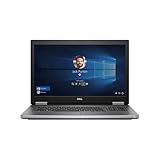
- 1 TB SSD of storage.
- Multitasking is easy with 32 GB of RAM
- Equipped with a blazing fast Xeon 2.80 GHz processor.
Rank #4

- Intel Xeon E3-1505M v5 Quad-Core Processor (4 cores, 2.8 GHz up to 3.70 GHz, 8MB SmartCache) with vPro Technology
- Nvidia Quadro M2000M 4GB GDDR5 | 256 GB SSD M.2 Opal2 | 16GB DDR4 (MAX 32GB)
- 15.6" FHD (1920x1080) IPS | Backlit Keys | FingerPrint Reader
- Thunderbolt 3 Type-C | 4xUSB3.0 | RJ-45 | Mini DisplayPort | HDMI
- Pre-installed Windows 7 Professional 64-bit upgradeable to Windows 10 Pro
Rank #3

- 18 Months Warranty
- 512 GB SSD of storage.
- Multitasking is easy with 32 GB of RAM
- Equipped with a blazing fast Intel XEON 2.80 GHz processor.
Product prices and availability are accurate as of the date/time indicated and are subject to change. Any price and availability information displayed on Amazon at the time of purchase will apply.

