
iTechGuides is reader-supported. When you buy through links on our site, we may earn an affiliate commission. As an Amazon Associate I earn from qualifying purchases. Learn more
For movies, start with Filmmaker Mode. For sports or games, compare PureMotion on and off with the content you watch. First align and focus the projector, then adjust only what you can evaluate on your own unit; there are no verified, model-specific numeric calibration values to recommend.
Start with the right mode for what you watch
Movies: try Filmmaker Mode
Optoma says Filmmaker Mode turns off motion smoothing and image enhancements while preserving the original frame rate, colors, and aspect ratio. That makes it the most defensible starting point for film presentation on the PK52, if the mode is available for the current input. It is the manufacturer’s description of the mode, not proof that your individual projector is professionally calibrated. Optoma’s regional PK52 product page
Sports and games: compare PureMotion on and off
Optoma describes PureMotion as smoothing fast-moving content. Try the same scene or play sequence with it enabled and disabled, then choose the motion presentation you prefer. Smoothness is a preference, not a universal image-quality ranking; viewers who prefer original film cadence may prefer smoothing off. Optoma Photon Series Optoma’s regional PK52 product page
Do these 3 things before closing this tab:
1Scan for outdated or missing drivers - takes under a minute2Repair Windows errors before they cause bigger problems3Fix the driver behind crashes, sound loss and screen glitchesAlign and focus the image before judging it
The PK52 product information lists auto focus and auto keystone; an Optoma regional page also describes auto vertical keystone. Set the projector square to the screen where possible, run the available automation, and inspect the result before changing picture controls. Automation may help with setup, but the cited product descriptions do not establish that it will produce an ideal image in every room. Optoma Photon Series Optoma’s regional PK52 product page
#1 Best Overall

- Stunning 4K UHD Image
- Innovative Design
- HDR10
Adjust picture controls cautiously
A manual search excerpt lists controls for brightness, contrast, color, sharpness, and color temperature, but does not establish validated PK52 values. Menu items can vary by model and region, so avoid copying numeric settings from another Optoma projector or treating generic values as calibrated recommendations. Make changes one at a time and judge them with familiar content; if a change makes the picture worse, return that control to its previous value. Optoma PK52 manual listing
Independent reader supportYour contribution helps us test, update, and keep practical guides available for everyone.If the picture still looks wrong
- Check the source device’s output and confirm the projector is using the intended input.
- Confirm the selected aspect ratio and picture mode before making several adjustments at once.
- Check which picture modes and controls are available for the current signal, including HDR. Optoma lists HDR support, but the cited product pages do not establish every HDR and menu interaction for every regional firmware version. Optoma Photon Series Optoma’s regional PK52 product page
The PK52 is listed as a 4K UHD projector (3840 × 2160); Optoma’s Photon Series page also lists 3,500 lumens. These are manufacturer specifications, not independent measurements, and product specifications may differ between regional pages. Optoma Photon Series
Quick Recap
Best Value

- Home Cinema Experience
- Game Display Mode
- Easy Installation
Rank #4
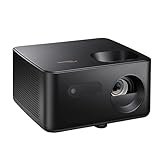
- BIG 150” IMAGE – Turn any room or backyard into movie night. Enjoy big screen entertainment with family and friends - up to 150” image.
- CRISP AND BRIGHT PICTURE – Full HD 1080p resolution with 4K input support delivers sharp and detailed images from HD content without downscaling or compression, and supports input from 4K sources with HDR and HLG content.
- LED TECHNOLOGY – Optoma’s 3LED (RGB) delivers consistent, true-to-source color with quick on/off and virtually no maintenance. With solid-state reliability (no lamps to replace) and mercury-free efficiency, it’s a quiet, cool-running projector that fits everyday life.
- INNOVATIVE DESIGN – With a sleek and compact design weighing only 5.2lbs., this projector is ready to use straight out of the box for a seamless experience that is larger than life.
- AUTO KEYSTONE AND MANUAL ZOOM – Instantly adjust your settings for a clear and easily aligned screen. Just sit back and enjoy.
Rank #3

- 10 in. Ultra Short Throw Distance
- Integrated Dolby Audio
- Triple Laser RGB Technology
Rank #2
- Stunning 4K UHD Image
- Innovative Design
- HDR10
Product prices and availability are accurate as of the date/time indicated and are subject to change. Any price and availability information displayed on Amazon at the time of purchase will apply.

