
iTechGuides is reader-supported. When you buy through links on our site, we may earn an affiliate commission. As an Amazon Associate I earn from qualifying purchases. Learn more
Where can you sell an iPad for cash? For physical cash today, check an ecoATM kiosk or a reputable local buyer. For the highest likely net payout, use a local private sale or Swappa. Gazelle offers a convenient mail-in alternative, while Apple Trade In and Best Buy Trade-In primarily provide store credit rather than unrestricted cash.
The right choice depends on what “best” means for you: immediate payment, maximum money, minimum effort, or a safer and more structured transaction. Before comparing offers, identify the exact iPad model, remove your Apple Account and Activation Lock, and calculate your net proceeds after fees and shipping.
Key takeaways
- ecoATM is the clearest option for immediate physical cash, but the kiosk’s acceptance, identity requirements, and final offer depend on the device and location.
- A local private sale or Swappa usually gives a working iPad a better chance of reaching market value than a kiosk or retailer trade-in.
- Swappa states that sellers list for free and pay a 3% seller fee when an item sells; eBay’s basic fee for most categories is 13.6% up to $7,500 plus a per-order fee under the stated terms.
- Apple Trade In pays Apple purchase credit or an Apple Gift Card, and Best Buy Trade-In pays a Best Buy eGift Card, so neither should be treated as ordinary cash.
- Erasing an iPad is not enough by itself: the seller must sign out of the Apple Account and confirm that Find My and Activation Lock are removed.
Where can you sell an iPad for cash?
For cash today, compare ecoATM with a reputable local buyer. For more money, start with a local private sale or Swappa. For a convenient online buyback without finding an individual buyer, request a live Gazelle quote. Apple Trade In and Best Buy Trade-In belong in a separate store-credit category.
Do these 3 things before closing this tab:
1Scan for outdated or missing drivers - takes under a minute2Clear out junk files and repair common Windows errors3Fix the driver behind crashes, sound loss and screen glitches| Where to sell | What you receive | Speed | Best for | Fees or deductions | Damaged-device suitability | Main compromise |
|---|---|---|---|---|---|---|
| ecoATM | Usually physical cash if the kiosk accepts the iPad | At the kiosk; ecoATM advertises a transaction taking about seven minutes | Immediate, low-effort payment | Usually reflected in a lower convenience offer rather than a separate marketplace fee | May accept some damaged devices, but acceptance is not universal | Lower likely payout and possible rejection |
| Local private sale | Cash or an electronic payment that has actually settled | Potentially same day | More money without shipping | Usually no platform fee for a straightforward local exchange | Good for clearly disclosed “as-is” devices | Scams, meetups, no-shows, and negotiation |
| Swappa | Buyer payment after the sale | Usually slower than a local sale | A structured sale near market value | 3% seller fee when the item sells, plus shipping and packing | Best for working, accurately described iPads | Listing, shipping, and dispute obligations |
| eBay | Buyer payment after the sale | Variable; depends on listing and shipping | Broad reach for premium or unusual configurations | Basic fee for most categories is 13.6% up to $7,500 plus a per-order fee under eBay’s stated terms | Possible, but defects must be documented carefully | Higher fees, shipping work, returns, and disputes |
| Gazelle or another buyback service | Cash-equivalent payment under the current program terms | After shipping and inspection | Convenience without a public listing | Usually a lower quote than a direct buyer; the quote may change after inspection | Eligibility varies by model and condition | Delayed payment and quote-revision risk |
| Apple Trade In | Apple purchase credit or Apple Gift Card | Online or in-store; timing varies | Someone already buying an Apple product | No ordinary cash payout | Apple may recycle a device with no trade-in value | Credit is restricted to Apple spending |
| Best Buy Trade-In | Best Buy eGift Card | Timing varies by the current program | Someone planning a Best Buy purchase | No ordinary cash payout | Eligibility varies | Credit is restricted to Best Buy spending |
Check the provider’s live quote and eligibility flow immediately before selling. Device eligibility, offers, payment methods, fees, and local requirements can change.
#1 Best Overall
![Azzsy Case for iPad A16 11th Generation 11 Inch 2025 / iPad 10th Generation 10.9 Inch 2022, [Built-in Pencil Holder] Heavy Duty Shockproof Rugged Protective Case, Black](https://m.media-amazon.com/images/I/514ba5koaAL._SL160_.jpg)
- [Compatible Models] Exclusively designed for iPad (A16) 11th Generation 11 Inch 2025 Release (Model Number: A3354/ A3355/ A3356)/ iPad 10th Generation 10.9 Inch 2022 Release (Model Number: A2696/ A2757/ A2777/ A3162 ), [No Screen Protector] DO NOT fit other iPad
- [High-Quality Material] The case is made from high-grade thermoplastic polycarbonate and anti-skidding silicone, to create a perfect protection for your iPad. Not only shockproof/durable but also comfortable hand feeling
- [Built-in Kickstand] Functional pop out kickstand allows easy access to your favorite shows, movies, and games while on the go
- [Built-in Apple Pencil Holder] Built-in Apple Pencil slots,conveniently place and remove your pencil, no longer worry about losing or breaking. Keep the Apple Pencil as safe as your iPad all the time(Case only, Pencil not included!)
- [Precise Openings] Easy access to all the controls and features; Perfect cutouts for speakers, cameras, ports and buttons
Which option pays the most for an iPad?
A local private sale or a structured marketplace such as Swappa generally gives a working iPad the best chance of producing the highest net payout. A private buyer pays closer to the device’s resale value because the buyer—not a kiosk or buyback company—assumes the resale process. The trade-off is that you must create the listing, answer questions, arrange payment, and manage safety.
Swappa’s selling page says sellers list used technology directly to buyers, and both buyer and seller pay a 3% fee when an item sells. The seller also needs to account for shipping and packing. Swappa is usually a better fit for a working iPad that you can describe accurately than for a locked, non-booting, or heavily damaged device.
eBay can reach more buyers, but a higher displayed sale price does not automatically mean a higher payout. According to eBay’s selling-fee information, the basic final-value fee for most categories is 13.6% up to $7,500, with a $0.40 per-order fee for orders over $10 under the stated terms. eBay also describes up to 250 zero-insertion-fee listings per month before an insertion fee applies under those terms. Fees, shipping, insurance, packing, returns, and disputes can substantially reduce the amount you keep.
Recommended Free Tools
Use this calculation instead of comparing headline prices:
Expected sale price − marketplace fee − shipping − insurance − packing cost − expected return or dispute cost = estimated net proceeds.
For example, a hypothetical $400 sale is not a $400 payout. The actual proceeds are the $400 sale price minus the applicable platform fee and every cost required to complete the transaction. The example is a calculation method, not a current iPad valuation.
Is ecoATM the best place to sell an iPad for cash today?
ecoATM is one of the most convenient options for immediate physical cash, provided the specific kiosk accepts the iPad and the seller meets the local requirements. The ecoATM official site advertises instant payout, cash in approximately seven minutes, a seven-day offer lock, and thousands of U.S. kiosk locations.
Rank #2

- Exclusively designed for iPad 9th/ 8th/7th Generation 10.2 inch 2021/2020/2019 release. Compatible Model: A2602/A2603/A2604/A2605/A2270/ A2428/ A2429/ A2430/ A2197/ A2198/A2200. [No Screen Protector]DO NOT fit other iPad.
- Three-layer structure of premium shock-absorbing TPU and durable hard polycarbonate provide a perfect protection against accidental drops, scratches, bumps and shock.
- Super sturdy and Easy To Carry = Absolutely Kids Friendly.
- Functional kickstand allows easy access to your favorite shows, movies, and games while on the go.
- It's easy to access all buttons, speakers, cameras and sensors through the precisely-cut openings.
- Identify the iPad and answer the condition questions online or at the kiosk.
- Review or lock the offer if the current process provides that option.
- Take the iPad to a participating kiosk.
- Complete the kiosk’s identity and device checks.
- Receive the stated payout if the kiosk accepts the device after inspection.
ecoATM’s offer is a convenience offer, not a guaranteed market-value estimate. A kiosk can reject a model, condition, account status, or battery condition. Confirm the current location, identification requirements, age requirements, and device eligibility before traveling. Do not assume every ecoATM kiosk accepts every iPad or that every location uses exactly the same process.
How does a local private sale work?
A local sale through Facebook Marketplace, Craigslist, OfferUp, a neighborhood group, or a reputable local electronics buyer can produce same-day cash and may avoid shipping and marketplace fees. Local demand, the iPad’s condition, and your willingness to negotiate determine the final price.
Use recent completed sales for the same model rather than copying the highest unsold listing. Include the iPad family, generation, storage, Wi-Fi or cellular connectivity, condition, accessories, repair history, and any remaining warranty or AppleCare information. A working iPad with a cracked screen can still sell, but the title and description should say “cracked” or “as-is” clearly.
How can you avoid scams during a local sale?
- Meet in a public, well-lit location with cameras; a monitored police-station exchange area is preferable for a higher-value transaction.
- Do not meet at home or disclose unnecessary personal information.
- Accept cash only after checking it, or wait until an electronic payment is visibly and irrevocably settled in your own account.
- Never rely on a payment screenshot, email, or “payment sent” notification.
- Do not hand over the iPad until payment is verified in the payment account or cash is confirmed.
- Keep messages inside the platform where possible, and ignore requests to move to unfamiliar links or provide login codes.
- Photograph the iPad’s condition and serial number before handoff, but do not publicly post the full serial number.
Payment protections and marketplace rules vary by platform, listing type, location, and account, so do not assume that a local transaction has a particular platform’s protection.
The Tool Desk
Outbyte Driver Updater FREEFix the driver behind crashes, sound loss and screen glitchesFind Drivers →Outbyte PC Repair FREERepair Windows errors before they cause bigger problemsFix Now →Is Swappa better than eBay for selling an iPad?
Swappa is usually the simpler fee structure for a normal working iPad, while eBay offers broader buyer reach and can be useful for rare, high-capacity, cellular, or otherwise difficult-to-find configurations.
| Factor | Swappa | eBay |
|---|---|---|
| Listing | Seller listings are stated to be free | eBay states that up to 250 listings per month may have zero insertion fees under its terms |
| Seller fee | 3% when the item sells | Basic fee for most categories is 13.6% up to $7,500, plus a per-order fee under the stated terms |
| Buyer reach | Structured used-technology marketplace | Broad general marketplace |
| Seller work | Photos, accurate listing, packaging, and shipping | Photos, listing management, packaging, shipping, and more exposure to returns or disputes |
| Best fit | Working iPads with straightforward condition descriptions | Premium, rare, or unusual configurations where broad reach may matter |
Neither marketplace is immediate cash. A seller must ship only after the sale is properly completed and must retain evidence of the device’s condition, serial number, packaging, and shipment.
Are Gazelle, Apple Trade In, and Best Buy Trade-In cash options?
Gazelle can be a cash-equivalent online buyback option after inspection, while Apple Trade In and Best Buy Trade-In primarily provide retailer-specific credit. The payment type matters as much as the quoted amount.
Rank #3

- Compatibility : Specially designed for iPad (A16) 11th generation 11-inch 2025 (Model: A3354, A3355, A3356),iPad 10th generation 10.9-inch 2022 (Model: A2696, A2757, A2777). Note: It will not be compatible other model. Please check your iPad model before purchase
- Excellent Quality : Our iPad 11th/10th Gen 11/10.9 inch case 2025/2022 is made of premium PU leather exterior, Soft microfiber lining and coverage with translucent PC back shell, Providing total full protection for your precious tablet
- Adjustable Angles : Strong magnetic connection to create a stable viewing/typing stand for your iPad (A16) 11th generation tablet 2025 or iPad 10th generation tablet 2022. Two viewing angles are provided for watching, reading or typing. Satisfying your needs. Free your hands for other entertainments
- Support Apple 1st/USB-C Pencil Charging and Touch ID : With the precise cutouts, this new iPad 11/10.9 inch Case 2025/2022 supports 1st /USB-C apple pencil charging (Need Apple USB-C to Apple Pencil Adapter) and Touch ID functions. Also allows you to access to all features and controls, Such as speakers, earphones and volume buttons.(Pencil is Not included)
- Auto Wake/Sleep : With the built-in magnetic, This case for iPad 11th generation 2025 or iPad 10th generation 2022 can automatically wake up you device or put it into sleep with the lid open or closed. Protects and extends battery life
Gazelle: convenient mail-in buyback
Gazelle’s tablet trade-in page offers an online route for selling used iPads without finding an individual buyer. The seller receives a quote, ships the device, and waits for inspection and payment under the current program terms. Gazelle’s pages indicate that eligibility varies and that some devices may be redirected to ecoATM.
Gazelle is a good fit when convenience matters more than the highest possible payout. Do not rely on a promotional bonus, specific payment method, or fixed processing time without checking the live quote flow; those terms can change. Photograph the device before shipping, save the original quote and condition answers, and read the revised-offer and return rules.
Apple Trade In: useful for an Apple upgrade, not unrestricted cash
Apple Trade In provides credit toward an Apple purchase or an Apple Gift Card. Apple also offers free recycling for devices with no trade-in value. Apple’s displayed page showed an iPad range of $45–$690 when the research was collected, but that range is not a universal price list. The exact model, storage, connectivity, condition, and current offer determine the actual estimate.
Apple offers online and Apple Store trade-in routes. Apple’s trade-in terms state that an online device should arrive within 14 days of trade-in box delivery and that the quote can change when inspection differs from the description or Find My has not been removed. Compare Apple credit with the best unrestricted-cash offer, and value Apple credit honestly: credit that you will definitely use at Apple may be worth more to you than a slightly higher nominal cash offer that takes more effort, but it is not cash.
Best Buy Trade-In: Best Buy credit only
Best Buy Trade-In pays with a Best Buy eGift Card, not ordinary cash. The program makes sense for someone already planning a Best Buy purchase. Best Buy’s trade-in FAQ says Apple devices must have Find My disabled and be removed from the iCloud account before trade-in.
Quick wins for a faster PC:
Fix the driver behind crashes, sound loss and screen glitchesFind Drivers →Repair Windows errors before they cause bigger problemsFix Now →How should you identify and price an iPad?
Identify the exact iPad before requesting a quote or publishing a listing. According to Apple’s trade-in guidance, the serial number is available on the iPad under Settings → General → About.
Record these details:
- Family: iPad, iPad mini, iPad Air, or iPad Pro.
- Generation or model year, and model number if available.
- Storage capacity.
- Wi-Fi-only or Wi-Fi + Cellular.
- Physical condition, including cracks, dents, dead pixels, camera problems, and port damage.
- Whether the iPad boots, charges, connects to Wi-Fi, and responds to touch.
- Battery behavior, including unusually rapid drain, overheating, swelling, or failure to hold a charge.
- Included charger, cable, box, keyboard, Pencil, or other accessories.
- Repair history, Parts and Service History, AppleCare, or remaining warranty.
For a private sale, compare recent completed sales for the same generation, storage, connectivity, and condition. Do not use a current retail price, an unsold listing, or an automated trade-in quote as proof of private-market value. Cellular models may command more than comparable Wi-Fi-only models, but the carrier, unlocked status, financing status, and cellular plan should be disclosed.
Rank #4

- 【Compatibility】Shockproof case only for iPad (A16) 11th/10th Generation 11-inch/ 10.9-inch (Model: A3354/A3355/A3356 A2696/A2757/A2777) 2025/2022 Release. Please confirm your iPad model before purchase
- 【Full Protection+Screen Protector】With SEYMAC Stock Shock-absorbing protect Technology, to create the full-body protection for your iPad A16 against hits, drops, shocks and bumps. With built-in screen protector. Not only shockproof/long-lasting but also comfortable hand feeling
- 【Rotating Hand Strap / Stand】 Provide the securest protection and more convenience when you play or work with ipad a16 11th/10th generation. Its 360° Rotating Kickstand can provides 30°-45°-60° viewing/drawing/video/typing angles. With soft handle strap, easier to use your tablet at home or outdoor working, studying, gaming with kids &adults
- 【Portable Shoulder Strap】The strap keeps your iPad a16 11th/10th generation away from dropping broken, port plugs of the case prevents dust from entering. With pencil holder. Easily carrying device by hanging it anywhere while walking, hiking, driving, traveling or entertaining activities outside
- 【 SERVICES 】 SEYMAC Stock iPad case offers 6 months maintenance or replacement service for product defects. If you encounter any problems or concerns during use, such as size mismatch, installation guide, return or exchange, product damage, etc., please let us know immediately and we will help you solve the problem within 24 hours
What should you ask a local buyer before visiting?
- Do you buy iPads, or only phones?
- Do you pay physical cash, electronic payment, or store credit?
- Do you accept cracked screens, water damage, or devices that do not power on?
- Do you require government identification?
- Is the quoted amount final after inspection?
How do you prepare an iPad before selling it?
Back up the iPad, sign out of the Apple Account, erase all content and settings, and verify the setup screen before handing the device to a buyer. A factory reset without removing the Apple Account, Find My, and Activation Lock can leave the iPad unusable to the next owner.
1. Check repairs and ownership restrictions
Check whether the iPad is school- or employer-managed before selling it. A supervised device or one enrolled in mobile-device management may not be legally sellable by an individual; the organization must remove its management profile and confirm the transfer.
Apple’s current preparation and erase instructions also direct sellers to check Parts and Service History. An unfinished repair may need to be completed before trade-in.
2. Back up the iPad
Back up the iPad to iCloud or a computer before erasing it. Do not manually delete individual photos, contacts, or documents while still signed in to iCloud, because manual deletion can remove the content from iCloud and other connected devices. Apple says erasing the iPad removes local content while content stored in iCloud remains available in iCloud.
3. Sign out of the Apple Account
For iPadOS 26 or later, Apple’s current path is:
- Open Settings.
- Tap your name.
- Scroll down and tap Sign Out.
- Choose Erase This [Device] or Sign Out But Don’t Erase.
- If prompted, sign out of iCloud and the Store.
For iPadOS 18 or earlier, Apple says to open Settings → [your name] → Sign Out, enter the Apple Account password, and tap Turn Off.
4. Erase all content and settings
Go to Settings → General → Transfer or Reset iPad → Erase All Content and Settings. Enter the passcode or Apple Account password when prompted and confirm the erase. Apple says erasing the iPad turns off Find My and Activation Lock.
Free tools Windows power users keep installed
One-click scans. No signup required.
5. Verify Activation Lock is gone
After the erase, the iPad should show the initial setup screen rather than the former owner’s home screen. If the iPad asks for the previous owner’s Apple Account during setup, Activation Lock is still active. Do not hand over the iPad until the account lock has been removed.
Best Value
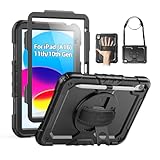
- Compatibility: Only fits for iPad (A16) 11th/10th Generation (11″/10.9″) , (Model: A3354, A3355, A3356, A2696, A2757, A2777); please double check the model number on the back of tablet (A****) before purchase.
- Full Protection: 3-layer front-and-back case protects against your A16 11th/10th Generation drops, scratches, and scuffs; hard shell, soft silicone exterior, and built-in screen protector deflect everyday action and accidents; suitable for students, travelers, commuters, professionals, and everyday adults who need daily drop protection.
- Rotating Stand and Pen Holder: 360° rotatable foldable stand offers different vertical and horizontal angles (30°, 45°, 60°), enables you to enjoy comfortable reading and typing; the pencil loops secures your pencil. (The pen is not included)
- Easy-to-Use Hand and Shoulder Strap: With the adjustable handle on the back, you can hold your tablet securely with single hand, and let your other hand free do other things; the adjustable and removable shoulder strap is convenient to carry the tablet.
- Service/Need help: SEYMAC cases for iPad A16 11th/10th Generation have 6 months maintenance or replacement service for product defects; if you have any questions or issue about your order or use, please let us know; we’re here to support you and will help you solve the problem in 24 hours.
6. Remove cards, document condition, and protect your records
- Remove a SIM card and any removable memory card, if applicable.
- Photograph the screen, back, corners, ports, camera, and any damage.
- Photograph the powered-on iPad showing the initial setup screen.
- Keep the serial number and proof of ownership privately.
- Describe every crack, dead pixel, dent, battery problem, and repair accurately.
What should you do with a broken, locked, or unusual iPad?
Use a separate selling path for damaged or restricted devices. A broken iPad should not be priced or described as though it were a clean, fully working model.
| Condition | Best next step | Important warning |
|---|---|---|
| Cracked but working | Request a damaged-device quote or list it locally as “cracked” or “as-is” | Show close-up photographs and disclose the crack |
| Does not power on | Try a known-good cable and charger, then compare repair, parts, and recycling value | Do not spend heavily on repair without comparing the expected resale value |
| Water-damaged | Ask a specialist, repair shop, or parts buyer | Expect fewer buyers and a lower offer |
| Swollen, leaking, or visibly damaged battery | Follow battery-safety and recycling guidance rather than a normal shipping sale | Do not ship or place it in a normal sales channel |
| Activation-Locked | Remove the Apple Account and Activation Lock if you are the owner | Do not sell it as usable while it remains tied to your account |
| School- or employer-managed | Have the organization remove management and confirm ownership transfer | The individual may not have authority to sell it |
| No charger or accessories | Sell it with full disclosure; include compatible accessories only if economical | Buying accessories solely to raise resale value may not pay back |
Apple’s trade-in guidance says not to ship electronics with swollen, damaged, or defective batteries. A visibly damaged battery is a safety issue, not merely a pricing defect.
A locked iPad may have little or no legitimate resale value because a buyer or trade-in service generally cannot use a device that remains tied to the former owner’s account. If you forgot the Apple Account password, recover the account before attempting to sell. Do not try to bypass Activation Lock.
What’s actually slowing this PC down?
Pick the symptom - the matching free tool is one click away.
Which selling route should you choose?
Choose the route based on payment type, speed, effort, net payout, and risk rather than on a single “best place” ranking.
| Your priority | Recommended route | What to expect |
|---|---|---|
| Physical cash today | ecoATM or a reputable local buyer | Fast and convenient, but usually less money than a direct sale |
| Highest likely net payout | Local private sale or Swappa | More work, but a better chance of market value |
| Online sale without finding a buyer | Gazelle or another buyback service | Quote first, then shipping and inspection; final payment can change |
| Buying another Apple product | Apple Trade In | Apple credit or an Apple Gift Card, not unrestricted cash |
| Buying at Best Buy | Best Buy Trade-In | Best Buy eGift Card, not unrestricted cash |
| Broken or very old iPad | Specialist buyer, parts buyer, local “as-is” sale, or ecoATM if eligible | Low value, fewer eligible buyers, and a greater need for accurate disclosure |
| No meaningful offer | Responsible recycling | Apple offers free recycling even when a device has no trade-in value |
Before choosing, obtain two or three comparable quotes: one direct-sale estimate, one convenience buyback estimate, and one immediate-cash or local estimate. Compare the amount you can actually spend, not a retailer credit balance or a gross marketplace price.
Frequently Asked Questions
Can you sell an iPad that is Activation-Locked?
You should not sell an iPad as a usable device while Activation Lock remains active. The owner must sign out of the Apple Account, disable Find My, erase the iPad, and verify that the initial setup screen appears before handing it over.
Does Apple Trade In give you cash for an iPad?
Apple Trade In primarily provides credit toward an Apple purchase or an Apple Gift Card, not unrestricted cash. The exact offer depends on the iPad’s model, storage, connectivity, and condition.
PC Slower Than It Used to Be?
A free scan shows the junk files, broken settings and background clutter dragging Windows down - then fixes them in one click.Free scan · Windows 10 & 11Outdated Drivers Are Slowing You Down
One free scan finds every outdated or missing driver and matches the right update for your exact hardware.Free scan · exact hardware matchCan you sell an iPad with a cracked screen?
Yes, a cracked iPad may still be accepted by a kiosk, buyback service, parts buyer, or local customer, but acceptance and value vary. Disclose the crack prominently, include close-up photographs, and request a damaged-device quote.
What is the safest way to sell an iPad locally?
Meet in a public, well-lit location with cameras, verify cash or settled payment in your own account, and do not hand over the iPad based on a screenshot or payment email. Keep the full serial number private.
The Bottom Line
Bottom line: Sell through ecoATM or a reputable local buyer if you need physical cash immediately. Use a local private sale or Swappa if you want the highest likely net payout. Choose Gazelle for a convenient mail-in sale, and use Apple Trade In or Best Buy Trade-In only when their retailer credit is genuinely useful. Whatever route you choose, back up the iPad, sign out of the Apple Account, erase all content and settings, and confirm that Activation Lock is gone.
Quick Recap
Product prices and availability are accurate as of the date/time indicated and are subject to change. Any price and availability information displayed on Amazon at the time of purchase will apply.

