
Windows Errors? Fix Them Before They Spread
Repair common Windows errors and clear accumulated junk for a smoother, more stable PC - no reinstall needed.Free scan · no reinstallCrashes, No Sound, or Screen Glitches?
Random freezes, missing sound and display glitches usually trace back to one bad driver. Find and replace yours safely.Free scan · under a minuteiTechGuides is reader-supported. When you buy through links on our site, we may earn an affiliate commission. As an Amazon Associate I earn from qualifying purchases. Learn more
Several Check Point releases that are past end of support appear on the affected-version list for serious VPN vulnerabilities. End of support does not by itself prove a gateway is vulnerable or compromised: administrators need to check the exact release, product role, VPN configuration and vendor fix. For an affected system, apply the release-specific fix; if the release is unsupported, include migration to a supported release in the response plan.
What are the Check Point VPN vulnerabilities?
Check Point describes CVE-2026-85102 as improper validation of certificate data during VPN negotiation. The flaw can allow unauthenticated remote code execution on a Security Gateway. In its September 2026 advisory, the company reported exploitation attempts against Spark customers globally, said the fix had been available since September 9, and said attempts began September 12. Check Point advises reviewing logs for anomalous certificate-based Mobile Access logins and investigating any related follow-on activity. Its example certificate subjects are not an exhaustive list.
A second flaw, CVE-2026-85103, is described by Singapore’s Cyber Security Agency (CSA) as a heap overflow in VPN certificate ASN.1 decoding. It can allow unauthenticated remote code execution on a Security Gateway or Security Management Server. CERT-EU also describes it as a heap overflow in certificate decoding. CSA and CERT-EU give both vulnerabilities a CVSS score of 9.8. That is a severity score, not a measure of how many systems are affected or compromised.
What’s actually slowing this PC down?
Pick the symptom - the matching free tool is one click away.
Which releases are listed as affected, and which are end of support?
CSA’s affected-release list includes R80, R80.10, R80.20, R80.30, R80.40, R81, R81.10, R81.10.x, R81.20, R82, R82.00.x and R82.10. CSA identifies R82.20 as unaffected. The list covers the cited VPN flaws; it is not a finding that every installation of every listed release is exploitable. Check the product and deployment configuration against Check Point’s advisory for the relevant CVE.
#1 Best Overall

- Product Type:Network Security/Firewall Appliance
- Product Series:N
- Brand Name:Check Point
- Manufacturer:Check Point Software Technologies, Ltd
- Product Model:CPUTM-EDGE-N8
The following lifecycle dates come from Check Point’s Support Lifecycle Policy, reviewed October 7, 2026. They are vendor support-end dates, not vulnerability or compromise statistics.
| Release | Support end date | Context |
|---|---|---|
| R80 and R80.10 | January 2022 | Both releases appear on CSA’s affected-release list. |
| R80.20 and R80.30 | September 2022 | Both appear on CSA’s affected-release list. R80.30 in FIPS mode was supported until June 2024. |
| R80.40 | April 2024 | Appears on CSA’s affected-release list. |
| R81 | October 2024 | Appears on CSA’s affected-release list. |
| R81.10 | March 2026 | Appears on CSA’s affected-release list. |
| R81.20 | May 2027 | Appears on CSA’s affected-release list; the stated support end date is in the future as of October 2026. |
| R82 | April 2029 | Appears on CSA’s affected-release list. |
| R82.10 | June 2030 | Appears on CSA’s affected-release list. |
| R82.20 | September 2030 | CSA identifies this release as unaffected by the cited VPN flaws. |
Support dates can change under vendor policy, so check Check Point’s current lifecycle information before making an operational decision. The supplied lifecycle dates do not establish a separate end date for every listed minor or maintenance release, such as R81.10.x or R82.00.x.
How to determine whether your deployment needs action
Do not decide from the release name alone. Establish what is installed and how it is used, then compare that information with the release-specific Check Point advisory. The advisory contains the exact fixed takes or builds, validation commands, alternative mitigations and upgrade guidance; those details are not established here and should not be guessed.
Recommended Free Tools
- Inventory the release. Record the exact version and take/build for each relevant appliance or server. Include Security Gateways and Security Management Servers, not only devices commonly described as VPN gateways.
- Identify the role and VPN configuration. Determine whether the system is a Security Gateway or Security Management Server and whether it uses the VPN features and certificate handling covered by the relevant advisory. For CVE-2026-85102, include Mobile Access and Spark deployment details in that check.
- Match the system to the vendor advisory. Confirm the affected release and configuration, then locate the fix and validation instructions for that exact release. CSA’s affected list is a useful warning, not a substitute for this check.
- Prioritize exposed systems. CERT-EU recommends applying available hotfixes as soon as possible, prioritizing internet-facing and perimeter appliances. Consider exposure when scheduling work, but do not treat a less exposed location as proof that no action is needed.
- Verify and record the result. Follow Check Point’s validation procedure for the specific fix. Record the installed take/build and validation result before marking the system protected or closing an incident.
What to do if the appliance is already end of support
For an affected end-of-support release, address the vulnerability and the lifecycle problem as separate work items. Use Check Point’s release-specific advisory to establish whether a fix is available for the installed release and how to validate it. In parallel, plan an upgrade or migration to a supported release. The lifecycle dates do not establish that every end-of-support version lacks a fix for these vulnerabilities, so verify the exact release rather than assuming either that a fix exists or that none does.
Where no applicable fix is available, ask Check Point or the organization’s authorized support channel for release-specific direction and prioritize a supported migration. Do not declare a system remediated based only on a planned upgrade, a temporary configuration change or a mitigation intended for a different VPN deployment.
Rank #2
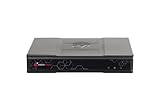
- Product Description: Check Point Quantum Spark 1500 PRO - security appliance - 1555 - with 3 year SandBlast (SNBT) Security Subscription Package and Direct Premium support
- Device Type: Security appliance
- Bundled Services: 3 year SandBlast (SNBT) Security Subscription Package and Direct Premium support
- Form Factor: Desktop
- Data Link Protocol: Ethernet, Fast Ethernet, Gigabit Ethernet
Can you reduce risk before patching?
For Site-to-Site VPN deployments that cannot be patched immediately, Singapore CSA relays Check Point guidance to disable implied VPN rules and restrict UDP ports 500 and 4500 to known peer IP addresses. This is a temporary, deployment-specific risk-reduction measure, not a fix. CSA explicitly says it does not apply to locally managed Spark Firewall.
Confirm that the guidance fits the deployment before changing firewall rules; an inappropriate restriction can disrupt VPN connectivity. Keep the patch or migration work open, then validate the vendor fix using the instructions for the exact release.
Free tools Windows power users keep installed
One-click scans. No signup required.
What should you check for signs of exploitation?
For CVE-2026-85102, Check Point specifically calls for reviewing logs for anomalous certificate-based Mobile Access logins and investigating follow-on activity. Do not restrict the review to the sample certificate subjects in the vendor’s advisory, because the examples are not exhaustive. Preserve relevant logs and involve the organization’s incident-response team if activity looks suspicious. The cited material does not provide a population-level count of affected or compromised installations.
For either CVE, investigate according to the relevant advisory and your incident-response procedures. A system being listed as affected does not itself show that it was exploited; likewise, applying a fix does not replace investigation of suspicious activity that occurred before remediation.
Quick Recap
Product prices and availability are accurate as of the date/time indicated and are subject to change. Any price and availability information displayed on Amazon at the time of purchase will apply.

