
The Tool Desk
Outbyte Driver Updater FREEFix the driver behind crashes, sound loss and screen glitchesFind Drivers →Outbyte PC Repair FREEClear out junk files and repair common Windows errorsFree Scan →iTechGuides is reader-supported. When you buy through links on our site, we may earn an affiliate commission. As an Amazon Associate I earn from qualifying purchases. Learn more
Before your teen starts using an AI chatbot, agree on what they will use it for, what information they will keep private, how they will check important answers, and when they will put it away. A chatbot can sound confident or caring without being a reliable adviser or a person who understands them. Review the specific service’s age guidance and privacy settings together, keep conversations open, and make clear that a chatbot is not a therapist or crisis service.
Start by asking what your teen wants from a chatbot
Begin with curiosity rather than a lecture. Ask what they use—or hope to use—a chatbot for, what they find helpful, and what they would not want to share. A teen may be drawn to a chatbot because it feels private or nonjudgmental. Listening without immediately taking the tool away makes it easier for them to tell you if an answer unsettles them or a conversation becomes personal.
Use the answer to set boundaries that fit the actual use. Help with a school topic, brainstorming, and talking through a difficult feeling are different situations; one blanket rule may miss the relevant risks. The American Psychological Association (APA) recommends that parents co-create boundaries with teens and protect time for human relationships and offline life. Its 2025 parent guidance describes adolescence, ages 10–25, as a critical period of brain development; that is a general developmental framing, not evidence of a chatbot-specific effect. Read the APA’s guidance on helping teens use AI safely.
Free tools Windows power users keep installed
One-click scans. No signup required.
Teach your teen to question answers, especially health advice
Chatbots can produce fluent, emotionally attuned responses that are still incorrect, incomplete, or unsuitable for a particular person. APA quotes clinical psychologist Mary Alvord, PhD: “It’s easy for teens to mistake a chatbot’s programmed responses for real empathy.” Treat a warm tone as a feature of the response, not proof that a person—or a trustworthy adviser—is on the other end.
#1 Best Overall

- Emotional AI Interaction:The intelligent chatbot responds to conversations and emotions, creating engaging interactions that make the robot feel like a real companion.
- Singing & Dancing Entertainment:Enjoy built-in music and dance routines. The robot performs lively movements and songs to entertain users of all ages.
- The perfect festive gift: this fun and interactive chatbot is ideal for birthdays, holidays and special occasions. Whether it’s for a child, a friend or anyone who loves smart gadgets, they’ll simply adore it. Along with the bot, you’ll also receive a pair of antlers to decorate your headphones, making your bot look even cooler.
- Expressive Emoji Display:Animated emoji expressions react to conversations and actions, bringing personality and charm to every interaction.
- Voice Control & Smart Conversation:Simply speak to activate voice interaction. The robot listens and responds, making communication easy and natural.
When an answer matters, encourage your teen to ask who is behind it, what it is based on, and whether it applies to someone their age and circumstances. For health, safety, or mental-health guidance, they should check with you, another trusted adult, or a qualified professional before acting. APA specifically advises parents to encourage teens to evaluate the source and relevance of chatbot advice.
Set privacy rules before sensitive conversations happen
Review the service’s privacy settings and current privacy documentation together. Agree that your teen should avoid entering unnecessary identifying details or highly sensitive information, such as intimate personal disclosures they would not want retained or used beyond the chat. Do not promise that a chatbot conversation is confidential in the way a conversation with a clinician may be.
Rank #2

- Emotional AI Interaction:The intelligent chatbot responds to conversations and emotions, creating engaging interactions that make the robot feel like a real companion.
- Singing & Dancing Entertainment:Enjoy built-in music and dance routines. The robot performs lively movements and songs to entertain users of all ages.
- The perfect festive gift: this fun and interactive chatbot is ideal for birthdays, holidays and special occasions. Whether it’s for a child, a friend or anyone who loves smart gadgets, they’ll simply adore it. Along with the bot, you’ll also receive a pair of antlers to decorate your headphones, making your bot look even cooler.
- Expressive Emoji Display:Animated emoji expressions react to conversations and actions, bringing personality and charm to every interaction.
- Voice Control & Smart Conversation:Simply speak to activate voice interaction. The robot listens and responds, making communication easy and natural.
What a service collects, retains, uses to improve its systems, or shares depends on that provider’s current policies and settings. APA flags uncertainty around how teen data may be used, and UNICEF’s child-centered AI policy guidance treats children’s data privacy as a core issue. UNICEF’s AI and children guidance, version 3, was published in December 2025 and draws on a twelve-country study with children and caregivers. That describes the guidance’s evidence inputs, not a statistic about chatbot outcomes.
Agree on boundaries that protect sleep and relationships
Decide together when and where chatbot use is appropriate—for example, whether it belongs during homework, at bedtime, or during family time. Revisit the agreement if the teen’s needs or the tool’s features change. Pay attention to whether use is displacing sleep, friends, activities, or time with family; APA experts recommend preserving human connection and noticing when use starts replacing offline life.
Rank #3

- Companion: This desktop robot is far from an ordinary toy; it is equipped with an advanced large language model, enabling intelligent voice conversations and natural interaction. It features over 100 lifelike facial expressions that change dynamically depending on the interaction.
- Upbeat music and rhythmic dance: this bipedal robot begins to dance to the beat. Its agile movement system allows it to walk steadily and even accelerate on command, making it a highly entertaining addition to any office space.
- More features, more stylish: Buy this multifunctional robot now and receive a complimentary set of randomly selected custom outfits and a pair of antlers. Crafted from high-quality materials, these outfits fit the robot perfectly, offering endless fun and making it a real eye-catcher on your desk or in your office—ensuring every interaction is full of surprises.
- Perfect Holiday Gift:A fun and interactive companion ideal for birthdays, holidays, and special occasions. Great for kids, friends, and anyone who enjoys smart gadgets.
- Voice activation: Whether you’re practising a new language or simply giving a command, this AI robot responds instantly, delivering a seamless and engaging interactive experience to users worldwide.
Common Sense Media reports that three in four teens use AI chatbots for companionship, a category it describes as including simulated friendship and relationships, emotional support, and mental-health conversations. This is the organization’s reported figure, not a universal estimate; the page excerpt available for this article did not provide methodology details to assess how broadly it applies. See Common Sense Media’s guide to AI chatbots and mental-health support.
Independent reader supportYour contribution helps us test, update, and keep practical guides available for everyone.Check the specific chatbot’s age guidance and controls
Do not assume services have the same age rules, privacy practices, safety features, or parental controls. Before enabling use, check the provider’s current documentation and discuss these questions with your teen:
Rank #4
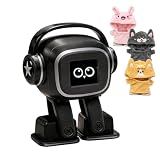
- Companion: This desktop robot is far from an ordinary toy; it is equipped with an advanced large language model, enabling intelligent voice conversations and natural interaction. It features over 100 lifelike facial expressions that change dynamically depending on the interaction.
- Upbeat music and rhythmic dance: this bipedal robot begins to dance to the beat. Its agile movement system allows it to walk steadily and even accelerate on command, making it a highly entertaining addition to any office space.
- More features, more stylish: Buy this multifunctional robot now and receive a complimentary set of randomly selected custom outfits and a pair of antlers. Crafted from high-quality materials, these outfits fit the robot perfectly, offering endless fun and making it a real eye-catcher on your desk or in your office—ensuring every interaction is full of surprises.
- Perfect Holiday Gift:A fun and interactive companion ideal for birthdays, holidays, and special occasions. Great for kids, friends, and anyone who enjoys smart gadgets.
- Voice activation: Whether you’re practising a new language or simply giving a command, this AI robot responds instantly, delivering a seamless and engaging interactive experience to users worldwide.
- What minimum age does the service state, and does it offer a teen-specific experience?
- What information does it collect, retain, use to improve the service, or share?
- Can the teen or parent adjust sensitive-content settings, quiet hours, or study features?
- What can a parent see, and what safety notifications exist?
- Does the service explain that it can make mistakes and is not a substitute for medical or mental-health care?
For ChatGPT, OpenAI’s current help documentation describes an optional linked parent account with selected settings, including study hours and quiet hours. It also says parental controls do not let a parent read a teen’s chats or see real-time activity. Those details apply to ChatGPT as described in its documentation, not to other chatbots; confirm the latest guidance directly with the provider. OpenAI’s ChatGPT for Teens documentation and instructions for managing parental controls explain the available controls and limits.
What’s actually slowing this PC down?
Pick the symptom - the matching free tool is one click away.
Respond to a crisis with human help
If your teen talks about self-harm, suicide, serious depression, or another mental-health crisis, listen and involve a qualified mental-health professional promptly. Do not ask a chatbot to manage the crisis or treat its response as a substitute for professional support. APA advises parents to seek professional help immediately in these situations. A chatbot can be part of what your teen tells you about, but it cannot provide the human assessment and care a crisis requires.
Keep the conversation open and revisit the agreement
Make it easy for your teen to come back to you if a chatbot gives disturbing advice, asks for sensitive information, or starts to feel like their main source of support. Ask what has been useful and what has felt uncomfortable, and adjust your shared boundaries as needs and service features change. In APA’s words, as Alvord puts it, “But perceived safety isn’t the same as real safety.” The practical goal is not to assume every chatbot behaves alike, or that parental monitoring alone can ensure safety; it is to pair clear, service-specific boundaries with ongoing conversation and access to trusted people.
Quick Recap
Product prices and availability are accurate as of the date/time indicated and are subject to change. Any price and availability information displayed on Amazon at the time of purchase will apply.

